1. Introduction
This manual provides essential information for the safe and efficient use of your Xanlite PR30WF 30W LED Projector. This integrated LED floodlight delivers 2100 lumens of cool white light (6500 Kelvin) with a power consumption of 30 watts. It features an IP44 rating, making it suitable for various work environments. Please read these instructions carefully before installation and operation, and retain them for future reference.
2. Safety Instructions
- Electrical Safety: Ensure the power supply voltage matches the product's requirements (230 Volts). Always disconnect the power before installation, maintenance, or cleaning.
- Installation: This product should be installed by a qualified electrician if permanent wiring is required. Ensure stable placement on a flat surface or secure mounting when in use.
- Environmental Conditions: The IP44 rating indicates protection against solid objects larger than 1mm and splashes of water from any direction. Do not immerse the product in water. Avoid exposure to extreme temperatures or highly corrosive environments.
- Heat: The LED projector may become warm during operation. Do not touch the light source directly when in use. Ensure adequate ventilation around the unit.
- Light Source: Do not stare directly into the LED light source, as it can cause eye strain or damage.
- Maintenance: Only use original replacement parts if repairs are necessary. Do not attempt to modify the product.
- Children: Keep the product and its packaging materials out of reach of children.
3. Package Contents
Carefully unpack the box and ensure all items are present and undamaged. If any items are missing or damaged, contact your retailer.
- 1 x Xanlite PR30WF 30W LED Projector (Integrated LED, IP44, 2100 Lumens, 6500 Kelvin, Cool White)
4. Setup
- Unpacking: Remove the projector from its packaging. Inspect for any visible damage.
- Positioning: The projector features an adjustable stand. Unfold the stand to the desired angle for stable placement on a flat surface. The stand also acts as a handle for portability.
- Power Connection: Connect the power plug to a standard 230V AC electrical outlet. Ensure the outlet is easily accessible.

Image 1: Xanlite PR30WF LED Projector in operational position. The red handle/stand is extended, and the LED panel is angled upwards.
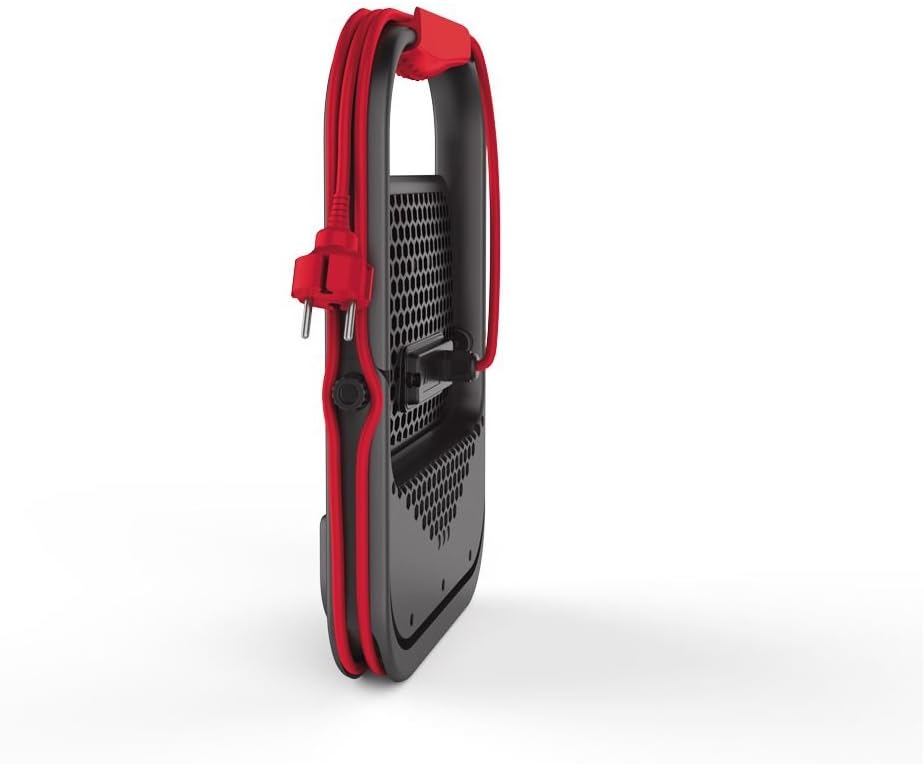
Image 2: Xanlite PR30WF LED Projector in folded position. The red handle/stand is collapsed, and the power cord is neatly wrapped around the unit.
5. Operating Instructions
- Power On/Off: Once connected to a power source, the projector can be switched on or off using the integrated switch.
- Dimming Function: This projector is dimmable. Use the integrated dimmer switch to adjust the light intensity to your desired level.
- Adjusting Light Direction: The stand allows for tilting the LED panel to direct the light beam as needed for your work area.
6. Maintenance
- Cleaning: Disconnect the power before cleaning. Use a soft, dry cloth to wipe the exterior of the projector. Do not use abrasive cleaners or solvents.
- Storage: When not in use, store the projector in a cool, dry place, away from direct sunlight and moisture. The foldable design allows for compact storage.
- Inspection: Periodically inspect the power cord and plug for any signs of damage. If damaged, discontinue use and have it repaired by a qualified technician.
7. Troubleshooting
| Problem | Possible Cause | Solution |
|---|---|---|
| Projector does not turn on. | No power supply; faulty outlet; damaged cord/plug. | Check power connection. Test outlet with another device. Inspect cord for damage. |
| Light output is weak or flickering. | Dimmer setting too low; unstable power supply; internal fault. | Adjust dimmer. Ensure stable power. If problem persists, contact support. |
| Projector overheats. | Poor ventilation; prolonged use in high ambient temperature. | Ensure clear airflow around the unit. Reduce operating time if necessary. |
If you encounter issues not listed here or if solutions do not resolve the problem, please contact customer support.
8. Specifications
| Model Number: | PR30WF |
| Power Consumption: | 30 Watts |
| Luminous Flux: | 2100 Lumens |
| Color Temperature: | 6500 Kelvin (Cool White) |
| Voltage: | 230 Volts |
| Material: | Metal (Body), Aluminum (Screen) |
| IP Rating: | IP44 |
| Dimensions (folded): | 30.6 x 25.2 x 6.7 cm |
| Weight: | 300 g |
| Dimmable: | Yes |
| Power Source: | AC/DC |
| Light Direction: | LED |
9. Energy Efficiency
This product complies with energy efficiency regulations. Refer to the energy label for detailed information on its energy consumption.
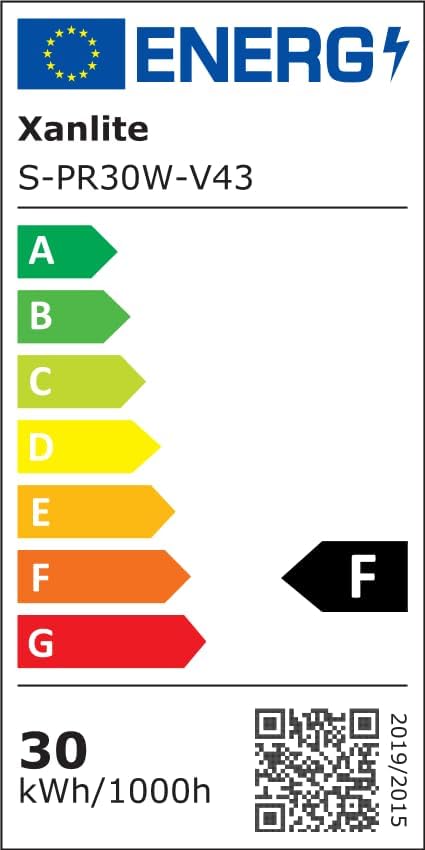
Image 3: EU Energy Label for Xanlite S-PR30W-V43. The label indicates an energy efficiency class of F and an energy consumption of 30 kWh per 1000 hours.
For more details, you can access the product information sheet via the EPREL database:
10. Warranty and Support
Xanlite products are manufactured to high-quality standards. This product is covered by a manufacturer's warranty in accordance with local consumer protection laws. For warranty claims, technical support, or spare parts, please contact your retailer or the official Xanlite customer service. Please have your proof of purchase and model number (PR30WF) ready when contacting support.


