
Introduction
This manual provides comprehensive instructions for the safe and efficient operation of your MIPRO MA-101C/MM-107 Portable PA System. Please read this manual thoroughly before using the device and retain it for future reference. This system is designed for small-scale public address applications, offering clear audio amplification with portability.
Safety Instructions
- Do not expose the unit to rain or moisture to prevent fire or electric shock.
- Do not open the casing. Refer all servicing to qualified personnel.
- Ensure the power adapter is compatible with your local power supply.
- Keep the unit away from heat sources and direct sunlight.
- Avoid dropping or subjecting the unit to strong impacts.
- Use only the specified charging cable and accessories.
Package Contents
Verify that all items listed below are included in your package:
- MIPRO MA-101C Portable PA Speaker Unit
- MIPRO MM-107 Handheld Microphone
- Microphone Cable
- AC Power Adapter/Charger
- User Manual (this document)
Product Overview
The MIPRO MA-101C/MM-107 system consists of a compact PA speaker and a wired handheld microphone, designed for clear vocal amplification.
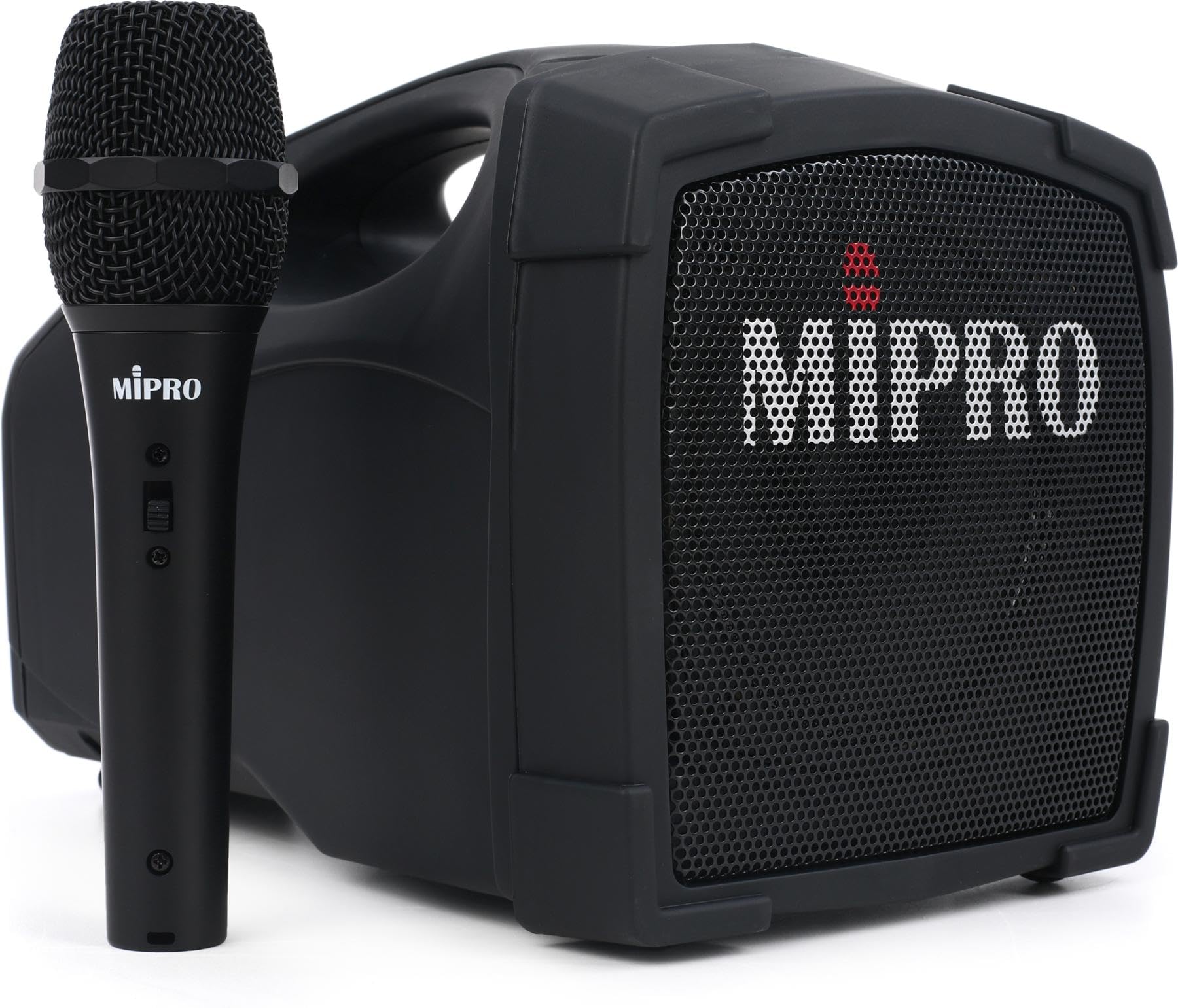
Figure 1: MIPRO MA-101C Portable PA Speaker and MM-107 Handheld Microphone. The image displays the compact speaker unit with its controls and the included wired microphone.
Key Components:
- MA-101C Speaker Unit: Features a 5-inch speaker, amplifier, control panel, and rechargeable battery.
- MM-107 Handheld Microphone: A wired dynamic vocal microphone with a supercardioid polar pattern for feedback resistance.
- Control Panel: Includes power switch, volume control, and input jacks.
Setup
1. Charging the Unit
- Connect the AC power adapter to the charging port on the MA-101C speaker unit.
- Plug the adapter into a standard electrical outlet.
- The charging indicator light will illuminate. A full charge typically takes approximately 4 hours.
- Once fully charged, the indicator light may change color or turn off, depending on the model. Disconnect the charger when charging is complete to preserve battery life.
2. Connecting the Microphone
- Locate the microphone input jack on the MA-101C speaker unit. This is typically an XLR or 1/4-inch jack.
- Connect the microphone cable to the MM-107 handheld microphone.
- Connect the other end of the microphone cable to the input jack on the MA-101C unit. Ensure a secure connection.
3. Powering On/Off
- To power on, locate the power switch on the MA-101C unit and switch it to the "ON" position.
- To power off, switch the power switch to the "OFF" position.
Operating Instructions
1. Adjusting Volume
- After powering on, slowly turn the master volume knob clockwise to increase the output volume.
- Adjust the volume to a comfortable listening level, avoiding feedback (a high-pitched squeal).
2. Using the Microphone
- Hold the MM-107 microphone approximately 2-6 inches from your mouth for optimal sound pickup.
- Speak clearly and directly into the microphone.
- If feedback occurs, reduce the volume or reposition the microphone and speaker to prevent the microphone from picking up its own amplified sound.
3. Battery Life
The built-in rechargeable battery provides up to eight hours of continuous operation on a single full charge, depending on usage volume. Monitor the battery indicator (if available) to determine remaining power.
Maintenance
1. Cleaning
- Wipe the exterior of the speaker unit and microphone with a soft, dry cloth.
- Do not use liquid cleaners, aerosols, or solvents, as these may damage the finish or internal components.
2. Storage
- Store the unit in a cool, dry place away from direct sunlight and extreme temperatures.
- If storing for extended periods, ensure the battery is partially charged (around 50%) and recharge it every few months to maintain battery health.
3. Battery Care
- Avoid completely draining the battery frequently.
- Do not leave the unit connected to the charger indefinitely after it is fully charged.
Troubleshooting
| Problem | Possible Cause | Solution |
|---|---|---|
| No sound output | Unit is not powered on; Volume is too low; Microphone not connected; Microphone faulty. | Ensure unit is powered on; Increase master volume; Check microphone cable connection; Test with another microphone if available. |
| Distorted sound | Volume too high; Microphone too close to speaker; Low battery. | Reduce volume; Reposition microphone and speaker; Recharge the unit. |
| Feedback (squealing) | Microphone too close to speaker; Volume too high. | Move microphone further from speaker; Reduce volume; Point microphone away from speaker. |
| Unit not charging | Power adapter not connected properly; Faulty power outlet; Damaged adapter. | Check all connections; Try a different power outlet; Contact support for adapter replacement. |
Specifications
| Feature | Detail |
|---|---|
| Brand | MIPRO |
| Model Number | MA-101C/MM-107 |
| Output Wattage | 42 Watts |
| Speaker Size | 5 inches |
| Connectivity Technology | Wired (for microphone) |
| Power Source | Battery Powered |
| Battery Life | Up to 8 hours (on a single charge) |
| Charging Time | Approximately 4 hours |
| Microphone Type | Handheld Dynamic Vocal Microphone (MM-107) |
| Microphone Polar Pattern | Supercardioid |
| Item Dimensions (L x W x H) | 14.05 x 13.45 x 8.7 inches |
| Enclosure Material | Stainless Steel |
Warranty Information
The MIPRO MA-101C/MM-107 Portable PA System comes with a 2-Year Warranty from the date of purchase. This warranty covers defects in materials and workmanship under normal use. It does not cover damage caused by misuse, accidents, unauthorized modifications, or normal wear and tear. Please retain your proof of purchase for warranty claims.
Customer Support
For technical assistance, warranty service, or product inquiries, please contact MIPRO customer support. Refer to the official MIPRO website or your purchase documentation for the most current contact information.


