
Introduction
This manual provides comprehensive instructions for the safe and effective operation, maintenance, and troubleshooting of the DeltaTrak ThermoTrace Infrared Gun Thermometer, Model 15041. This device is designed for non-contact temperature measurement, primarily in food service environments, and is engineered for durability and accuracy.
Safety Information
- Do not point the laser directly into eyes or indirectly off reflective surfaces.
- Do not use the thermometer near explosive gases, steam, or dust.
- Avoid exposing the device to extreme temperatures, humidity, or direct sunlight for extended periods.
- Keep the device clean and dry.
- Do not attempt to disassemble or modify the thermometer. Refer all servicing to qualified personnel.
Package Contents
Verify that the following items are included in your package:
- DeltaTrak ThermoTrace Infrared Gun Thermometer (Model 15041)
- AAA Batteries (2 pcs)
- User Manual (this document)

Image: The DeltaTrak 15041 thermometer shown within its open packaging, alongside two AAA batteries, indicating the included components.
Product Overview
The DeltaTrak 15041 features a comfortable gun design for easy handling and a clear digital display for temperature readings.
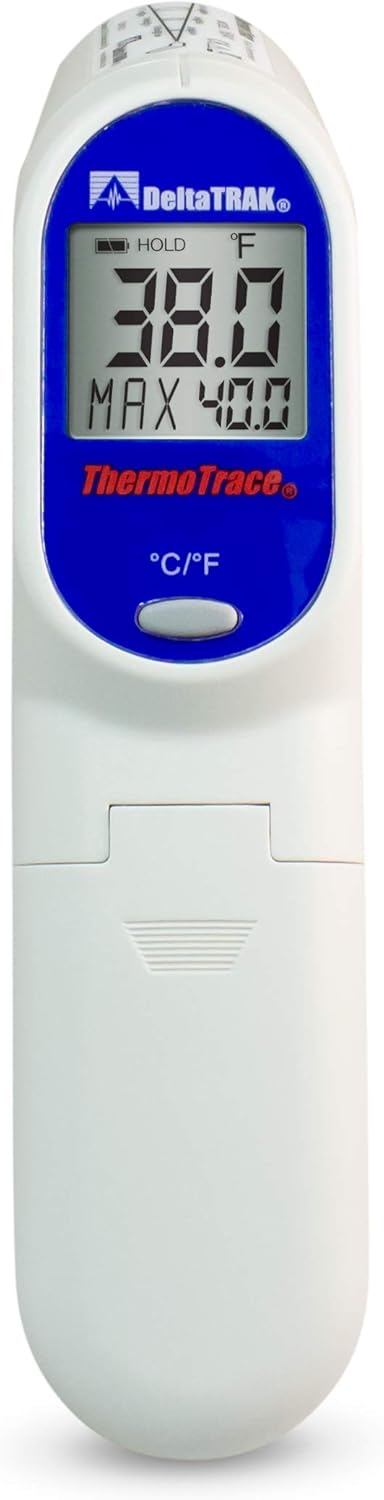
Image: Front view of the DeltaTrak 15041 Infrared Gun Thermometer. The large, backlit LCD displays 'HOLD', '°F', '38.0', and 'MAX 40.0'. Below the display is a blue oval with 'ThermoTrace' and a gray button labeled '°C/°F'.
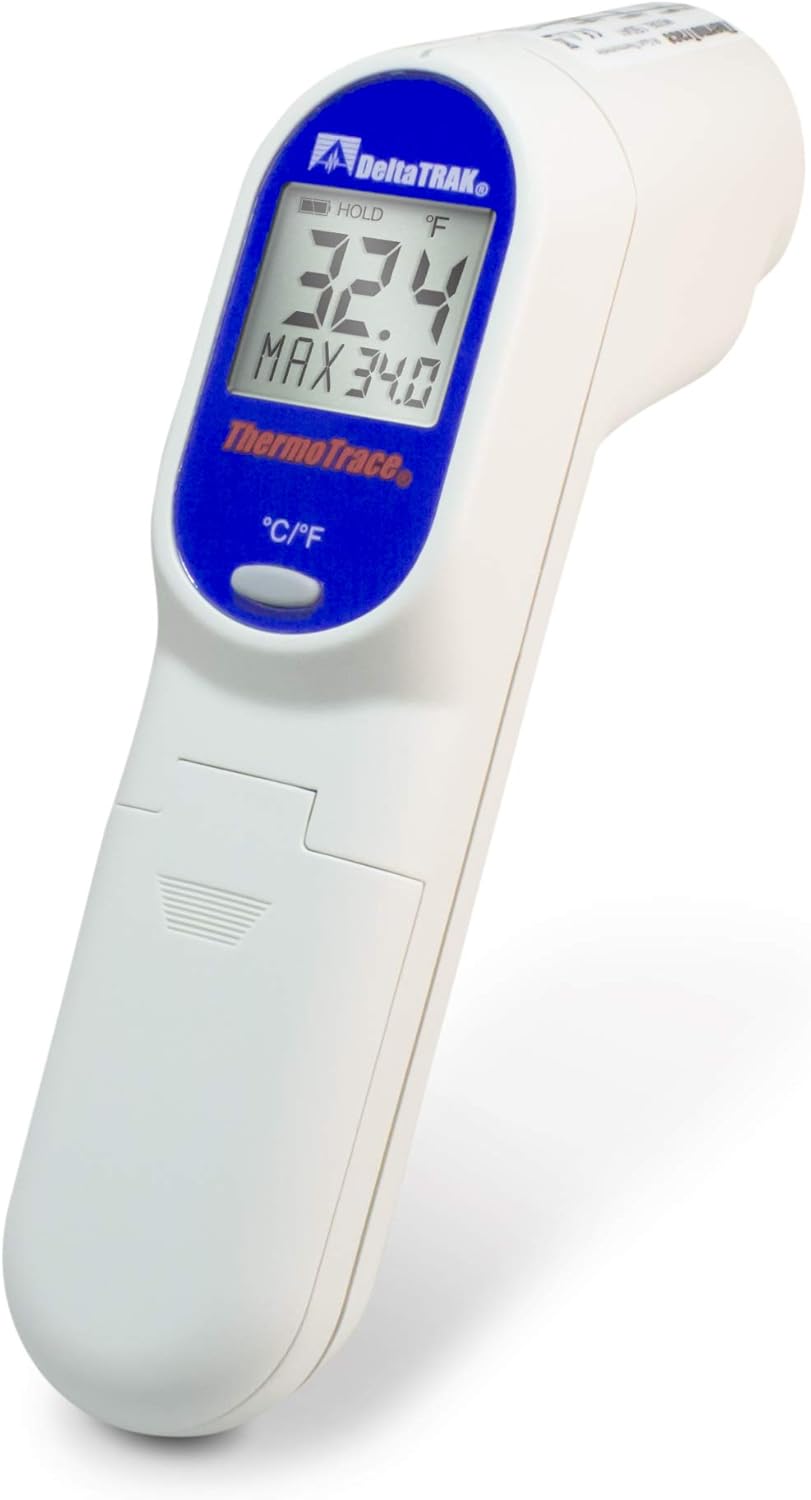
Image: Angled view of the DeltaTrak 15041 Infrared Gun Thermometer, highlighting its ergonomic gun-style design and the measurement lens at the front.
Key Components:
- Measurement Lens: Located at the front of the device, used to detect infrared radiation.
- Laser Pointer: Emits a red laser dot to indicate the center of the measurement area.
- LCD Display: Shows temperature readings, measurement units, and status indicators.
- Trigger: Activates the thermometer for measurement and laser.
- °C/°F Button: Toggles between Celsius and Fahrenheit temperature units.
- Battery Compartment: Located in the handle, holds two AAA batteries.
Setup
Battery Installation:
- Locate the battery compartment cover on the handle of the thermometer.
- Slide the cover downwards or open it according to the indicated direction.
- Insert two AAA batteries, ensuring correct polarity (+/-) as marked inside the compartment.
- Close the battery compartment cover securely.
Operating Instructions
Taking a Measurement:
- Point the thermometer at the target surface.
- Press and hold the trigger. The laser pointer will activate, indicating the measurement area.
- The temperature reading will appear on the LCD display.
- Release the trigger to hold the reading on the display. The 'HOLD' icon will appear.
- The device will automatically shut off after 15 seconds of inactivity to conserve battery life.
Changing Temperature Units (°C/°F):
With the thermometer powered on, press the '°C/°F' button located below the display to toggle between Celsius and Fahrenheit units.
Field of View (Distance to Spot Ratio):
The ThermoTrace 15041 has a 12:1 distance to spot ratio. This means that at a distance of 12 inches, the measurement spot diameter will be 1 inch. To ensure accurate readings, make sure the target area is larger than the spot size at your chosen measurement distance.
Maintenance
Cleaning:
- Wipe the device with a soft, damp cloth. Do not use abrasive cleaners or solvents.
- Ensure the measurement lens is clean and free of dust or debris for accurate readings. Use a soft brush or compressed air if necessary.
Battery Replacement:
When the battery indicator appears on the display, replace the AAA batteries as described in the 'Battery Installation' section.
Storage:
Store the thermometer in a cool, dry place away from direct sunlight and extreme temperatures. If storing for extended periods, remove the batteries to prevent leakage.
Troubleshooting
- No Display: Check battery installation and ensure batteries are not depleted. Replace if necessary.
- 'Lo' or 'Hi' on Display: The measured temperature is outside the device's specified range (-76°F to 932°F / -60°C to 500°C).
- Inaccurate Readings: Ensure the measurement lens is clean. Verify the distance to spot ratio is appropriate for the target size. Check for obstructions between the thermometer and the target.
- Laser Not Working: Ensure the trigger is pressed. If the laser still does not activate, check batteries.
Specifications

Image: The back of the DeltaTrak 15041 product packaging, displaying a detailed list of technical specifications for the infrared thermometer.
| Specification | Value |
|---|---|
| Field of View | 12:1 Distance to spot ratio |
| Range | -76°F to 932°F (-60°C to 500°C) |
| Operating Range | -76°F to 10°F (-60°C to -12°C) |
| Accuracy | ±2°C (-76°F to 14°F) ±1°C (14°F to 95°F) ±2°C (95°F to 932°F) or 2% of reading, whichever is greater |
| Emissivity | 0.95 fixed |
| Display Resolution | 0.1°F/0.1°C, otherwise 1°F/1°C |
| Response Time (90%) | 1 second |
| Auto Shut Off | After 15 seconds idle |
| Battery | AAA x 2pcs, 14-18 hrs continuous use |
| Dimensions | 175.2 x 39.0 x 71.9mm (6.9x1.54x2.83") |
| Weight | 179 grams (6.31oz) including batteries |
Warranty Information
The DeltaTrak ThermoTrace Infrared Gun Thermometer is backed by DeltaTrak's services and warranty. For specific details regarding the warranty period and terms, please refer to the official DeltaTrak website or contact customer support.
Support and Contact Information
For technical assistance, calibration services, or general inquiries, please contact DeltaTrak using the information below:
- NIST Calibration Certification Service: Available. For Calibration Services, call 1-800-340-0064.
- DeltaTrak, Inc.
P.O. Box 398
Pleasanton, CA 94566 USA - Telephone: 800-962-6776 / 925-249-2250
- Fax: 925-249-2251
- Website: www.deltatrak.com
©2011 DeltaTrak Inc.


