
Autel AL539
Autel AutoLink AL539 OBD2 Scanner and Automotive Multimeter Instruction Manual
Model: AL539 | Brand: Autel
1. Introduction
The Autel AutoLink AL539 is a versatile OBD2 scanner and automotive multimeter designed for comprehensive vehicle diagnostics. It combines professional electrical testing functions with full OBD2 capabilities to help users identify and resolve vehicle issues efficiently.
Key Features:
- Electrical Circuit / Starter / Charging System Tester: Diagnoses vehicle electrical systems, including DC/AC voltage, continuity, and current tests. Evaluates cranking status and charging system output.
- Emission Status Check: Provides I/M readiness and O2 sensor tests to assess emission status and prepare for smog tests.
- Complete OBDII Functions: Reads and clears diagnostic trouble codes (DTCs), displays live data, freeze frame data, O2 monitor test results, on-board monitor test results, component test results, and vehicle information. Supports data printing via PC.
- Extensive Vehicle Coverage: Compatible with most 1996 and newer US, Asian, and European vehicles (OBDII & CAN). Features Smart AutoVIN technology for easy vehicle identification.
- User-Friendly Interface: Features a TFT color display and intuitive navigation for ease of use.

Figure 1: Autel AutoLink AL539 Diagnostic Tool with Multimeter Probes.
2. Setup
2.1 Package Contents
Verify that all items are present in your package:
- Autel AutoLink AL539 Main Unit
- OBDII Cable
- Multimeter Test Leads
- USB Cable
- User's Manual
- Protective Carry Case
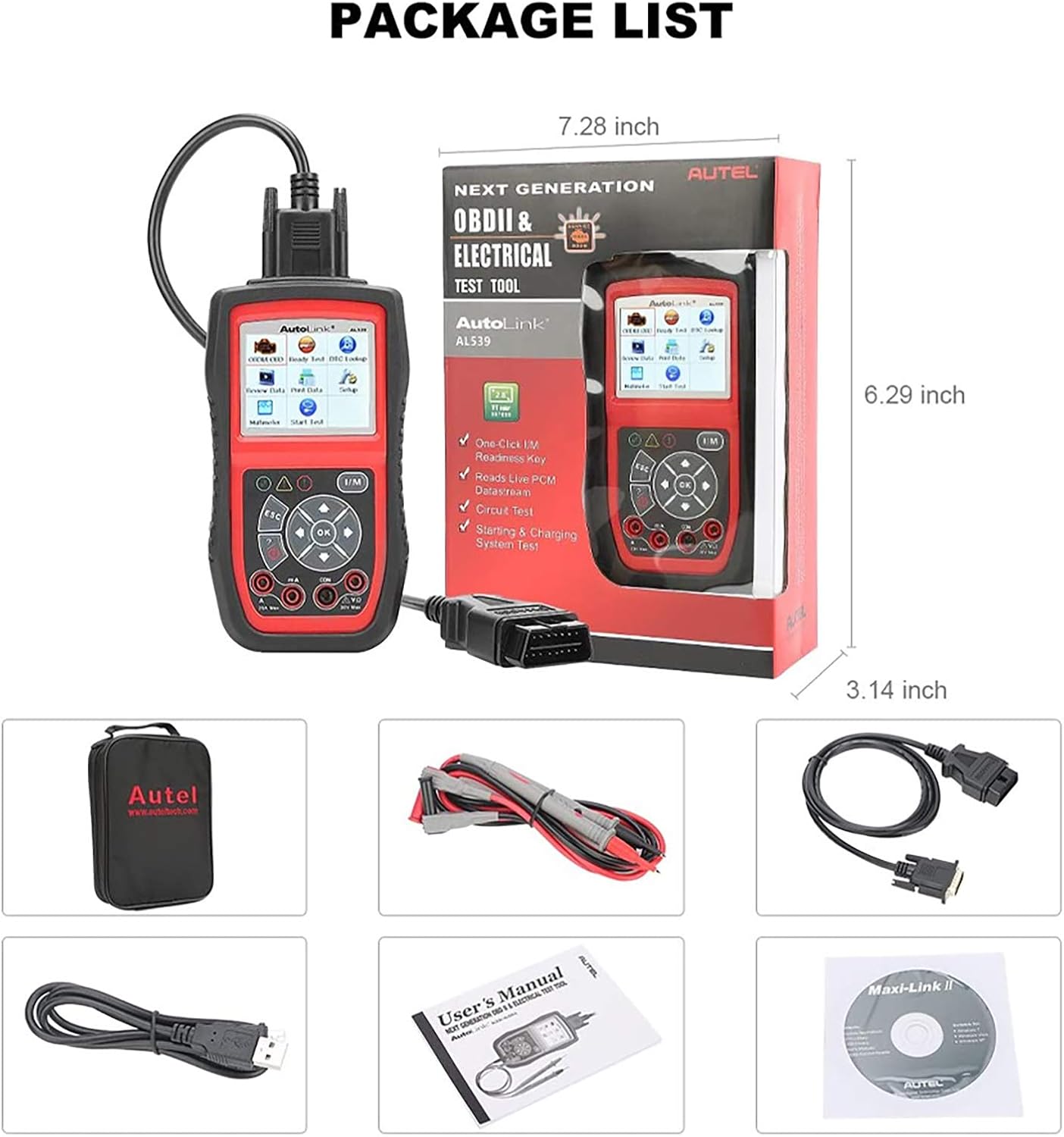
Figure 2: Contents of the Autel AutoLink AL539 package, including the main unit, cables, and manual.
2.2 Connecting to Vehicle
- Locate the vehicle's 16-pin Data Link Connector (DLC). This is typically found under the dashboard on the driver's side.
- Ensure the vehicle's ignition is in the "ON" position (engine off) for most diagnostic functions. For some tests, the engine may need to be running.
- Connect the OBDII cable from the AL539 unit to the vehicle's DLC. The connector is designed to fit only one way.
- The AL539 unit will power on automatically once connected to the vehicle's DLC.
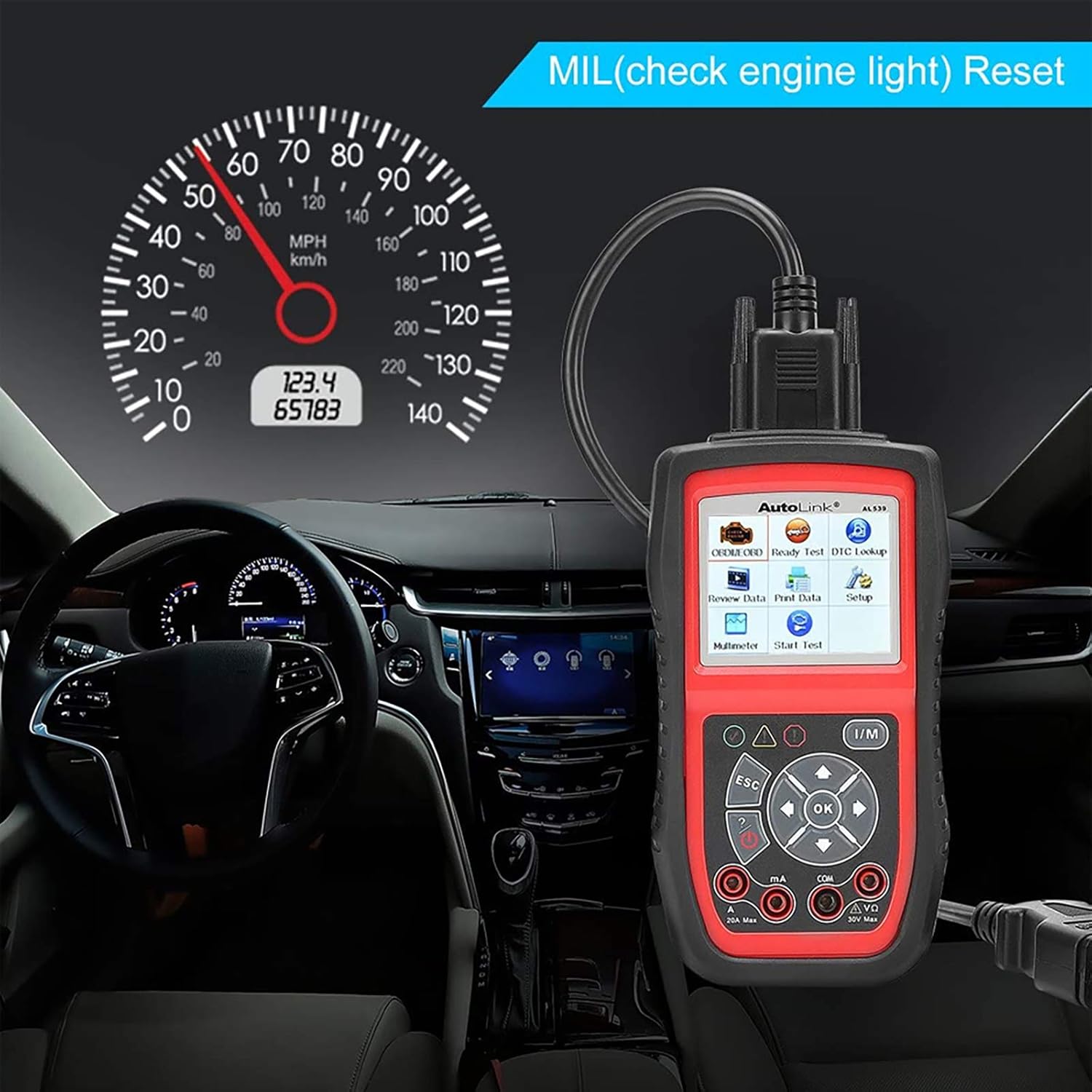
Figure 3: The AL539 unit connected to a vehicle's OBDII port, positioned for dashboard visibility.
3. Operating Instructions
3.1 OBDII/EOBD Diagnostics
This section covers the primary diagnostic functions for reading and clearing vehicle trouble codes.
- Read Codes: Displays Diagnostic Trouble Codes (DTCs) stored in the vehicle's computer.
- Erase Codes: Clears DTCs from the vehicle's computer. This will also turn off the Malfunction Indicator Lamp (MIL).
- Live Data: Displays real-time data from the vehicle's sensors.
- Freeze Frame: Shows a snapshot of operating conditions at the time a fault code was set.
- I/M Readiness: Checks the status of emission-related monitoring systems.
- DTC Lookup: Provides definitions for generic and manufacturer-specific codes.

Figure 4: Overview of complete OBDII functions available on the AL539, including Check Engine Light, Read Codes, Live Data, Erase Codes, Freeze Frame, I/M Readiness, O2 Monitor, and Vehicle Information.
Video 1: Demonstration of Check Engine Light, Live Data, and I/M Monitor functions on a similar Autel MaxiLink ML519 diagnostic tool. This video illustrates core OBDII diagnostic processes applicable to the AL539.
3.2 Automotive Multimeter Functions
The AL539 integrates a multimeter for electrical system testing.
- Circuit Test: Measures DC or AC voltage, continuity, and current.
- Starting System Test: Diagnoses the cranking status of the vehicle to determine if starter voltage is normal.
- Charging System Test: Evaluates the charging system output (normal, low, high, or excessive ripple).
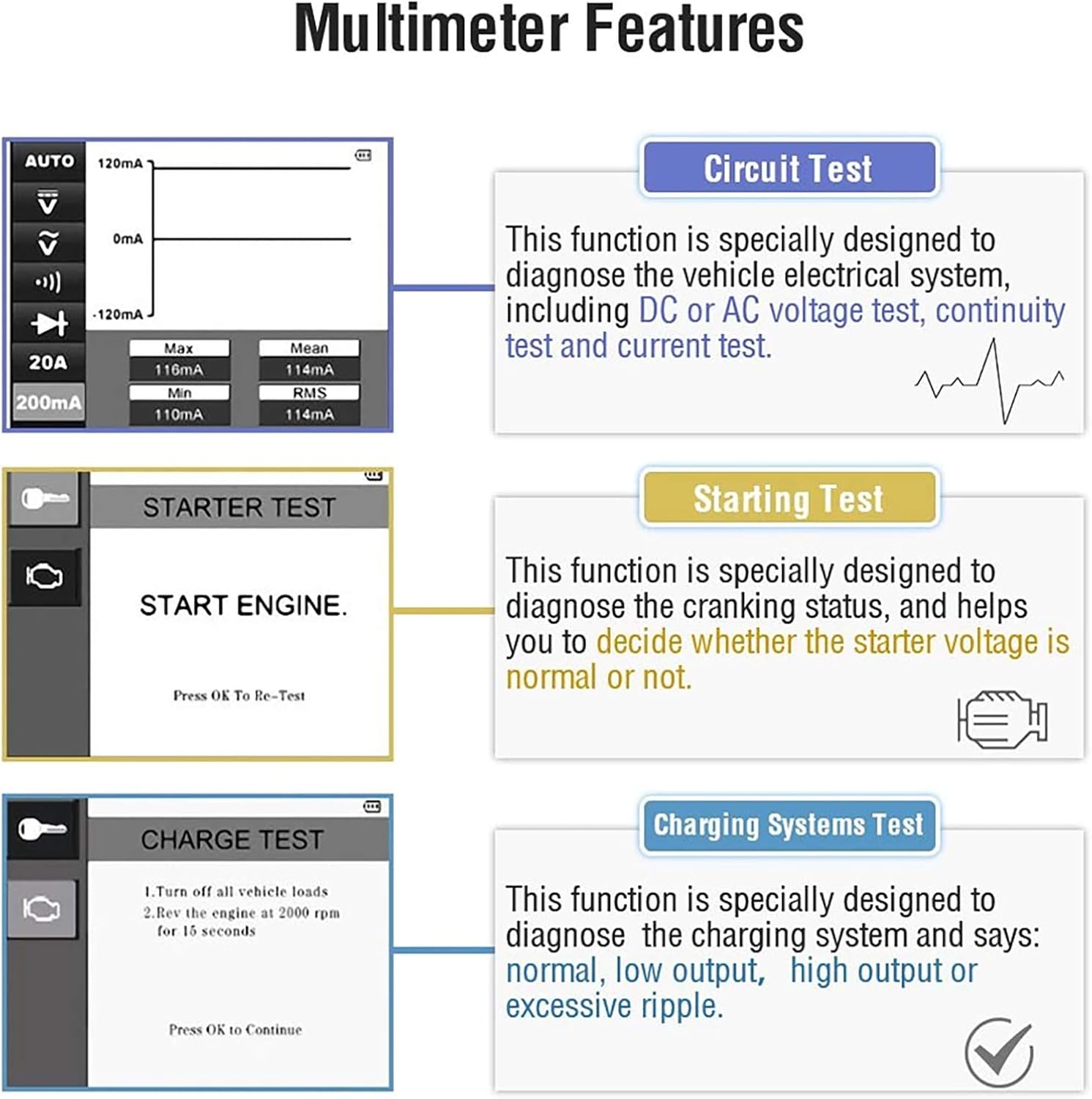
Figure 5: Visual representation of the multimeter features including Circuit Test, Starting Test, and Charging Systems Test.

Figure 6: The AL539 unit demonstrating multimeter functions, showing voltage and resistance measurements.
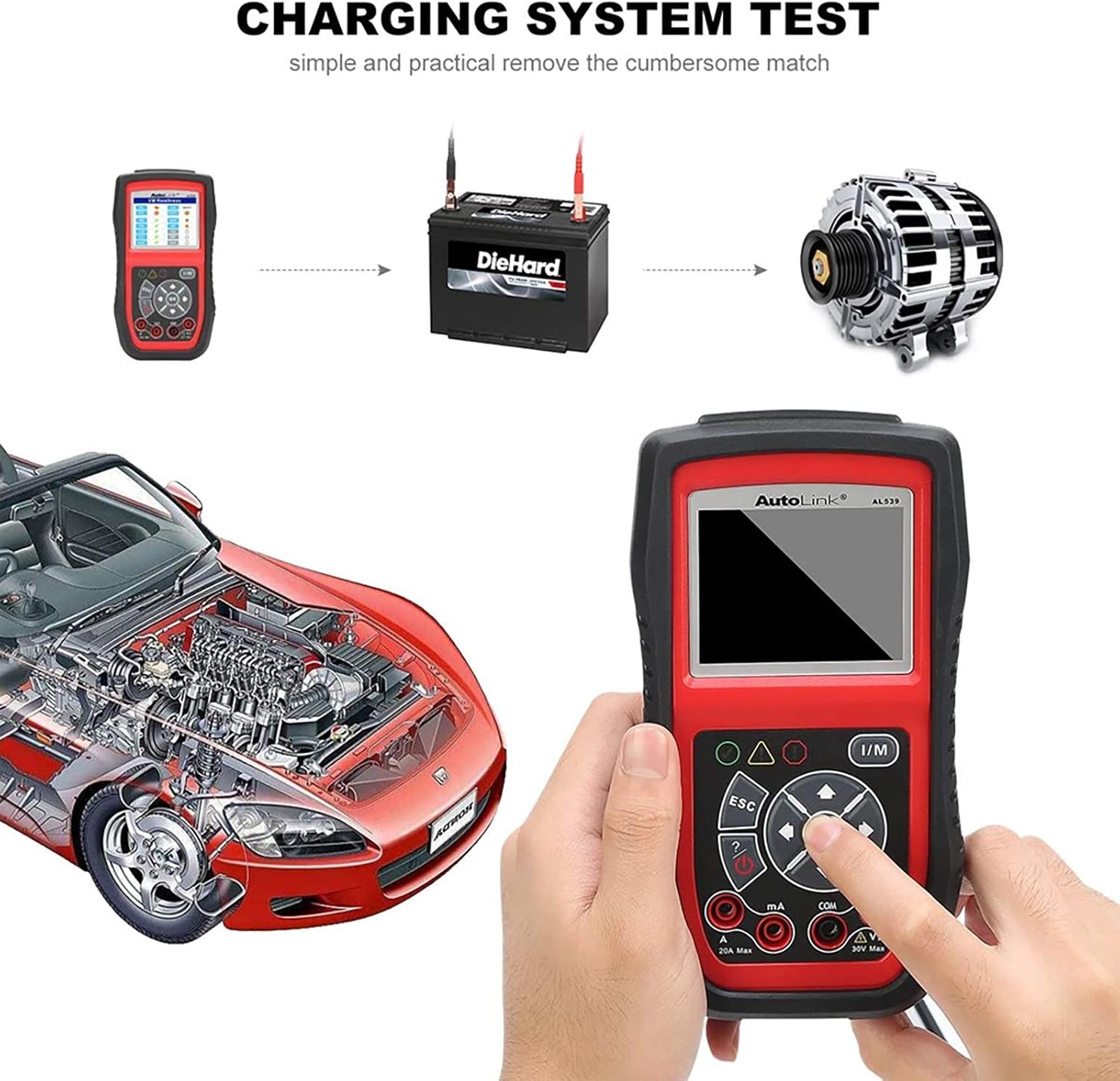
Figure 7: Diagram illustrating the process of performing a charging system test with the AL539, connecting to the battery and alternator.
3.3 System Setup and Navigation
The AL539 features a user-friendly interface with various menu options for configuration and data management.
- Review Data: Allows playback of recorded live data streams.
- Print Data: Enables printing of diagnostic data via a PC connection.
- Setup: Configures device settings such as language, units of measure, and sound.
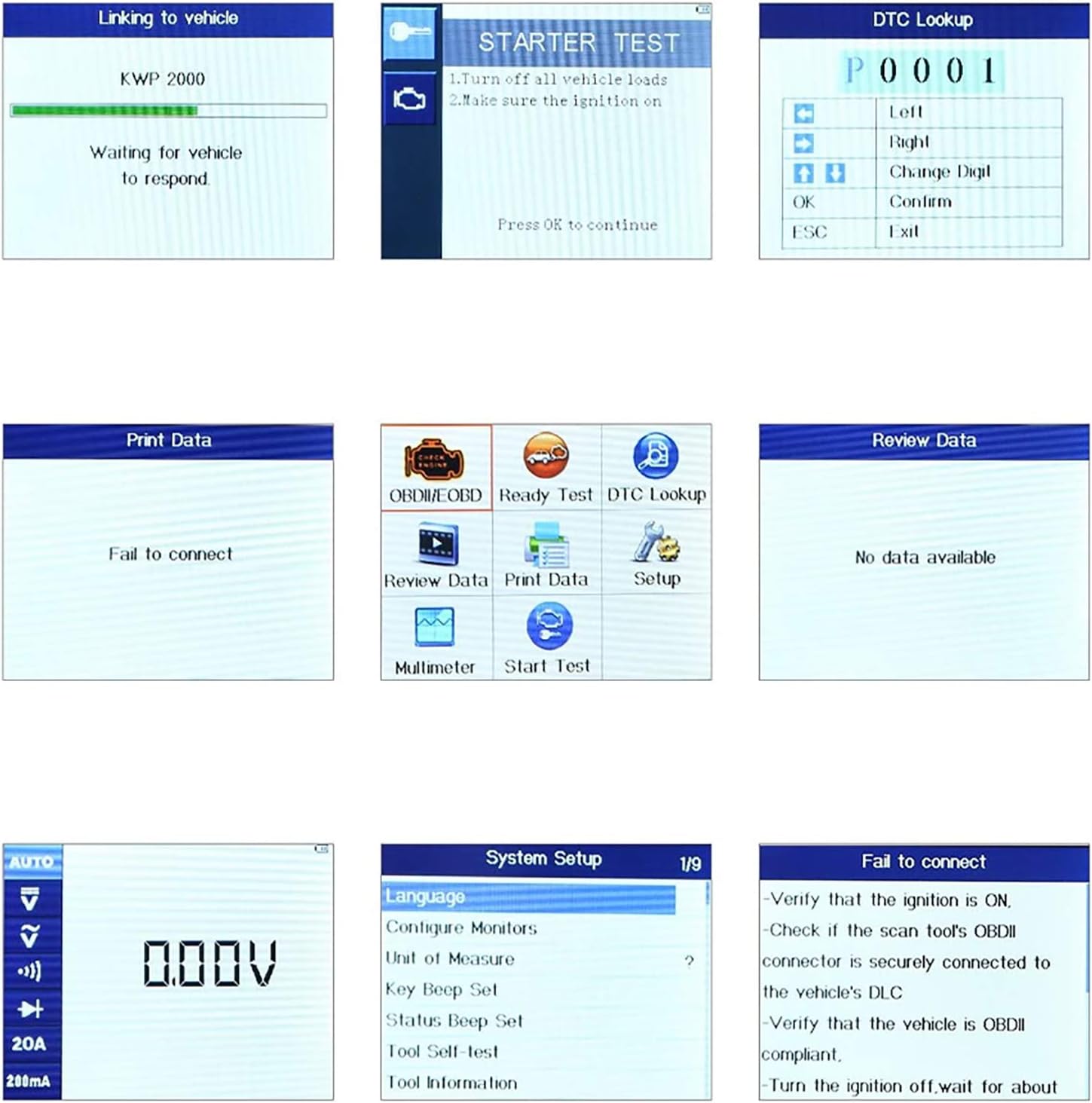
Figure 8: Various screen displays from the AL539, showing communication status, diagnostic menus, live data, and system setup options.
4. Maintenance
4.1 Software Updates
The AL539 offers free lifetime software updates to ensure compatibility with new vehicle models and diagnostic protocols. Refer to the official Autel website for instructions on downloading and installing updates via a PC.
4.2 Device Care
- Keep the device clean and free from dust and moisture.
- Store the unit in its protective carry case when not in use.
- Avoid dropping the device or subjecting it to harsh impacts.
5. Troubleshooting
| Problem | Possible Cause | Solution |
|---|---|---|
| Unit does not power on. | Incorrect connection to DLC; vehicle ignition off; vehicle battery low. | Verify secure connection to DLC. Ensure ignition is ON. Check vehicle battery voltage. |
| Communication error with vehicle. | DLC connection issue; vehicle not OBDII compliant; ignition off. | Check DLC connection. Confirm vehicle is 1996 or newer and OBDII compliant. Turn ignition ON. |
| Incomplete I/M Readiness Monitors. | Vehicle has not completed a full drive cycle since last code clear or battery disconnect. | Perform a drive cycle according to vehicle manufacturer specifications to allow monitors to run. |
| Incorrect Multimeter readings. | Improper test lead connection; incorrect function selected. | Ensure test leads are correctly inserted and connected. Select the appropriate measurement function (voltage, current, continuity). |
6. Specifications
- Brand: Autel
- Model: AL539
- Item Weight: 2.27 pounds
- Package Dimensions: 18.35 x 14.29 x 6.61 inches
- ASIN: B06X6J39TK
- Date First Available: February 16, 2017
- UPC: 713830328069
7. Warranty & Support
The Autel AutoLink AL539 comes with a 12-month guarantee from the date of purchase.
For technical support, software updates, or further assistance, please visit the official Autel website or contact their customer service. Free software updates are available for the lifetime of the product.
Related documentsAL539


Ask a question about this manual
Ask about setup, troubleshooting, compatibility, parts, safety, or missing instructions. Manuals+ will review the question and use this page’s manual context to help answer it.