Introduction
This manual provides essential instructions for the safe and effective use of your Sony HVL-F45RM camera flash. Please read this manual thoroughly before using the product and retain it for future reference.
The Sony HVL-F45RM is a powerful, compact flash unit designed for advanced photography. It features a Guide Number (GN) of 45, radio wireless communication for multi-flash setups, and a 1-inch display for intuitive control. Its capabilities include bounce lighting and High-Speed Sync (HSS), making it suitable for various creative lighting scenarios.
Safety Information
Always observe the following safety precautions to prevent injury or damage to the product:
- Do not disassemble or modify the flash unit.
- Keep the unit dry and away from moisture.
- Do not expose the unit to extreme temperatures.
- Use only specified batteries (AA-size).
- Avoid direct eye exposure to the flash.
Package Contents
Verify that all items are present in the package:
- Sony HVL-F45RM Flash Unit
- Connector Protect Cap
- Mini-Stand
- Carrying Case
- AA-size Batteries (4 included)
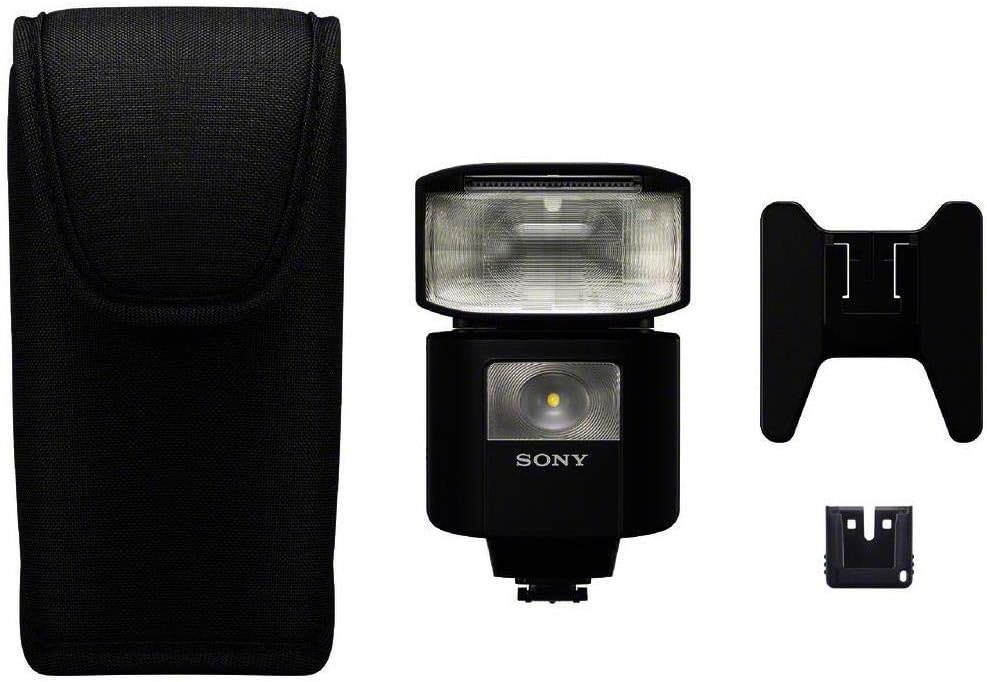
Image: Sony HVL-F45RM flash unit and its accessories.
Setup
1. Installing Batteries
- Open the battery compartment cover on the flash unit.
- Insert four AA-size batteries, ensuring correct polarity (+/-).
- Close the battery compartment cover securely.
2. Attaching to Camera
- Slide the flash unit into the camera's Multi Interface Shoe until it clicks into place.
- Tighten the locking screw (if present) to secure the flash.
- Ensure the flash is compatible with your camera's MI Shoe. An adapter may be required for other shoe types.
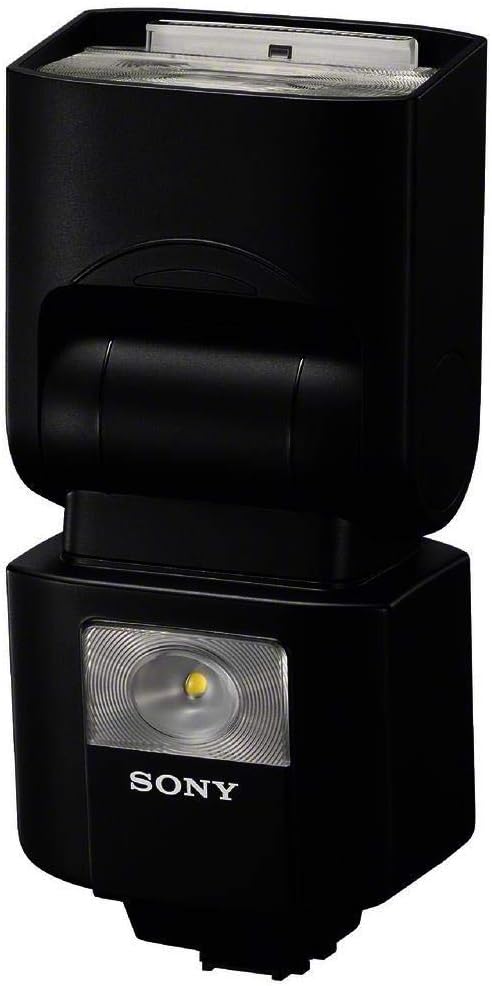
Image: Side view of the HVL-F45RM, illustrating its compact design and mounting point.
Operating Instructions
Powering On/Off
Press and hold the power button to turn the flash unit on or off. The 1-inch display will illuminate upon power-on.
Basic Flash Modes
- TTL (Through-The-Lens) Mode: The flash output is automatically controlled by the camera's metering system.
- Manual Mode: Allows you to manually set the flash output power.
- Multi Mode: Fires the flash multiple times during a single exposure for stroboscopic effects.
Radio Wireless Communication
The HVL-F45RM can operate as an on-camera flash, a radio wireless commander, or a receiver. It supports up to 15 units in up to 5 groups, with a range of approximately 98 feet.
- Commander Mode: Mount the flash on your camera to control other compatible Sony wireless flash units.
- Receiver Mode: Position the flash off-camera to be triggered by a compatible Sony wireless commander.
Bounce Flash Operation
The flash head can be tilted and rotated to direct light off a ceiling or wall, creating softer, more natural illumination.
- Vertical Tilt: The flash head can tilt upwards by 150 degrees and downwards by 8 degrees.
- Horizontal Rotation: The flash head can rotate 180 degrees to the left and 180 degrees to the right.
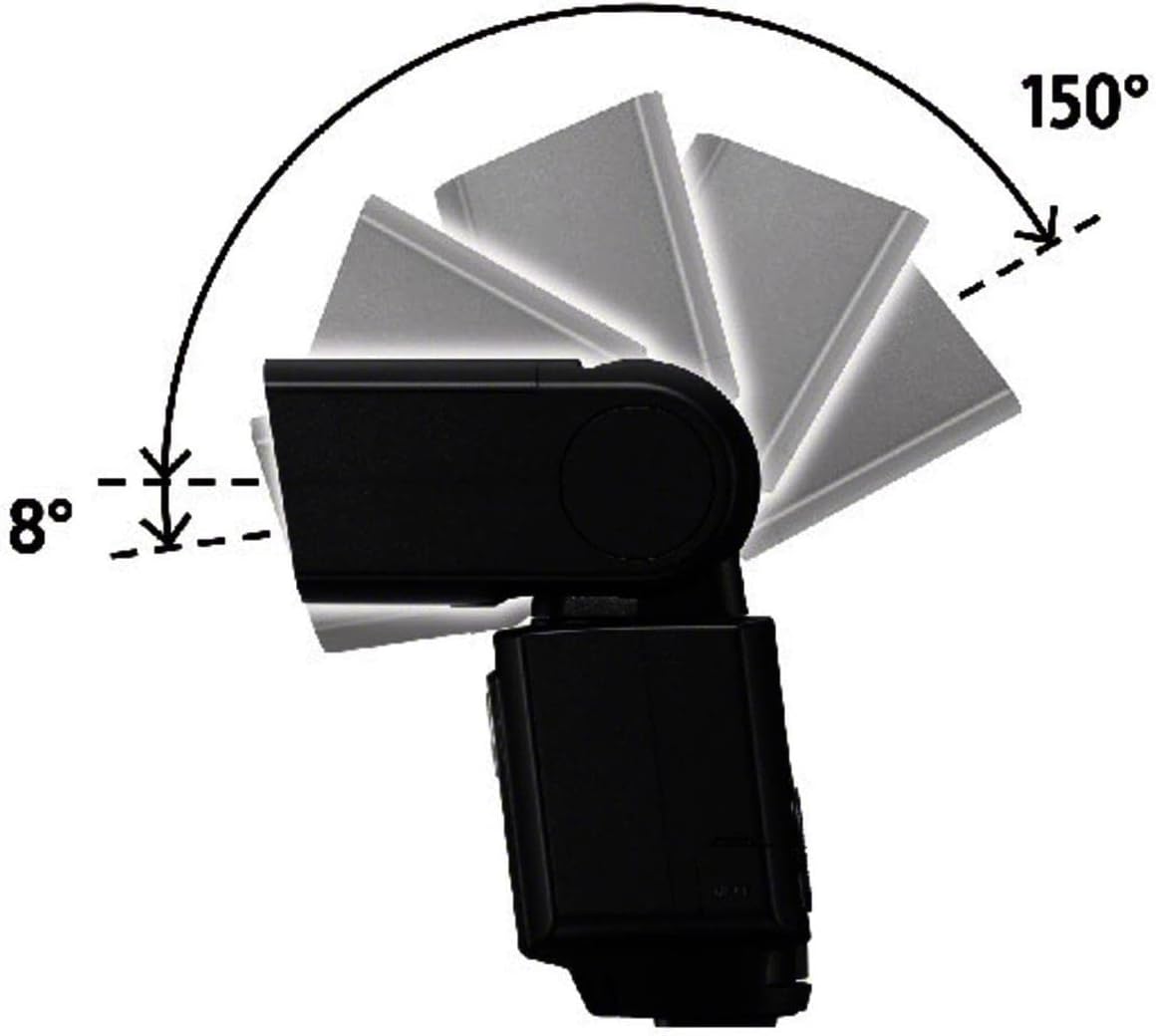
Image: Vertical tilt range of the flash head.

Image: Horizontal rotation range of the flash head.
High-Speed Sync (HSS)
HSS allows the flash to synchronize with shutter speeds faster than the camera's normal sync speed, enabling flash use in bright conditions or with wide apertures.
Recycling Time and Bursts
The flash has a recycling time of approximately 2.5 seconds and can deliver up to 210 bursts on a single set of batteries.
Maintenance
- Cleaning: Use a soft, dry cloth to clean the flash unit. For stubborn dirt, lightly dampen the cloth with water. Do not use organic solvents.
- Battery Care: Remove batteries if the flash will not be used for an extended period to prevent leakage.
- Storage: Store the flash in its carrying case in a cool, dry place, away from direct sunlight and extreme temperatures.
Troubleshooting
| Problem | Possible Cause | Solution |
|---|---|---|
| Flash does not fire. | Batteries are depleted or incorrectly inserted. Flash is not securely mounted. Flash is in standby mode. | Replace batteries or check polarity. Re-mount flash securely. Press shutter button halfway to wake flash. |
| Flash output is too weak/strong. | Incorrect flash mode or power setting. Subject too far/close. | Adjust flash compensation or manual power. Ensure subject is within flash range. |
| Wireless communication failure. | Units are out of range. Interference. Incorrect channel/group settings. | Reduce distance between units. Change wireless channel/group. Check for obstructions. |
| Flash overheats. | Excessive continuous firing. | Allow the flash to cool down. Reduce frequency of flashes. |
Specifications
| Feature | Detail |
|---|---|
| Guide Number (GN) | 45 (at ISO 100, 105mm) |
| Radio Wireless Communication | Yes (Commander/Receiver, up to 15 units in 5 groups, approx. 98 ft range) |
| Flash Duration | Approx. 1.7 ms (1/1 MANUAL) |
| Recycling Time | Approx. 2.5 seconds |
| Number of Flashes | Up to 210 bursts (with Sony AA-size alkaline batteries) |
| Continuous Lighting Time | 4 hours (with Sony AA-size alkaline batteries) |
| Power Source | 4 x AA-size alkaline or Ni-MH batteries |
| Dimensions (W x H x D) | 2.38 x 4.5 x 3.5 inches (approx.) |
| Weight | 11.2 ounces (without batteries) |
| Compatible Mountings | Sony Alpha Multi Interface Shoe |
Warranty and Support
Warranty Information
This Sony product is covered by a limited warranty. Please refer to the warranty card included in your product packaging for specific terms and conditions, including warranty period and coverage details. Retain your proof of purchase for warranty service.
Customer Support
For technical assistance, troubleshooting, or service inquiries, please visit the official Sony support website or contact Sony customer service. Contact information can typically be found on the Sony website or in your product documentation.
Sony Support Website: www.sony.com/electronics/support