
Introduction
The PNY C-UA-TC-K20-03 USB-A to USB-C 2.0 cable is designed for connecting your USB-C compatible devices to USB-A ports for charging and data synchronization. This cable features a reversible USB-C connector for easy connection and supports data transfer speeds up to 480 Megabits per second and charging currents up to 3 Amperes.
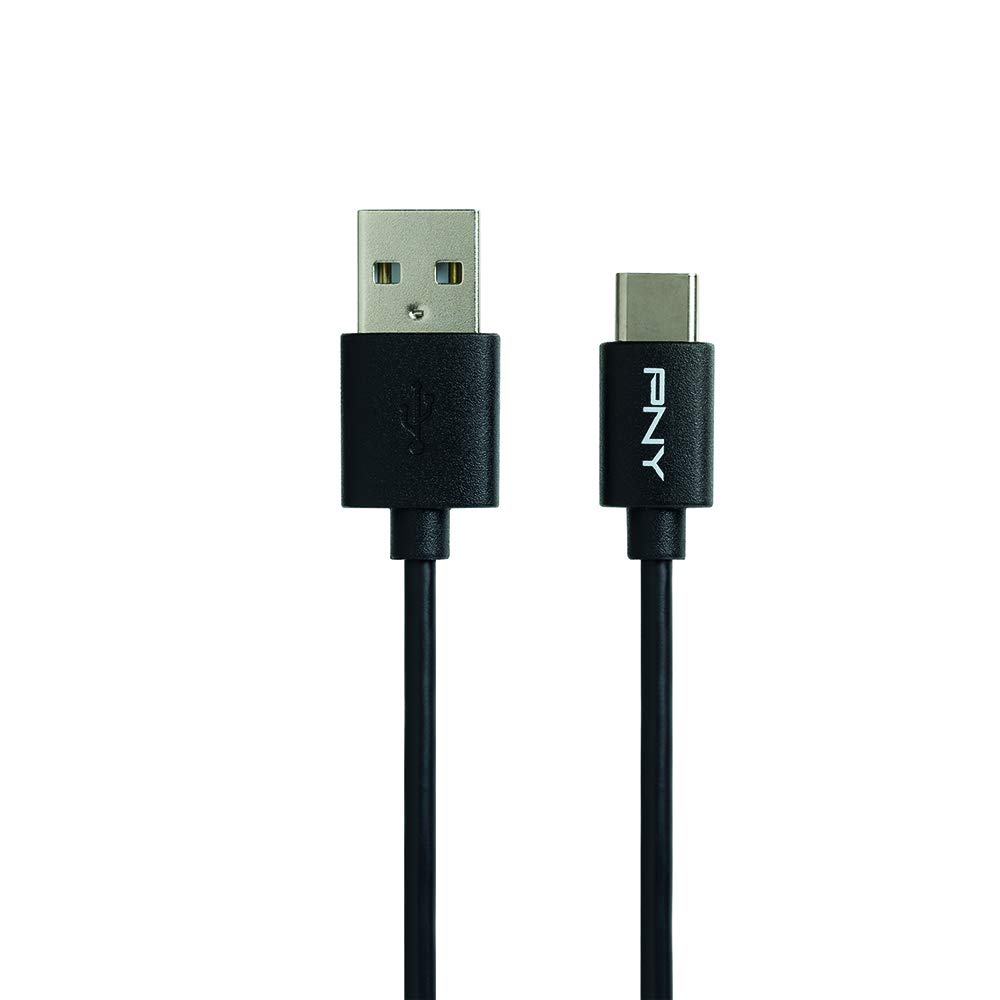
Image: The PNY USB-A to USB-C 2.0 cable, illustrating both the USB-A and USB-C connectors.
Setup Instructions
Follow these steps to connect your PNY C-UA-TC-K20-03 cable:
- Identify Ports: Locate the USB-A port on your power adapter, computer, or other compatible device. Identify the USB-C port on your smartphone, tablet, or other compatible device.
- Connect USB-A End: Insert the USB-A end of the cable into the USB-A port.
- Connect USB-C End: Insert the USB-C end of the cable into the USB-C port on your device. The reversible design of the USB-C connector allows for connection in any orientation.
- Secure Connection: Ensure both ends of the cable are securely and fully inserted into their respective ports for proper function.
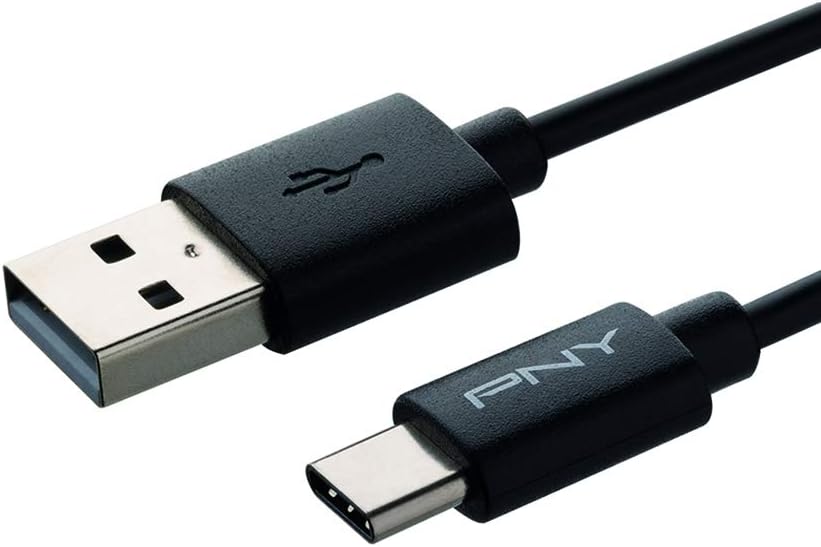
Image: A close-up view of the USB-A and USB-C connectors, highlighting their design for easy connection.
Operating Instructions
This cable facilitates both charging and data synchronization:
- Charging: When connected to a compatible power source (e.g., wall adapter, power bank, computer USB-A port), your USB-C device will begin charging automatically. The cable supports charging currents up to 3 Amperes.
- Data Synchronization: When connected to a computer, your device may prompt you to allow data transfer. Follow the on-screen instructions on your device to enable file transfer or data synchronization. This cable supports data transfer speeds up to 480 Megabits per second (USB 2.0 standard).
Maintenance
To ensure the longevity and optimal performance of your PNY C-UA-TC-K20-03 cable, follow these maintenance guidelines:
- Storage: Store the cable in a clean, dry environment away from extreme temperatures and direct sunlight.
- Handling: Avoid bending or twisting the cable sharply, especially near the connectors, to prevent internal wire damage. Always grasp the connector housing when plugging or unplugging, rather than pulling on the cable itself.
- Cleaning: Keep the connectors free from dust, lint, and debris. Use a soft, dry, lint-free cloth to gently clean the connectors if necessary.

Image: The PNY USB-A to USB-C cable shown in a coiled state, demonstrating its flexibility and ideal for storage.
Troubleshooting
If you encounter issues with your PNY C-UA-TC-K20-03 cable, consider the following solutions:
- Device Not Charging:
- Ensure both ends of the cable are securely connected to the device and the power source.
- Verify that the power source (wall adapter, computer port) is functional by testing it with another known working cable or device.
- Check your device's charging port for any visible obstructions or damage.
- Try using a different power adapter or USB-A port.
- Data Transfer Not Working:
- Confirm the cable is properly connected to both your device and the computer.
- On your device, ensure it is set to "File Transfer" or "Data Transfer" mode when connected to a computer. This setting is typically found in the notification panel on Android devices.
- Try a different USB-A port on your computer.
- Restart both your device and computer.
- Slow Charging or Data Transfer:
- Ensure your power adapter provides sufficient output (Amperes) for your device's charging requirements.
- Verify that the USB port on your computer is a functional USB 2.0 or higher port.
- Close any unnecessary applications on your device or computer that might be consuming resources during data transfer.
Specifications
| Brand | PNY |
| Model Name | C-UA-TC-K20-03 |
| Connector Type | USB Type C, USB Type A |
| Cable Type | USB 2.0 |
| Compatible Devices | Smartphones, Tablets, and other Type-C compatible devices |
| Special Feature | Reversible USB-C connector |
| Data Transfer Rate | Up to 480 Megabits per second |
| Charging Current | Up to 3 Amperes |
| Length | 1 meter |
| Color | Black |
| Manufacturer Part Number | C-UA-TC-K20-03 |
| ASIN | B06WWG3HLS |
Warranty Information
The PNY C-UA-TC-K20-03 cable is covered by a 2-year warranty from the date of purchase.
For detailed warranty terms, conditions, and to initiate a warranty claim, please visit the official PNY website or contact their customer support directly. Keep your proof of purchase for warranty validation.
Customer Support
For further assistance, technical support, or product inquiries, please visit the official PNY website. You can typically find contact information for customer service, FAQs, and additional resources there.
PNY Official Website: www.pny.com
