
Introduction
The Jamar Plus Digital Hand Dynamometer is a precision instrument designed for accurate and reproducible measurement of hand grip strength. This device is widely used in clinical settings, rehabilitation centers, and for personal strength tracking. It features digital load sensors and an LCD display for clear readings, providing a reliable tool for assessing and monitoring grip strength.
What's in the Box
Upon unpacking, ensure all components are present:
- Jamar Plus Digital Hand Dynamometer Unit
- Reusable Storage Case
- User Manual
- AAA Batteries

Image: The Jamar Plus Digital Hand Dynamometer is shown securely placed within its custom-fit foam interior inside a durable black carrying case. A user manual is also visible next to the device.
Setup
1. Battery Installation
The Jamar Plus Digital Hand Dynamometer requires two AAA batteries for operation. Locate the battery compartment, typically on the underside of the main unit. Open the compartment, insert the batteries according to the polarity indicators, and securely close the cover.

Image: A visual representation of the dynamometer being battery-powered, with two AAA batteries displayed alongside the device and its carrying case.
2. Handle Adjustment
The grip handle can be adjusted to five different positions to accommodate various hand sizes and ensure comfortable use. To adjust, pull the handle outward from its current position and slide it along the track to the desired setting. Ensure it clicks securely into place before use.

Image: The Jamar Plus Digital Hand Dynamometer is shown with an arrow indicating its length of 7.4 inches. Text highlights key features including battery components, a quick-release grip latch, and five adjustable grip positions.
Operating Instructions
1. Power On
Press the ON/OFF button to power on the device. The LCD display will illuminate.
2. Select Measurement Units
The device can display measurements in pounds (lbs) or kilograms (kg). Refer to the full user manual for instructions on how to switch between units if needed. The device typically defaults to one unit or allows selection via a specific button.
3. Taking a Grip Strength Measurement
- Hold the dynamometer comfortably in one hand, ensuring your fingers wrap around the lower handle and your palm rests against the upper handle.
- Press the TEST button to prepare the device for measurement. The display should show "0.0".
- Squeeze the handle as hard as possible for approximately 3-5 seconds.
- The peak grip strength will be displayed on the LCD screen.
- To test the other hand, press the RESET button and repeat steps 1-4.
- The device can store multiple readings and calculate averages and standard deviations. Consult the full user manual for advanced data analysis features.
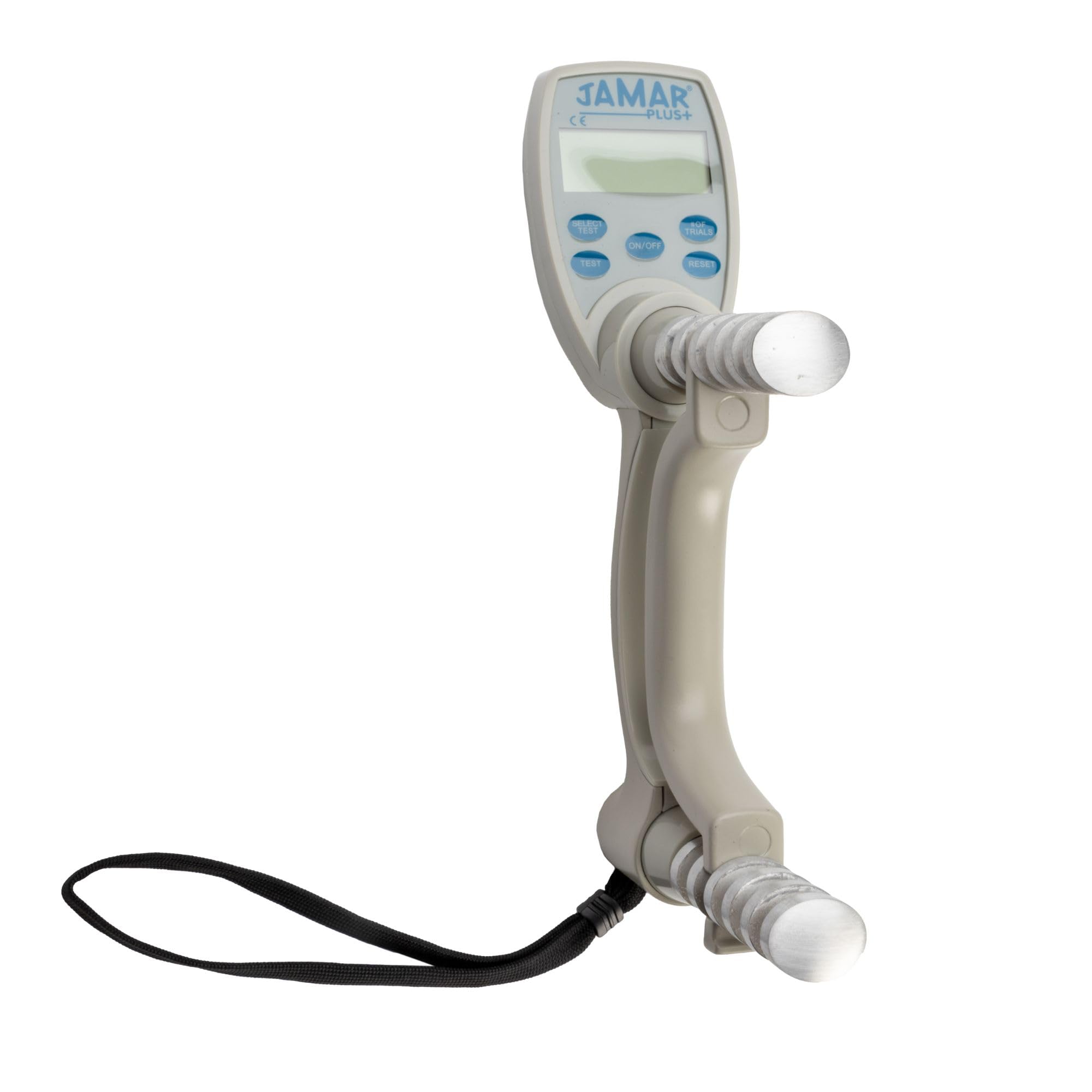
Image: A user is shown performing a grip strength test with the Jamar Plus Digital Hand Dynamometer, guided by a therapist. The device's digital display is visible, showing a reading of 25.0. This illustrates the clinical application of the device.
Maintenance
To ensure the longevity and accuracy of your Jamar Plus Digital Hand Dynamometer, follow these maintenance guidelines:
- Cleaning: Wipe the device with a soft, damp cloth. Do not use abrasive cleaners or immerse the device in water.
- Storage: Store the dynamometer in its provided reusable storage case when not in use to protect it from dust, impacts, and environmental damage.
- Battery Replacement: Replace batteries promptly when the low battery indicator appears on the display to maintain optimal performance. Remove batteries if the device will not be used for an extended period.
- Calibration: Regular calibration is recommended to ensure continued accuracy, especially in professional settings. Refer to the full user manual or contact Jamar customer support for calibration services.
The device features a scratch-resistant, UV-coated aluminum exterior for durability.
Troubleshooting
If you encounter issues with your Jamar Plus Digital Hand Dynamometer, consider the following:
- No Display/Device Not Turning On: Check if the batteries are correctly installed and have sufficient charge. Replace with new AAA batteries if necessary.
- Inaccurate Readings: Ensure the handle is securely locked into one of the five adjustable positions. Verify that the device is powered on and reset before each measurement. Consider professional calibration if readings remain inconsistent or appear incorrect.
- Buttons Unresponsive: Ensure the device is clean and free from debris around the buttons. Try resetting the device by removing and reinserting the batteries.
- Device Not Storing Data: Check the battery level. Low batteries can affect memory functions. Refer to the user manual for specific instructions on data storage and retrieval.
For further assistance, contact Jamar customer support.
Specifications
| Feature | Detail |
|---|---|
| Model Number | 21434 |
| Measurement Range | Up to 200 lbs (90 kg) |
| Display | LCD Digital Display |
| Handle Positions | 5 adjustable positions |
| Power Source | 2 x AAA Batteries |
| Construction Material | Lightweight aluminum with scratch-resistant, UV-coated exterior |
| Product Dimensions | 15 x 11.7 x 4.6 inches |
| Item Weight | 4.14 pounds |
Warranty and Support
For warranty information, technical support, or service inquiries, please contact Jamar customer support. Refer to the original product packaging or the full user manual for specific warranty terms and contact details.
Manufacturer Contact Information: 800-323-5547
