
Bushnell 201740
Contents
Bushnell Pro X2 Golf Laser Rangefinder User Manual
Model: 201740
Introduction
All of Bushnell Golf’s industry-leading laser rangefinder innovations are packed into the Pro X2. This manual provides essential information for the proper use, care, and maintenance of your device.
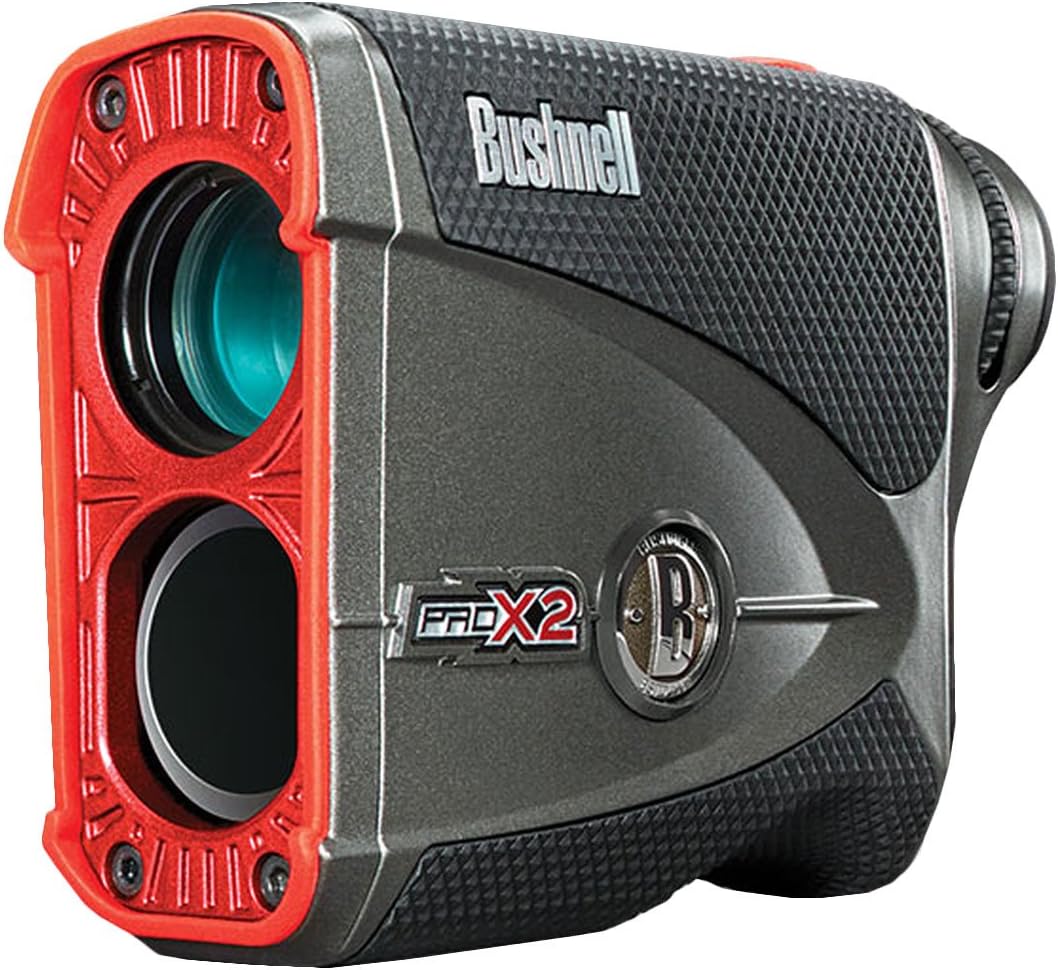
Figure 1: Bushnell Pro X2 Golf Laser Rangefinder, showing the front lenses and textured grip.
Product Features
- Ranges 5-1,300 yards; 450+ yards to Flags.
- Pin Seeker with JOLT technology for flag locking confirmation. Eye Relief: 16 millimeter. Exit Pupil: 3.5 millimeter.
- IPX7 Fully Waterproof construction ensures durability in various weather conditions.
- Class 1 laser with less than 0.5 mW average power output for safe operation.
- Tour-trusted Slope-Switch Technology for compensated distance based on incline/decline, with the ability to turn off for USGA-conforming play.
- Dual Display Technology (DDT) allows switching between bright red or crisp black display settings based on lighting conditions.
- Fully-waterproof metal housing for enhanced durability.
Setup
Battery Installation
The Bushnell Pro X2 requires a Lithium-Ion battery (included). To install or replace the battery:
- Locate the battery compartment on the device.
- Twist the battery cap counter-clockwise to open.
- Insert the Lithium-Ion battery, ensuring correct polarity (+/-).
- Replace the battery cap and twist clockwise to secure.
Initial Power On
Press the power button (red button on top) to turn on the device. The display will illuminate.

Figure 2: Top view of the rangefinder, highlighting the power button.
Operating Instructions
Measuring Distance
To obtain a distance reading:
- Aim the reticle (crosshairs) at your desired target.
- Depress and hold the power button. The range reading will be displayed.
- The last range reading does not need to be cleared before ranging another target. Simply aim at the new target and repeat the process.
Using PinSeeker with JOLT Technology
PinSeeker with JOLT technology helps to confirm that the laser has locked onto the flagstick, even when there are other objects in the background.
- While holding down the power button, slowly pan the rangefinder across the flagstick.
- The JOLT technology will provide a short vibration when the flagstick has been acquired, confirming the distance.
Slope-Switch Technology
The Pro X2 features a physical switch on the side of the device to toggle between Slope-compensated distances and non-Slope (USGA conforming) distances.
- Slide the switch to the ON position to enable Slope compensation, which adjusts distances based on incline/decline.
- Slide the switch to the OFF position for a USGA-conforming device, displaying only direct line-of-sight distances.

Figure 3: Side view of the rangefinder, illustrating the Slope-Switch.
Dual Display Technology (DDT)
The Pro X2 allows you to switch between a bright red display and a crisp black display for optimal visibility in varying light conditions.
- Consult the full user manual (link in support section) for specific instructions on how to toggle between display modes and adjust brightness.
Maintenance
Cleaning the Lenses
Gently wipe the lenses with a soft, clean microfiber cloth. Do not use abrasive materials or harsh chemicals.
Storage
Store the rangefinder in its protective case in a cool, dry place when not in use. Remove the battery if storing for extended periods.
Waterproofing
The device is IPX7 fully waterproof. While designed to withstand immersion, avoid prolonged exposure to water and ensure the battery compartment is securely sealed.
Troubleshooting
- No Display/Power:
- Ensure the power button is fully depressed.
- Check battery installation and replace if necessary.
- Target Range Not Obtained:
- Make sure the display is illuminated.
- Ensure nothing (e.g., hand or finger) is blocking the objective lens (lens closest to the target).
- Keep the unit steady while depressing the power button.
- Ensure the target is within the effective ranging distance (5-1300 yards).
- Unclear View:
- Adjust the eyepiece focus ring until the image is clear.
- Clean the lenses if smudges or dirt are present.
Specifications
| Feature | Detail |
|---|---|
| Brand | Bushnell |
| Model Name | Golf Laser Rangefinder |
| Model Number | 201740 |
| Measuring Range | 5-1,300 yards; 450+ yards to Flags |
| Water Resistance Level | IPX7 Waterproof |
| Battery Type | Lithium-Ion |
| Item Weight | 14.4 ounces |
| Product Dimensions (LxWxH) | 4"L x 1.5"W x 3"H |
| Color | Gray |
| Material | Plastic (with metal housing) |
| Laser Class | Class 1 (less than 0.5 mW average power output) |
| UPC | 029757000248 |

Figure 4: Dimensions of the Bushnell Pro X2 Golf Laser Rangefinder.
Warranty and Support
Warranty Information
The Bushnell Pro X2 Golf Laser Rangefinder comes with a 2-year limited warranty. Please retain your proof of purchase for warranty claims. For detailed warranty terms and conditions, refer to the official Bushnell website or the full user manual.
Customer Support
For further assistance, technical support, or to download the complete user manual, please visit the official Bushnell website or contact their customer service department.
- Official User Manual (PDF): Download PDF
- Bushnell Store on Amazon: Visit Store
Documents and downloads
Ask a question about this manual
Ask about setup, troubleshooting, compatibility, parts, safety, or missing instructions. Manuals+ will review the question and use this page’s manual context to help answer it.