
Introduction
Thank you for choosing the CLP Turbo Office Chair with Footrest. This chair is designed to provide comfort and ergonomic support for extended periods, whether for gaming or office work. Its robust construction and adjustable features ensure a personalized seating experience. Please read this manual carefully before assembly and use to ensure proper function and longevity of your chair.
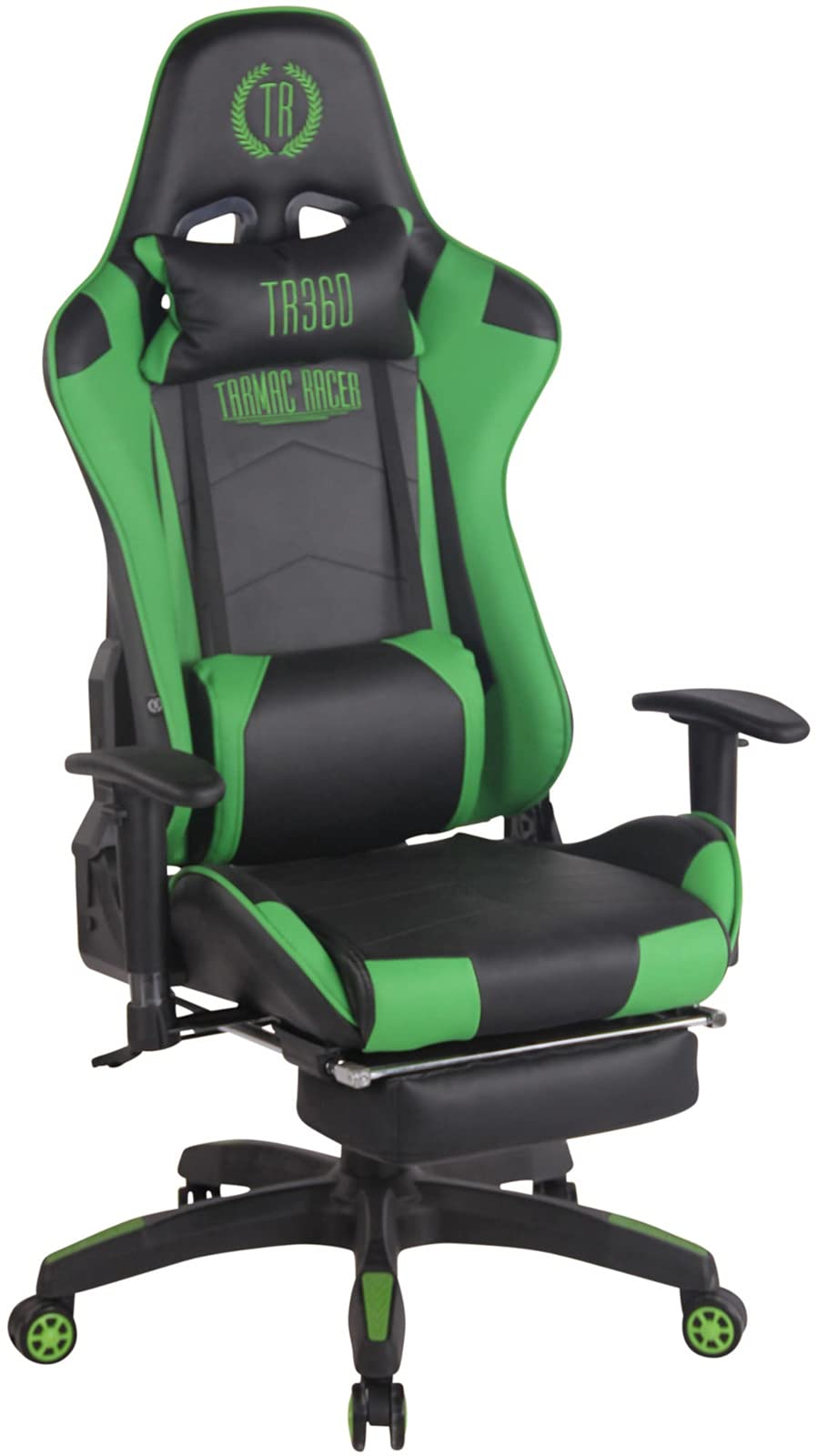
Image: The CLP Turbo Office Chair in black and green, featuring a high backrest, adjustable armrests, and an integrated footrest.
Safety Information
WARNING: Do not use this chair if the user's weight exceeds 150 kg (approximately 330 lbs) to ensure stability and prevent damage or injury.
Always ensure all components are securely fastened before use. Regularly check for loose screws or parts and tighten them as necessary. Keep children away from the chair during assembly.
Setup and Assembly
Assembly is required for this product. Please follow these general steps. For detailed visual instructions, refer to the included assembly guide or diagrams.

Image: An exploded view showing all individual components of the CLP Turbo Office Chair, including the base, casters, gas lift, seat, backrest, armrests, and cushions, ready for assembly.
- Unpack Components: Carefully remove all parts from the packaging and lay them out on a clean, soft surface to prevent scratches. Verify all parts are present according to the parts list.
- Assemble the Base: Insert the five casters into the holes at the end of each leg of the star-shaped base.
- Install the Gas Lift: Place the gas lift cylinder into the center hole of the assembled base.
- Attach the Mechanism to the Seat: Secure the seat mechanism to the underside of the seat cushion using the provided screws. Ensure the front of the mechanism faces the front of the seat.
- Connect Seat to Gas Lift: Carefully place the assembled seat onto the gas lift cylinder.
- Attach Armrests: Secure the armrests to the sides of the seat and backrest using the designated screws.
- Attach Backrest: Connect the backrest to the seat and armrest assembly.
- Install Cushions: Attach the removable neck and lumbar cushions using their elastic straps.
- Test Functionality: Once assembled, test all adjustment functions to ensure they operate smoothly.
Operating Instructions
The CLP Turbo Office Chair offers several adjustable features to customize your seating experience:
- Seat Height Adjustment: Locate the lever on the right side under the seat. To raise the seat, lift the lever while taking your weight off the seat. To lower the seat, lift the lever while seated. Release the lever to lock the height.
- Backrest Recline: Use the lever on the left side under the seat to adjust the backrest angle. Pull the lever up to unlock the recline, lean back to your desired angle, and push the lever down to lock it in place. The backrest can recline significantly for relaxing breaks.
- Armrest Height Adjustment: Press the button located on the side of each armrest to adjust its height. Move the armrest up or down to your preferred position and release the button to lock.
- Footrest Extension: The integrated footrest can be pulled out from underneath the seat. Pull the footrest forward until it fully extends. To retract, push it back under the seat.
- Swivel Function: The chair features a 360-degree swivel function, allowing for easy rotation without moving the base.
- Removable Cushions: The neck and lumbar cushions are removable and adjustable to provide targeted support.

Image: A side view of the CLP Turbo Office Chair demonstrating its recline capability, showing the backrest moving through various angles.

Image: A close-up view of the CLP Turbo Office Chair with its footrest fully extended, providing support for the user's legs.

Image: A close-up view of the CLP Turbo Office Chair with its footrest neatly retracted and stored beneath the seat.

Image: A detailed view of the headrest on the CLP Turbo Office Chair, featuring the 'TR360 TARMAC RACER' logo embroidered in green.

Image: A detailed view of the adjustable lumbar support cushion on the CLP Turbo Office Chair, positioned on the lower backrest.
Maintenance
Proper care will extend the life and appearance of your CLP Turbo Office Chair:
- Cleaning: For light dirt, wipe the faux leather surfaces with a damp cotton cloth. Avoid using harsh chemical cleaners, as they may damage the material. Special cleaning agents are generally not necessary.
- Vacuuming: Use a suitable vacuum cleaner attachment to clean the surface and remove dust or debris from crevices.
- Regular Checks: Periodically inspect all screws and connections to ensure they are tight. Re-tighten any loose fasteners to maintain stability and safety.
- Caster Care: Keep the casters clean from hair and debris to ensure smooth rolling on all floor types.
Troubleshooting
If you encounter any issues with your CLP Turbo Office Chair, consider the following:
- Chair Squeaks: Check all screws and bolts for tightness. A small amount of silicone spray on moving parts (excluding the gas lift cylinder) may help.
- Difficulty Adjusting Height: Ensure the gas lift lever is fully engaged or disengaged. If the gas lift is unresponsive, it may need replacement.
- Unstable Chair: Verify that the base and all connections are securely fastened. Ensure the chair is on a flat, even surface. Do not exceed the maximum weight capacity of 150 kg.
- Casters Not Rolling Smoothly: Check for hair or debris wrapped around the caster wheels and clean them.
If problems persist, please contact customer support for assistance.
Specifications

Image: A diagram illustrating the key dimensions of the CLP Turbo Office Chair, including total height (132cm), total width (67cm), and total depth (58cm).
| Feature | Detail |
|---|---|
| Model Name | Turbo |
| Brand | CLP |
| Color | Black/Green |
| Material (Upholstery) | Faux Leather |
| Material (Frame) | Plastic |
| Total Height | 132 - 142 cm |
| Total Width | 67 cm |
| Total Depth | 58 - 174 cm (with footrest extended) |
| Seat Height | 47 - 57 cm |
| Seat Dimensions (W x D) | 53 x 52 cm |
| Backrest Height | 85 cm |
| Backrest Width | 55 cm |
| Adjustable Armrest Height (from seat) | 15 - 22 cm |
| Item Weight | 23 kg |
| Maximum Weight Capacity | 150 kg |
| Assembly Required | Yes |
| Special Features | Armrest, Ergonomic, Rolling, Upholstered, Footrest |
Warranty and Support
For warranty information or technical support, please refer to the documentation provided with your purchase or contact CLP customer service directly. Keep your proof of purchase for any warranty claims.
Contact Information:
Please visit the official CLP website or your retailer's support page for the most up-to-date contact details.


