
1. Introduction
The LEVOIT LV-PUR131 Air Purifier is designed to enhance indoor air quality by effectively capturing various airborne contaminants. It features a 3-stage filtration system, including a pre-filter, efficient filter, and activated carbon filter, to address common indoor pollutants such as pet dander, smoke, dust, odors, mold spores, and pollen. This manual provides essential information for the proper setup, operation, and maintenance of your air purifier to ensure optimal performance and longevity.

Image 1.1: Overview of LEVOIT LV-PUR131 Air Purifier features, highlighting its various modes and indicators.
2. Safety Information
To reduce the risk of fire, electric shock, or injury, always follow these basic safety precautions:
- Read all instructions before operating the air purifier.
- Do not operate the air purifier if the cord or plug is damaged. Contact customer support for assistance.
- Keep the air purifier away from water or damp areas. Do not immerse in water or other liquids.
- Ensure the air purifier is placed on a firm, level surface at least 1 foot (30 cm) away from walls or other objects.
- Do not insert any objects into openings.
- Unplug the air purifier before cleaning or performing any maintenance.
- This appliance is not intended for use by persons (including children) with reduced physical, sensory, or mental capabilities, or lack of experience and knowledge, unless they have been given supervision or instruction concerning use of the appliance by a person responsible for their safety.
- Children should be supervised to ensure that they do not play with the appliance.
3. Product Overview
3.1 Components
- LEVOIT LV-PUR131 Air Purifier Unit
- 3-Stage Filtration System (Pre-filter, Efficient Filter, Activated Carbon Filter)
- Power Cord
- User Manual
3.2 Control Panel
The control panel is located on the top of the unit and features touch-sensitive buttons and an LED display.

Image 3.1: Top view of the LEVOIT LV-PUR131 Air Purifier, illustrating the control panel and air outlet.
- On/Off Button: Powers the unit on or off.
- Display Button: Toggles the LED display lights on or off.
- Sleep Button: Activates Sleep Mode for quiet operation and turns off the display.
- Auto Button: Engages Auto Mode, which automatically adjusts fan speed based on detected air quality.
- Speed Button: Manually cycles through fan speeds (Low, Medium, High).
- Timer Button: Sets an automatic shut-off timer for 1 to 12 hours.
3.3 Dust Sensor
The dust sensor is located on the side of the unit and helps the air purifier detect airborne particles for Auto Mode functionality. Regular cleaning of this sensor is recommended.
4. Setup
Follow these steps to prepare your LEVOIT LV-PUR131 Air Purifier for first use:
- Unpack the Air Purifier: Carefully remove the air purifier and all packaging materials from the box.
- Prepare the Filters: The filters come pre-installed but are sealed in plastic bags. You must remove these plastic bags before use.
- Locate the back panel of the air purifier. It is held in place by magnets.
- Gently pull the back panel off to reveal the filters.
- Remove the 3-stage filter by pulling on the attached tabs.
- Remove all plastic packaging from the filter.
- Reinsert the filter into the unit, ensuring it is seated correctly.
- Replace the back panel, ensuring it snaps securely into place.
- Placement: Place the air purifier on a firm, level surface. Ensure there is at least 1 foot (30 cm) of clearance on all sides for optimal air circulation. Avoid placing it directly against walls or furniture.
- Power Connection: Plug the power cord into a standard AC 120V / 60Hz electrical outlet.

Image 4.1: Proper placement of the air purifier in a room for optimal air changes.
5. Operating Instructions
Familiarize yourself with the various functions of your air purifier:
- Power On/Off: Press the On/Off button to turn the air purifier on or off. The unit will start in the last used mode.
- Display Control: Press the Display button to turn the LED display lights on or off. This is useful for maintaining a dark environment, especially during sleep.
- Sleep Mode: Press the Sleep button to activate Sleep Mode. In this mode, the fan operates at its lowest speed (27dB) and the display lights are turned off, providing a quiet environment for rest.
- Auto Mode: Press the Auto button to engage Auto Mode. The built-in smart sensor will detect the surrounding air quality and automatically adjust the fan speed (low, medium, or high) to optimize purification.
- Fan Speed: Press the Speed button repeatedly to cycle through the manual fan speed settings: Low, Medium, and High.
- Timer Function: Press the Timer button to set an automatic shut-off time. Each press will increase the timer by 1 hour, up to a maximum of 12 hours. The unit will turn off automatically once the set time has elapsed.
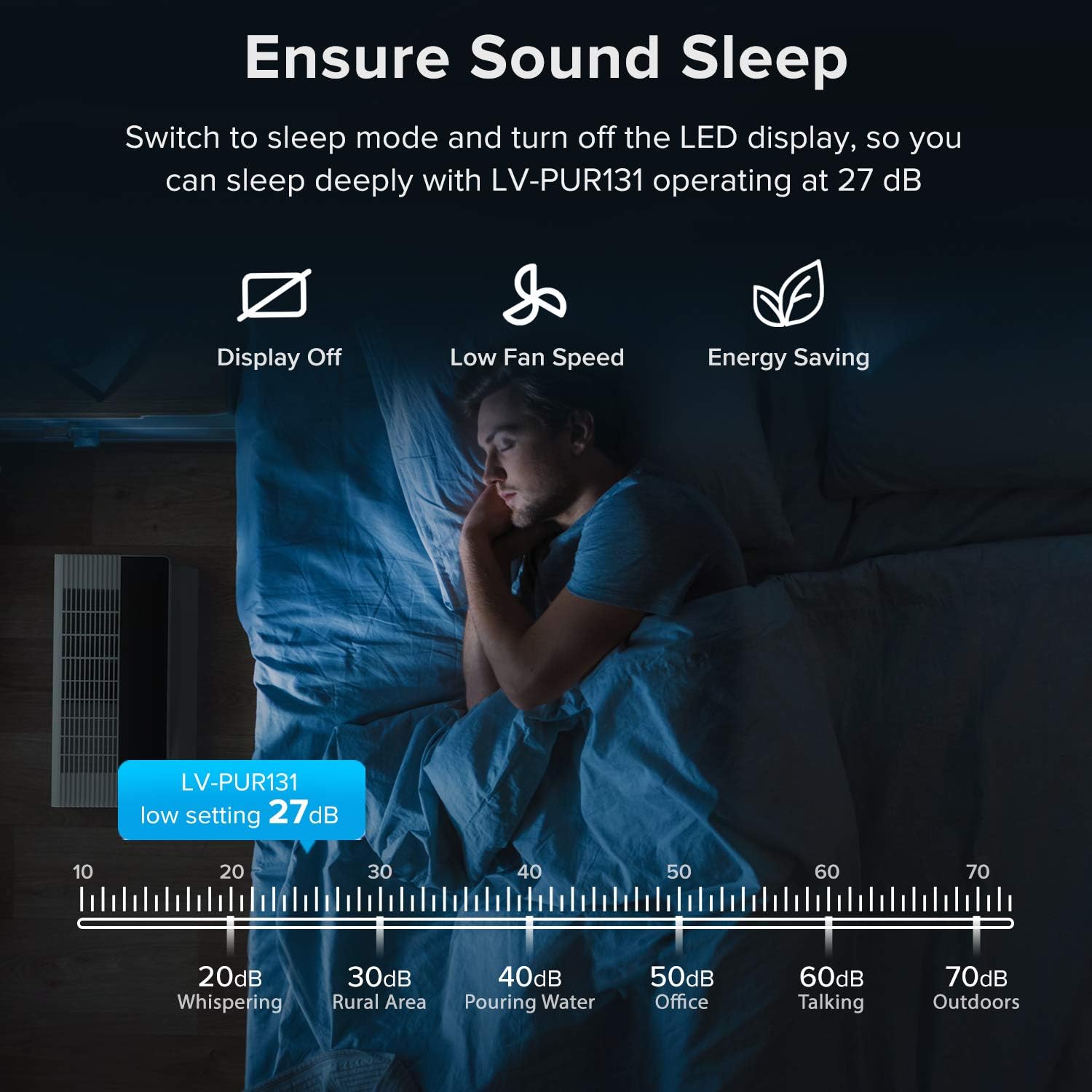
Image 5.1: Sleep Mode ensures a quiet and dark environment for undisturbed rest.
6. Maintenance
Regular maintenance ensures the efficiency and longevity of your air purifier.
6.1 Filter Replacement
The LV-PUR131 uses a 3-stage filtration system. The filter life varies depending on usage, but typically lasts 3-6 months. The filter check indicator on the control panel will illuminate when it's time to replace the filter.
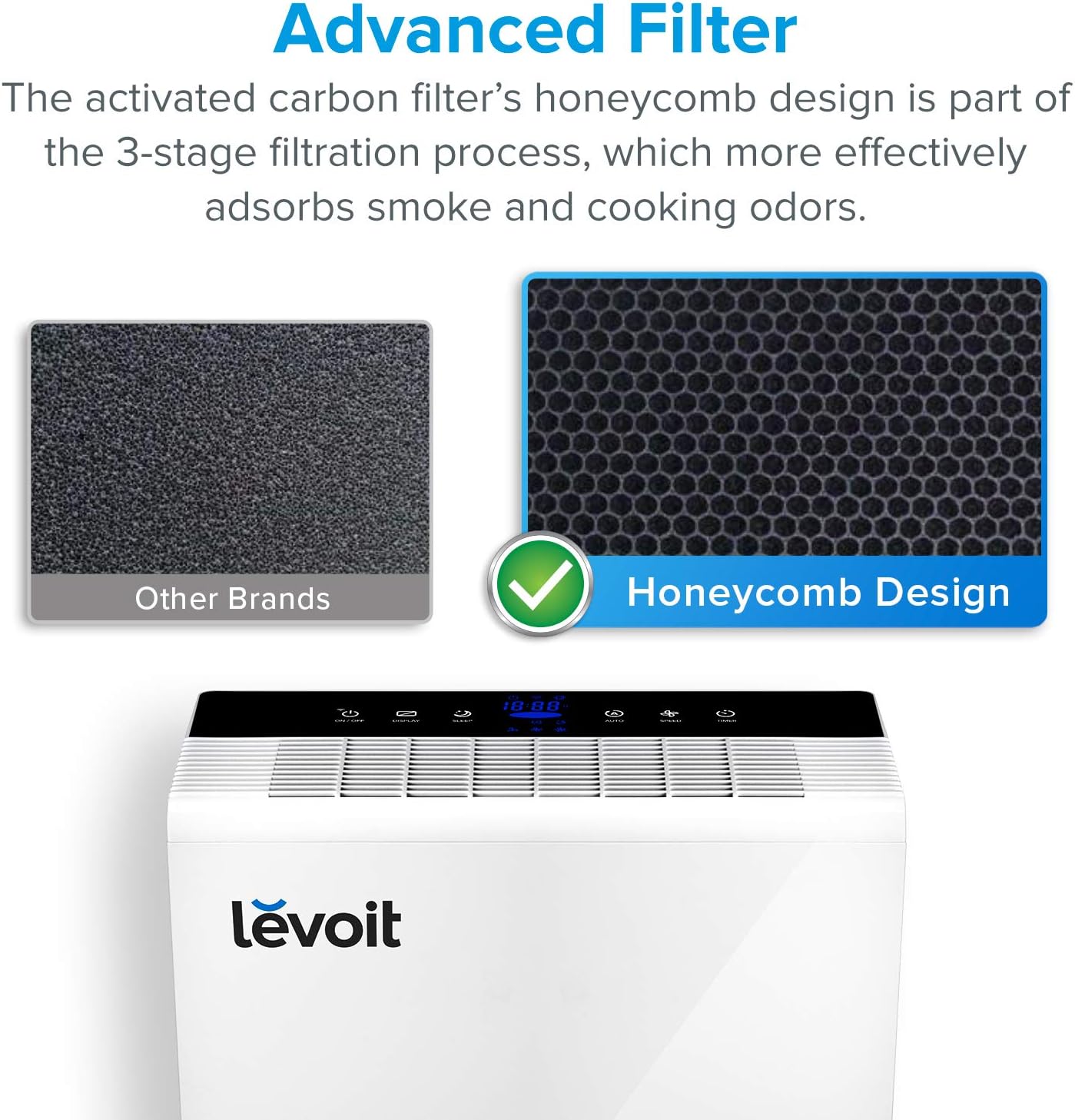
Image 6.1: The advanced honeycomb design of the activated carbon filter for enhanced odor adsorption.
- Turn off and unplug the air purifier.
- Remove the magnetic back panel.
- Pull out the old filter using the tabs.
- Dispose of the old filter responsibly.
- Unpack the new 3-stage filter from its plastic packaging.
- Insert the new filter into the air purifier, ensuring it fits snugly.
- Replace the back panel.
- Plug in the air purifier.
- Reset Filter Indicator: With the unit powered on, press and hold the Filter Check Indicator button (often integrated with another button, refer to your unit's specific markings) for 3-5 seconds until the indicator light turns off. This resets the filter life counter.
6.2 Cleaning the Dust Sensor
Clean the dust sensor every two months to ensure accurate air quality readings.
- Turn off and unplug the air purifier.
- Open the dust sensor cover located on the side of the unit.
- Use a clean cotton swab, lightly dampened with clean water, to clean the dust sensor lens.
- Dry the lens with another clean, dry cotton swab.
- Close the dust sensor cover.
7. Troubleshooting
If you encounter issues with your air purifier, refer to the following common problems and solutions:
| Problem | Possible Cause | Solution |
|---|---|---|
| Air purifier does not turn on. | Unit is unplugged or power outlet is not working. Filters are not installed correctly. | Ensure the power cord is securely plugged into a working outlet. Check that the filters are properly installed and the back panel is closed. |
| Airflow is significantly reduced. | Filters are dirty or clogged. Air inlet/outlet is blocked. | Replace the filters. Ensure nothing is blocking the air inlet or outlet. |
| Unusual noise during operation. | Filters are not installed correctly. Foreign object inside the unit. | Check that the filters are properly seated. Turn off and unplug the unit, then inspect for any foreign objects. |
| Filter check indicator remains on after filter replacement. | Filter indicator was not reset. | Refer to Section 6.1 for instructions on how to reset the filter indicator. |
| Air quality reading seems inaccurate in Auto Mode. | Dust sensor is dirty. | Refer to Section 6.2 for instructions on how to clean the dust sensor. |
8. Specifications
| Feature | Detail |
|---|---|
| Model Number | LV-PUR131 |
| Power Supply | AC 120V / 60Hz |
| Rated Power | 40W |
| Applicable Area | Up to 720 sq ft (67 m²) |
| Lowest Noise Level | 27dB |
| Operating Conditions | Temperatures -10°C~55°C (14°F~131°F) |
| Standby Power | <0.8W |
| Dimensions (W x D x H) | 14.6" x 11.18" x Approx. 20" |
| Item Weight | 11.22 pounds (5.1 kg) |
| Filter Class | Three-Stage Air Purification |
| Certifications | CARB Certified, ETL Certified, Energy Star Certified |
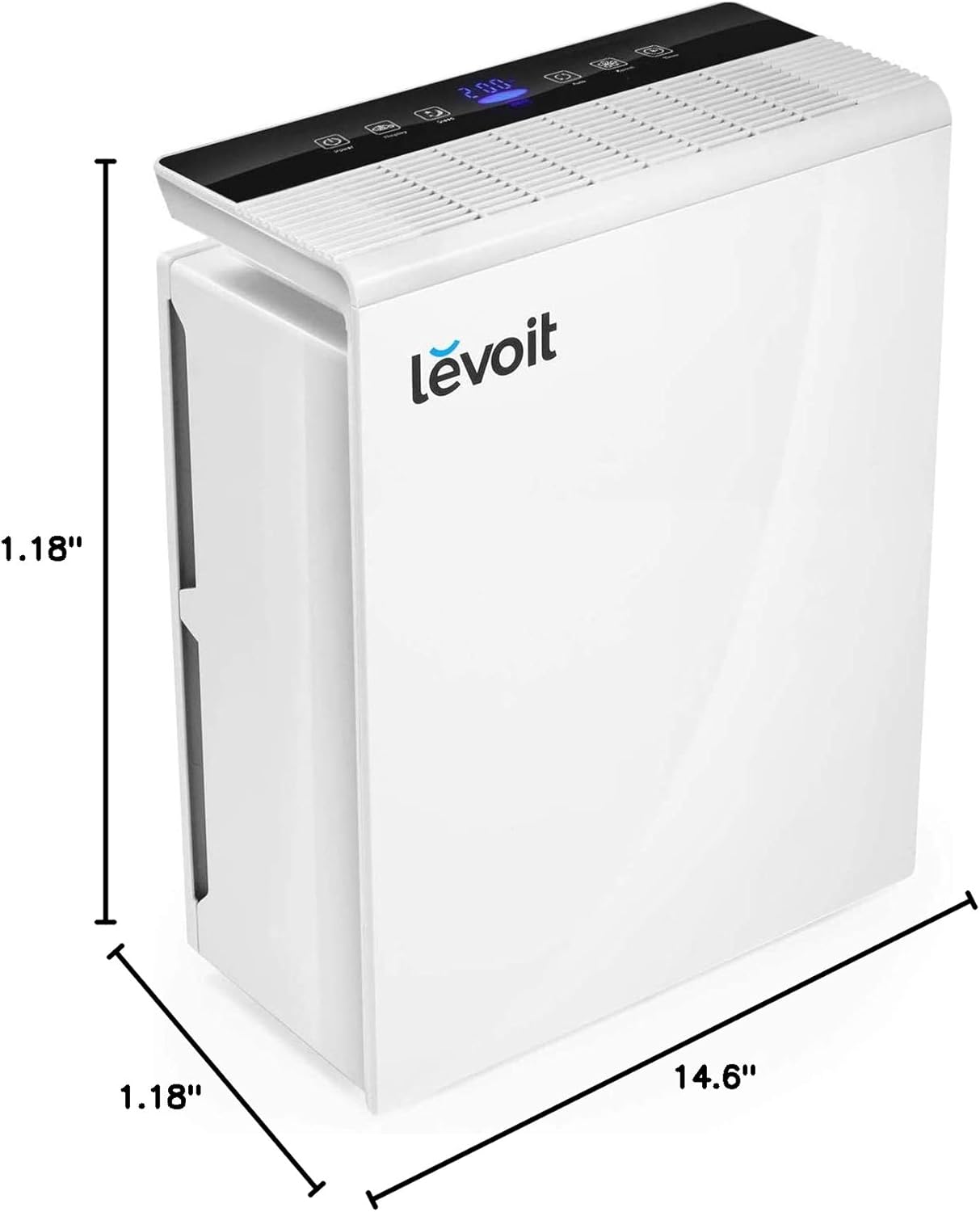
Image 8.1: Visual representation of the air purifier's dimensions.
9. Warranty and Support
LEVOIT provides a warranty for this product. For detailed warranty information, please refer to the warranty card included with your purchase or visit the official LEVOIT website. If you have any questions, concerns, or require technical assistance, please contact LEVOIT customer support. Their contact information can typically be found in the warranty documentation or on their official website.
Website: Visit the LEVOIT Store on Amazon


