
Delphi TC2220
Delphi TC2220 Suspension Stabilizer Bar Link Kit Instruction Manual
Model: TC2220
Product Overview
The Delphi TC2220 Suspension Stabilizer Bar Link Kit is designed to maintain vehicle stability and prevent excessive body roll during turns. This component connects the sway bar (also known as the anti-roll bar) to the vehicle's suspension system. Proper functioning of the stabilizer bar link is crucial for safe vehicle handling.
Delphi stabilizer bar links are engineered for durability, featuring fatigue-tested construction to resist failure and an anti-corrosion cataphoretic coating for extended lifespan. They are manufactured with ultrasonic molding to prevent weld breakage and machined to micron tolerances for smooth joint operation.
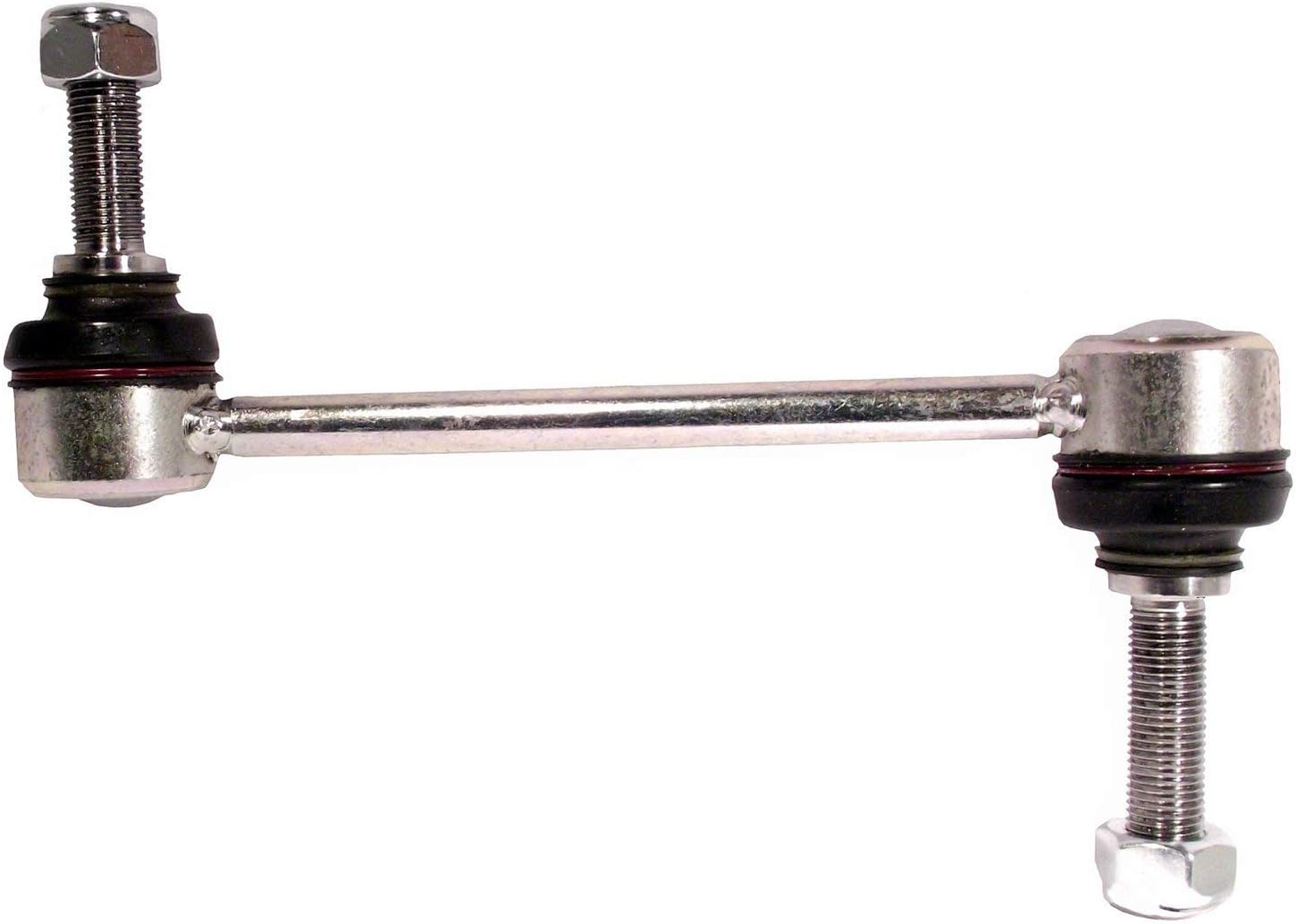
Image: The Delphi TC2220 Suspension Stabilizer Bar Link Kit, showing the main component with threaded ends and ball joints.
Package Contents
Upon opening the package, verify that all components are present and undamaged:
- 1x Delphi TC2220 Suspension Stabilizer Bar Link
- 2x Nuts for installation

Image: A close-up view of the Delphi TC2220 Stabilizer Bar Link, highlighting the ball joint and threaded shaft.
Installation (Setup)
Important Safety Notice: Installation of automotive suspension components requires specialized tools and knowledge. If you are not experienced with vehicle maintenance, it is recommended to seek professional assistance from a certified mechanic. Improper installation can lead to vehicle instability and serious injury.
This stabilizer bar link is designed for the Rear Right Lower position on compatible Car and Truck vehicle service types. Always refer to your vehicle's specific service manual for detailed installation procedures and torque specifications.
- Vehicle Preparation: Park the vehicle on a level surface, engage the parking brake, and block the wheels. Safely lift the vehicle using a jack and support it with jack stands.
- Wheel Removal: Remove the wheel corresponding to the installation side (Rear Right).
- Locate Old Component: Identify the existing stabilizer bar link connecting the sway bar to the suspension.
- Removal: Loosen and remove the nuts securing the old stabilizer bar link. Carefully detach the old link from both the sway bar and the suspension component.
- Installation of New Link: Position the Delphi TC2220 stabilizer bar link. Insert the threaded studs into the corresponding mounting points on the sway bar and suspension.
- Secure with Nuts: Hand-tighten the provided nuts onto the threaded studs.
- Torque to Specification: Using a torque wrench, tighten the nuts to the vehicle manufacturer's specified torque values. Refer to your vehicle's service manual for these specifications. Do not overtighten.
- Reassembly: Reinstall the wheel and lower the vehicle safely.
- Post-Installation Check: After installation, perform a visual inspection to ensure all components are securely fastened and there is no interference with other parts. It is recommended to have a professional alignment performed after replacing suspension components.
Operation and Function
The Delphi TC2220 Suspension Stabilizer Bar Link is a passive component that works in conjunction with your vehicle's suspension system. It does not have active operational controls. Its function is to transmit forces between the sway bar and the suspension, thereby reducing body roll and improving handling during cornering and uneven road conditions.
Proper installation ensures the component functions as intended, contributing to vehicle stability and ride comfort.
Maintenance
The Delphi TC2220 Stabilizer Bar Link is designed for long-term durability with minimal maintenance. However, regular inspection of suspension components is recommended as part of routine vehicle maintenance.
- Visual Inspection: During routine service, visually inspect the stabilizer bar link for signs of wear, damage, or corrosion. Check the rubber boots for cracks or tears, which can indicate a loss of lubrication and potential joint failure.
- Noise Check: Listen for unusual noises (e.g., clunking, rattling) coming from the suspension, especially over bumps or during turns. These noises can indicate a worn or loose stabilizer bar link.
- Replacement: If significant wear, damage, or excessive play is detected, the stabilizer bar link should be replaced promptly to maintain vehicle safety and handling characteristics.
Troubleshooting
Symptoms of a failing stabilizer bar link often manifest as changes in vehicle handling or audible noises. If you experience any of the following, inspect your stabilizer bar links:
- Clunking or Rattling Noises: Often heard when driving over bumps, potholes, or uneven surfaces. This is a common indicator of worn or loose stabilizer bar links.
- Reduced Handling or Excessive Body Roll: The vehicle may feel less stable during turns, or exhibit more body lean than usual.
- Loose Steering Feel: A general feeling of looseness or reduced responsiveness in the steering.
If these symptoms are present, a thorough inspection by a qualified mechanic is recommended to diagnose the issue and determine if replacement of the stabilizer bar link or other suspension components is necessary.
Specifications
| Attribute | Detail |
|---|---|
| Brand | Delphi |
| Model Number | TC2220 |
| Auto Part Position | Rear Right Lower |
| Vehicle Service Type | Car, Truck |
| Material | Metal |
| Exterior Finish | Machined |
| Item Weight | 1.81 pounds |
| Product Dimensions | 22.5 x 5.2 x 4.8 inches |
| OEM Part Numbers | LS07018, LS15008, MS108118, MS108119, SL28265 |
| UPC | 689604256206 |
Warranty Information
Important Warranty Notice: Delphi products purchased through, from, or on Amazon may not qualify for Delphi’s standard LIMITED warranty. When purchased through, from, or on Amazon, any warranty on this product is offered by and is the sole responsibility of the seller identified on the shipment details of your order.
Please review all warranty details carefully and contact the identified seller for all warranty inquiries and claims. It is recommended to retain your purchase receipt and order details for any warranty-related communication.
Support and Contact
For technical assistance, installation questions, or warranty claims, please refer to the seller from whom you purchased this product. Their contact information should be available on your purchase receipt or order details.
For general product information about Delphi automotive parts, you may visit the official Delphi website or their Amazon Brand Store:
Ask a question about this manual
Ask about setup, troubleshooting, compatibility, parts, safety, or missing instructions. Manuals+ will review the question and use this page’s manual context to help answer it.