
BLACK+DECKER BFSR16B
BLACK+DECKER 16-inch Oscillating Pedestal Fan with Remote
Model: BFSR16B
Introduction
Thank you for choosing the BLACK+DECKER 16-inch Oscillating Pedestal Fan with Remote. This manual provides essential information for the safe and efficient operation of your new fan. Please read these instructions thoroughly before assembly and use, and retain them for future reference.
Important Safety Instructions
When using electrical appliances, basic safety precautions should always be followed to reduce the risk of fire, electric shock, and injury to persons, including the following:
- Read all instructions before using this fan.
- Use this fan only as described in this manual. Other uses not recommended may cause fire, electric shock, or injury to persons.
- To protect against electrical shock, do not place fan in window, immerse unit, plug or cord in water or spray with liquids.
- Close supervision is necessary when any appliance is used by or near children.
- Unplug from outlet when not in use, when moving fan from one location to another, before putting on or taking off parts and before cleaning.
- Avoid contact with moving parts.
- Do not operate any fan with a damaged cord or plug, or after the fan malfunctions or has been dropped or damaged in any manner.
- Do not let cord hang over edge of table or counter, or touch hot surfaces.
- Do not operate in the presence of explosive and/or flammable fumes.
- Do not place fan or any parts near an open flame, cooking or other heating appliance.
- Do not operate fan without fan grills properly in place.
- Always use on a dry, level surface.
- This product is intended for household use ONLY and not for commercial or industrial use.
Package Contents
Please check the contents of your package to ensure all parts are present and undamaged:
- Front Grill
- Rear Grill
- Fan Blades
- Motor Unit
- Adjustable Height Pole
- Base
- Remote Control (requires 2 AAA batteries, not included)
- Fasteners and Screws for assembly
Setup and Assembly
Follow these steps to assemble your BLACK+DECKER Pedestal Fan:
- Assemble the Base: Place the base on a flat, stable surface. Insert the bottom pole section into the base and secure it with the provided screw and washer from underneath the base.
- Attach the Adjustable Pole: Insert the adjustable height pole into the bottom pole section. Ensure it is firmly seated.
- Mount the Motor Unit: Place the motor unit onto the top of the adjustable pole. Secure it with the tightening screw or knob located on the motor unit.
- Install the Rear Grill: Position the rear grill onto the motor unit, aligning the notches. Secure it with the provided retaining nut.
- Attach the Fan Blades: Slide the fan blades onto the motor shaft. Ensure the blades are correctly oriented and secure them with the blade cap, turning it clockwise until tight.
- Install the Front Grill: Place the front grill over the fan blades and align it with the rear grill. Secure the two grills together using the clips or screws provided around the perimeter. Ensure the grills are securely fastened to prevent accidental contact with the blades.
- Insert Remote Batteries: Open the battery compartment on the back of the remote control. Insert two AAA batteries (not included), ensuring correct polarity. Close the compartment.


Operating Instructions
Your fan can be operated using the control panel on the motor unit or the included remote control.
Control Panel Functions:
- Power Button: Press to turn the fan ON or OFF.
- Speed Button: Press repeatedly to cycle through Low, Medium, and High-speed settings.
- Oscillation Button: Press to start or stop the fan's oscillation (side-to-side movement).
- Timer Button: Press to set the automatic shut-off timer.
Remote Control Functions:
The remote control provides convenient access to all fan functions from a distance.
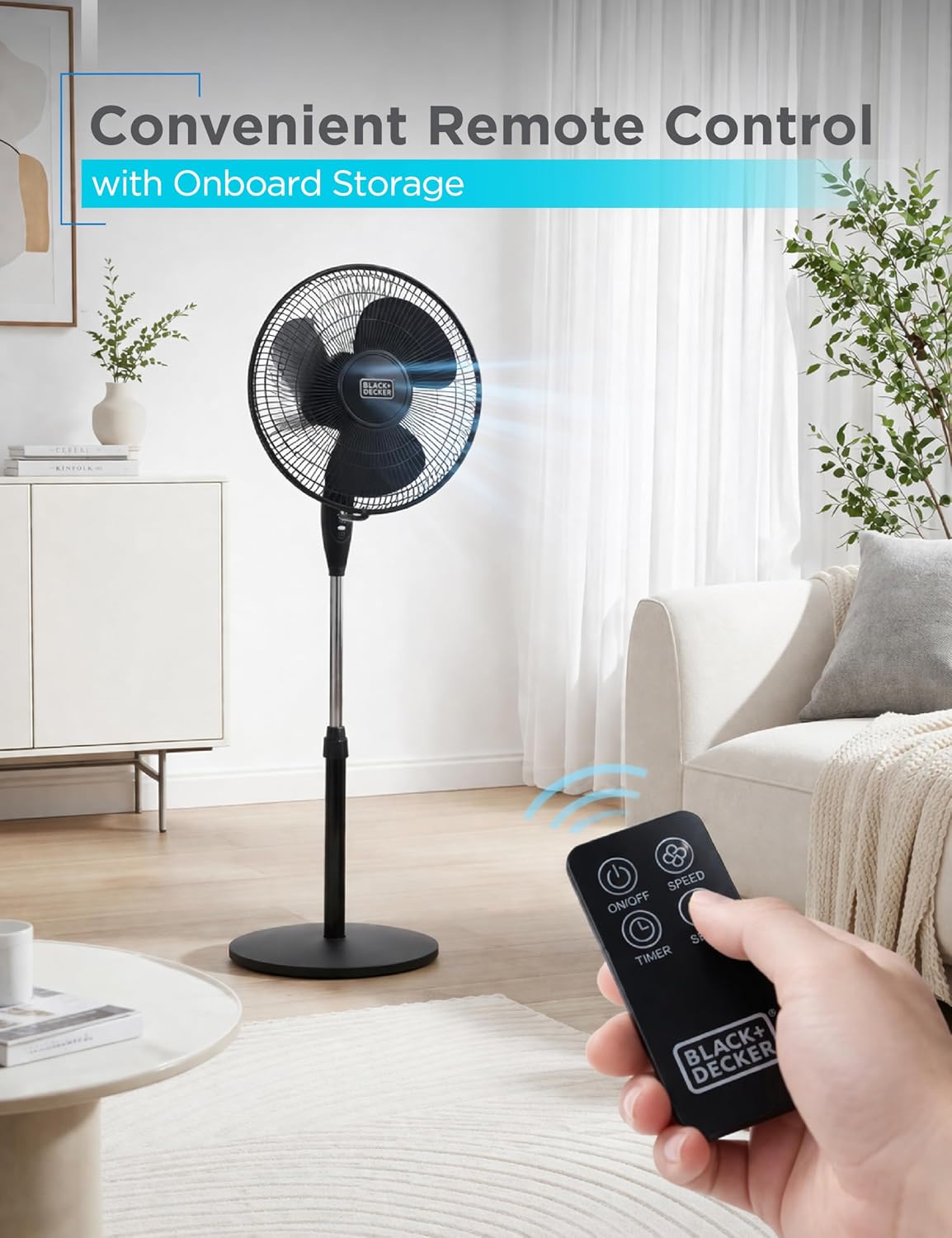
- ON/OFF Button: Turns the fan on or off.
- SPEED Button: Cycles through Low, Medium, and High-speed settings.
- TIMER Button: Sets the automatic shut-off timer (up to 7.5 hours).
- OSC Button: Activates or deactivates the oscillation function.


Adjusting Fan Position:
- Height Adjustment: Loosen the height adjustment collar on the pole, adjust the pole to the desired height, and then tighten the collar securely.
- Tilt Adjustment: The fan head can be manually tilted up or down by up to 30 degrees. Gently push or pull the fan head to the desired angle.
Maintenance
Proper maintenance ensures the longevity and optimal performance of your fan.
Cleaning:
- Always unplug the fan from the power outlet before cleaning.
- Use a soft, damp cloth to clean the exterior surfaces of the fan. Do not use abrasive cleaners or solvents.
- To clean the fan blades, remove the front grill by unfastening the clips or screws. Wipe the blades with a soft cloth. Reattach the front grill securely before operating the fan.
- Do not immerse the fan in water or allow water to drip into the motor housing.
Storage:
- When not in use, store the fan in a cool, dry place.
- It is recommended to store the fan in its original packaging to protect it from dust and damage.
Troubleshooting
If you experience issues with your fan, please refer to the following common problems and solutions:
| Problem | Possible Cause | Solution |
|---|---|---|
| Fan does not turn on. |
|
|
| Fan blades are not spinning or are misaligned. |
|
|
| Remote control is not working. |
|
|
| Fan is making unusual noise. |
|
|
Specifications
| Feature | Detail |
|---|---|
| Brand | BLACK+DECKER |
| Model Name | BFSR16B |
| Electric Fan Design | Pedestal Fan |
| Color | Black |
| Product Dimensions (DxWxH) | 15.3"D x 15.3"W x 49"H |
| Blade Length | 16 inches |
| Power Source | Corded Electric |
| Voltage | 115 volts |
| Wattage | 48 watts |
| Number of Speeds | 3 (Low, Medium, High) |
| Oscillation | 90-degree |
| Tilt Angle | 30-degree adjustable |
| Timer | Up to 7.5 hours |
| Control Method | Button Control, Remote Control |
| Material | Plastic |
| Noise Level | 55 dB |
| Included Components | Remote Control |
Warranty and Support
This BLACK+DECKER fan is covered by a 1-year manufacturer limited warranty. For warranty claims or technical support, please contact BLACK+DECKER customer service. Keep your purchase receipt as proof of purchase.
For further assistance, visit the official BLACK+DECKER website or refer to the contact information provided with your product packaging.
Related documentsBFSR16B


Ask a question about this manual
Ask about setup, troubleshooting, compatibility, parts, safety, or missing instructions. Manuals+ will review the question and use this page’s manual context to help answer it.