1. Product Overview
The ZOTAC GeForce GTX 1080 Mini is a high-performance graphics card designed for gaming and VR applications. It features NVIDIA Pascal architecture, 8GB GDDR5X memory, and a compact design suitable for smaller PC builds. This manual provides essential information for the installation, operation, and maintenance of your graphics card.
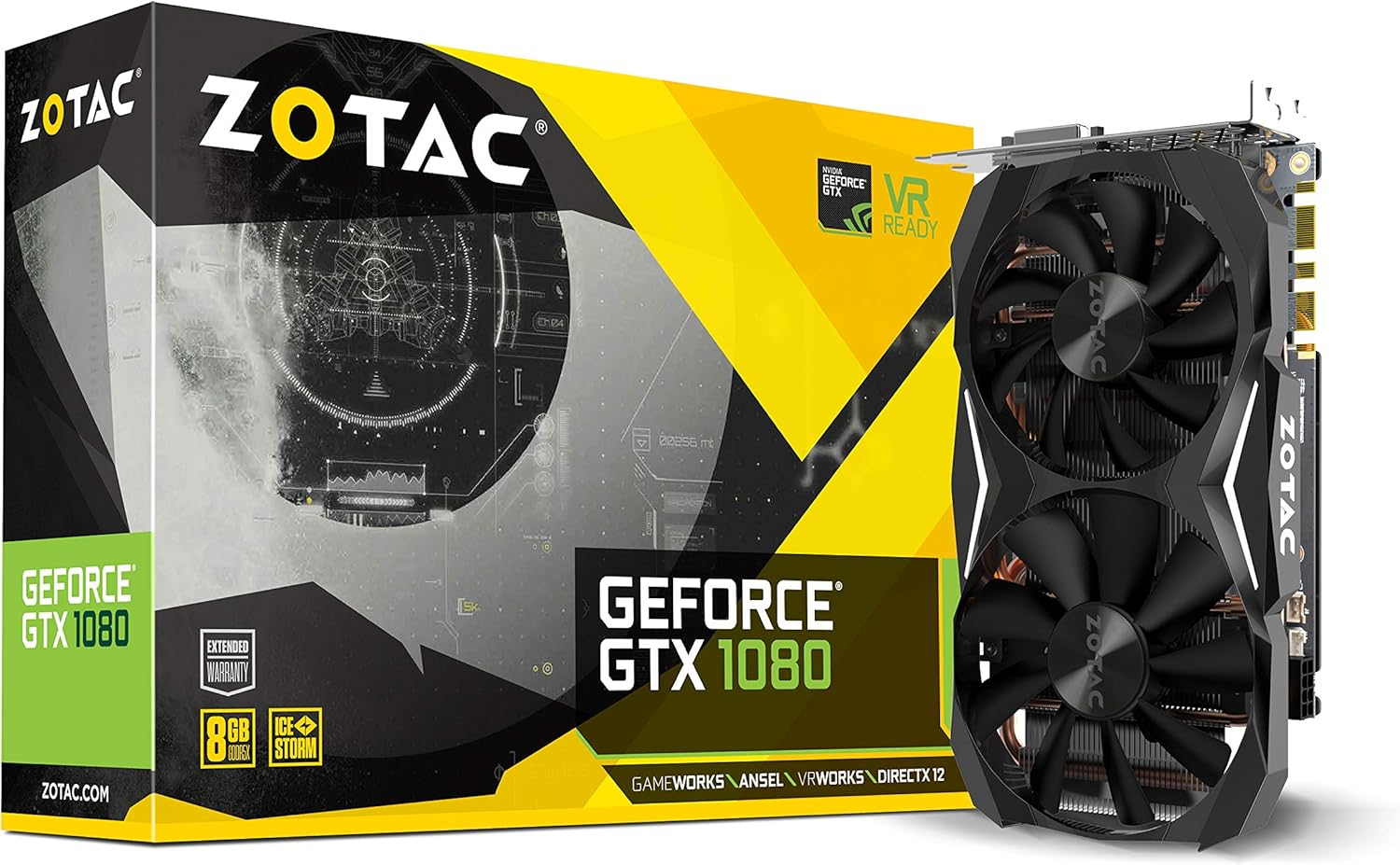
Figure 1: ZOTAC GeForce GTX 1080 Mini Graphics Card, front view with dual fans.
2. What's in the Box
Verify that all components are present before proceeding with installation:
- ZOTAC GeForce GTX 1080 Mini Graphics Card
- 2 x Dual 6-pin to 8-pin power cable
- User Manual
- Driver disc
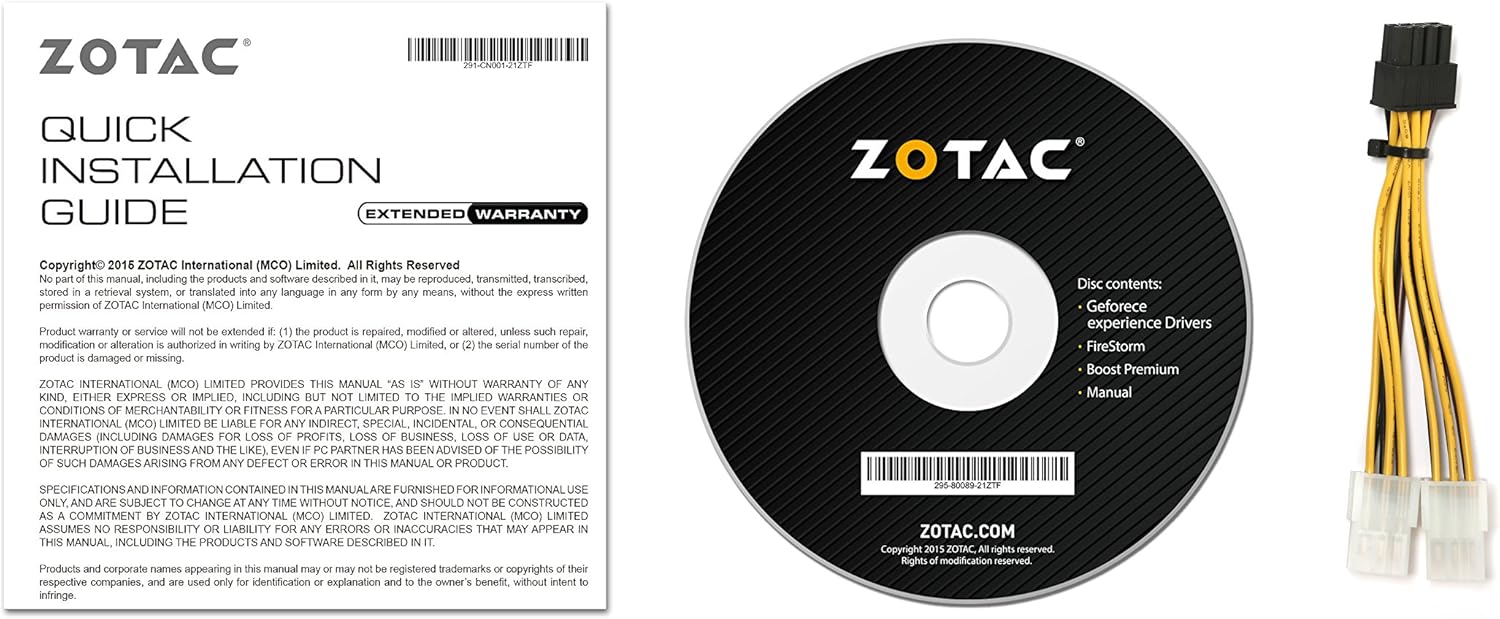
Figure 2: Included accessories and documentation.
3. Setup and Installation
Before installing the graphics card, ensure your computer is powered off and unplugged from the wall outlet. It is recommended to wear an anti-static wrist strap to prevent damage from electrostatic discharge.
3.1 System Requirements
- PCI Express-compliant motherboard with one dual-width x16 graphics slot.
- Minimum 500 watt power supply recommended.
- 180 watt minimum power consumption.
- 8-pin PCI Express power connectors (use included adapter if necessary).
- Microsoft Windows 10/8/7 x86/x64.
3.2 Physical Installation
- Open your computer case.
- Locate an available PCI Express x16 slot on your motherboard.
- Remove any expansion slot covers that correspond to the graphics card's size.
- Carefully align the graphics card with the PCI Express slot and press firmly until it is securely seated.
- Secure the graphics card to the chassis with the appropriate screws.
- Connect the 8-pin PCI Express power connector(s) from your power supply to the graphics card. Use the provided dual 6-pin to 8-pin adapter if your power supply only has 6-pin connectors.
- Close your computer case.

Figure 3: Graphics card display outputs (3x DisplayPort 1.4, 1x HDMI 2.0b, 1x Dual-Link DVI).
3.3 Driver Installation
- Connect your display to one of the graphics card's output ports.
- Power on your computer.
- Insert the included driver disc into your optical drive and follow the on-screen instructions. Alternatively, download the latest drivers from the official ZOTAC website or NVIDIA website for optimal performance and compatibility.
- Restart your computer after the driver installation is complete.
4. Operating Your Graphics Card
The ZOTAC GeForce GTX 1080 Mini is equipped with advanced NVIDIA technologies to enhance your gaming and visual experience.
4.1 Key Features
- NVIDIA Pascal Architecture: Delivers superior performance and power efficiency.
- 8GB GDDR5X Memory: Provides ample memory for high-resolution gaming and demanding applications.
- VR Ready: Optimized for virtual reality experiences.
- NVIDIA GameWorks Technology: Delivers interactive and cinematic experiences.
- NVIDIA VRWorks Technology: Enables next-generation VR performance, low latency, and plug-and-play compatibility.
- NVIDIA G-Sync Ready: Synchronizes display refresh rates to the GPU for smooth, tear-free gaming.
- NVIDIA Ansel Technology: A revolutionary way to capture in-game screenshots.
- NVIDIA SLI Ready: Allows for multi-GPU configurations for increased performance (requires compatible motherboard and additional card).
- 4K Gaming Support: Capable of delivering high-resolution gaming experiences.
- Multi-Display Support: Supports up to 4 displays simultaneously.
4.2 Software Utility (FireStorm)
The ZOTAC FireStorm software utility provides an intuitive interface for monitoring and tuning your graphics card. It allows for fan speed control, clock speed adjustments, and LED lighting customization.
Video 1: Official ZOTAC overview of the GeForce GTX 1080 Mini, highlighting key features and the FireStorm software.
5. Maintenance
Proper maintenance ensures the longevity and optimal performance of your graphics card.
- Keep Drivers Updated: Regularly check the ZOTAC or NVIDIA website for the latest graphics drivers to ensure compatibility and performance improvements.
- Clean Regularly: Use compressed air to gently remove dust from the fans and heatsink fins. Ensure the computer is powered off and unplugged before cleaning.
- Monitor Temperatures: Use monitoring software (like ZOTAC FireStorm) to keep an eye on the GPU temperature, especially during heavy loads, to prevent overheating.

Figure 4: Top view of the graphics card, showing the dual fan cooling system.
6. Troubleshooting
If you encounter issues with your graphics card, refer to the following common troubleshooting steps:
- No Display Output:
- Ensure the monitor cable is securely connected to the graphics card and the monitor.
- Verify the graphics card is properly seated in the PCI Express slot.
- Check that all necessary power connectors are attached to the graphics card.
- Test with a different display cable or monitor if possible.
- System Instability or Crashes:
- Ensure graphics drivers are up-to-date.
- Monitor GPU temperatures to ensure it's not overheating.
- Verify your power supply meets the minimum wattage requirement.
- Poor Performance in Games:
- Ensure graphics drivers are up-to-date.
- Check in-game graphics settings and reduce them if necessary.
- Close unnecessary background applications.
- Monitor GPU and CPU usage to identify potential bottlenecks.
7. Specifications
| Feature | Detail |
|---|---|
| Graphics Coprocessor | NVIDIA GeForce GTX 1080 |
| CUDA Cores | 2560 |
| Video Memory | 8GB GDDR5X |
| Memory Bus | 256-bit |
| Engine Clock (Base) | 1620 MHz |
| Engine Clock (Boost) | 1759 MHz |
| Memory Clock | 10 GHz |
| PCI Express | 3.0 |
| Display Outputs | 3 x DisplayPort 1.4, 1 x HDMI 2.0b, 1 x Dual-Link DVI |
| Max Screen Resolution | 3840x2160 |
| Multi-Display Support | Quad simultaneous display capable |
| Power Connectors | 8-pin PCI Express |
| Recommended PSU | Minimum 500W |
| Power Consumption | 180W (minimum) |
| Dimensions (LxWxH) | 8.3 x 1.61 x 4.92 inches |
| Item Weight | 1 pounds |
8. Warranty and Support
An extended warranty is included with every ZOTAC graphics card purchase. User registration is required on the official ZOTAC website to activate the extended warranty.
For technical support, driver downloads, or further product information, please visit the official ZOTAC website: www.zotac.com


