Introduction
The CatEye Volt 100 XC is a lightweight and dependable rechargeable headlight designed for cycling. It provides 100 lumens of illumination, enhancing visibility for the rider and alerting others to your presence. This manual provides instructions for the proper setup, operation, and maintenance of your Volt 100 XC headlight.
Safety Information
- Always ensure the light is securely mounted before riding.
- Do not look directly into the light beam to avoid temporary vision impairment.
- Charge the battery fully before first use and regularly thereafter.
- Do not disassemble or modify the light.
- Keep out of reach of children.
- This light is designed to enhance visibility; it does not replace the need for caution and adherence to traffic laws.
Package Contents
Please verify that all items are present:
- CatEye Volt 100 XC Headlight
- Rubber Bar Mount
- USB Charging Cable
Setup
1. Initial Charging
Before first use, fully charge the Volt 100 XC headlight. Connect the light to a USB power source using the provided USB cable. The charging indicator will illuminate during charging and change when fully charged. A full charge takes approximately 1.5 hours.
2. Mounting the Headlight
The Volt 100 XC features a rubber bar mount for easy attachment and removal.
- Position the rubber mount on your bicycle's handlebar.
- Wrap the rubber strap around the handlebar and hook it onto the designated latch on the mount. Ensure the mount is secure and does not rotate freely.
- Slide the Volt 100 XC headlight onto the mount until it clicks into place.
- Adjust the angle of the light to illuminate the path ahead without blinding oncoming traffic.
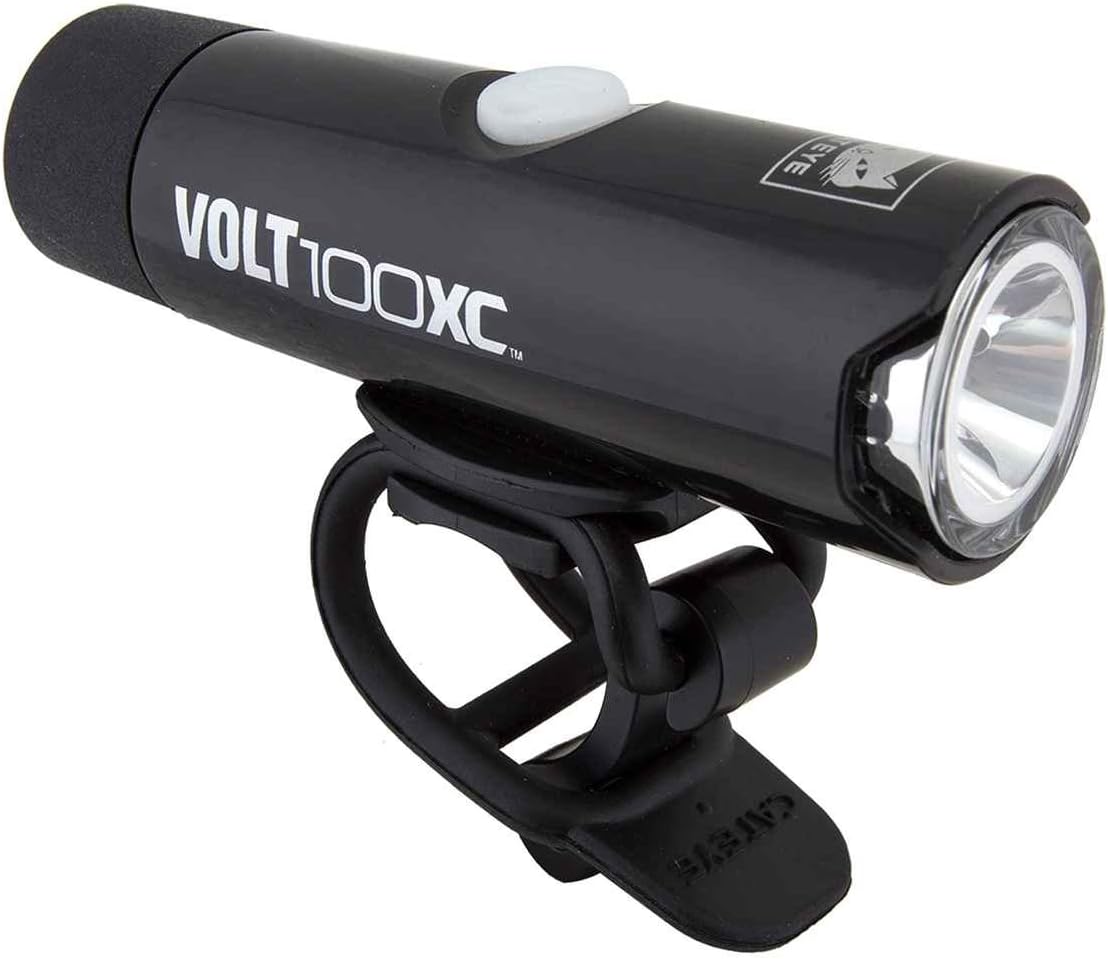
Image: The CatEye Volt 100 XC Headlight shown with its rubber bar mount, ready for attachment to a bicycle handlebar. The light is black with a white power button and a clear lens.
Operating Instructions
Power On/Off
Press and hold the power button located on the top of the light for approximately 1 second to turn the light on or off.
Changing Light Modes
Briefly press the power button to cycle through the available light modes. The Volt 100 XC offers two modes:
- Constant Mode: Provides continuous illumination.
- Flashing Mode: Provides intermittent illumination for increased visibility.
The light features a mode memory function, which means it will power on in the last mode used.
Low Battery Indicator
The power button also functions as a low battery indicator. When the battery level is low, the button will change color or flash to alert you that charging is required.
Charging
To charge the Volt 100 XC, locate the USB charging port, typically covered by a rubber flap to protect against water. Connect the provided USB cable to the light and to a standard USB power source (e.g., computer, wall adapter).
- Charging Time: Approximately 1.5 hours for a full charge.
- Battery Life: Up to 5 hours, depending on the selected mode.
Maintenance
Cleaning
Wipe the light body and lens with a soft, damp cloth. Avoid using abrasive cleaners or solvents, as these can damage the light's finish or lens.
Storage
Store the light in a cool, dry place when not in use. For long-term storage, it is recommended to charge the battery periodically (e.g., every 3-6 months) to maintain battery health.
Troubleshooting
- Light does not turn on: Ensure the battery is charged. Connect to a USB power source and check the charging indicator.
- Light does not hold a charge: Verify the USB cable and power source are functioning correctly. Ensure the charging port is clean and free of debris. If the issue persists, the battery may require service.
- Light flickers or dims unexpectedly: This may indicate a low battery. Recharge the light.
- Mount is not secure: Re-adjust the rubber strap on the handlebar to ensure a tight fit.
Specifications
| Feature | Specification |
|---|---|
| Brand | CATEYE |
| Model | HL-EL051RC XC |
| Brightness | 100 Lumens |
| Power Source | Battery Powered (Rechargeable Li-ion) |
| Charging Time | Approx. 1.5 hours |
| Battery Life | Up to 5 hours |
| Mounting Type | Handlebar Mount (Rubber) |
| Number of Modes | 2 (Constant, Flashing) |
| Water Resistance | IPX4 (Water Resistant) |
| Material | Rubber (for mount) |
| Item Dimensions | 1 x 1 x 6 inches (approximate) |
Warranty and Support
For warranty information and customer support, please refer to the official CatEye website or contact their customer service department. Keep your proof of purchase for warranty claims.
Website: www.cateye.com


