Introduction
This manual provides detailed instructions for the safe and efficient use of your Alxum 108W 10-Port USB Smart Charging Station. Please read this manual thoroughly before operation and retain it for future reference.
Product Overview
The Alxum 10-Port USB Charging Station is designed to charge multiple devices simultaneously, providing an organized and efficient charging solution. It features smart charging technology and multiple safety protections.

This image shows the Alxum 10-Port USB Smart Charging Station with several tablets and smartphones charging, demonstrating its organizational capabilities. The power adapter is visible connected to a wall outlet.
Package Contents
- 1x Alxum 108W 10-Port USB Smart Charging Station
- 1x Power Adapter
- 11x Separators (5 large, 6 small)
- 1x User Manual
Setup Instructions
- Unpack the Device: Carefully remove the charging station, power adapter, separators, and user manual from the packaging.
- Install Separators: Insert the clear plastic separators into the designated slots on the charging station. You can adjust the spacing to accommodate various device sizes, including phones and tablets with cases.

This image illustrates how to install the adjustable dividers into the charging station. A hand is shown pressing a divider into a slot, with a visual representation of 5 large and 6 small dividers.
- Connect Power Adapter: Connect the power adapter cable to the DC input port on the side of the charging station.
- Plug into Power Outlet: Plug the power adapter into a standard wall outlet. The blue LED indicator on the charging station will illuminate, indicating it is powered on and ready for use.
This video demonstrates the initial setup of the Alxum charging station, including connecting the power adapter and observing the blue power indicator light.
Operating Instructions
- Connect Devices: Use appropriate USB charging cables (not included) to connect your mobile phones, tablets, or other USB-powered devices to any of the 10 USB output ports on the front of the charging station.

This image displays the Alxum charging station in use, with multiple devices like iPads and iPhones neatly organized and connected via USB cables, all actively charging.
- Smart Charging: The charging station will automatically detect your device's power requirements and deliver the optimal charging current (up to 2.4A per port).
- Charging Status: The blue LED indicator remains lit when the station is powered. Individual device charging status is typically indicated on the device screen itself.
- Overcharge Protection: The station is designed to automatically shut down power to a port once a device reaches 100% charge, protecting your devices from overcharging.
This video provides a detailed demonstration of connecting various devices, including a power bank and an iPad, to the Alxum 10-Port USB Charging Station and confirming their charging status.
Key Features
- 10-Port USB Charging: Simultaneously charge up to 10 devices.
- 108W Total Output: Provides ample power for multiple devices, capable of charging up to 8 iPads concurrently.

This image highlights the total output of 108W, showing 8 iPads neatly arranged and charging simultaneously on the Alxum station, emphasizing its multi-device charging capability.
- Smart Charging Technology: Automatically identifies connected devices and delivers the exact current required (0-2.4A).
- Safety Protection: Conforms to CE & UL standards, featuring overcharge, short circuit, overcurrent, overvoltage, and overheating protection.

This image visually represents the multiple safety features of the charging station, including overcharge, overvoltage, overheating, short circuit, and overcurrent protection, using clear icons.
- Adjustable Dividers: Detachable dividers allow for flexible spacing to accommodate devices of various sizes, with or without cases.
- Universal Compatibility: Compatible with a wide range of USB-powered devices including iPhones, Samsung Galaxy phones, iPads, tablets, and other mobile devices.
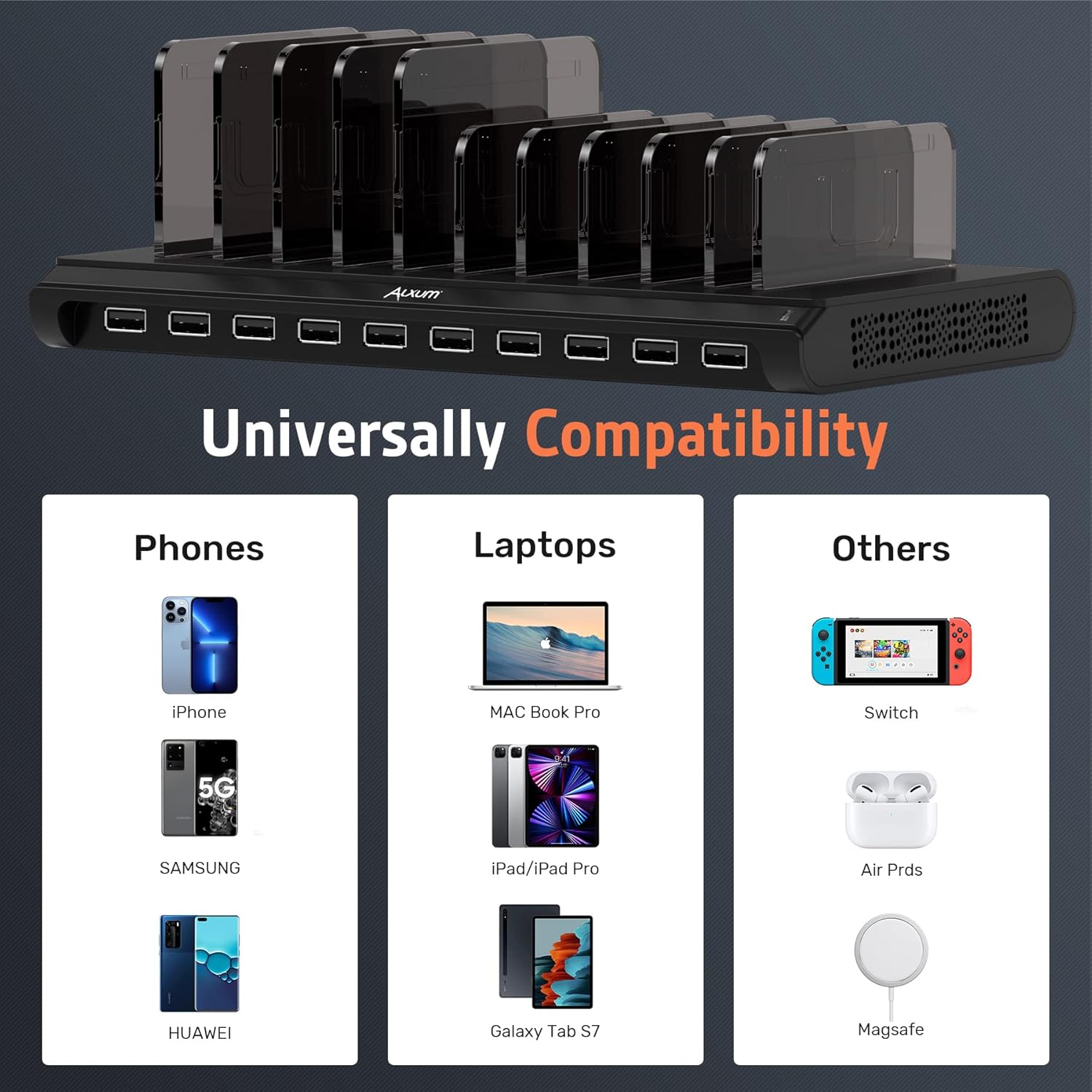
This image showcases the universal compatibility of the Alxum charging station, displaying various devices like iPhones, Samsung phones, MacBooks, iPads, Nintendo Switch, AirPods, and MagSafe accessories.
Specifications
| Feature | Detail |
|---|---|
| Model Number | PS96A120Y8000M |
| Product Dimensions | 9.44 x 5.35 x 0.94 inches |
| Item Weight | 2.62 pounds |
| Input Voltage | 240 Volts |
| Amperage | 8 Amps |
| Max Power Output | 108W |
| Max Output Per Port | 2.4A |
| Connectivity | USB |
| Color | Pure Black |
| Special Features | Charging Indicator, Overcharge Protection |
| Certifications | CE, UL |
Troubleshooting
Device Not Charging or Charging Slowly
- Check Power Connection: Ensure the power adapter is securely plugged into both the charging station and a working wall outlet. The blue LED indicator should be lit.
- Verify Cables: Use high-quality, undamaged USB cables. Faulty cables can prevent or slow down charging.
- Device Compatibility: Confirm your device is compatible with USB charging.
- Overload: If many high-power devices (e.g., multiple iPads) are connected, the total wattage might be exceeded, leading to slower charging for some devices. Try reducing the number of connected devices or using a higher wattage Alxum model if available.
- Power Brick Noise: A faint "whistling" sound from the power brick may indicate an overload. Disconnect some devices to prevent potential damage.
Dividers Not Holding Devices Securely
- Proper Installation: Ensure the dividers are correctly inserted into the slots. They should fit snugly.
- Adjust Spacing: Utilize the different divider sizes (if provided) or adjust their positions to create a snug fit for your device, especially if it has a bulky case.
- Damaged Dividers: If dividers are broken or warped, they may not hold devices securely.
Maintenance
- Cleaning: Disconnect the power adapter before cleaning. Use a soft, dry cloth to wipe the surface of the charging station. Do not use liquid cleaners or abrasive materials.
- Storage: Store the charging station in a cool, dry place away from direct sunlight and extreme temperatures when not in use.
- Cable Management: For optimal organization and to prevent tangles, consider using short USB cables (not included) with the station.
Warranty and Support
Alxum offers 24-hour email support for any inquiries or issues you may encounter.
For assistance, please contact us by clicking on the seller's name in the "Sold By" section of the product detail page on Amazon.

This image displays Alxum's commitment to customer service, highlighting "24-hour Customer Service" and icons for Product Information, After-sales Support, Corporate Benefits, Instructions For Use, and Compatible Device. It also instructs users to contact the seller via Amazon.


