
1. Introduction
This manual provides essential information for the proper use and maintenance of your UGREEN Micro USB Cable. This 6-foot, black, nylon braided cable is designed for high-speed charging and data synchronization with a wide range of Micro USB compatible devices.

Image 1: UGREEN Micro USB Cable featuring USB-A and Micro USB connectors.
2. Key Features
- Fast Charging & Data Sync: Supports up to 18W fast charging (requires QC 2.0/3.0 device and adapter) and data transfer speeds of up to 480Mbps.
- Robust & Durable Design: Features an aluminum housing and nylon braided exterior with reinforced wire connections, designed for over 5,000 bend cycles and 100N tensile strength.
- Broad Compatibility: Compatible with devices featuring Micro USB connectors, including various smartphones, tablets, game controllers, and other electronics.
- Sturdy & Secure Fit: Gold-plated connectors are anti-corrosion and heat-resistant, tested for over 10,000 insertions to ensure a secure and stable connection.
- Optimal Length: This 6-foot cable provides convenient reach for charging and data transfer in various environments.

Image 2: Visual representation of fast charging capabilities with the UGREEN Micro USB Cable.
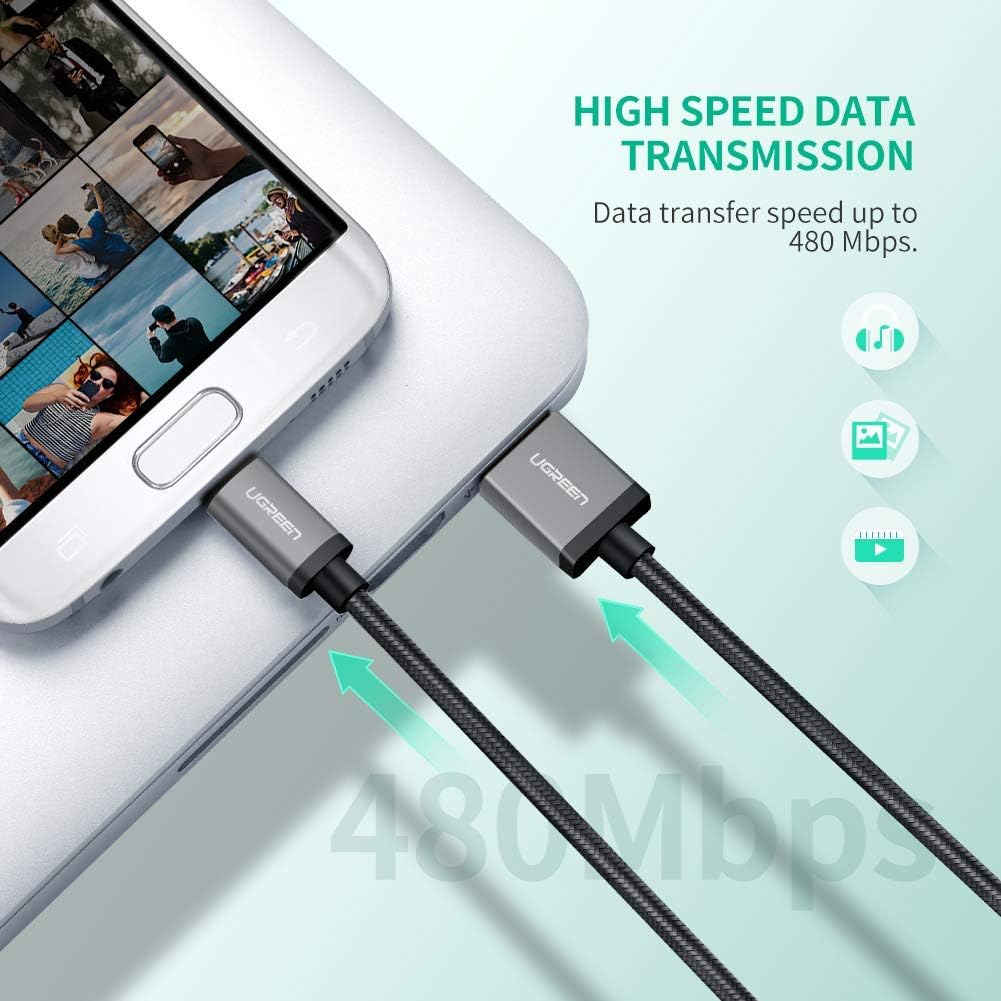
Image 3: The cable facilitating high-speed data transfer between devices.
3. Setup
The UGREEN Micro USB Cable is designed for plug-and-play functionality. No special software or drivers are required for basic operation.
- Identify Ports: Locate the USB-A port on your power adapter, computer, or other host device, and the Micro USB port on your target device (e.g., smartphone, tablet).
- Connect USB-A: Insert the standard USB-A end of the cable into the corresponding port on your power source or computer.
- Connect Micro USB: Carefully insert the Micro USB end of the cable into the Micro USB port on your device. Ensure the connector is oriented correctly to avoid damage.
- Verify Connection: Your device should indicate that it is charging or connected for data transfer.
4. Operating Instructions
4.1. Charging Your Device
- Connect the USB-A end to a compatible USB wall charger, car charger, or power bank.
- Connect the Micro USB end to your device.
- For fast charging, ensure your device and power adapter support Quick Charge (QC 2.0/3.0) technology. The cable is capable of delivering up to 18W.
4.2. Data Transfer
- Connect the USB-A end to a USB port on your computer.
- Connect the Micro USB end to your device.
- Your computer should recognize the device. Follow your device's instructions for accessing files and initiating data transfer. The cable supports speeds up to 480Mbps.

Image 4: Illustration of the cable's dual functionality for fast charging and data transfer.
5. Compatibility
This Micro USB cable is widely compatible with devices that feature a Micro USB port. Examples include, but are not limited to:
- Samsung Galaxy: S7 Edge/S7/S6 Edge/S6/S5, Note 5/Note 4/Note3/J3/J7/A3/A5/A7, Tab 4/Tab 3/Tab A/Tab E/Tab S2/Tab S/Tab Pro
- LG: G4/G3/G2, G3 Stylus/G2/V10/K10, V10, Optimus, Flex 2
- Motorola: Turbo, Moto X, Moto G, Moto E, Moto G6/G5/G4/G3
- HTC: One A9, ONE M9/M8/E8, One Remix, Desire 626/626S, One M7/M8/M9/M9+/A9/E8
- Microsoft Lumia: 430/435/532/535/540/550/640/640 XL/650
- Other Devices: BlackBerry Z10, NOKIA Lumia Series, NOKIA X Series, PS4/Xbox/PS Vita/E-readers/Printers, Wireless keyboards/Digital Cameras/Camcorders/Bluetooth Speakers/MP3 Players/Hard drives/Portable Chargers/Windows Notebooks/GPS devices.

Image 5: The cable's broad compatibility with a range of Micro USB devices.
6. Maintenance
To ensure the longevity and optimal performance of your UGREEN Micro USB Cable, follow these maintenance guidelines:
- Proper Handling: Always grasp the connector head when plugging or unplugging the cable. Avoid pulling directly on the cable itself, as this can damage the internal wires and connectors.
- Avoid Bending: While the cable is designed to be durable, excessive or sharp bending, especially near the connectors, should be avoided to prevent wear and tear.
- Storage: When not in use, coil the cable loosely and secure it with the included cable tie or a similar fastener. Avoid tight coiling or tangling.
- Cleaning: Use a soft, dry cloth to gently wipe the cable and connectors. Avoid using liquids or abrasive cleaners.
- Environmental Conditions: Store the cable in a cool, dry place away from direct sunlight, extreme temperatures, and moisture.

Image 6: The cable's durable construction, designed for flexibility and longevity.

Image 7: Internal structure of the cable, showcasing high-quality materials for enhanced performance and safety.
7. Troubleshooting
If you encounter issues with your UGREEN Micro USB Cable, try the following steps:
- Device Not Charging:
- Ensure both ends of the cable are securely connected.
- Try using a different power adapter or USB port.
- Test the cable with a different Micro USB device to rule out a device-specific issue.
- Check if the power source is active and providing sufficient power.
- Slow Charging:
- Verify that your device and power adapter support fast charging (e.g., QC 2.0/3.0).
- Ensure the power adapter is delivering adequate wattage (e.g., 18W for optimal speed).
- Avoid using the device heavily while charging, as this can slow down the process.
- Data Transfer Issues:
- Confirm the cable is properly connected to both the device and the computer.
- Check your device's settings to ensure it's set to "File Transfer" mode (MTP) rather than "Charging Only."
- Try a different USB port on your computer.
- Restart both your device and computer.
- Loose Connection:
- Inspect the Micro USB port on your device for any debris or damage.
- Ensure the cable's connectors are clean and free from obstruction.
8. Specifications
| Brand | UGREEN |
| Model Name | 30652 |
| Connector Type | Micro USB, USB 2.0 |
| Cable Type | USB |
| Color | Black |
| Length | 6 Feet (1.8 meters) |
| Data Transfer Rate | 480 Megabits Per Second |
| Wattage | 18 Watts (Max) |
| Outer Material | Nylon Braided |
| Special Feature | Gold-plated connectors, Reinforced design |
9. What's in the Box
- UGREEN Micro USB Charging Cable (1 unit)
- User Manual (1 unit)
10. Official Product Video
Video 1: UGREEN Micro USB Cable Nylon Braided Fast Charge. This video demonstrates the cable's features and durability, including its nylon braided design and fast charging capabilities.