
1. Introduction
The Roland DK-01 is a dedicated docking case designed for Roland Boutique series modules. It provides a stable platform, allowing your module to be used in a flat position or tilted at two different angles for enhanced viewing and easier sound programming. This manual provides essential information for the proper setup, operation, and maintenance of your DK-01 Boutique Dock.
2. Setup
2.1 Unpacking
Carefully remove the DK-01 from its packaging. Ensure all components are present and undamaged.
2.2 Docking a Roland Boutique Module
- Align your Roland Boutique module with the docking area on the DK-01.
- Gently press the module into place until it securely locks into the connectors. Ensure a firm connection.
- Caution: When docking or undocking the module, be mindful of the moving parts to avoid pinching your fingers. Refer to the caution label on the underside of the dock for visual guidance.
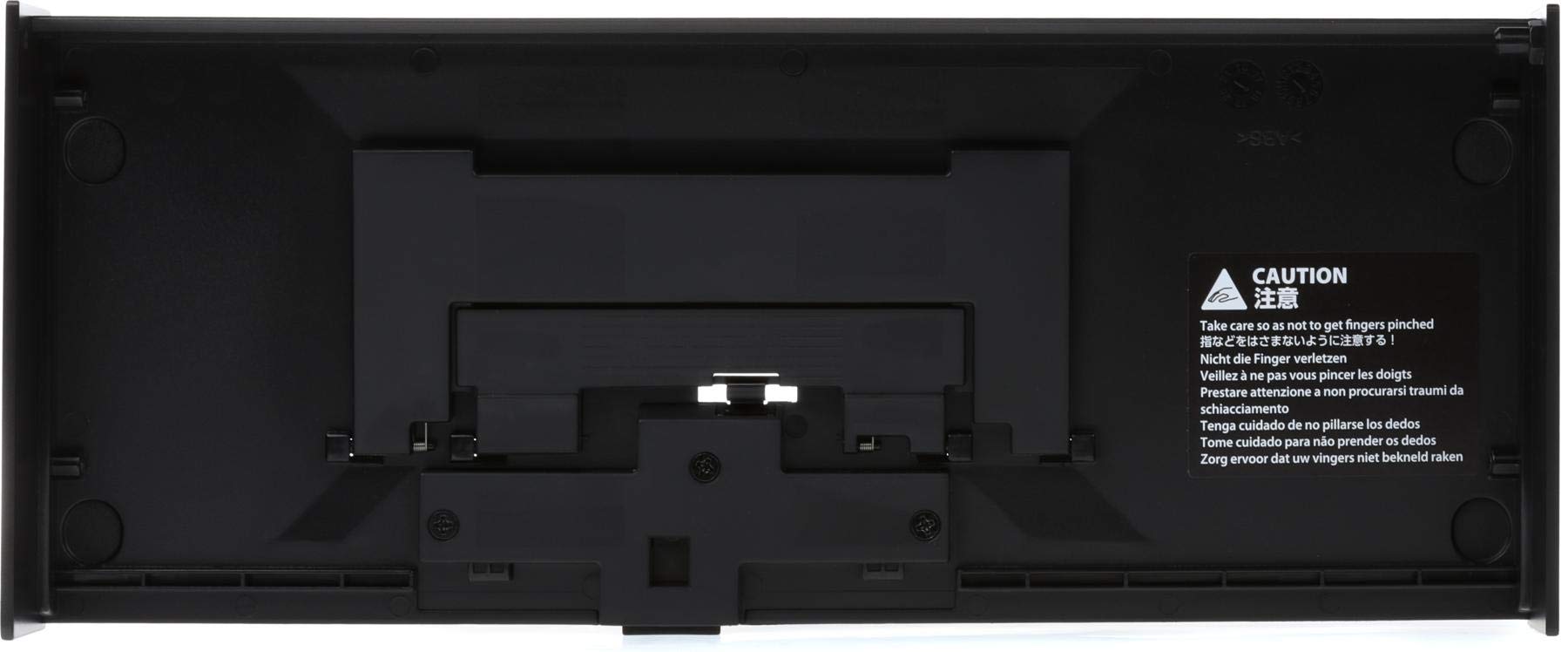
This image displays the bottom of the DK-01 dock, highlighting the mechanism used to secure a Roland Boutique module. A prominent caution label is visible, warning users in multiple languages to be careful of pinching fingers during assembly or adjustment.
3. Operating the Tilt Stand
The DK-01 features a two-position tilt stand, allowing you to adjust the viewing angle of your docked Roland Boutique module.
3.1 Adjusting the Tilt Angle
- To change the angle, gently lift the front edge of the docked module.
- The stand will click into one of two tilted positions, or fold flat for a horizontal orientation.
- Ensure the stand is securely locked into your desired position before use.
The flat position is suitable for compact storage or when a low profile is preferred. The tilted positions offer improved ergonomics for playing and programming.
4. Maintenance
4.1 Cleaning
To clean the DK-01, use a soft, dry cloth. For stubborn dirt, a slightly damp cloth can be used, followed by a dry cloth. Avoid using abrasive cleaners, solvents, or harsh chemicals, as these can damage the finish.
4.2 Storage
When not in use, store the DK-01 in a cool, dry place, away from direct sunlight and extreme temperatures. If storing with a module docked, ensure it is in the flat position for stability.
5. Troubleshooting
5.1 Module Feels Unstable or Wobbly
- Ensure the Roland Boutique module is fully seated and locked into the DK-01 dock. Apply gentle, even pressure until it clicks into place.
- Verify that the tilt stand is securely engaged in one of its designated positions (flat or tilted).
- Check the surface where the dock is placed; an uneven surface can cause instability.
5.2 Difficulty Adjusting Tilt
- Do not force the tilt mechanism. Gently lift the front of the module to disengage the current position and then adjust to the next.
- Ensure no debris is obstructing the hinge mechanism.
If you encounter issues not covered here, please refer to the support information provided in Section 7.
6. Specifications
| Model Name | DK-01 |
| Compatible Modules | Roland Boutique Series |
| Dimensions (W x D x H) | 12.1 x 4.9 x 1.7 inches (approx. 307 x 124 x 43 mm) |
| Weight | 8 ounces (approx. 0.23 kg) |
| Material | Plastic |
| Tilt Positions | Flat, Two tilted angles |
Specifications are subject to change without notice.
7. Warranty and Support
7.1 Product Warranty
For detailed information regarding the warranty period and terms for your Roland DK-01 Boutique Dock, please refer to the warranty card included with your product or visit the official Roland website.
7.2 Customer Support
If you require technical assistance, have questions about your product, or need to report an issue, please contact Roland customer support. You can find contact information and additional resources on the official Roland website.