
Emerson ST55
Sensi Smart Thermostat User Manual
Model: ST55 | Brand: Emerson
Your guide to smart home climate control with 100 years of expertise.
Introduction
The Sensi Smart Thermostat is designed for easy DIY installation and smart home integration, offering convenient control over your home's heating and cooling. It is compatible with most residential HVAC systems and prioritizes data privacy, ensuring your personal information is not sold to third parties. Built on over a century of HVAC experience, Sensi provides reliable performance and energy-saving features.
This manual provides essential information for setting up, operating, and maintaining your Sensi Smart Thermostat.
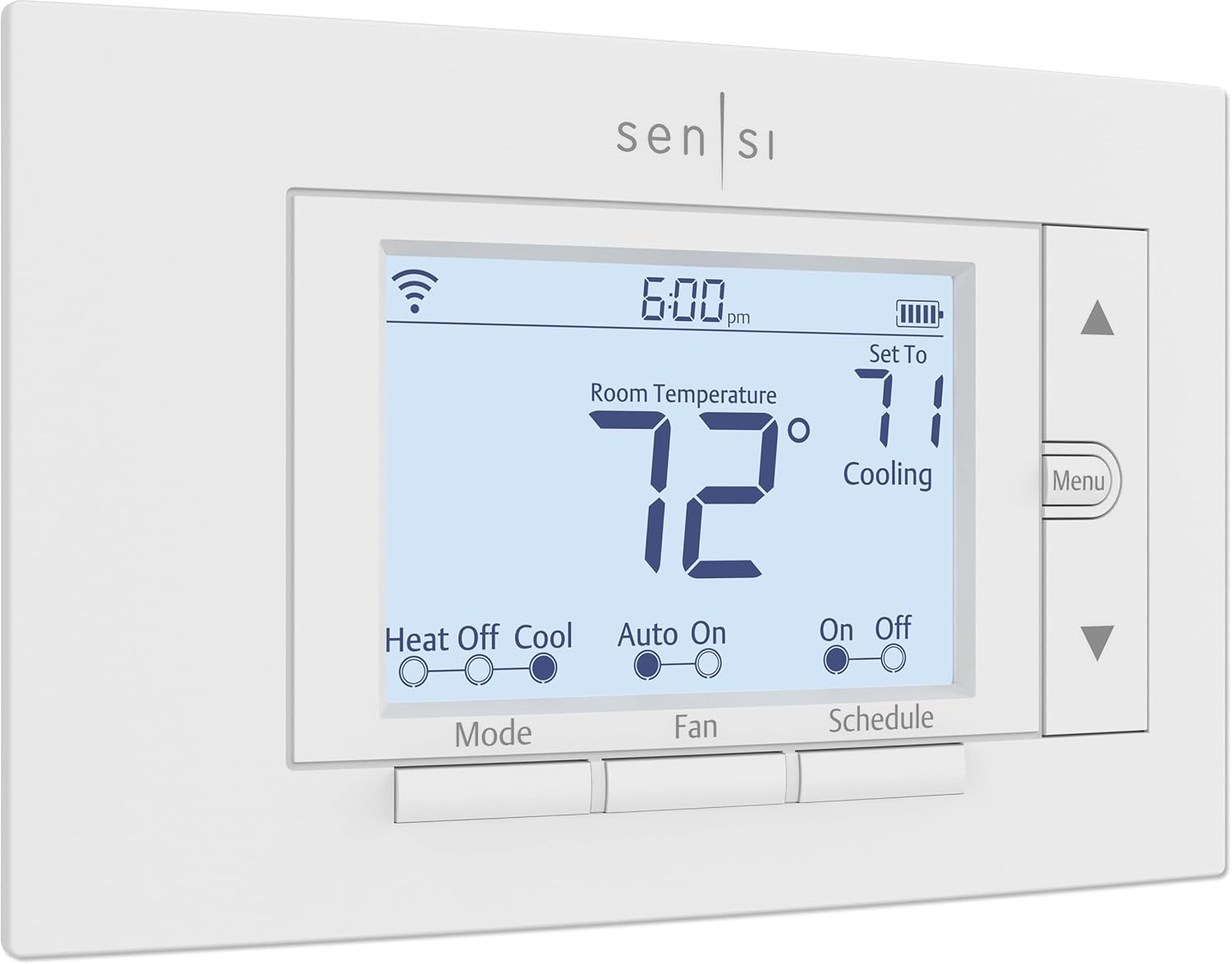
Figure 1: Front view of the Sensi Smart Thermostat, displaying current room temperature and set temperature.
Setup & Installation
The Sensi Smart Thermostat is designed for easy do-it-yourself installation. In most applications, a common wire (c-wire) is not required, simplifying the process. The mobile app provides step-by-step instructions to guide you through the setup.
What's Included:
- Sensi Smart Thermostat
- Free Mobile App
- 2 AA Batteries (included)
- Mounting Hardware
- Wire Stickers
- Installation Guide
- Welcome Guide with Sensi Code
- Warranty Booklet
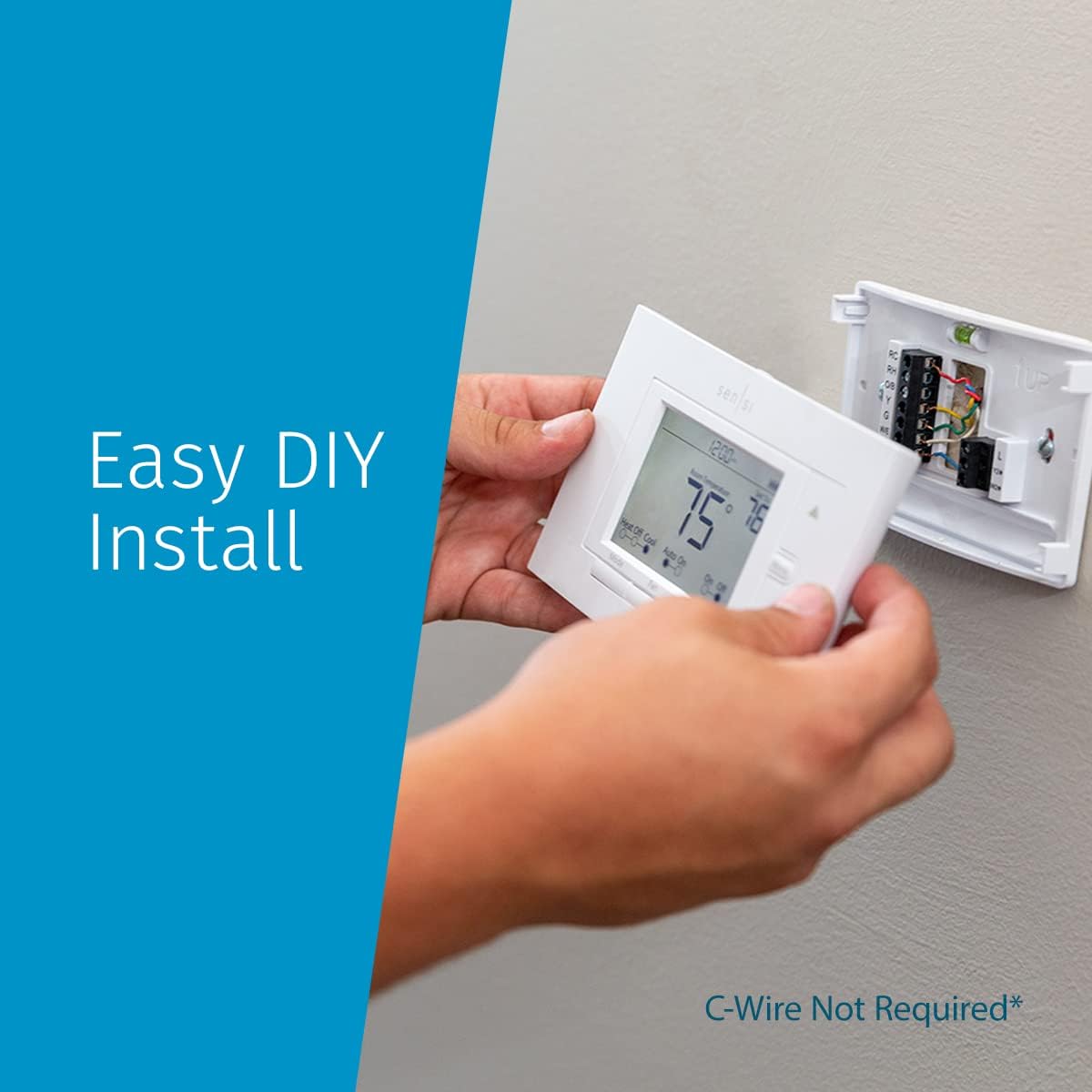
Figure 2: Easy DIY installation process, showing the thermostat being mounted to the wall plate. A C-wire is not required in most applications.

Figure 3: All components included for installation, including the thermostat, mounting plate, batteries, and wire labels.
Installation Steps:
- Prepare for Installation: Turn off power to your HVAC system at the circuit breaker.
- Remove Old Thermostat: Carefully remove your old thermostat from the wall. Take a picture of the wiring for reference.
- Label Wires: Use the provided wire stickers to label each wire according to your old thermostat's terminals.
- Mount Sensi Base: Secure the Sensi mounting base to the wall using the included hardware. The base has a built-in level for easy alignment.
- Connect Wires: Connect the labeled wires to the corresponding terminals on the Sensi base. Refer to the wiring diagram in the app or included guide.
- Insert Batteries: Insert the two AA Batteries into the thermostat unit.
- Attach Thermostat: Snap the Sensi thermostat onto the mounted base.
- Restore Power: Turn the power back on to your HVAC system.
- Connect to Wi-Fi: Follow the instructions in the Sensi mobile app to connect your thermostat to your home Wi-Fi network.
Operating Instructions
The Sensi Smart Thermostat offers both on-device controls and comprehensive mobile app functionality for managing your home's climate.
On-Device Controls:
- Mode Button: Toggle between Heat, Off, and Cool modes.
- Fan Button: Select Fan On (continuous fan operation), Auto (fan runs only when heating/cooling), or Off.
- Schedule Button: Enable or disable programmed schedules.
- Up/Down Arrows: Adjust the set temperature.
- Menu Button: Access advanced settings and configuration options directly on the thermostat.
Mobile App Control:
The Sensi mobile app provides full control of your thermostat from anywhere, anytime. Download the app from the Apple App Store or Google Play.

Figure 4: On-The-Go Control via the Sensi mobile app, allowing remote temperature adjustments and mode changes.
- Remote Temperature Adjustment: Change your home's temperature from your smartphone.
- Scheduling: Create and modify flexible schedules to optimize energy usage based on your routine.
- Usage Reports: Access detailed reports on your HVAC system's energy consumption.
- System Mode Selection: Easily switch between Heat, Cool, Auto, or Off modes.
- Fan Control: Adjust fan settings (On, Auto).
- Smart Maintenance: Receive alerts about your equipment and maintenance reminders.
Compatibility
The Sensi Smart Thermostat is designed to be compatible with a wide range of residential HVAC systems. It works with conventional heating and cooling systems, heat pumps, and more.
HVAC System Compatibility:
Conventional systems include boiler, gas furnace, radiant heat, electric heat, and air conditioning. Heat pump systems include heat pump, dual fuel, and geothermal.
Sensi thermostat is not compatible with line voltage systems. A line voltage thermostat will typically have wires larger than 18 gauge and may not have terminal labels. If you're unsure of your system voltage, you or a contractor should measure voltage using a multimeter. Sensi thermostat is rated for 20-30 VAC.
Sensi thermostats are not compatible with millivolt systems. A millivolt (mV) system operates on very low power, less than one volt. Sensi is designed for 20-30 VAC systems.

Figure 5: Detailed compatibility chart for various HVAC system types with Sensi thermostats.
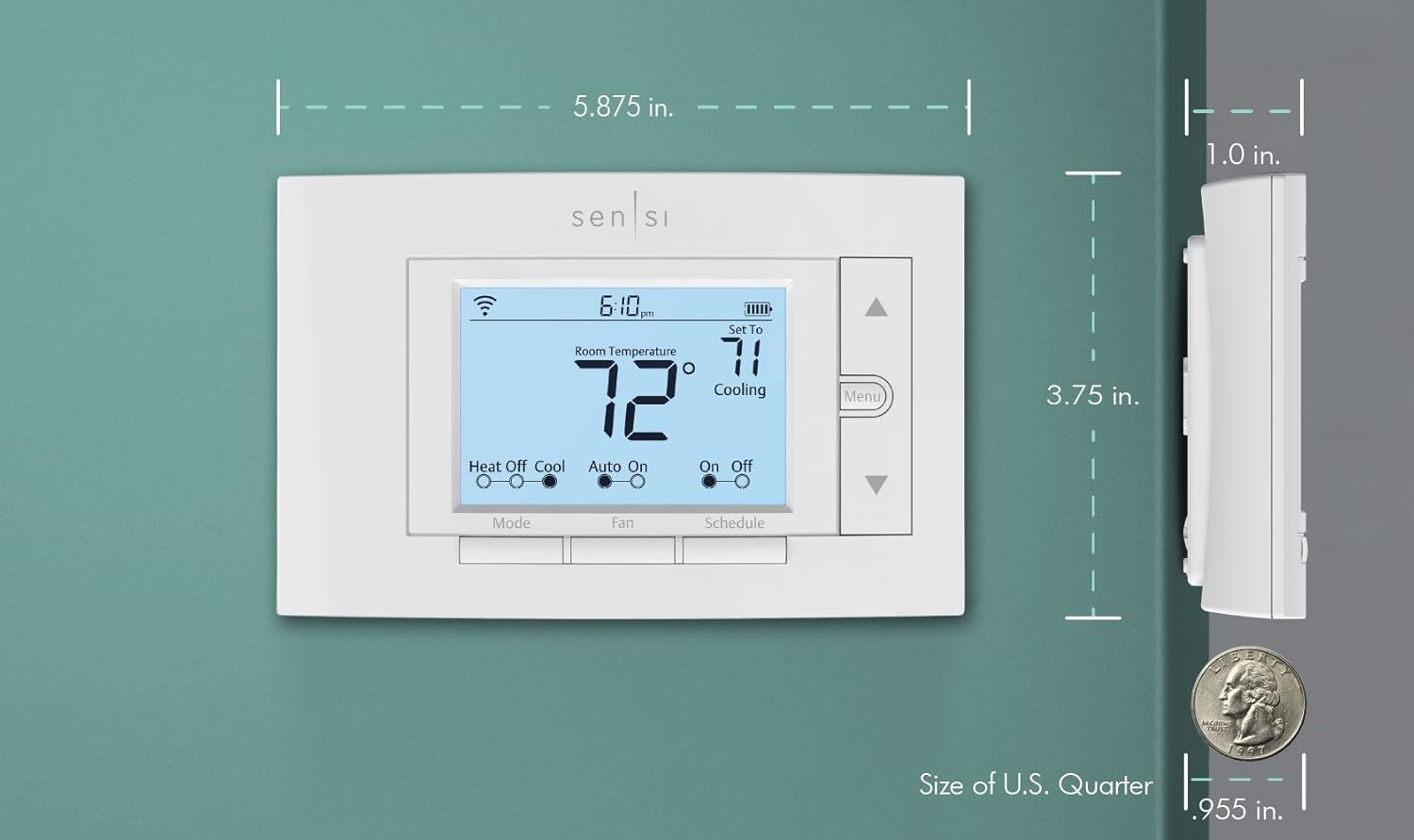
Figure 6: Terminal compatibility and C-wire requirements for Sensi thermostats.
Router Compatibility:
Sensi thermostats are compatible with a wide range of Wi-Fi routers. If you have questions about router compatibility, please contact customer support.
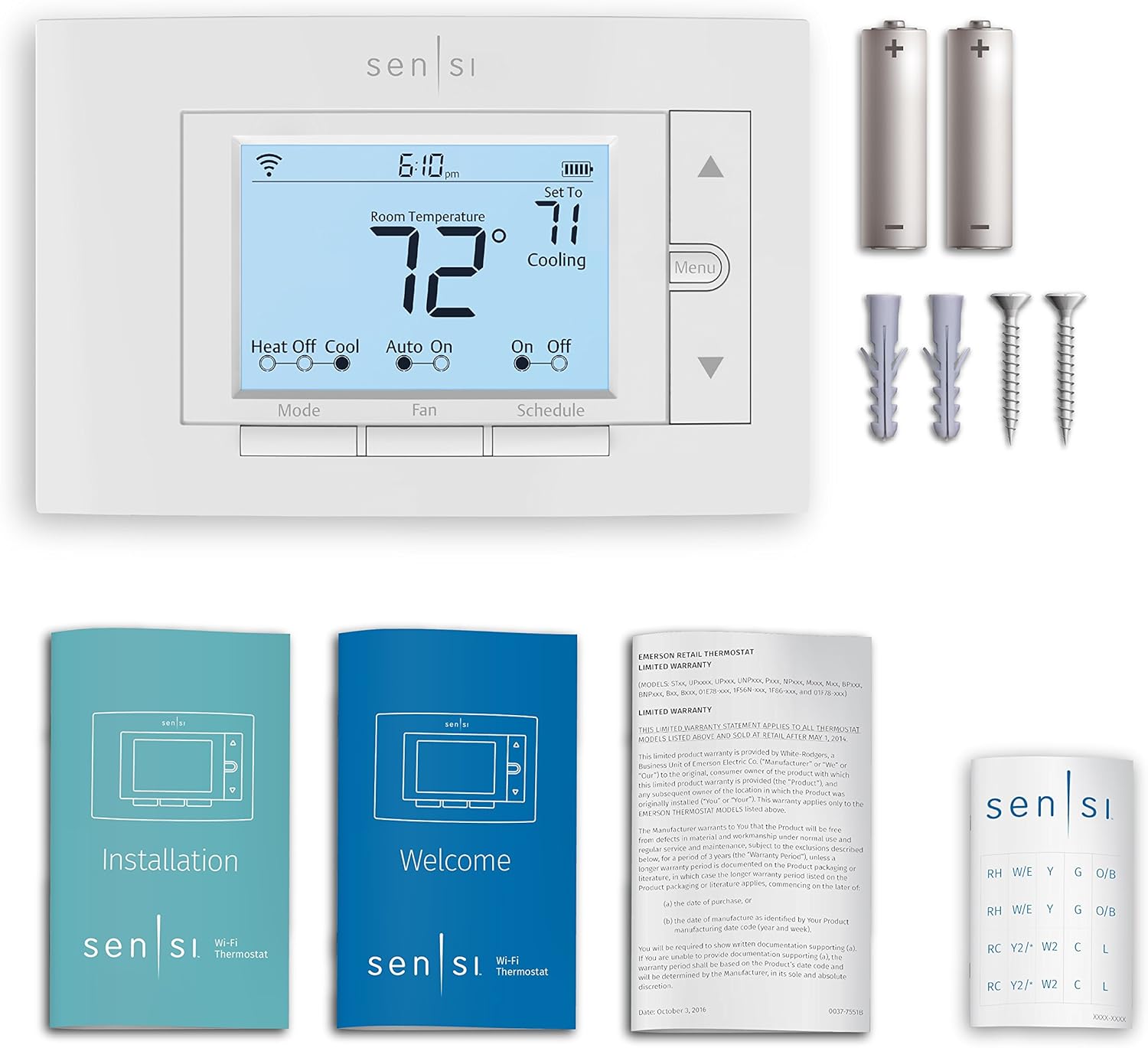
Figure 7: List of compatible router manufacturers and models for Sensi thermostats.
Maintenance
The Sensi Smart Thermostat includes smart maintenance features to help you keep your HVAC system running efficiently.
- Usage Reports: Monitor the performance and efficiency of your HVAC system through valuable usage reports available in the mobile app.
- Equipment Alerts: Receive alerts about your equipment's status.
- Maintenance Reminders: Get reminders for tasks like filter replacement to maximize efficiency.

Figure 8: Screenshot of the Sensi mobile app displaying energy usage reports and filter change reminders.
Troubleshooting
If you encounter any issues with your Sensi Smart Thermostat, please refer to the detailed user guide available in PDF format or contact customer support for assistance.
- No Power to Thermostat: Ensure power is on at the circuit breaker. Check wiring connections.
- Wi-Fi Connectivity Issues: Verify your home Wi-Fi network is active. Re-attempt Wi-Fi setup through the Sensi app.
- Incorrect Temperature Readings: Ensure the thermostat is not exposed to direct sunlight or drafts. Check for proper calibration in the app settings.
- HVAC System Not Responding: Confirm the system mode (Heat/Cool/Off) is correctly selected. Check wiring connections.
Specifications
| Feature | Detail |
|---|---|
| Brand | Emerson |
| Model Name | Wi-Fi Thermostat for Smart Home, DIY Version |
| Product Dimensions | 1"D x 5.88"W x 3.75"H |
| Controller Type | Vera, Google Assistant, Amazon Alexa, SmartThings |
| Special Features | Filter Indicator, Clock Display, Fan Control, Auto Changeover, Daylight Savings Time Ready |
| Color | White |
| Connectivity Technology | Wi-Fi |
| Power Source | Corded Electric |
| Item Weight | 13.6 ounces |
| Voltage | 24 Volts (AC) |
| Material | Plastic |
| Screen Size | 5 Inches |
| Control Type | Button Control |
| Mounting Type | Wall Mount |
| Batteries Required | 1 AAA batteries required (included) |
| UPC | 786710554827 |
| Country of Origin | Mexico |
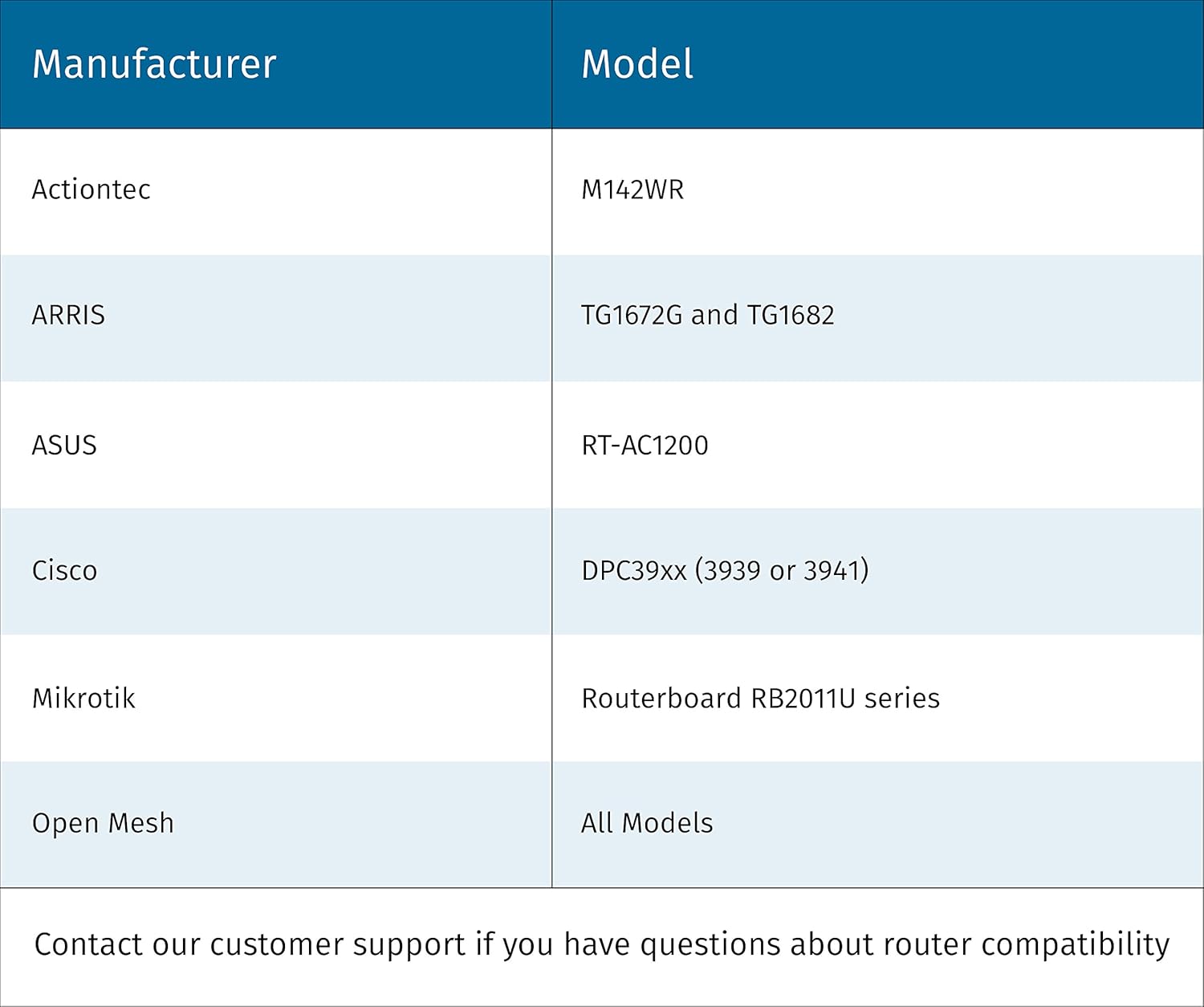
Figure 9: Product dimensions of the Sensi Smart Thermostat.
Warranty & Support
The Sensi Smart Thermostat comes with a 3-year warranty, ensuring peace of mind regarding your purchase.
Documentation:
For additional support, troubleshooting, or warranty claims, please refer to the official user guides or contact Emerson customer service.
Related documentsST55


Ask a question about this manual
Ask about setup, troubleshooting, compatibility, parts, safety, or missing instructions. Manuals+ will review the question and use this page’s manual context to help answer it.