Introduction
This manual provides essential instructions for the safe and efficient use of your LG B470 prepaid flip phone. The LG B470 is designed for reliable communication with features including a 1.3 MP camera with video capability, Bluetooth connectivity, a dedicated Text-to-Speech key, and an enhanced audio (Senior) mode for improved sound clarity.

Figure 1: LG B470 flip phone in retail packaging. This image illustrates the phone's compact design and highlights its primary features such as camera, mobile web access, music playback, Bluetooth capability, and messaging functions.
Setup
1. Package Contents
Verify that your package contains the LG B470 phone and a charger.
2. Battery Installation
- Remove the back cover of the phone.
- Align the battery contacts with the terminals inside the phone.
- Gently press the battery into place.
- Replace the back cover, ensuring it clicks securely.
3. SIM Card Installation
The LG B470 uses a single SIM card slot.
- With the battery removed, locate the SIM card slot.
- Insert the SIM card with the gold contacts facing down and the cut corner aligned with the slot.
- Gently push the SIM card until it locks into place.
- Reinstall the battery and back cover.
4. Charging the Battery
Before first use, fully charge the phone's battery.
- Connect the charger to the charging port on the phone.
- Plug the charger into a standard electrical outlet.
- The charging indicator will show the charging status. Disconnect the charger once the battery is full.
5. Initial Activation
For carrier-locked phones, activation may require visiting your service provider (e.g., AT&T) or following their specific activation instructions.
Operating Instructions
1. Power On/Off
- To power on, press and hold the Power/End Call key until the screen lights up.
- To power off, press and hold the Power/End Call key, then select Power Off.
2. Making and Receiving Calls
- To make a call, enter the phone number and press the Send key.
- To answer a call, press the Send key.
- To end a call, press the Power/End Call key.
3. Text Messaging
Texting on the LG B470 is performed using the numeric keypad. This method can be slower than a full QWERTY keyboard.
- Navigate to the Messages menu.
- Select Create New Message.
- Enter the recipient's number or select from contacts.
- Type your message using the keypad. Multiple presses on a key cycle through letters and numbers.
- Press Send.
4. Bluetooth Connectivity
The LG B470 supports Bluetooth for connecting to compatible devices such as headsets or car kits.
- Go to Menu > Settings > Bluetooth.
- Turn Bluetooth On.
- Select Search for Devices to find nearby Bluetooth accessories.
- Select the desired device and follow the on-screen prompts to pair.
5. Dedicated Text-to-Speech Key
Utilize the dedicated Text-to-Speech key to have incoming messages or menu options read aloud. Refer to your phone's on-screen guide for specific key location and activation.
6. Enhanced Audio (Senior) Mode
Activate the Enhanced Audio (Senior) mode in the settings menu for increased call volume and clearer audio.
7. Camera Usage
The phone features a 1.3 MP camera for capturing photos and videos.
- Access the camera from the main menu.
- Frame your shot using the display.
- Press the designated camera key to take a photo or start/stop video recording.
8. Mobile Web and Music Player
The LG B470 supports basic mobile web browsing and includes a music player. Access these features through the phone's main menu. Note that data usage may apply for mobile web.
Maintenance
1. Battery Care
- Avoid exposing the battery to extreme temperatures.
- Do not puncture or damage the battery.
- Use only the charger provided or approved by LG.
- If the battery needs replacement, use an authorized LG service center or genuine LG battery.
2. Cleaning
- Wipe the phone with a soft, dry cloth.
- Avoid using harsh chemicals, cleaning solvents, or strong detergents.
3. General Handling
- Protect the phone from drops and impacts.
- Keep the phone dry and away from moisture.
- Do not disassemble the phone yourself.
Troubleshooting
1. Voicemail Setup Issues
If you encounter difficulties setting up voicemail, particularly with speed dial key #1, it may be pre-programmed or require specific carrier instructions.
- Contact your service provider (e.g., AT&T) for the correct voicemail number and setup procedure.
- As a workaround, you can save your voicemail access number as a contact and dial it manually.
2. Phone Not Powering On
- Ensure the battery is correctly installed and fully charged.
- Try connecting the phone to the charger and attempting to power on.
3. No Network Service
- Check that your SIM card is properly inserted.
- Verify that you are within your service provider's coverage area.
- Restart the phone.
- Note: This phone uses 3G cellular technology. Some carriers, like AT&T, have phased out 3G network support, which may affect service availability.
Specifications
| Feature | Detail |
|---|---|
| Model Name | B470 |
| Brand | LG |
| Product Dimensions | 3.86 x 0.73 x 2 inches |
| Item Weight | 10.6 ounces |
| Display Resolution | 176 x 220 |
| Screen Size | 2.2 Inches |
| Camera Features | 1.3 MP |
| Wireless Communication | Bluetooth |
| Cellular Technology | 3G (UMTS) |
| SIM Card Slot Count | Single SIM |
| Battery Type | 1 Lithium Polymer (included) |
| Audio Jack | No headphone jack |
| Color | Black |
| What's in the box | Phone, Charger |
Warranty and Support
For detailed warranty information, safety guidelines, and terms of service, please refer to the documentation included with your phone, such as the GoPhone Quick Start Guide and User Guide.
For technical support or service-related inquiries, contact your wireless carrier (e.g., AT&T) or visit the official LG support website.
Important Notice: This device contains a Lithium Polymer battery. Proper disposal is required. Do not dispose of batteries in household waste.
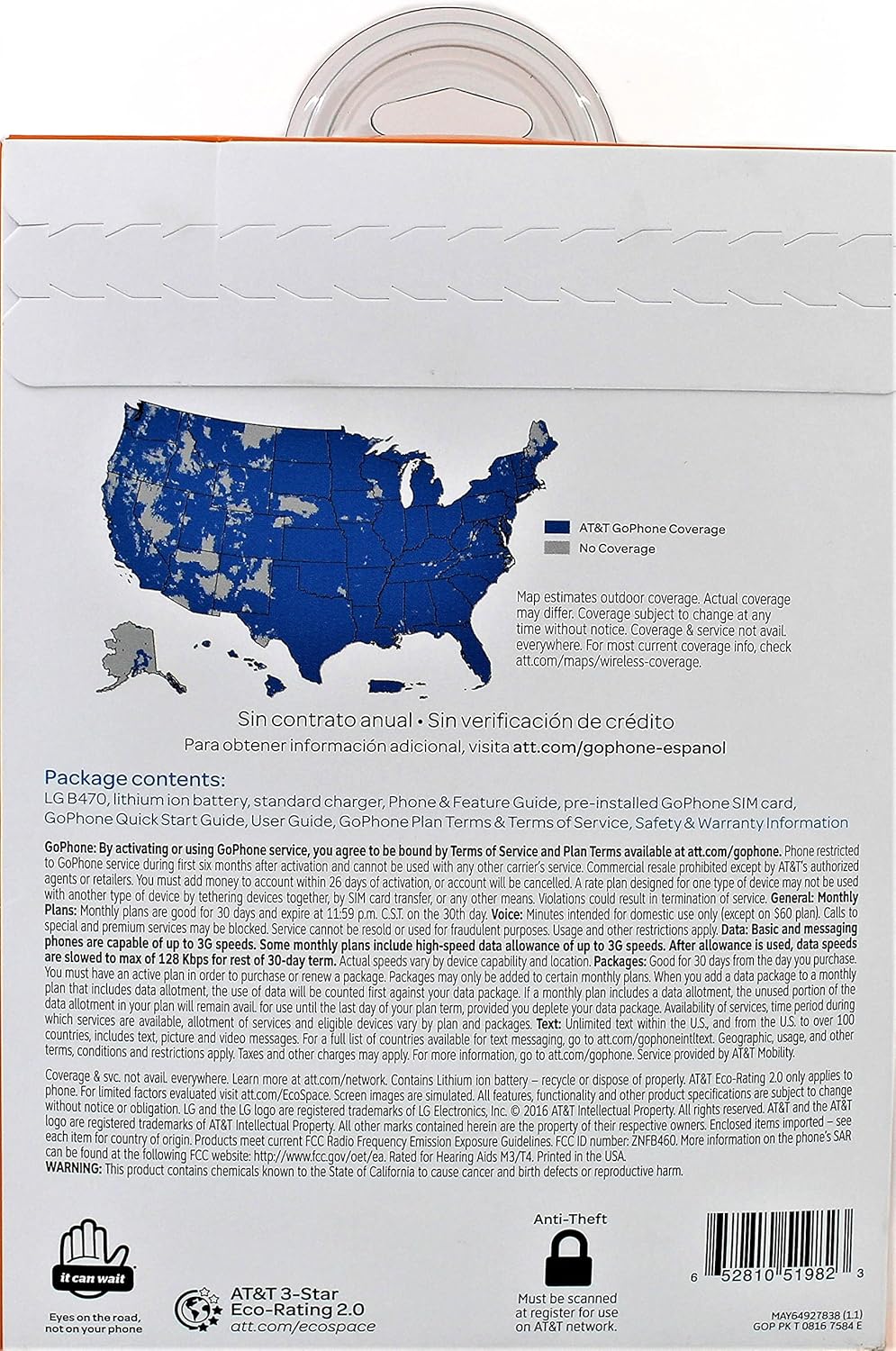
Figure 2: Back of LG B470 packaging. This image displays important legal disclaimers, terms of service for AT&T GoPhone, network coverage information, and warnings regarding battery disposal and anti-theft measures.