
Thomson 3760207240322
THOMSON Cardio W6 Wrist Blood Pressure Monitor User Manual
Model: 3760207240322
Important Safety Information
Please read this manual thoroughly before using the device. Keep this manual for future reference.
- This device is intended for non-invasive measurement and monitoring of arterial blood pressure and pulse rate in adults.
- Do not use this device for self-diagnosis or self-treatment. Always consult a healthcare professional for interpretation of measurements and for any health concerns.
- If you experience any discomfort during measurement, press the START/STOP button to stop the measurement immediately.
- Keep the device out of reach of children and pets.
- Do not use the device in an environment with strong electromagnetic fields.
- Only use accessories specified by the manufacturer.
Product Overview
Components
- Wrist Blood Pressure Monitor Unit
- Integrated Wrist Cuff
- Storage Case (if included)
- User Manual

Figure 1: Front view of the THOMSON Cardio W6 Wrist Blood Pressure Monitor, showing the LCD screen, START/STOP button, and MEM button. The wrist cuff is attached.

Figure 2: Rear view of the blood pressure monitor, displaying the integrated wrist cuff and the battery compartment on the main unit.

Figure 3: Close-up of the wrist cuff, showing measurement instructions and CE certification markings. The cuff is designed for wrist circumference of approximately 13.5-21.5 cm.
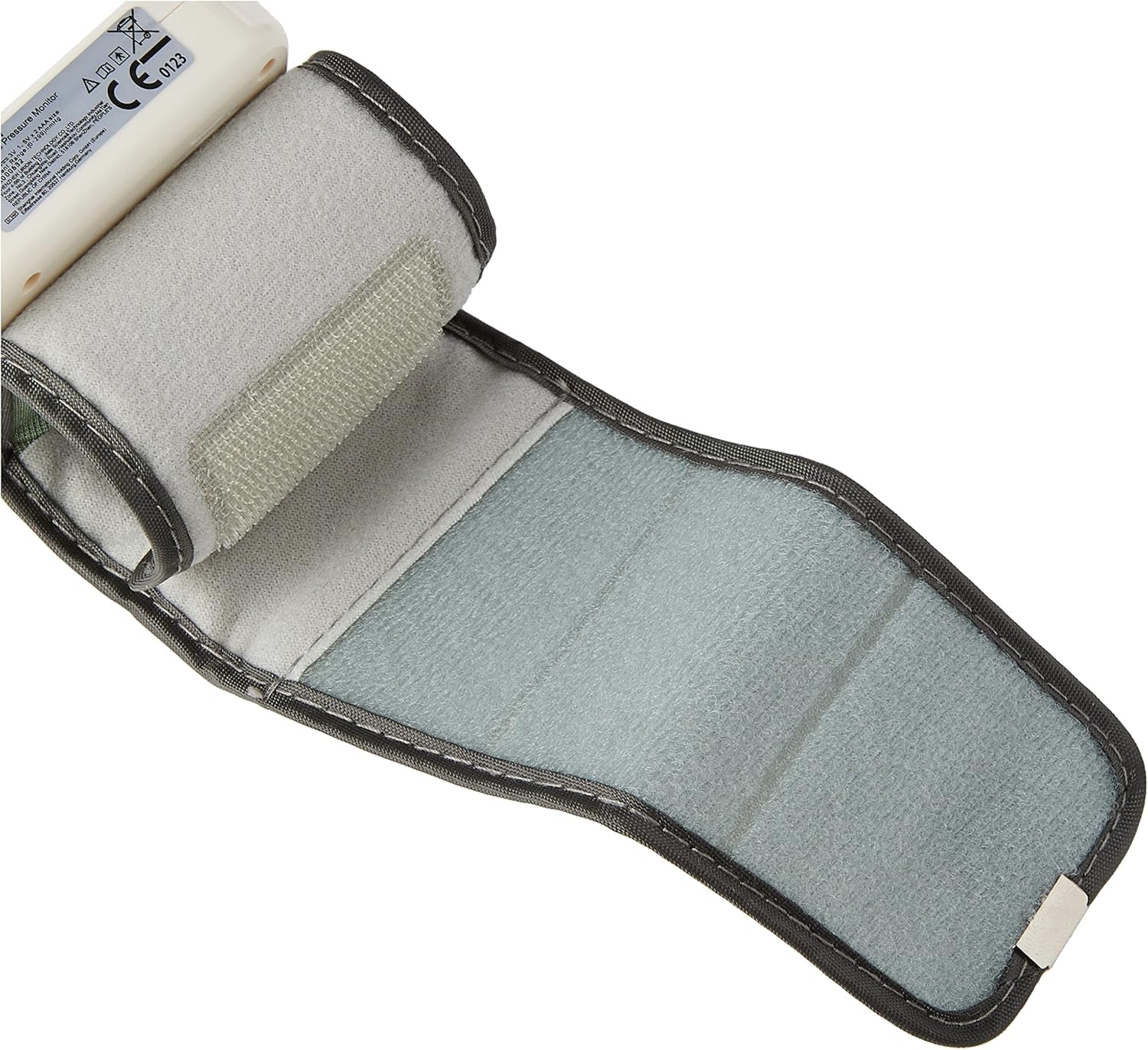
Figure 4: The interior of the wrist cuff unfolded, showing the soft fabric and Velcro fasteners for secure and comfortable application.

Figure 5: A visual representation of the compact size of the THOMSON Cardio W6 monitor, approximately 7 cm in height, demonstrating its portability.
Setup
Battery Installation
- Locate the battery compartment on the back of the device.
- Slide the battery cover open.
- Insert two AAA batteries (not included) according to the polarity indicators (+/-) inside the compartment.
- Close the battery cover securely.
Initial Settings (Date, Time, User)
Upon first use or after battery replacement, you may need to set the date, time, and select a user profile. Refer to the on-screen prompts or the detailed instructions in the full manual for specific steps on navigating the settings menu using the MEM and START/STOP buttons.
Operating Instructions
Taking a Measurement
- Preparation: Sit comfortably with your back supported and feet flat on the floor. Rest for at least 5 minutes before taking a measurement. Avoid talking or moving during the measurement.
- Cuff Placement: Place the wrist cuff on your left wrist (if right-handed) with the display facing upwards. The cuff should be positioned approximately 0.5 to 1 cm from your palm. Ensure the cuff is snug but not too tight.
- Positioning: Rest your elbow on a table and raise your wrist so that the blood pressure monitor is at the same level as your heart. This is crucial for accurate readings.
- Start Measurement: Press the START/STOP button. The cuff will inflate automatically, and the measurement will begin.
- Reading Results: Once the measurement is complete, the systolic pressure (SYS), diastolic pressure (DIA), and pulse rate (PUL) will be displayed on the screen. The device will automatically store the reading in the selected user's memory.
Understanding Your Readings
The display shows three main values:
- SYS (Systolic Pressure): The highest pressure in your arteries when your heart beats.
- DIA (Diastolic Pressure): The lowest pressure in your arteries when your heart rests between beats.
- PUL (Pulse Rate): Your heart rate, measured in beats per minute.
The device also indicates blood pressure levels according to the WHO (World Health Organization) classification, often shown with a color-coded indicator on the screen.
Memory Function
The THOMSON Cardio W6 can store up to 90 measurements for each of two users (User 1 and User 2), totaling 180 measurements. To access stored readings:
- Press the MEM button when the device is off or in standby mode.
- The most recent reading will be displayed first.
- Press the MEM button repeatedly to scroll through previous readings.
The device automatically calculates the average of the last three measurements, which is a recommended practice by health authorities for a more representative reading.
Arrhythmia Detection
This monitor is equipped with an irregular heartbeat detection feature. If an irregular heartbeat is detected during the measurement, a specific symbol will appear on the screen. If this symbol appears frequently, it is recommended to consult a healthcare professional.
Maintenance
Cleaning
- Clean the device and cuff with a soft, dry cloth.
- If necessary, use a cloth lightly dampened with water or a mild detergent. Do not use abrasive cleaners or immerse the device in water.
Storage
- Store the device in a cool, dry place, away from direct sunlight and extreme temperatures.
- If the device will not be used for an extended period, remove the batteries to prevent leakage.
Battery Replacement
When the low battery indicator appears on the screen, replace both batteries with new ones. Follow the battery installation steps outlined in the Setup section.
Troubleshooting
| Problem | Possible Cause | Solution |
|---|---|---|
| Device does not turn on | Batteries are dead or incorrectly inserted. | Replace batteries or check polarity. |
| Inaccurate readings | Incorrect cuff placement, improper body position, movement or talking during measurement. | Ensure correct cuff placement and body position. Remain still and silent during measurement. |
| Error message on screen | Cuff not properly inflated, movement detected, or other internal error. | Re-apply cuff and try again. Ensure no movement. If error persists, consult customer support. |
| Irregular heartbeat symbol appears frequently | Possible cardiac arrhythmia. | Consult a healthcare professional. |
Specifications
| Feature | Detail |
|---|---|
| Model Name | THOMSON Cardio W6 |
| Product Dimensions (L x W x H) | 6.8 x 7 x 6.4 cm |
| Weight | 98 grams |
| Power Source | Battery Powered |
| Display Type | LCD (36.6 x 41.6 mm) |
| Cuff Size | Approx. 13.5 - 21.5 cm wrist circumference |
| Memory Capacity | 2 users x 90 measurements each (total 180) |
| Features | Automatic 3-measurement average, Arrhythmia Detection, WHO classification indicator |
| Certifications | CE Medical Certified, Registered with ANSM |
Warranty and Support
For warranty information, technical support, or service inquiries, please refer to the warranty card included with your product or contact THOMSON customer service through their official website or the retailer where the product was purchased. Please have your model number (3760207240322) and purchase date ready when contacting support.
Ask a question about this manual
Ask about setup, troubleshooting, compatibility, parts, safety, or missing instructions. Manuals+ will review the question and use this page’s manual context to help answer it.