
Introduction
Thank you for choosing the Duracell SL002BDU Outdoor Solar Light. This LED garden security light is designed to provide bright, motion-activated illumination for your outdoor spaces, utilizing solar power for energy efficiency. This manual provides detailed instructions for installation, operation, maintenance, and troubleshooting to ensure optimal performance of your device.
Product Overview
The Duracell SL002BDU consists of a main light unit with integrated motion sensor and a separate solar panel for flexible placement and maximum sun exposure. It features a robust metal construction and provides 400 lumens of extra bright light.

Image: The Duracell SL002BDU solar light unit (right) and its detached solar panel (left), connected by a wire. The light unit features a large LED array and a motion sensor at its base. Both components are black.
Key Features:
- Extra Bright 400 Lumen Light Intensity: Provides powerful illumination for security and visibility.
- Integrated Motion Sensor: Automatically activates the light when motion is detected, conserving energy.
- Great Battery Life: Efficient power management for extended operation.
- Solar Powered: Charges during the day using sunlight, eliminating the need for external power sources.
- Durable Metal Construction: Designed for outdoor use with a black finish.
Setup and Installation
Proper installation is crucial for the optimal performance of your solar light. Choose a location that receives direct sunlight for the solar panel and an unobstructed view for the motion sensor.
Installation Steps:
- Choose Location: Select a mounting location for the light unit and the solar panel. The solar panel should be positioned to receive maximum direct sunlight throughout the day. The light unit should be placed where its motion sensor can effectively cover the desired area.
- Mount Solar Panel: Secure the solar panel to a wall or surface using appropriate screws (typically three screws are required for the solar panel base). Ensure it is firmly attached and angled towards the sun.
- Mount Light Unit: Secure the light unit to a wall or surface using appropriate screws (typically two screws are required for the light unit base).
- Connect Components: Connect the cable from the solar panel to the light unit. Ensure the connection is secure.
- Adjust Angle: Adjust the angle of both the solar panel and the light unit to optimize sun exposure for charging and light coverage for illumination. The light unit offers adjustability for precise aiming.

Image: The Duracell SL002BDU solar light and its separate solar panel mounted on a brick wall. The light is illuminated, demonstrating its operational state.
Note: While installation is generally straightforward, securing the components to a wall may require drilling and appropriate tools. Ensure the solar panel is not obstructed by shadows from trees or buildings for optimal charging.
Operating Instructions
The Duracell SL002BDU is designed for automatic operation. Once installed and charged, it will function as follows:
- Daytime Charging: The solar panel will convert sunlight into electricity, charging the internal batteries during the day. Ensure the solar panel receives ample direct sunlight.
- Automatic Activation (Night): At dusk, the light will enter standby mode. When the integrated motion sensor detects movement within its range, the light will automatically turn on at full brightness.
- Automatic Deactivation: After a set period of no motion detection (typically around 60 seconds, as indicated on the product packaging), the light will turn off to conserve battery power.
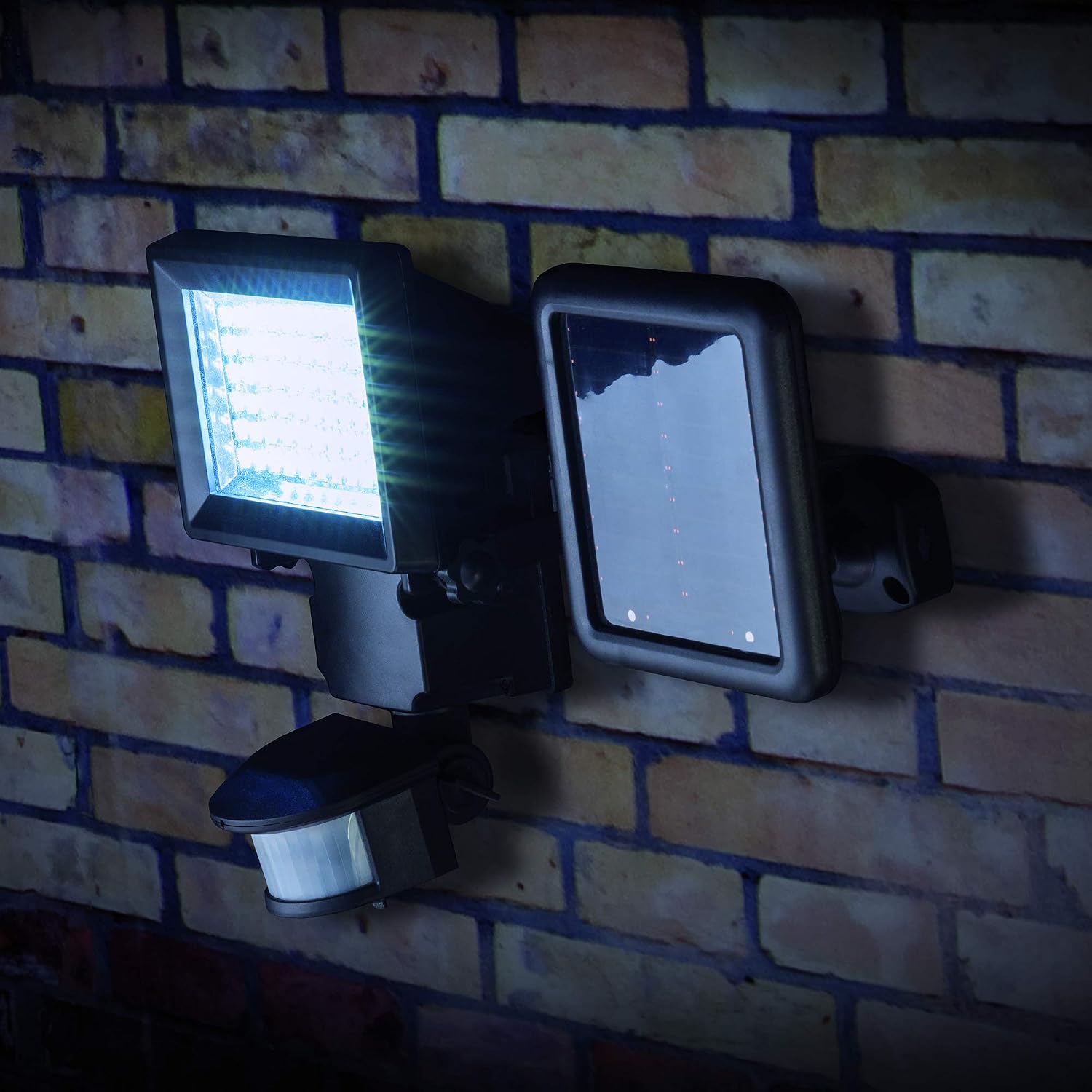
Image: The Duracell SL002BDU solar light mounted on a brick wall at night, brightly illuminating the area. This demonstrates its function as a security light.
The motion sensor is designed to detect movement effectively, providing security lighting without the need for manual operation or adding to your electricity bill.
Maintenance
To ensure the longevity and optimal performance of your Duracell SL002BDU solar light, follow these maintenance guidelines:
- Clean Solar Panel: Periodically wipe the solar panel with a soft, damp cloth to remove dust, dirt, leaves, or snow. A clean panel ensures maximum sunlight absorption and efficient charging.
- Clean Light Unit: Keep the LED light surface and motion sensor lens clean from debris to ensure clear illumination and accurate motion detection.
- Battery Care: The unit uses 5 AA rechargeable batteries (included). While designed for long life, if you notice a significant decrease in light duration or brightness, the batteries may need to be replaced. Use only rechargeable AA batteries of the specified type (Nickel Metal Hydride, 1.2V, 1500mAh/1.8Wh).
- Environmental Factors: Be aware that prolonged periods of cloudy or rainy weather can reduce the solar panel's charging efficiency, potentially leading to reduced light output or duration.
Troubleshooting
If your Duracell SL002BDU solar light is not performing as expected, refer to the following common issues and solutions:
| Problem | Possible Cause | Solution |
|---|---|---|
| Light does not turn on at night. | Insufficient charge; Solar panel is dirty or obstructed; Unit is not in a dark environment; Faulty batteries. | Ensure solar panel receives 6-8 hours of direct sunlight daily. Clean the solar panel. Relocate the unit if it's exposed to other light sources at night. Check and replace batteries if necessary. |
| Light is dim or stays on for a short period. | Insufficient charge; Old or weak batteries; Prolonged cloudy weather. | Allow more time for charging in direct sunlight. Replace batteries. Understand that performance may vary with weather conditions. |
| Motion sensor is not detecting movement. | Sensor lens is dirty or obstructed; Sensor is misaligned; Sensor malfunction. | Clean the sensor lens. Adjust the angle of the light unit to ensure the sensor covers the desired area. If issues persist, the sensor may be faulty. |
| Light stays on constantly. | Sensor is continuously triggered; Sensor malfunction. | Ensure no constant movement is within the sensor's range. Check for obstructions near the sensor. If the problem persists, the sensor may be faulty. |
Specifications
Detailed technical specifications for the Duracell SL002BDU Outdoor Solar Light:
- Model Number: SL002BDU
- Light Intensity: 400 Lumens
- Power Source: Solar
- Battery Type: 5 x AA rechargeable batteries (included)
- Material: Metal
- Colour: Black
- Product Dimensions: Approximately 15.5 x 14 x 23 cm (Light unit and solar panel combined, as packaged)
- Item Display Weight: 420 g
- Item Volume: 13463.26 Millilitres
- Light Fixture Form: Path
- Manufacturer: Duracell

Image: Technical drawing showing the dimensions of the Duracell SL002BDU light unit and solar panel, including measurements in millimeters.
Warranty and Support
For product support, warranty information, or further inquiries regarding your Duracell SL002BDU Outdoor Solar Light, please visit the official Duracell lighting products website:
Please retain your proof of purchase for any warranty claims.