
Introduction
Thank you for choosing the SPT SF-16T07 Touch Stop Stand Fan. This 16-inch stand fan is designed to provide efficient air circulation with advanced features for comfort and safety. Key features include a unique touch-stop sensor, 6 fan speeds, 4 distinct wind modes (Normal, Natural, Sleep, and Smart), oscillation, and a convenient timer-off function. This manual provides detailed instructions for assembly, operation, maintenance, and troubleshooting to ensure safe and optimal use of your fan.
Important Safety Instructions
Please read all instructions carefully before using this appliance and retain for future reference. Failure to follow these instructions may result in electric shock, fire, or serious injury.
- Always unplug the fan from the power outlet before cleaning, servicing, or moving it.
- Do not operate the fan with a damaged cord or plug. If the cord or plug is damaged, contact qualified service personnel for repair or replacement.
- Keep the fan away from water or other liquids. Do not immerse the fan in water.
- Ensure the fan is placed on a stable, level surface to prevent it from tipping over.
- Do not insert fingers or any objects through the grille when the fan is operating.
- The fan features a Touch-Stop Sensor: If the fan guard is touched while the fan is operating, the fan will automatically stop. This is a safety feature designed to protect users, especially children. The fan will resume operation once the touch is removed and the fan is restarted.
- Close supervision is necessary when the fan is used by or near children or individuals with reduced physical, sensory, or mental capabilities.
- This fan is intended for indoor use only. Do not use outdoors.
Package Contents
Please check the package contents to ensure all items are present and undamaged:
- Fan Unit (Motor Housing, Fan Blades, Front and Rear Grilles)
- Stand Pole and Base
- Remote Controller
- User Manual (this document)
Assembly Instructions
The SPT SF-16T07 fan requires some assembly before use. Follow these steps carefully:
- Assemble the Base: Connect the two halves of the base together, if applicable, and secure them with the provided screws.
- Attach the Stand Pole: Insert the stand pole into the assembled base and tighten the locking nut or screw from underneath the base to secure it.
- Mount the Motor Housing: Place the fan's motor housing onto the top of the stand pole. Ensure it is firmly seated and secure it with the provided screw or locking mechanism.
- Install the Rear Grille: Position the rear grille onto the motor housing, aligning the notches. Secure it with the grille nut.
- Attach the Fan Blade: Slide the fan blade onto the motor shaft, ensuring it clicks into place or is secured with a cap.
- Install the Front Grille: Place the front grille over the fan blade and align it with the rear grille. Secure the grilles together using the clips or screws provided around the perimeter.
Ensure all parts are securely fastened before plugging in the fan.
Operating Instructions
Your SPT SF-16T07 fan can be operated using the control panel on the fan unit or the included remote control. Ensure the fan is plugged into a standard electrical outlet.
Control Panel Overview
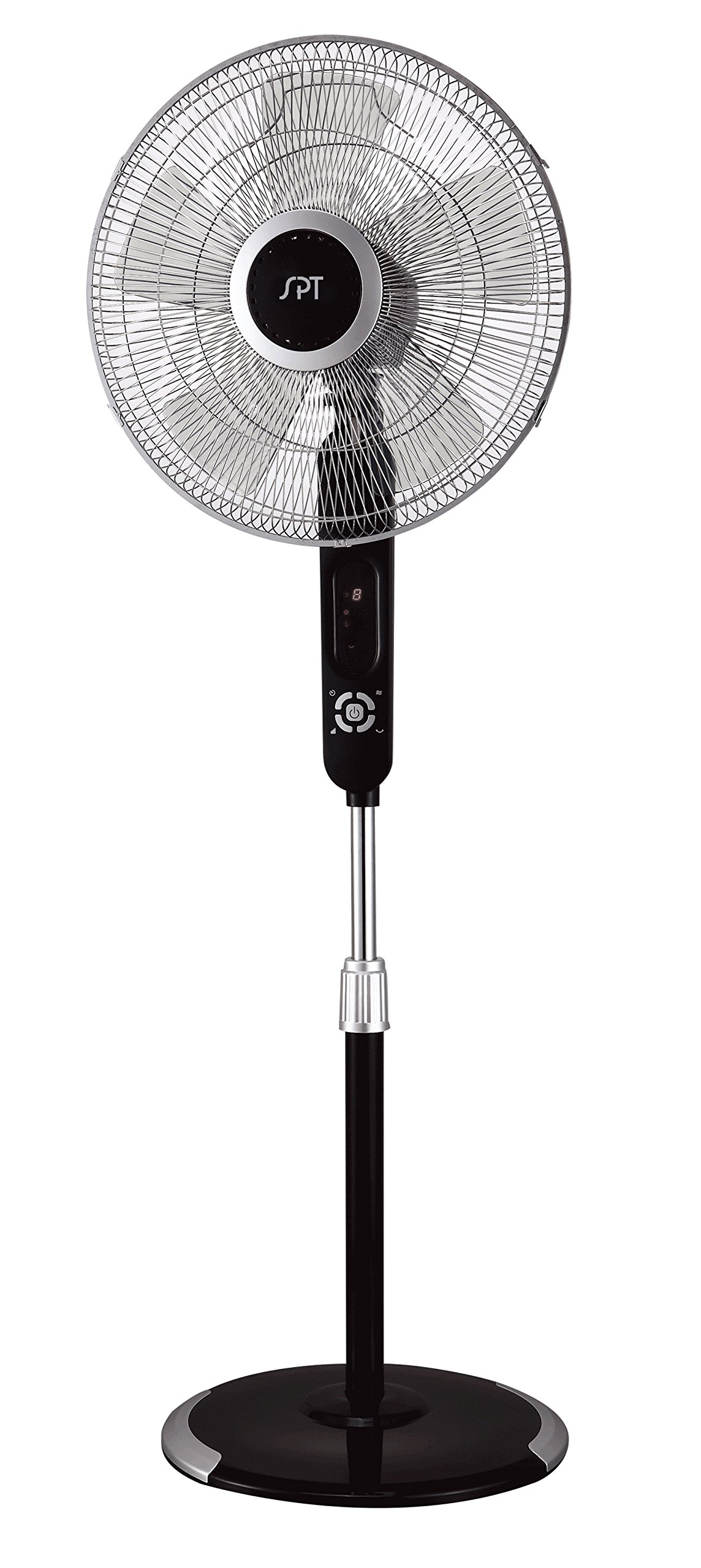
Image: The control panel of the SPT SF-16T07 Stand Fan. It features a digital display at the top showing numbers (e.g., '8') and icons for timer, fan speed, and mode. Below the display are several white buttons arranged in a circular pattern around a central power button. Other buttons include timer, fan speed, oscillation, and mode selection.
- Power Button ( ⏻ ): Press to turn the fan ON or OFF.
- Speed Button ( ✴ ): Press repeatedly to cycle through 6 fan speeds. The current speed will be indicated on the digital display.
- Mode Button ( ☻ ): Press to select one of the 4 wind modes: Normal, Natural, Sleep, or Smart.
- Oscillation Button ( 🌀 ): Press to start or stop the fan head oscillation (side-to-side movement).
- Timer Button ( ⏱ ): Press to set the auto-off timer. Each press increases the timer by 1 hour, up to a maximum of 8 hours. The set time will be displayed.
Wind Modes Explained
- Normal Mode: Provides a constant airflow at the selected speed.
- Natural Mode: Simulates natural breezes by varying the fan speed intermittently.
- Sleep Mode: Gradually decreases the fan speed over time to provide a quieter and more comfortable environment for sleeping.
- Smart Mode: Adjusts the fan speed automatically based on the ambient room temperature.
Remote Control
The included remote control allows you to operate all fan functions from a distance. The buttons on the remote correspond to the functions on the main control panel. Ensure batteries are correctly installed in the remote control.
Maintenance
Regular cleaning and proper maintenance will ensure the longevity and efficient operation of your fan.
- Cleaning: Always unplug the fan before cleaning. Use a soft, damp cloth to wipe the exterior surfaces. For stubborn dirt, a mild soap solution can be used. Do not use abrasive cleaners or solvents.
- Grille Cleaning: Periodically remove the front grille (refer to assembly instructions in reverse) to clean the fan blades and inside of the grilles. Use a soft brush or vacuum cleaner to remove dust and debris. Ensure all parts are dry before reassembling.
- Storage: When not in use for extended periods, store the fan in a cool, dry place, preferably in its original packaging, to protect it from dust and damage.
Troubleshooting
If you encounter issues with your fan, refer to the following common problems and solutions:
| Problem | Possible Cause | Solution |
|---|---|---|
| Fan does not turn on. | No power supply; fan unplugged; power button not pressed. | Ensure the fan is securely plugged into a working electrical outlet. Press the power button. Check household circuit breaker. |
| Fan stops unexpectedly during operation. | Touch-stop sensor activated; power interruption; internal fault. | Check if the fan guard was touched, activating the safety sensor. Remove any contact and restart the fan. Verify stable power supply. If the issue persists, contact customer support. |
| Fan makes unusual noise. | Loose parts; obstruction in fan blades/grille; fan not on a level surface. | Unplug the fan and check for any loose components or obstructions. Ensure the fan is placed on a flat, stable surface. |
| Remote control not working. | Dead batteries; remote out of range; obstruction between remote and fan. | Replace batteries in the remote control. Ensure there are no obstructions and operate within effective range. |
Specifications
| Feature | Detail |
|---|---|
| Brand | SPT |
| Model Name | SF-16T07 (Touch-stop) |
| Electric Fan Design | Floor Fan / Pedestal Fan |
| Color | Black (Matte Black finish) |
| Product Dimensions | 16"D x 16"W x 57.09"H |
| Item Weight | 17 Pounds |
| Power Source | Corded Electric |
| Number of Blades | 3 |
| Air Flow Capacity | 1659.8 Cubic Feet Per Minute |
| Number of Power Levels | 6 Fan Speeds |
| Wind Modes | 4 (Normal, Natural, Sleep, Smart) |
| Timer Function | Up to 8 hours |
| Special Features | 16" fan blade, Touch-stop sensor, Remote control, Head oscillation, Manual tilting, Adjustable height, ETL certified |
| Control Method | Touch (Control Panel) / Button Control (Remote) |
| Indoor/Outdoor Usage | Indoor |
Warranty Information
The SPT SF-16T07 Touch Stop Stand Fan comes with a 1-year warranty covering both labor and parts from the date of purchase. This warranty covers defects in materials and workmanship under normal use. Please retain your proof of purchase for warranty claims. The warranty does not cover damage resulting from misuse, accident, alteration, or unauthorized repair.
Customer Support
For further assistance, technical support, or warranty inquiries, please contact SPT customer service. Refer to the product packaging or the official SPT website for the most current contact information.


