
Moultrie MCG-13201
Contents
Moultrie A-Series Game Camera (2017) User Manual
Model: MCG-13201
Introduction
The Moultrie A-Series Game Camera (2017) is designed for easy setup and reliable performance in outdoor environments. This camera features a 5.0 megapixel low glow infrared system, capable of capturing images and video both day and night. With a night range of up to 50 feet, it provides effective surveillance for scouting or security purposes. This manual will guide you through the necessary steps to get your camera operational and maintain its functionality.
Setup
1. Battery Installation
The Moultrie A-Series Game Camera requires 8 AA batteries for operation. For extended battery life, especially in harsh weather conditions, lithium batteries are recommended.
- Open the camera casing by unlatching the side clips.
- Locate the battery compartment.
- Insert 8 AA batteries, ensuring correct polarity (+/-) as indicated inside the compartment.
- Close the battery compartment securely.
2. SD Card Insertion
The camera supports SD/SDHC class 4 cards or higher, up to 32 GB. Memory cards are sold separately. Please note that Ultra/turbo SD cards are not recommended and may not function correctly with this camera.
- With the camera casing open, locate the SD card slot.
- Insert the SD card into the slot until it clicks into place. Ensure the card is inserted in the correct orientation.
- To remove the SD card, gently push it in until it clicks, then release to eject.
3. Mounting the Camera
The camera comes with a 72-inch mounting strap for easy attachment to trees or posts. It also features a standard 1/4 inch -20 threaded insert on the bottom for use with compatible mounts (not included).
- Thread the provided mounting strap through the loops on the back of the camera.
- Secure the camera to a tree or post at the desired height and angle.
- Ensure the camera is stable and pointed towards the area you wish to monitor.
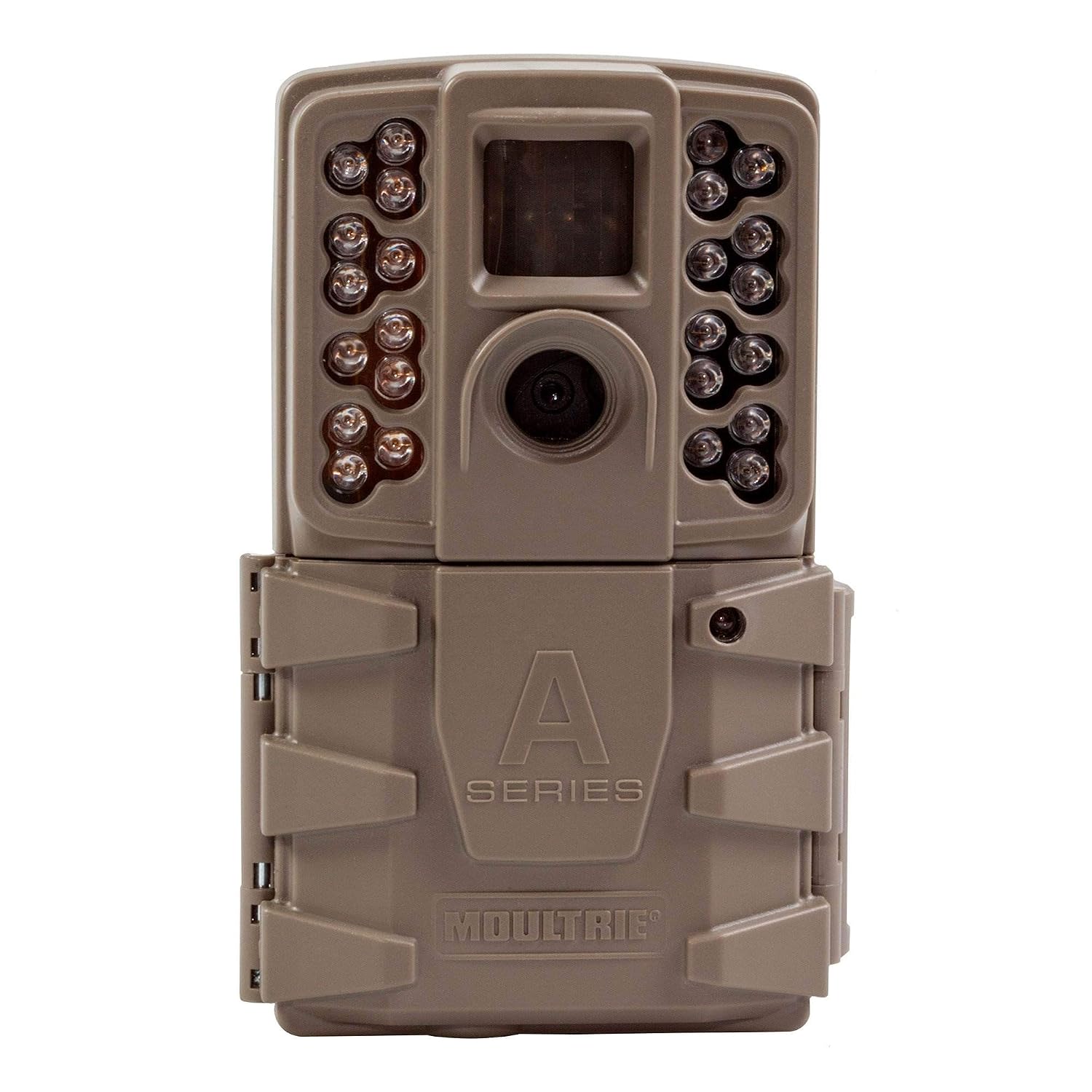
Front view of the Moultrie A-Series Game Camera, showing the lens, infrared LEDs, and the 'A Series Moultrie' branding.
Operating Instructions
1. Powering On/Off
To power on the camera, slide the power switch to the 'ON' position. To power off, slide the switch to 'OFF'.
2. Setting Up Camera Modes and Settings
The camera allows for management of image quality and storage with two resolution settings: low (1920x1080) and high (4608x2592). It also supports high definition 15-second video clips.
- Access the camera's menu via the internal display and buttons.
- Navigate through options to set picture delay (1, 5, 10, or 30 minutes).
- Configure settings for day and night video clips.
- Ensure the moon phase, time, date, and camera ID stamp are enabled for accurate record-keeping.
3. Night Vision Technology
The camera is equipped with a flash featuring 24 LEDs and 850nm nighttime infrared technology. This illuminates up to 70 feet away in total darkness, providing maximum coverage with minimal intrusion.

A detailed view of the camera's lens and the surrounding infrared LEDs, crucial for night vision capabilities.
Maintenance
- Cleaning: Use a soft, dry cloth to clean the camera lens and casing. Avoid abrasive cleaners or solvents.
- Battery Replacement: Replace batteries when the low battery indicator appears or when performance degrades.
- SD Card Management: Regularly check and format your SD card to prevent data corruption and ensure optimal recording performance. Back up important images and videos before formatting.
- Weather Protection: The camera features a weatherproof plastic exterior. However, for prolonged exposure to extreme weather, consider additional protective measures if available.
Troubleshooting
- Camera not powering on:
- Ensure batteries are inserted correctly with proper polarity. Check if batteries are fully charged. Try a new set of batteries.
- Images/Videos not recording:
- Verify that an SD card is properly inserted and not full. Ensure the SD card is compatible (Class 4 or higher, not Ultra/turbo). Format the SD card if necessary. Check camera settings for proper mode selection.
- Poor image quality:
- Clean the camera lens. Ensure the camera is set to the desired resolution (high for best quality). Check for obstructions in front of the lens or infrared LEDs.
- Night images are dark or blurry:
- Ensure the infrared LEDs are not obstructed. Check the night range setting. Ensure batteries have sufficient power for infrared illumination.
Specifications
| Feature | Detail |
|---|---|
| Model Number | MCG-13201 |
| Product Dimensions | 24.13 x 13.72 x 7.62 cm |
| Item Weight | 0.28 g |
| Batteries Required | 8 AA batteries (approx. 16,000 images) |
| Connectivity Technology | Infrared |
| Special Feature | Night Vision |
| Indoor/Outdoor Usage | Outdoor, Indoor |
| Compatible Devices | Laptop (for data transfer) |
| Video Capture Resolution | 1080p |
| SD Card Support | SD/SDHC Class 4 or higher, up to 32 GB |
| Night Range | Up to 70 feet (24 LEDs, 850nm IR) |
Warranty and Support
For information regarding warranty coverage and terms for your Moultrie A-Series Game Camera, please refer to the warranty policy provided at the time of purchase or visit the official Moultrie website. For technical support, troubleshooting assistance beyond this manual, or inquiries about replacement parts, please contact Moultrie customer service directly.
Ask a question about this manual
Ask about setup, troubleshooting, compatibility, parts, safety, or missing instructions. Manuals+ will review the question and use this page’s manual context to help answer it.