
Introduction
This manual provides essential information for the proper setup, operation, and maintenance of your NEC E326 32" LED Commercial Display. The NEC E326 is a high-quality commercial display featuring an integrated ATSC/NTSC tuner, designed for various professional applications. Please read this manual thoroughly before using the product to ensure optimal performance and longevity.

Figure 1: Front view of the NEC E326 Commercial Display.
What's in the Box
Upon unpacking, please verify that all the following components are included:
- NEC E326 32" LED Commercial Display (TV Unit)
- Display Stand
- Remote Control
- Power Cord
- User Manual (this document, or a printed version)
Setup
1. Attaching the Stand
- Carefully place the display face down on a soft, clean surface to prevent scratches.
- Align the stand with the mounting holes on the back of the display.
- Secure the stand using the provided screws. Ensure all screws are tightened firmly.

Figure 2: Side view of the display with stand attached.
2. Connecting Power and Inputs
- Connect the power cord to the display's power input and then to a wall outlet.
- Connect your desired video sources (e.g., HDMI, VGA, Antenna) to the corresponding input ports on the display.
- For antenna connection, ensure a coaxial cable is securely attached to the ATSC/NTSC tuner input.
Operating Instructions
Basic Operation
- Power On/Off: Press the power button on the remote control or on the display itself.
- Input Selection: Use the "Input" or "Source" button on the remote to cycle through available video inputs (HDMI, VGA, TV/Antenna).
- Channel Tuning (ATSC/NTSC Tuner): If using the built-in tuner, perform an auto-scan for channels after selecting the TV input. Use the channel up/down buttons to navigate.
- Volume Control: Adjust audio levels using the volume up/down buttons.
- Menu Navigation: Access the display's settings menu to adjust picture, sound, and other advanced options. Use the arrow keys and "OK" button to navigate.
Important Note on Remote Control: While the display functions optimally with its dedicated remote, some users have reported difficulty in finding universal remote replacements if the original remote fails. It is highly recommended to keep the original remote control safe and in good working condition.
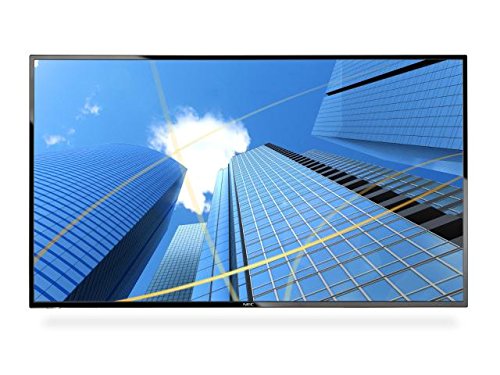
Figure 3: The display showcasing commercial content.
Maintenance
- Cleaning the Screen: Use a soft, lint-free cloth specifically designed for electronics. For stubborn marks, slightly dampen the cloth with water or a screen-cleaning solution. Never spray liquid directly onto the screen.
- Cleaning the Cabinet: Wipe the display's casing with a soft, dry cloth. Avoid using abrasive cleaners or solvents.
- Ventilation: Ensure the display's ventilation openings are not blocked to prevent overheating.
- Power Management: Unplug the display from the power outlet during lightning storms or when it will be left unattended for long periods.
Troubleshooting
Before contacting customer support, please refer to the following common issues and their solutions:
| Problem | Possible Solution |
|---|---|
| No Power |
|
| No Picture / "No Signal" Message |
|
| No Sound |
|
| Remote Control Not Working |
|
Specifications
| Feature | Detail |
|---|---|
| Brand | NEC |
| Model Number | E326 |
| Screen Size | 32 Inches |
| Resolution | FHD 1080p |
| Aspect Ratio | 16:9 |
| Screen Surface Description | Glossy |
| Product Dimensions | 28.6 x 3 x 6.57 inches |
| Item Weight | 1 Pounds |
| Manufacturer | Nec |
| Tuner Type | ATSC/NTSC |
Warranty and Support
For detailed warranty information and technical support, please refer to the official NEC website or contact NEC customer service directly. Keep your purchase receipt as proof of purchase for warranty claims.
An official User Manual (PDF) can also be found here for additional details and diagrams.


