
1. Introduction
This manual provides detailed instructions for the assembly, operation, and maintenance of your FITUEYES Universal TV Stand, Model TT104001GB. Please read this manual thoroughly before installation and use to ensure safe and correct operation. Keep this manual for future reference.
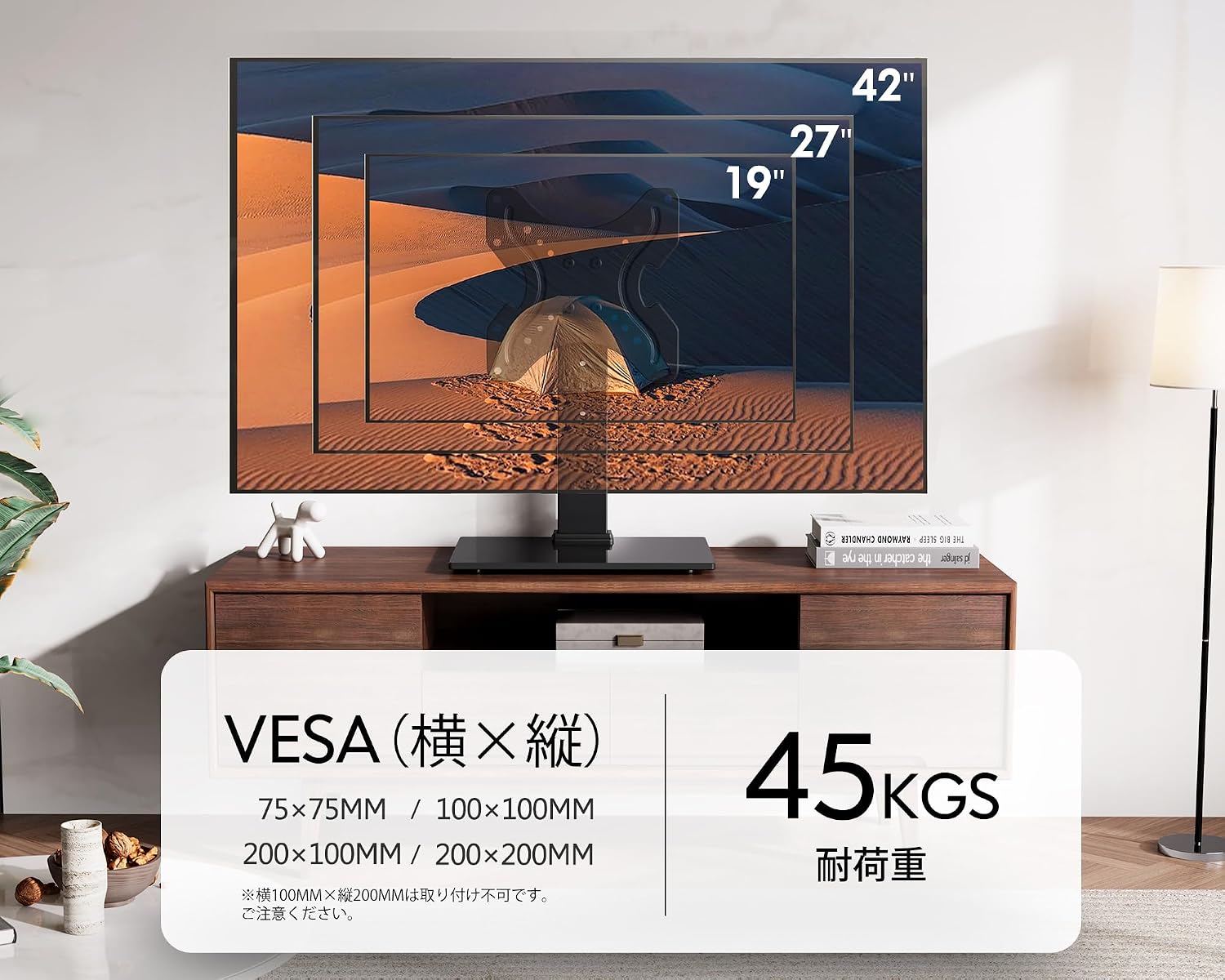
The FITUEYES Universal TV Stand is designed to support 19-42 inch televisions with a maximum weight capacity of 45 kg (99 lbs). It features height adjustment and a swivel function for optimal viewing.
2. Safety Information
Please observe the following safety precautions to prevent injury or damage to the product:
- Ensure the TV stand is placed on a stable, level surface.
- Do not exceed the maximum load capacity of 45 kg (99 lbs).
- Verify your TV's VESA mounting pattern is compatible (75x75mm, 100x100mm, 200x100mm, 200x200mm). Note that 100x200mm is not compatible.
- If your TV has a curved back, irregularities, or cable wiring that interferes with the mounting bracket, use the provided spacers. Installation is not possible if irregularities exceed 10mm in depth.
- Keep small parts and packaging materials away from children to prevent choking hazards.
- Do not attempt to modify the product. Any modifications may void the warranty and pose safety risks.
- Handle the tempered glass base with care to avoid breakage. The 8mm thick tempered glass is designed to break into small, non-sharp fragments if damaged, reducing risk.
3. Package Contents
Before assembly, please check that all parts are present and undamaged. If any parts are missing or damaged, contact customer support.
- TV Stand Components (Steel column, tempered glass base, VESA mounting plate)
- Display Mounting Screws: M4*14, M5*14, M6*14, M8*20 (various sizes to fit different TVs)
- Spacers: 5mm (8 pieces)
- Washers: Inner diameter 5.2mm (4 pieces), Inner diameter 8.2mm (4 pieces)
- Assembly Tools (e.g., Allen wrench, if required)
- Instruction Manual (multi-language)
4. Specifications
| Feature | Specification |
|---|---|
| Model Number | TT104001GB |
| Compatible TV Size | 19 - 42 inches |
| Maximum Load Capacity | 45 kg (99 lbs) |
| VESA Compatibility | 75x75mm, 100x100mm, 200x100mm, 200x200mm (Note: 100x200mm is not compatible) |
| Height Adjustment | 368mm, 428mm, 488mm (from highest mounting point to base) |
| Swivel Angle | ±45° (left and right) |
| Product Dimensions (W x D x H) | 30 cm x 24 cm x 48.8 cm |
| Product Weight | 3.14 kg |
| Materials | Steel (main body), 8mm Tempered Glass (base) |
| Color | Black |
| Assembly | Required |
| UPC | 642954036348 |

5. Setup and Assembly
Follow these steps to assemble your FITUEYES Universal TV Stand. It is recommended to have a clear, flat workspace.
- Unpack Components: Carefully remove all parts from the packaging and verify against the 'Package Contents' list.
- Assemble the Base: Attach the main support column to the tempered glass base using the provided screws. Ensure all connections are secure.
- Attach VESA Plate to Column: Secure the VESA mounting plate to the main support column. The column has multiple mounting positions for initial height adjustment.
- Prepare Your TV: Identify the VESA mounting holes on the back of your television. Select the appropriate screws (M4*14, M5*14, M6*14, M8*20) and washers from the accessories. If your TV's back is uneven or has obstructions, use the 5mm spacers as needed.
- Mount TV to Stand: Carefully lift your TV and align its VESA mounting holes with the VESA plate on the stand. Secure the TV using the selected screws and washers. Ensure the TV is firmly attached and stable.
- Cable Management: Utilize the integrated cable management clips on the stand's column to organize and conceal cables for a tidy appearance.


6. Operating Instructions
Once assembled, your FITUEYES TV Stand offers adjustable features for an optimized viewing experience.
6.1 Height Adjustment
The TV stand allows for height adjustment at three levels: 368mm, 428mm, and 488mm. This adjustment is determined by the VESA plate and the column's mounting position. To change the height, you will need to detach the TV from the VESA plate, adjust the plate's position on the column, and then re-mount the TV. Ensure all screws are tightened securely after adjustment.

6.2 Swivel Function
The TV stand features a swivel mechanism that allows you to rotate your television ±45° to the left and right. This enables you to achieve the best viewing angle from various positions in your room. Gently push the sides of the TV to adjust the swivel angle.

7. Maintenance
Regular maintenance will help prolong the life and appearance of your TV stand.
- Cleaning: Wipe the steel and glass surfaces with a soft, damp cloth. Avoid using abrasive cleaners or harsh chemicals, as they may damage the finish.
- Check Connections: Periodically check all screws and connections to ensure they remain tight and secure. Re-tighten if necessary.
- Glass Care: The tempered glass base is durable, but avoid placing extremely heavy or sharp objects on it to prevent scratches or damage.
8. Troubleshooting
If you encounter any issues with your TV stand, refer to the following common problems and solutions:
- Problem: The TV stand feels unstable or wobbly.
Solution: Ensure all assembly screws are fully tightened. Verify the stand is on a flat, level surface. Check that the TV's weight does not exceed 45 kg. - Problem: The TV cannot be mounted to the VESA plate.
Solution: Double-check your TV's VESA pattern against the stand's compatibility (75x75mm, 100x100mm, 200x100mm, 200x200mm). Ensure you are using the correct size screws and spacers if needed. Note that 100x200mm VESA is not compatible. If your TV has irregularities deeper than 10mm, it may not be compatible. - Problem: Difficulty adjusting the height.
Solution: Height adjustment requires re-positioning the VESA plate on the column. This is not a quick-release mechanism. Ensure the TV is removed before attempting to adjust the plate's height. - Problem: Swivel function is stiff.
Solution: Ensure no cables are obstructing the swivel mechanism. The swivel is designed for smooth movement; excessive force should not be required.
9. Support
For further assistance, questions regarding compatibility, or if you require replacement parts, please contact FITUEYES customer support. Our team is available to provide assistance and will respond to inquiries within 24 hours.
Contact Seller: somle - Ask a question


