
MEDca 705911706095
MEDca Digital Rechargeable Behind-the-Ear Hearing Amplifier User Manual
Model: 705911706095
Introduction
The MEDca Digital Rechargeable Behind-the-Ear (BTE) Hearing Amplifier is designed to provide enhanced sound amplification for individuals with hearing needs. This device features advanced digital circuitry for clear sound quality, convenient volume control, and a long-lasting rechargeable battery. Its ergonomic design ensures comfortable wear throughout the day.
Key features include:
- Rechargeable Battery: Offers approximately 40 hours of continuous use on a full charge, reducing the need for frequent battery replacements.
- Superior Digital Design: Features full digital circuitry and digital volume control for precise sound adjustment.
- Energy Efficiency: Designed for low power consumption, providing significant energy savings compared to analog models.
- User-Friendly Controls: Simple and intuitive controls for volume and mode selection.
Safety Information
Please read all safety instructions before using the device to ensure safe and proper operation.
- Do not expose the device to extreme temperatures, humidity, or direct sunlight.
- Keep the device out of reach of children and pets.
- Use only the provided charging cable and AC adapter. Using unauthorized chargers may damage the device or pose a safety risk.
- Do not attempt to open or repair the device yourself. Contact customer support for assistance.
- If you experience any discomfort or pain while using the device, discontinue use immediately and consult a healthcare professional.
- Avoid dropping the device or subjecting it to strong impacts.
Package Contents
Verify that all items are present in your package:
- MEDca Digital Rechargeable Hearing Amplifier
- Charging Cable (USB to proprietary connector)
- AC Adapter (Wall Charger)
- Assorted Ear Tips (3 sizes)
- User Manual (this document)

Figure 1: Retail packaging of the MEDca Digital Rechargeable Hearing Amplifier, highlighting key features.
Product Overview
Familiarize yourself with the components and controls of your MEDca hearing amplifier.
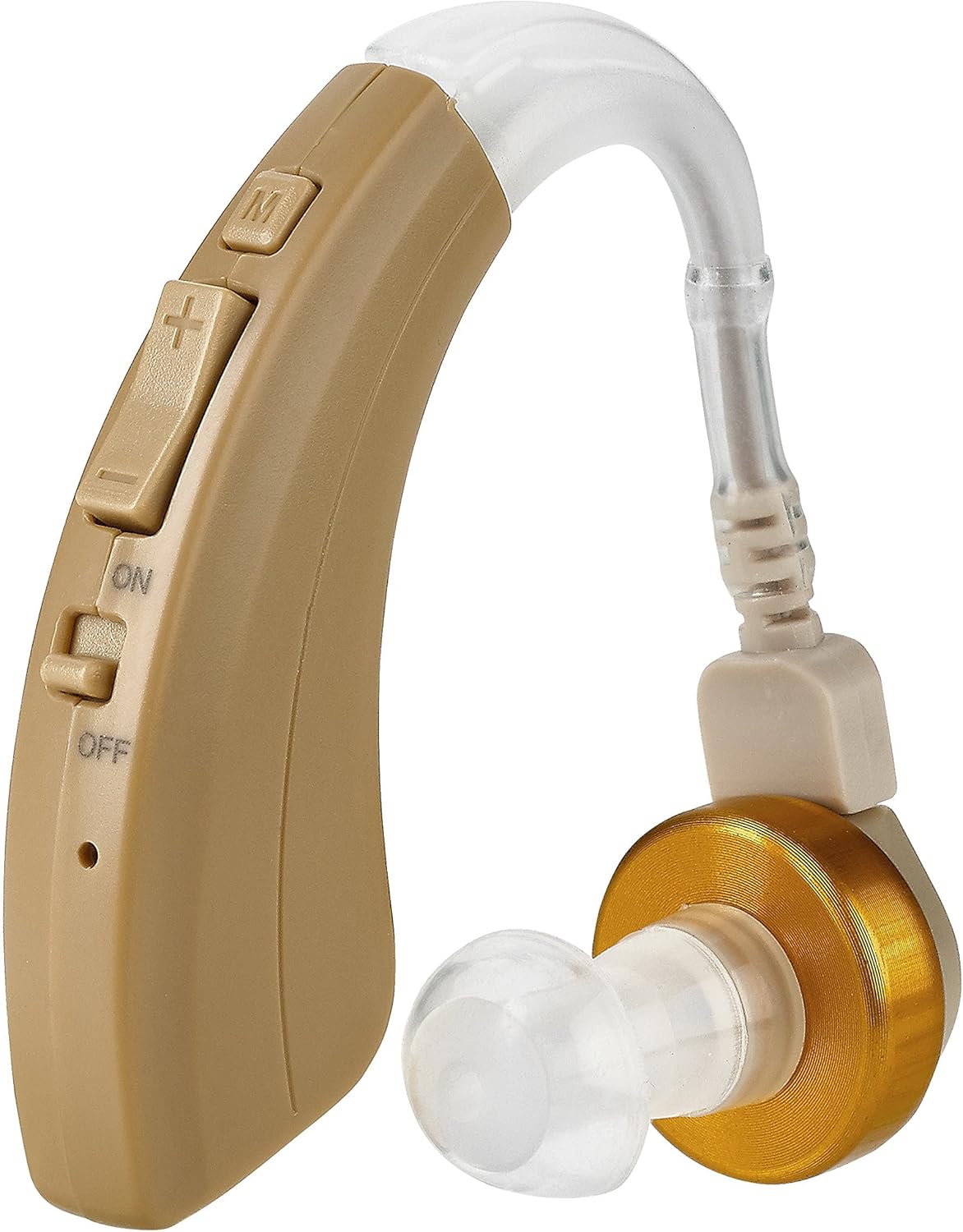
Figure 2: Detailed view of the hearing amplifier's controls.
- Ear Hook: Sits over the top of the ear.
- Main Body: Houses the electronics, battery, and controls.
- Microphone: Picks up sound (small hole, usually near controls).
- Volume Control Buttons (+/-): Adjusts the sound amplification level.
- Mode Button (M): Cycles through different listening modes (e.g., normal, noisy environment).
- ON/OFF Switch: Powers the device on or off.
- Sound Tube: Connects the main body to the ear tip.
- Ear Tip: Sits inside the ear canal to deliver amplified sound. Comes in various sizes for comfort and fit.
- Charging Port: Located at the bottom or side of the main body for connecting the charging cable.
Setup
1. Charging the Device
Before first use, fully charge your hearing amplifier. A full charge provides approximately 40 hours of continuous use.
- Connect the small end of the charging cable to the charging port on the hearing amplifier.
- Connect the USB end of the charging cable to the provided AC adapter.
- Plug the AC adapter into a standard wall outlet.
- The indicator light on the device (if present) will show charging status. It will typically turn off or change color when fully charged.
- Important: Only use the provided charger for this amplifier. Do not use it to charge other devices, as this may cause damage or safety hazards.

Figure 3: The hearing amplifier connected to its dedicated charger.

Figure 4: The charging components: charging dock, USB cable, and AC adapter.
2. Selecting and Attaching Ear Tips
Choose the ear tip size that provides the most comfortable and secure fit in your ear canal. A proper fit is crucial for optimal sound quality and to prevent feedback (whistling).
- Gently pull off the pre-installed ear tip (if any).
- Select an ear tip from the provided assortment. Start with a medium size and adjust as needed.
- Push the chosen ear tip firmly onto the sound tube until it is securely attached.

Figure 5: Demonstrating the compact size and ear tip attachment.
3. Wearing the Device
The MEDca hearing amplifier is designed to be worn behind the ear.
- Ensure the device is turned OFF before placing it on your ear.
- Place the ear hook over the top of your ear.
- Gently insert the ear tip into your ear canal until it feels snug and comfortable.
- Adjust the position of the main body behind your ear for a secure and discreet fit.
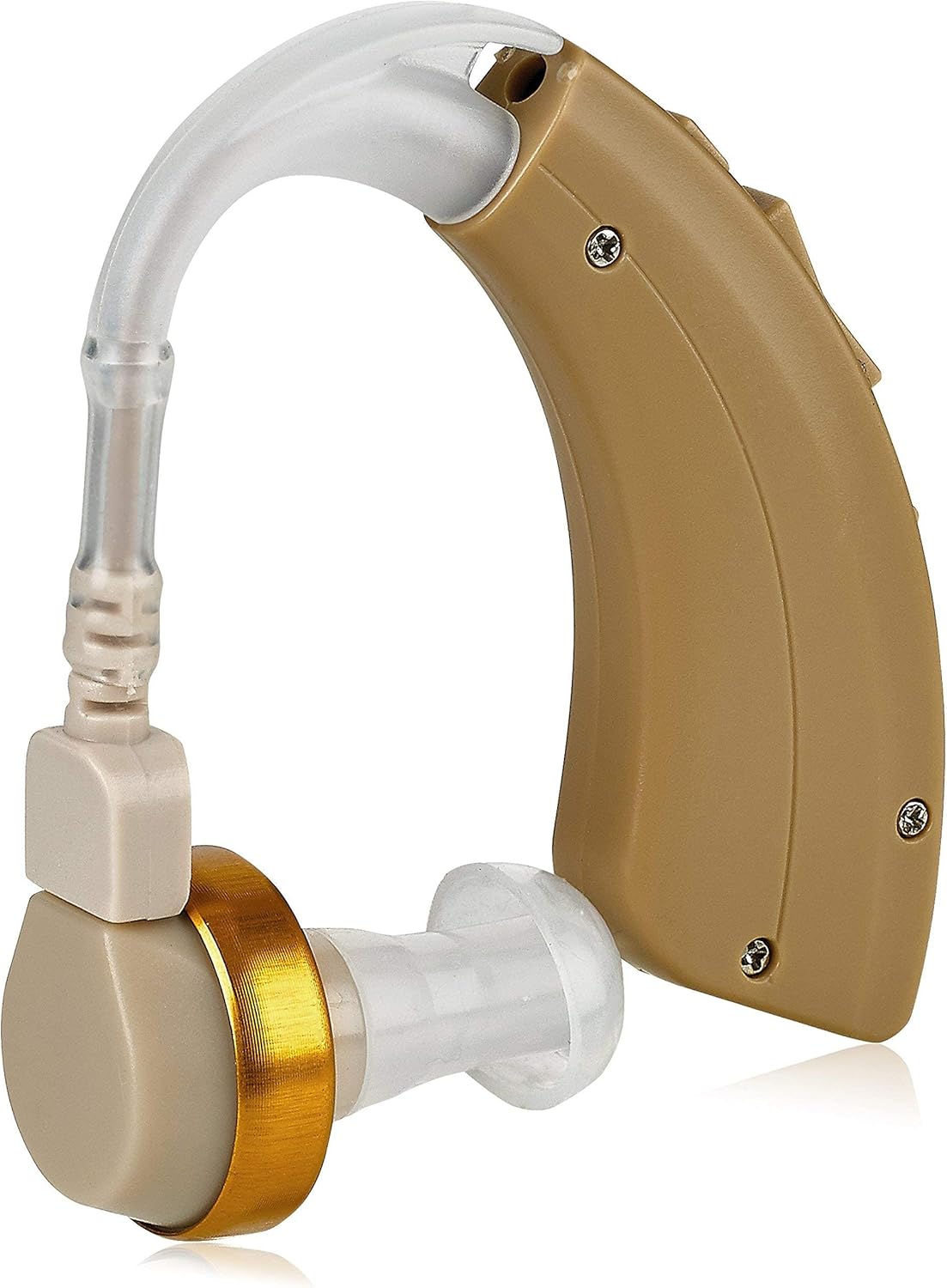
Figure 6: Side profile of the hearing amplifier, illustrating its design for behind-the-ear placement.
Operating Instructions
1. Turning On/Off
- To turn ON: Slide the ON/OFF switch to the "ON" position. You may hear a soft click or a brief tone indicating it's active.
- To turn OFF: Slide the ON/OFF switch to the "OFF" position.
2. Adjusting Volume
Use the volume control buttons to adjust the amplification level to your comfort.
- Press the "+" button to increase the volume.
- Press the "-" button to decrease the volume.
3. Changing Modes
The "M" button allows you to cycle through different listening modes, optimized for various sound environments.
- Press the "M" button briefly to switch to the next available mode.
- Listen for changes in sound quality to identify the most suitable mode for your current environment (e.g., quiet conversation, noisy restaurant).
Maintenance
Cleaning the Device
Regular cleaning helps maintain optimal performance and hygiene.
- Use a soft, dry cloth to wipe the main body of the amplifier daily.
- Remove the ear tip and clean it with a mild soap and water solution. Rinse thoroughly and allow it to air dry completely before reattaching.
- Use the small cleaning brush (if provided) to clear any wax or debris from the ear tip opening and the sound tube.
- Do not use alcohol, solvents, or abrasive cleaners on any part of the device.
- Ensure no moisture enters the microphone or charging port.
Storage
- When not in use, store the hearing amplifier in its protective case in a cool, dry place.
- Avoid storing it in direct sunlight or near heat sources.
Troubleshooting
If you encounter issues with your device, try the following solutions:
| Problem | Possible Cause | Solution |
|---|---|---|
| No sound or weak sound | Device is off; Low battery; Volume too low; Ear tip blocked; Sound tube blocked. | Turn on the device; Recharge the battery; Increase volume; Clean or replace ear tip; Clean sound tube. |
| Whistling or feedback noise | Improper ear tip fit; Ear tip too small; Earwax buildup in ear canal; Device not properly seated. | Ensure ear tip is securely inserted; Try a larger ear tip; Consult a doctor for earwax removal; Re-position the device on your ear. |
| Sound is distorted or unclear | Low battery; Ear tip blocked; Microphone blocked; Device malfunction. | Recharge the battery; Clean ear tip; Clean microphone opening; Contact customer support if problem persists. |
| Device not charging | Cable or adapter faulty; Charging port dirty; Not plugged in correctly. | Check cable and adapter connections; Ensure power outlet is working; Clean charging port gently; Try a different outlet. |
If the problem persists after trying these solutions, please contact MEDca customer support.
Specifications
| Brand | MEDca |
| Model Number | 705911706095 |
| Type | Behind-the-Ear (BTE) Digital Hearing Amplifier |
| Color | Beige |
| Material | Plastic |
| Dimensions (L x W x H) | 1 x 1 x 1 cm (approximate, based on product data) |
| Weight | 160 grams (approximate, based on product data) |
| Battery Type | Rechargeable Lithium-ion |
| Battery Life | Approximately 40 hours of continuous use |
| Charger Input | 100-240VAC, 50/60Hz, 0.2A |
| Charger Output | 5V, 1A |
Warranty and Support
For warranty information or technical support, please contact MEDca customer service through the retailer where you purchased the product or visit the official MEDca website. Please have your model number (705911706095) and purchase details ready when contacting support.
Ask a question about this manual
Ask about setup, troubleshooting, compatibility, parts, safety, or missing instructions. Manuals+ will review the question and use this page’s manual context to help answer it.