1. Introduction
This manual provides comprehensive instructions for the safe and efficient operation, installation, and maintenance of your PowerMax PM3-55LK RV Converter and Smart Battery Charger. Please read this manual thoroughly before using the product to ensure proper function and to prevent damage or injury.
The PowerMax PM3-55LK is a 55 Amp, 12V power converter designed to convert 110V AC shore power to 12V DC power for your RV's electrical system and to charge your batteries. It features a built-in 4-stage smart battery charger and is compatible with various battery types, including lithium-ion, with an adjustable output range from 13V to 16.5V.
2. Safety Information
WARNING: Risk of Electric Shock, Fire, or Explosion.
- Always disconnect AC power before making or breaking any electrical connections.
- Ensure proper ventilation around the converter to prevent overheating.
- Do not operate the converter in wet or damp conditions.
- Use only approved wiring and connectors suitable for the current and voltage ratings.
- This device contains no user-serviceable parts. Refer all servicing to qualified personnel.
- Always wear appropriate personal protective equipment (PPE) when working with electrical systems.
- Ensure correct polarity when connecting to batteries to prevent damage to the converter and battery. The unit includes reverse polarity protection.
3. Package Contents
Verify that all items are present in your package:
- PowerMax PM3-55LK RV Converter Unit
- User Manual (this document)
- Mounting Hardware (if included)
4. Product Features
- High Output: Provides 55 Amps of 12V DC power.
- Smart Charging: Integrated 4-stage smart battery charger for optimal battery health and longevity.
- Lithium Compatibility: Designed to work efficiently with Lithium-Ion batteries, offering higher energy density and charge/discharge efficiency.
- Adjustable Output: Fully adjustable output voltage from 13V to 16.5V to suit various battery types and charging requirements.
- Efficient Cooling: Engineered with efficient cooling mechanisms to stabilize operational temperatures and maintain optimal performance.
- Multiple Protections: Includes safeguards such as reverse polarity protection to prevent damage from incorrect wiring.
- LED Indicator: Features an LED indicator light for status monitoring.
- Versatile Application: Suitable for RVs, motorhomes, and other 12V power applications.

The PowerMax PM3-55LK RV Converter shown with text explaining its compatibility with Lithium-Ion batteries for energy efficiency.

An image illustrating the key features of the PowerMax PM3-55LK: lithium battery compatibility, emergency backup power, and high amperage output.

The PowerMax PM3-55LK RV Converter shown in an outdoor setting with an RV, illustrating its typical application for providing power to recreational vehicles.

An image highlighting the PowerMax converter's design, which incorporates efficient cooling to maintain stable operating temperatures.
5. Setup and Installation
5.1 Mounting the Converter
Select a dry, well-ventilated location for mounting the converter. Ensure adequate clearance around the unit for proper airflow and cooling. The converter can be mounted horizontally or vertically. Use appropriate fasteners for your mounting surface.

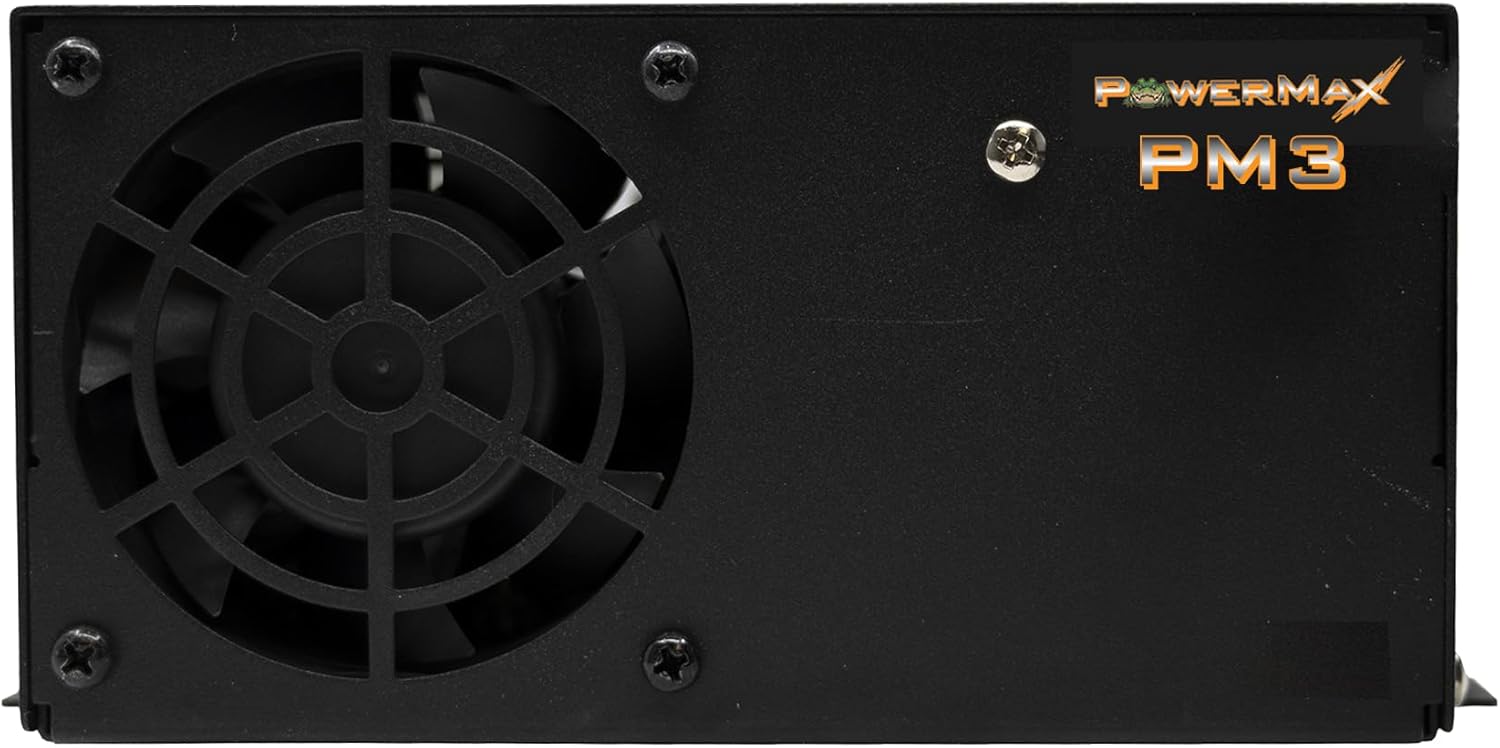
A front view of the PowerMax PM3-55LK RV Converter, highlighting the cooling fan and the PowerMax logo. Ensure this area is not obstructed for proper ventilation.
5.2 Electrical Connections
All electrical connections should be performed by a qualified technician in accordance with local and national electrical codes.
- AC Input Connection: Connect the 110V AC input cord from the converter to a dedicated 110V AC outlet or circuit in your RV. Ensure the circuit is properly fused or circuit-breaker protected.
- DC Output Connection: Connect the DC output terminals of the converter to your RV's 12V DC distribution panel and battery bank.
- Connect the positive (+) terminal (red) of the converter to the positive (+) terminal of your battery bank/DC distribution.
- Connect the negative (-) terminal (black) of the converter to the negative (-) terminal of your battery bank/DC distribution.
- Ensure all connections are tight and secure.
- Grounding: Ensure the converter is properly grounded to the RV chassis.
A side view of the PowerMax PM3-55LK RV Converter, displaying the AC input and DC output connections, along with the fuse panel. Note the red and black terminals for DC output.
5.3 Battery Type and Output Voltage Selection
The PM3-55LK features adjustable output settings for different battery types and charging needs. Refer to the labels near the adjustment points on the unit.
- 3 Stage / Fixed Output: A switch or jumper may be present to select between 3-stage smart charging mode and a fixed output power supply mode. Consult your battery manufacturer's recommendations for the appropriate charging profile.
- Voltage Adjustment: The unit allows for output voltage adjustment, typically between 13V and 16.5V. Use a small screwdriver to carefully adjust the potentiometer to the desired voltage setting for your battery type (e.g., 13V for standard lead-acid float, 16.5V for specific lithium charging profiles).
This video provides an overview of the key features of the PowerMax PM3 Series RV Converters, including adjustable charging modes, fixed output power supply, battery compatibility (including lithium), LED indicators, and multiple protection features. It demonstrates the physical adjustments for charging modes and voltage output.
6. Operating Instructions
6.1 Powering On
Once all connections are secure and verified, connect the AC input cord to a live 110V AC power source. The converter will automatically begin supplying 12V DC power and charging the connected battery bank according to its selected charging profile.
6.2 LED Indicator Light
The unit features an LED indicator light to show its operational status. Refer to the unit's label or specific documentation for detailed interpretations of light patterns (e.g., solid green for normal operation, flashing for fault conditions).
6.3 4-Stage Smart Charging
When in 3-stage (or 4-stage, depending on model specifics) smart charging mode, the converter intelligently manages the charging process to optimize battery life. This typically includes:
- Bulk Stage: Delivers maximum current to rapidly charge the battery to approximately 80% capacity.
- Absorption Stage: Charges at a constant voltage, gradually reducing current as the battery approaches full charge.
- Float Stage: Maintains a lower, constant voltage to keep the battery fully charged without overcharging.
- (For some models) Equalization Stage: Periodically applies a higher voltage to balance cell voltages in certain battery types.
7. Maintenance
7.1 Cleaning
Periodically inspect the converter for dust and debris. Ensure the cooling fan and vents are clear of obstructions. Use a soft, dry cloth to clean the exterior. Do not use liquid cleaners or solvents.
7.2 Fuse Replacement
The unit is equipped with fuses (e.g., 40 Amp 12 Volt) for protection. If a fuse blows, disconnect all power to the converter, identify the blown fuse, and replace it with a fuse of the exact same type and rating. Using an incorrect fuse can cause damage or fire.
7.3 Connection Checks
Regularly check all electrical connections (AC input, DC output, grounding) to ensure they remain tight and free from corrosion.
8. Troubleshooting
| Problem | Possible Cause | Solution |
|---|---|---|
| No 12V DC output / Unit not powering on |
|
|
| Battery not charging |
|
|
| Fan is noisy or running constantly |
|
|
| Reverse Polarity Indication |
|
|
9. Specifications
| Feature | Detail |
|---|---|
| Model Number | PM3-55LK |
| Brand | PowerMax |
| Input Voltage | 110 Volts AC |
| Output Current | 55 Amps DC |
| Output Voltage Range | Adjustable from 13V to 16.5V DC |
| Battery Charger Type | 4-Stage Smart Charger |
| Battery Compatibility | Lithium-Ion, Lead-Acid (with appropriate voltage setting) |
| Product Dimensions (L x W x H) | 10 x 7 x 4 inches |
| Item Weight | 6.69 pounds |
| Manufacturer | PowerMax Converter |
10. Warranty Information
PowerMax products are designed for reliability and performance. Specific warranty terms and conditions are typically provided with your product at the time of purchase or can be found on the official PowerMax website. Please retain your proof of purchase for warranty claims.
The warranty generally covers defects in materials and workmanship under normal use. It does not cover damage resulting from improper installation, misuse, unauthorized modifications, or acts of nature.
11. Customer Support
If you have any questions, require technical assistance, or need to report an issue with your PowerMax PM3-55LK RV Converter, please contact PowerMax customer support.
For the most up-to-date contact information, please visit the official PowerMax website:
When contacting support, please have your model number (PM3-55LK) and purchase date available.
Related Documents - PM3-55LK
 |
PowerMax Converter/Charger Operations Guide for RVs This document outlines the operations of the PowerMax Converter/Charger, detailing its 3-stage smart charging modes (Bulk, Absorption, Float) and the Fixed Output Mode for RV applications. It explains how the converter charges batteries and provides 12V DC power to RV accessories. |
 |
PowerMax PMBC Series AC to DC Converter/Charger Installation and Maintenance Guide Comprehensive installation and maintenance guide for the PowerMax PMBC Series AC to DC Converter/Charger, covering safety, wiring, charging modes, troubleshooting, and warranty information. |
 |
PowerMax PMBC Series AC to DC Converter/Charger: Installation, Maintenance, and Warranty Guide This document provides installation, maintenance, troubleshooting, and warranty information for the PowerMax PMBC Series AC to DC Converter/Charger. It covers models ranging from 55 to 120 Amps, detailing electrical connections, charging modes, testing procedures, and safety warnings for safe and effective operation in vehicles and RVs. |
 |
PowerMax PM4 Series AC to DC Converter/Charger Installation and Maintenance Instructions Installation and maintenance guide for PowerMax PM4 series AC to DC Converter/Chargers, covering safety, installation, charging modes, troubleshooting, and warranty information. |
 |
PowerMax PM4 Series AC to DC Converter/Charger Installation and Maintenance Guide Installation, maintenance, and troubleshooting guide for PowerMax PM4 series AC to DC converter/chargers (15A-120A). Covers 4-stage smart charging, fixed voltage modes, safety, and warranty. |
 |
PowerMax Pure Sine Wave Power Inverter User Manual - Models PMX-1000, PMX-2000PSPT, PMX-3000PSPT Comprehensive user manual for PowerMax Pure Sine Wave Power Inverters (PMX-1000, PMX-2000PSPT, PMX-3000PSPT). Covers safety, installation, operation, troubleshooting, and specifications for converting 12V DC to 120V AC power. |