
1. Introduction
The Herfair IR Receiver Infrared Remote Control Extender Cable allows you to control your audio/video devices remotely, even when they are hidden from direct line of sight. This extender is designed for use with devices that have a 3.5mm IR input port and operate within the 38-56KHz infrared frequency spectrum. It provides a convenient solution for managing components located inside cabinets or in other rooms.
2. Product Overview
This product consists of a 3.5mm male plug connected to a cable, which terminates in an infrared (IR) receiver head. The cable length is approximately 5 feet (1.5 meters), providing flexibility for placement. The IR receiver head is designed to capture signals from your existing remote control and relay them to your connected device.
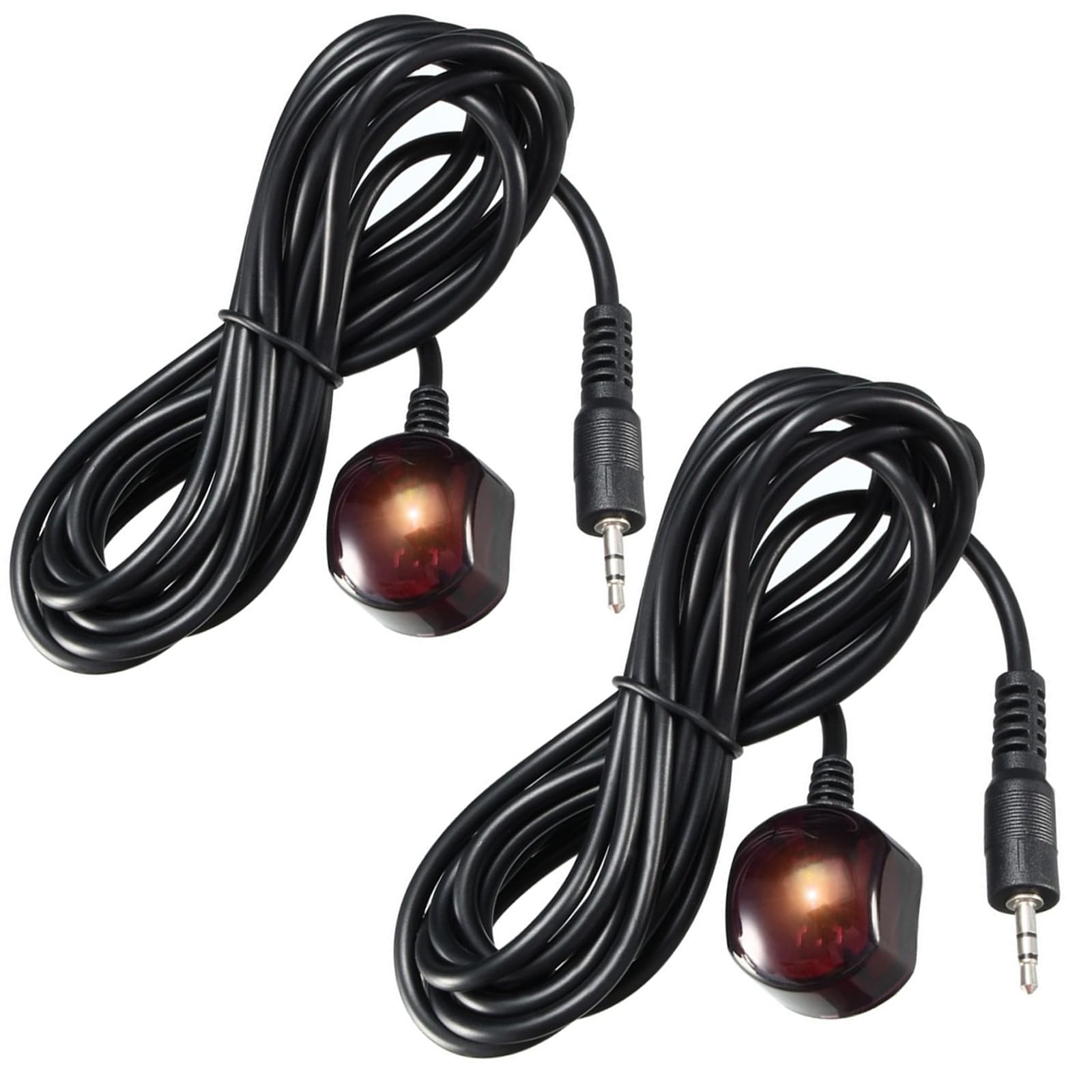
Image: Herfair IR Receiver Infrared Remote Control Extender Cable. This image shows the complete cable with the 3.5mm plug and the IR receiver head.
The extender supports a remote control distance of up to 49 feet (approximately 15 meters) and a control angle of 45 degrees, allowing for broad coverage within a room.

Image: Diagram illustrating the receiving distance of 10-15 meters and the total cable length of 1.5 meters.
3. Package Contents
- Herfair IR Receiver Infrared Remote Control Extender Cable (2 units)
- Double-sided adhesive (pre-attached or included for receiver head)
4. Setup Instructions
Follow these steps to set up your IR receiver extender cable:
- Verify Device Compatibility: Ensure your target device (e.g., cable box, DVR, amplifier) has a 3.5mm 'IR IN' port. This port is essential for the extender to function. The device must also operate within the 38-56KHz infrared frequency spectrum. Plugging into any other port (e.g., serial port) will not work.
- Connect the Extender: Insert the 3.5mm plug of the IR extender cable firmly into the 'IR IN' port on your device.
- Position the IR Receiver Head: Locate a suitable spot for the IR receiver head. This spot should have a clear line of sight to where you will be using your remote control. You can attach the receiver head using the provided double-sided adhesive. Common placement areas include under your TV, on the edge of a cabinet, or any visible surface.

Image: Diagram showing how to connect the 3.5mm plug to the IR input of a device and position the IR receiver head facing the remote control.

Image: Step-by-step visual guide on plugging the 3.5mm connector and pasting the IR receiver for extended remote control.
Video: An official video demonstrating the universal IR extender in use. This video illustrates the connection and functionality of the IR extender.
5. Operating Instructions
Once the IR receiver extender cable is properly installed, operating your device is straightforward:
- Point Remote: Aim your existing remote control directly at the IR receiver head.
- Maintain Distance: Ensure you are within the effective range of the extender, which is up to 49 feet (approximately 15 meters).
- Control Angle: The receiver head supports a control angle of approximately 45 degrees from its center, providing flexibility in remote aiming.

Image: A family watching television, demonstrating the use of the IR extender to control a device that is not in direct line of sight.

Image: Diagram illustrating the 90-degree (45 degrees left/right) control angle supported by the IR receiver head.
6. Maintenance
The Herfair IR Receiver Extender Cable requires minimal maintenance.
- Keep the IR receiver head clean and free from dust or obstructions to ensure optimal signal reception.
- Avoid bending or kinking the cable excessively to prevent internal damage.
- Store the cable in a cool, dry place when not in use.
7. Troubleshooting
If you encounter issues with your IR receiver extender, refer to the following troubleshooting steps:
- Device Not Responding:
- Ensure your device has an active 3.5mm 'IR IN' port. This extender will not work with other port types (e.g., serial ports).
- Verify that your device's infrared frequency is within the 38-56KHz spectrum.
- Check that the 3.5mm plug is securely inserted into the 'IR IN' port.
- Confirm that there is a clear, unobstructed line of sight between your remote control and the IR receiver head.
- Note: This product has been reported not to work with some Denon cable boxes and certain Sony devices.
- Limited Range or Intermittent Response:
- Reposition the IR receiver head to improve line of sight to your remote control.
- Ensure no objects are blocking the path between your remote and the receiver head.
- Check if the remote control's batteries are low.
8. Specifications
| Brand | Herfair |
| Model | 4330159604 |
| Connector Type | Auxiliary (3.5mm Male-to-Male) |
| Cable Type | AUX |
| Compatible Devices | Devices with 3.5mm IR IN port, 38-56KHz frequency (e.g., Set Top Box, VCR, DVD/Blu-ray Player, Home Theater, AVR, cable box, AV equipment) |
| IR Frequency Range | 38-56 KHz |
| Connectivity Technology | Infrared (IR) |
| Recommended Use | Hiding devices behind closed doors or in other rooms while maintaining remote control functionality |
| Indoor/Outdoor Usage | Indoor |
| Unit Count | 2 |
| Cable Length | 59.05 Inches (approx. 1.5 meters / 5 feet) |
| Remote Control Distance | Up to 49 feet (approx. 15 meters) |
| Remote Control Angle | 45 degrees |
| Included Components | IR Receiver Infrared Extender Cable |
| UPC | 780330015423 |
9. Warranty and Support
Herfair provides an 18-month warranty for this product.
If you encounter any issues or have questions regarding your Herfair IR Receiver Infrared Remote Control Extender Cable, please contact Herfair customer support via message for assistance.