
1. Introduction
Thank you for choosing the FERM ETM1005 Cordless Stapler. This powerful and versatile tool is designed for various fastening tasks, offering freedom of movement thanks to its integrated 3.6V 1.5Ah Li-Ion battery. This manual provides essential information for safe and efficient operation, maintenance, and troubleshooting.
2. Safety Instructions
Always observe basic safety precautions when using electric tools to reduce the risk of fire, electric shock, and personal injury. Keep this manual for future reference.
- Read all instructions: Familiarize yourself with the tool's operation and safety guidelines before use.
- Wear eye protection: Always wear safety glasses to protect against flying debris.
- Keep work area clean: Cluttered areas invite accidents.
- Do not operate in explosive atmospheres: Do not use the tool in the presence of flammable liquids, gases, or dust.
- Keep children away: Do not let children or untrained persons operate this tool.
- Secure workpiece: Always secure the material you are working on.
- Avoid accidental starting: Ensure the switch is in the off position before picking up or carrying the tool.
- Do not overreach: Maintain proper footing and balance at all times.
- Disconnect power: Remove the battery or ensure the tool is off before making adjustments, changing accessories, or storing the tool.
- Use correct staples: Only use staples specified for this model (6mm and 12mm).
- Do not point at people or animals: Never point the stapler at yourself or others.
3. Package Contents
Verify that all items listed below are present and undamaged upon unpacking:
- FERM ETM1005 Cordless Stapler with integrated Li-Ion battery
- Fast charger (60 min)
- 1000 x 6 mm staples
- 1000 x 12 mm staples
- Robust carrying case

Image: The FERM ETM1005 cordless stapler and its accessories neatly packed in the robust carrying case.
4. Product Overview
Familiarize yourself with the different parts of your FERM ETM1005 cordless stapler.

Image: Side view of the FERM ETM1005 cordless stapler, showing its ergonomic design and the FERM logo.

Image: Angled view of the FERM ETM1005 cordless stapler, highlighting the handle and staple exit area.

Image: Another side view of the FERM ETM1005 cordless stapler, showing the trigger and grip details.
5. Setup
5.1 Charging the Battery
The FERM ETM1005 comes with an integrated 3.6V 1.5Ah Li-Ion battery. Before first use, fully charge the battery. The included fast charger can fully charge the battery in approximately 60 minutes.
- Locate the charging port on the stapler.
- Connect the charger to the charging port.
- Plug the charger into a suitable power outlet.
- Allow the battery to charge until the indicator light shows a full charge (refer to charger instructions for specific light indications).
- Once charged, disconnect the charger from the stapler and the power outlet.

Image: Close-up view of the charging port on the FERM ETM1005 cordless stapler, with a charging cable inserted.
5.2 Loading Staples
The stapler has a capacity of 100 staples. Ensure the tool is switched off before loading staples.
- Locate the staple magazine release mechanism (usually at the bottom or rear of the tool).
- Open the staple magazine.
- Insert a strip of staples (either 6mm or 12mm) into the magazine, ensuring they are oriented correctly.
- Close the staple magazine securely until it clicks into place.
- Important: Never force staples into the magazine. Use only recommended staple sizes.
6. Operating Instructions
Follow these steps for safe and effective operation of your cordless stapler.
- Prepare the Workpiece: Ensure the material you are stapling is clean, dry, and free from obstructions.
- Select Staples: Choose the appropriate staple length (6mm or 12mm) for your application.
- Position the Tool: Place the nose of the stapler firmly against the workpiece where you want to drive a staple. Ensure the tool is held perpendicular to the surface for best results.
- Activate the Trigger: Press the trigger to drive a staple. The ergonomic design with soft grip ensures optimal comfort and control during use.
- Check Battery Level: Monitor the battery indicator (if present) to ensure sufficient charge for your task.
- After Use: Release the trigger, and if finished, switch off the tool and store it safely.
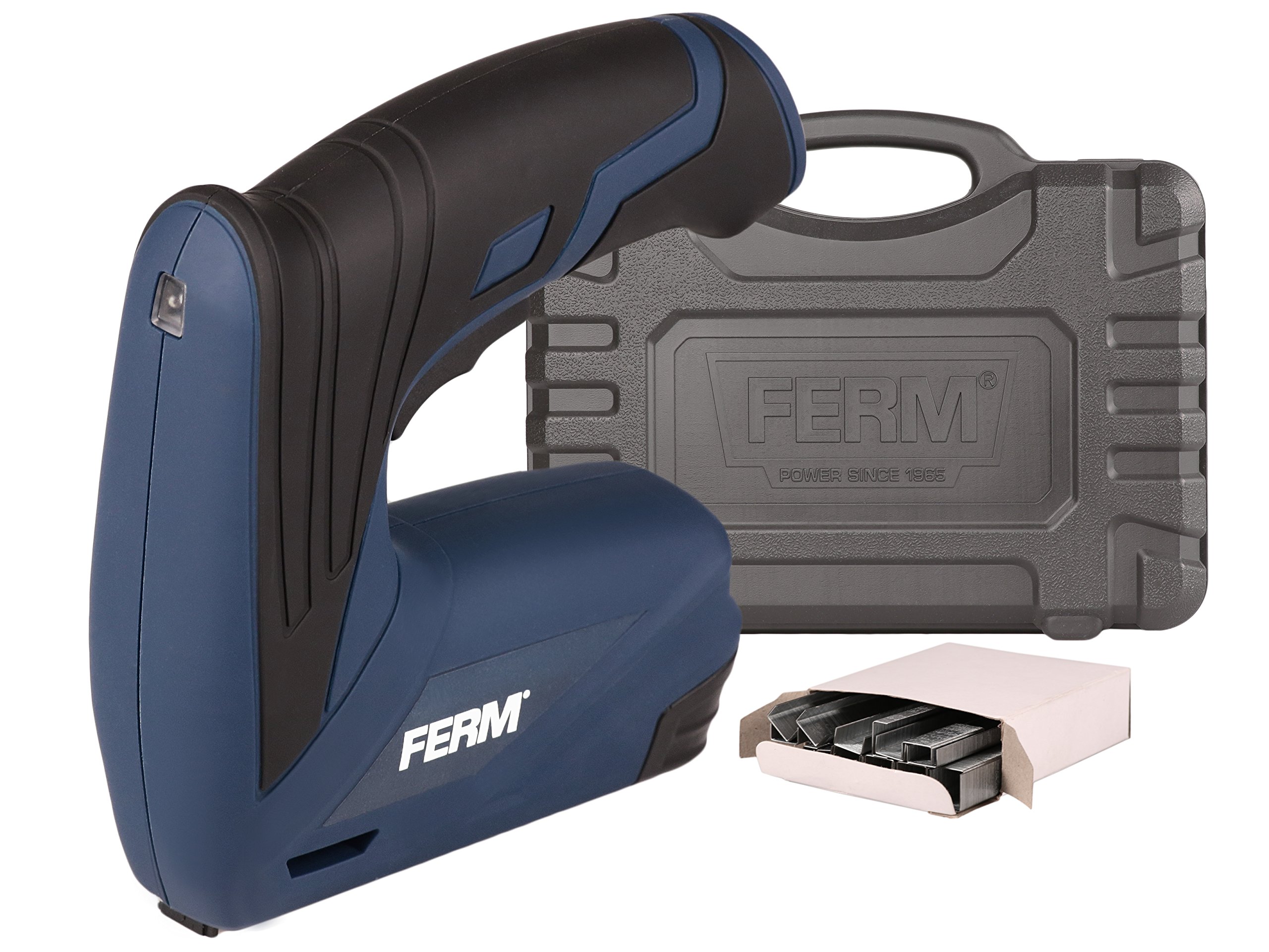
Image: A hand operating the FERM ETM1005 cordless stapler to fasten fabric onto a wooden frame, demonstrating its application.

Image: Close-up of the FERM ETM1005 cordless stapler being used to secure material, showing the precision of the tool.
7. Maintenance
Regular maintenance ensures the longevity and optimal performance of your tool.
- Cleaning: Keep the tool clean. Wipe down the exterior with a soft, damp cloth. Do not use harsh chemicals or abrasive cleaners.
- Staple Magazine: Periodically check the staple magazine for any debris or staple residue that might hinder smooth operation.
- Battery Care: Store the tool with a partially charged battery in a cool, dry place. Avoid fully discharging the battery for extended periods.
- Storage: When not in use, store the stapler in its robust carrying case in a dry, secure location, out of reach of children.
- Inspection: Regularly inspect the tool for any signs of damage, loose parts, or wear. If any issues are found, do not use the tool and contact customer support.
8. Troubleshooting
This section addresses common issues you might encounter with your FERM ETM1005 cordless stapler.
| Problem | Possible Cause | Solution |
|---|---|---|
| Stapler does not fire | Battery is discharged Staple magazine is empty Safety mechanism not engaged | Charge the battery Reload staples Ensure the stapler nose is pressed firmly against the workpiece |
| Staples jam in the magazine | Incorrect staple size Damaged staples Debris in magazine | Use correct staple size (6mm or 12mm) Replace damaged staples Clean the staple magazine |
| Staples do not penetrate fully | Low battery charge Too hard material Stapler not held firmly | Recharge the battery Ensure material is suitable for stapling Apply more pressure to the stapler against the workpiece |
| Tool stops working unexpectedly | Battery fully discharged Overheating protection activated | Recharge the battery Allow the tool to cool down before resuming use |
9. Specifications
| Feature | Specification |
|---|---|
| Model Number | ETM1005 |
| Brand | Ferm |
| Power Source | Cordless, Battery Powered |
| Battery Type | Li-Ion |
| Battery Voltage | 3.6 V |
| Battery Capacity | 1.5 Ah |
| Wattage | 3.6 watts |
| Staple Capacity | 100 staples |
| Included Staples | 1000 x 6 mm, 1000 x 12 mm |
| Charging Time | Approx. 60 minutes (with fast charger) |
| Product Dimensions | 31 x 7 x 22 cm |
| Weight | 800 g |
| Material | Rubber (grip) |
| Color | Blue/Black |
10. Warranty and Support
For warranty information, technical support, or service inquiries, please refer to the warranty card included with your product or contact FERM customer service directly. Keep your proof of purchase for any warranty claims.
Manufacturer: Ferm B.V.


