Download PDFFree PDF. The Save button below keeps a bookmark and private notes in your account.
Rastar Ferrari 458 Speciale A 1:24 Scale Radio Controlled Toy Car User Manual
Model: 6930751308930
1. Important Safety Information
Please read this manual carefully before operating the Rastar Ferrari 458 Speciale A radio-controlled car. Keep this manual for future reference.
Age Recommendation: This product is not suitable for children under 3 years due to small parts. Recommended age is 6 years and up.
Battery Safety: Do not mix old and new batteries. Do not mix alkaline, standard (carbon-zinc), or rechargeable (nickel-cadmium) batteries. Insert batteries with correct polarity. Remove exhausted batteries from the product. Remove batteries if the product is not to be used for an extended period.
Operating Environment: Operate the car in open areas, away from obstacles, people, and pets. Avoid operating near water or in wet conditions.
Supervision: Adult supervision is recommended during operation, especially for younger children.
2. Package Contents
Ensure all items are present in the package:
1 x Rastar Ferrari 458 Speciale A 1:24 Scale RC Car
1 x Remote Control Unit
1 x User Manual (this document)
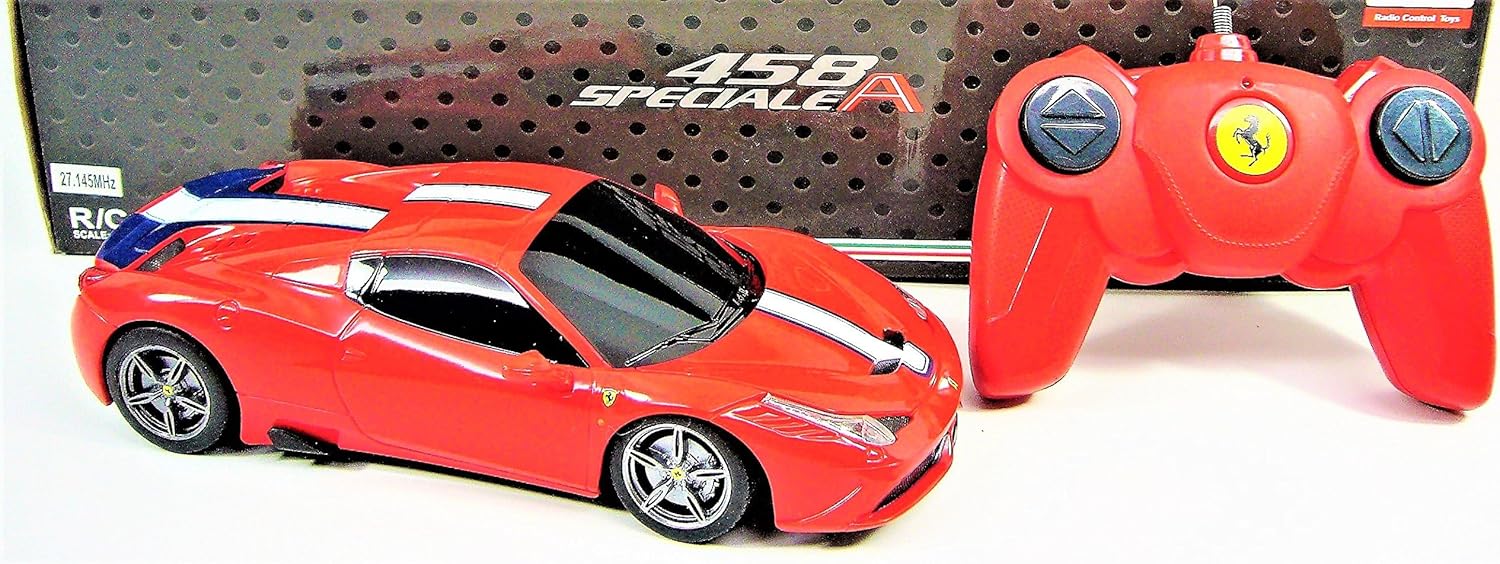
This image displays the Rastar Ferrari 458 Speciale A 1:24 scale radio-controlled car alongside its red remote control, both removed from their packaging.
3. Setup
3.1 Battery Installation
The product requires 5 AA batteries in total (not included).
For the RC Car:
Locate the battery compartment on the underside of the car.
Use a screwdriver to open the battery compartment cover.
Insert 3 AA batteries, ensuring correct polarity (+/-).
Replace the cover and secure it with the screw.
For the Remote Control:
Locate the battery compartment on the back of the remote control.
Use a screwdriver to open the battery compartment cover.
Insert 2 AA batteries, ensuring correct polarity (+/-).
Replace the cover and secure it with the screw.
A detailed view of the red remote control unit, showing the directional controls and the Ferrari logo. The battery compartment is located on the underside.
3.2 Initial Connection
After installing batteries:
Turn on the power switch on the RC car (usually located on the underside).
Turn on the power switch on the remote control.
The car and remote should automatically connect. If not, turn both off and on again.
4. Operating Instructions
4.1 Remote Control Functions
The remote control allows for full directional movement of the car:
Forward Button: Press to move the car forward.
Backward Button: Press to move the car backward.
Left Turn Button: Press to turn the car left (while moving forward or backward).
Right Turn Button: Press to turn the car right (while moving forward or backward).
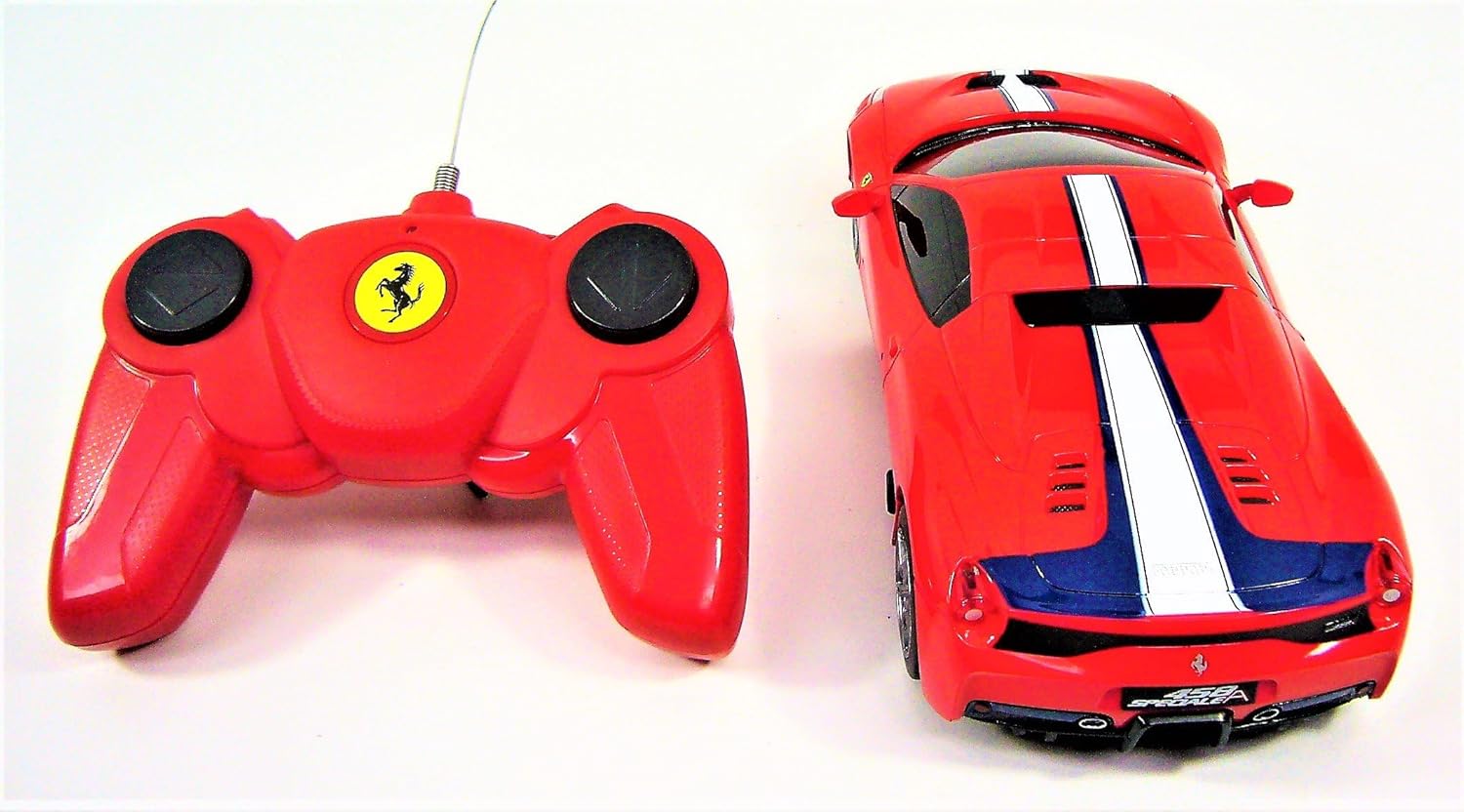
This image provides a top-down perspective of the Rastar Ferrari 458 Speciale A radio-controlled car and its accompanying remote control, highlighting the car's design and the remote's layout.
4.2 Driving Tips
For best performance, operate on smooth, flat surfaces.
Avoid driving on carpets, grass, or uneven terrain, as this may reduce speed and battery life.
Keep the remote control within range of the car for optimal response.
5. Maintenance
5.1 Cleaning
To clean the car and remote control:
Wipe the surfaces with a soft, slightly damp cloth.
Do not use chemical cleaners or solvents, as they may damage the finish.
Ensure no water enters the electronic components.
5.2 Storage
When not in use:
Remove all batteries from both the car and the remote control to prevent leakage.
Store the product in a cool, dry place, away from direct sunlight and extreme temperatures.
6. Troubleshooting
If you encounter issues with your RC car, refer to the following common problems and solutions:
Problem
Possible Cause
Solution
Car does not move or respond.
Low or incorrectly installed batteries in car or remote. Power switches are off. Car and remote not paired.
Check and replace batteries. Ensure correct polarity. Turn on both power switches. Turn both off and on again to re-establish connection.
Poor control range or intermittent response.
Low batteries. Interference from other electronic devices. Obstacles blocking signal.
Replace batteries in both car and remote. Move to an open area away from other radio-controlled devices or strong electromagnetic fields.
Car moves slowly.
Low batteries in the car. Operating on an unsuitable surface (e.g., carpet).
Replace car batteries. Operate on a smooth, flat surface.
7. Specifications
Feature
Detail
Brand
rastar
Model Number
6930751308930
Product Dimensions (L x W x H)
38.5 x 12 x 10 cm; 400 grams
Recommended Age
6 years and up
Scale
1:24
Batteries Required
Yes (5 AA batteries total, not included)
Batteries Included
No
Main Material
Plastic
Remote Control Included
Yes
Remote Control Type
Radio Control (Funkfernsteuerung)
Number of Channels
4
Components Included
Car - Remote Control
8. Warranty and Support
8.1 Warranty Information
This product is covered by a standard manufacturer's warranty against defects in materials and workmanship. Please retain your proof of purchase for warranty claims. Specific warranty terms and duration may vary by region. For detailed warranty information, please refer to the documentation provided at the time of purchase or contact the retailer.
8.2 Customer Support
For technical assistance, spare parts inquiries, or any other support needs, please contact the retailer where the product was purchased. You may also visit the official Rastar website for further information and contact details.
Ask about setup, troubleshooting, compatibility, parts, safety, or missing instructions. Manuals+ will review the question and use this page’s manual context to help answer it.