
Introduction
Thank you for choosing the Unicorn LX2100 Electronic Dartboard Cabinet. This manual provides essential information for the safe and efficient use of your new dartboard. Please read these instructions carefully before installation and operation, and retain them for future reference.
Important Safety Information
- This product is intended for indoor use only.
- Keep the dartboard and darts away from small children. Darts have sharp points and can cause injury.
- Ensure the dartboard is securely mounted to a stable surface to prevent it from falling.
- Do not use damaged darts or power adapters.
- Avoid exposing the electronic dartboard to moisture or extreme temperatures.
- Always unplug the dartboard from the power source when not in use or during cleaning.
Package Contents
Please check the package to ensure all items are present:
- Unicorn LX2100 Electronic Dartboard Cabinet
- LCD Screen (integrated)
- 6 Soft-Tip Darts
- Power Adapter (not explicitly listed but implied for electronic device)
- Mounting Hardware (not explicitly listed but implied for cabinet)
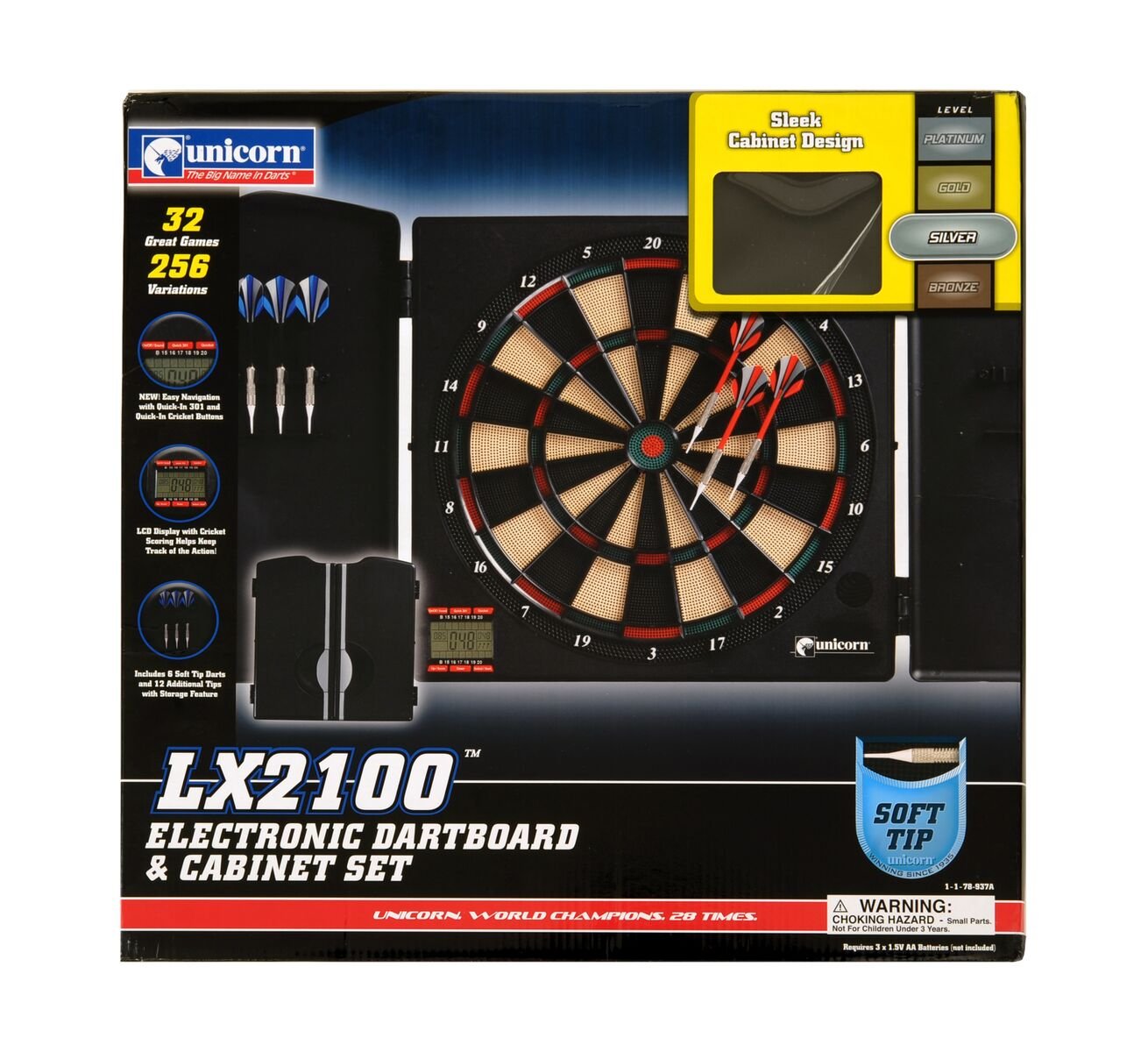
Image: The Unicorn LX2100 Electronic Dartboard Cabinet, shown with its doors closed, displaying a sleek black finish. The image illustrates the compact design of the cabinet, which houses the electronic dartboard and provides storage for darts.
Setup Instructions
1. Mounting the Dartboard Cabinet
- Choose a Location: Select a sturdy wall in a well-lit area, ensuring sufficient space for throwing darts (typically 2.37 meters from the throwing line to the board).
- Determine Height: The center of the bullseye should be 1.73 meters (5 feet 8 inches) from the floor.
- Mark Drilling Points: Use the cabinet's mounting holes as a template to mark the drilling points on the wall. Ensure the marks are level.
- Drill Holes: Drill pilot holes at the marked points. Insert appropriate wall anchors if necessary (e.g., for drywall).
- Secure Cabinet: Align the cabinet with the drilled holes and secure it firmly to the wall using the provided screws. Ensure it is stable and does not wobble.
2. Power Connection
Locate the power input jack on the dartboard. Connect the provided power adapter to the dartboard and then plug the adapter into a standard electrical outlet. Ensure the connection is secure.
Operating Instructions
1. Powering On/Off
- Power On: Press the POWER button located on the control panel. The LCD screen will illuminate.
- Power Off: Press and hold the POWER button for a few seconds until the display turns off. Alternatively, unplug the power adapter.
2. Game Selection
The LX2100 offers 26 different games. Use the GAME button to cycle through the available games displayed on the LCD screen. Once your desired game is shown, press the START button to confirm your selection.
3. Player Selection and Scoring
- Select Players: After selecting a game, use the PLAYER button to choose the number of players (up to 8 players).
- Start Game: Press START to begin the game.
- Scoring: The electronic dartboard automatically registers hits and displays scores on the LCD screen. Ensure darts are fully inserted into the segments for accurate scoring.
- Next Player: After a player has thrown their darts, press the NEXT PLAYER button to advance to the next player's turn.
4. Dart Usage
The LX2100 comes with 6 soft-tip darts. These darts are designed for use with electronic dartboards. Always ensure the tips are in good condition. Replace worn or broken tips to prevent damage to the board and ensure proper scoring.
Maintenance
1. Cleaning the Dartboard
- Unplug: Always unplug the dartboard from the power outlet before cleaning.
- Cabinet: Wipe the cabinet exterior with a soft, damp cloth. Avoid abrasive cleaners or solvents.
- Dartboard Surface: Gently wipe the dartboard segments with a dry or slightly damp cloth. Do not spray cleaners directly onto the board.
- LCD Screen: Use a soft, dry, lint-free cloth to clean the LCD screen.
2. Dart Care
Regularly inspect the soft tips of your darts. Replace any bent, broken, or excessively worn tips to maintain optimal performance and prevent damage to the dartboard segments. Store darts in the cabinet's designated holders when not in use.
Troubleshooting
| Problem | Solution |
|---|---|
| Dartboard does not power on. | Ensure the power adapter is securely connected to both the dartboard and a working electrical outlet. Check if the outlet has power. |
| Darts are not registering scores. | Ensure darts are fully inserted into the segments. Check dart tips for damage and replace if necessary. Some games require specific dart throws to register. |
| LCD screen is blank or flickering. | Turn the dartboard off and then on again. If the problem persists, unplug the power adapter for 30 seconds and then reconnect. |
| Buttons are unresponsive. | Ensure the dartboard is powered on. Try pressing the buttons firmly. If unresponsive, power cycle the device. |
Specifications
| Feature | Value |
|---|---|
| Brand | Unicorn |
| Model Number | 79509 (LX2100) |
| Material | Plastic |
| Color | Black |
| Item Weight | 1.5 Kilograms |
| Included Components | Dart game set (6 darts) |
| Number of Games | 26 |
| Display Type | LCD Screen |
Warranty Information
Unicorn products are manufactured to high-quality standards. This product is covered by a limited warranty against manufacturing defects. Please refer to the warranty card included with your purchase or contact customer support for specific warranty terms and conditions. Keep your proof of purchase for warranty claims.
Customer Support
If you have any questions, require assistance, or encounter issues not covered in this manual, please contact Unicorn customer support. Contact details can typically be found on the product packaging or the official Unicorn website.


