Introduction
This manual provides comprehensive instructions for the installation, operation, and maintenance of your Darkside 30cm SATA 3.0 Data Cable. Please read this manual carefully before use to ensure proper functionality and longevity of the product.
Product Overview
The Darkside 30cm SATA 3.0 Data Cable is designed for connecting internal SATA devices, such as Solid State Drives (SSDs) and Hard Disk Drives (HDDs), to a computer's motherboard. It features one 180-degree (straight) connector and one 90-degree (right-angle) connector, both equipped with latches for a secure and reliable connection. The cable supports SATA 3.0 specifications, enabling high-speed data transfer.
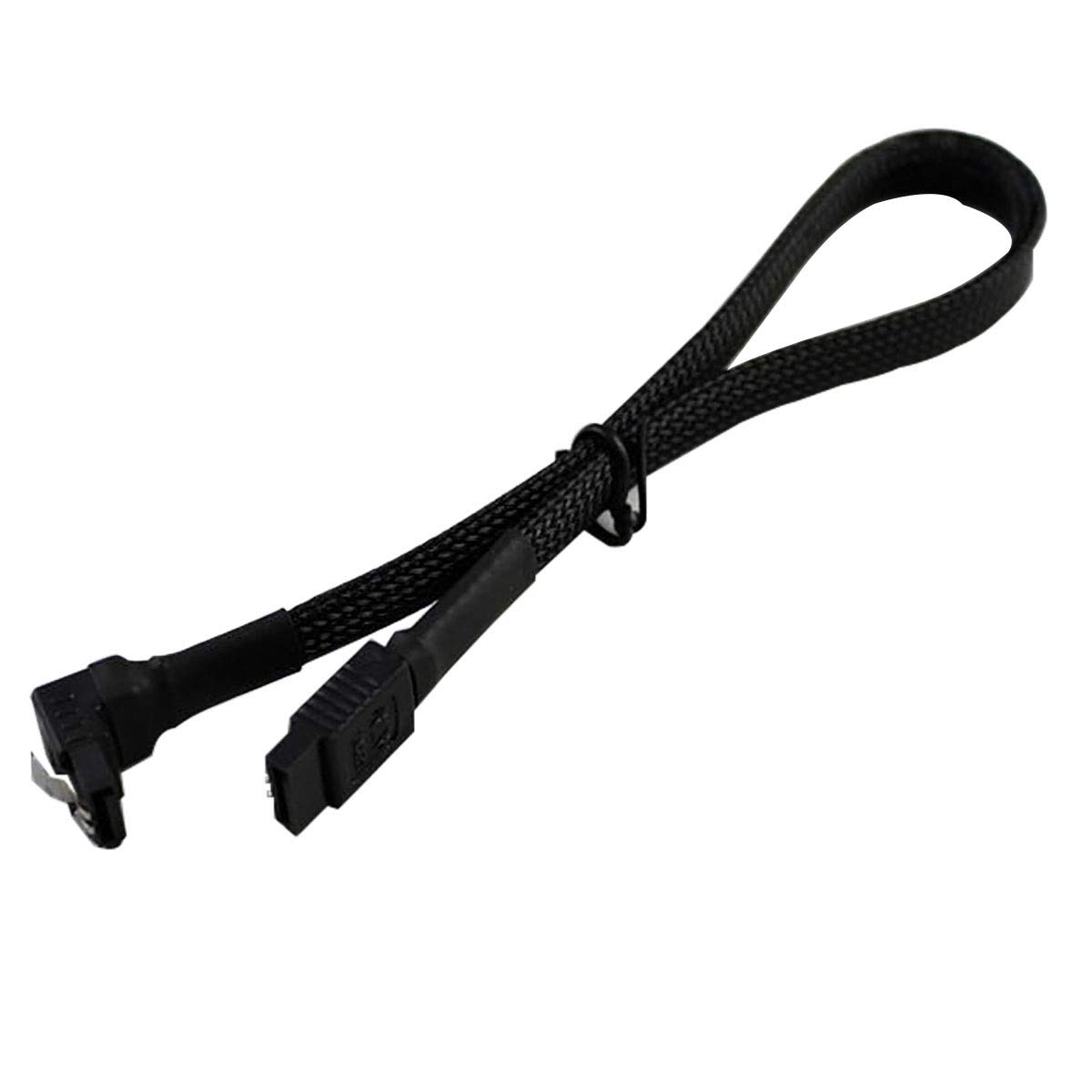
An image showing the Darkside 30cm SATA 3.0 data cable. One end features a straight 180-degree connector, while the other end has a right-angle 90-degree connector, both equipped with securing latches. The cable itself is black and sleeved.
Setup and Installation
Follow these steps to properly install your SATA data cable:
- Prepare your system: Ensure your computer is powered off and unplugged from the wall outlet before opening the case.
- Identify SATA ports: Locate an available SATA data port on your motherboard and on your storage device (SSD or HDD). SATA data ports are typically L-shaped.
- Connect to storage device: Connect the 180-degree (straight) end of the Darkside SATA cable to the data port on your SSD or HDD. Ensure the connector is oriented correctly and gently push until the latch clicks into place.
- Connect to motherboard: Connect the 90-degree (right-angle) end of the Darkside SATA cable to an available SATA data port on your motherboard. The 90-degree connector is often useful for tight spaces or specific cable routing needs. Ensure the connector is oriented correctly and gently push until the latch clicks into place.
- Secure connections: Verify that both ends of the cable are firmly seated and that the latches are engaged to prevent accidental disconnection.
- Close case and power on: Once all connections are secure, close your computer case, plug it back in, and power it on.
Operating Instructions
The Darkside SATA 3.0 Data Cable is a passive component. Once correctly installed, it facilitates data transfer between your storage device and motherboard without requiring any further user interaction or configuration. Its operation is entirely dependent on the connected hardware and software.
Maintenance
To ensure optimal performance and longevity of your SATA data cable:
- Keep clean: Periodically inspect the connectors for dust or debris. Use a soft, dry cloth or compressed air to clean if necessary.
- Avoid sharp bends: Do not bend the cable sharply, especially near the connectors, as this can damage the internal wiring.
- Handle with care: When connecting or disconnecting, always grasp the connector housing, not the cable itself, to avoid strain.
- Storage: If storing the cable, coil it loosely and keep it in a dry, dust-free environment.
Troubleshooting
If you encounter issues, consider the following:
- Device not detected:
- Ensure both ends of the SATA data cable are securely connected to the storage device and motherboard.
- Verify that the storage device is receiving power via a SATA power cable.
- Try connecting the device to a different SATA port on the motherboard.
- Test with a different SATA data cable if available.
- Slow data transfer speeds:
- Confirm that both the motherboard port and the storage device support SATA 3.0 (6Gbps).
- Ensure the cable is not damaged or kinked.
Specifications
- Brand: Darkside
- Model: DS-0077
- Cable Length: 30cm (12 inches)
- SATA Standard: SATA 3.0 (6Gbps)
- Connectors: 1x 180-degree (straight) Male, 1x 90-degree (right-angle) Male
- Features: Latching connectors
- Color: Jet Black
Warranty and Support
For warranty information or technical support regarding your Darkside SATA 3.0 Data Cable, please refer to the retailer's return policy or contact Darkside directly through their official website or customer service channels. Keep your proof of purchase for any warranty claims.