
1. Introduction
This manual provides essential information for the proper installation, operation, and maintenance of your Jensen JTV4015DC 40-inch LED DC Television. Please read this manual thoroughly before using the product to ensure safe and efficient operation.
2. What's in the Box
Carefully unpack the television and verify that all items are present:
- Jensen JTV4015DC 40-inch LED DC Television
- Dual function (TV & DVD) wireless remote control
- DC power cord
- Optional table top stand (STDJTV4015DC) (if purchased separately)
3. Setup and Installation
3.1 Power Connection
The JTV4015DC television is designed for DC 12V power systems. Connect the included DC power cord to the television's power input and to a compatible 12V DC power source.
3.2 Mounting Options
The television supports VESA 200mm x 100mm mounting patterns for wall or bracket installation. Ensure that any mounting hardware used is compatible with this standard and can safely support the television's weight.
An optional table top stand (model STDJTV4015DC) is available for desktop placement. Refer to the stand's separate instructions for assembly and attachment.

Image: Rear view of the Jensen JTV4015DC television showing VESA mounting points and overall dimensions. The diagram indicates a VESA 200mm x 100mm mounting pattern.
3.3 Connecting External Devices
The television offers various input options for connecting external devices:
- HDMI Inputs (x2): For high-definition audio and video sources such as DVD players, Blu-ray players, or gaming consoles.
- Composite Video Input: For standard definition video sources (NTSC/PAL compatible).
- RF Input: For connecting an antenna or cable television signal.
- USB Input: For media playback from USB storage devices.
- Stereo Audio Input: For analog audio sources.
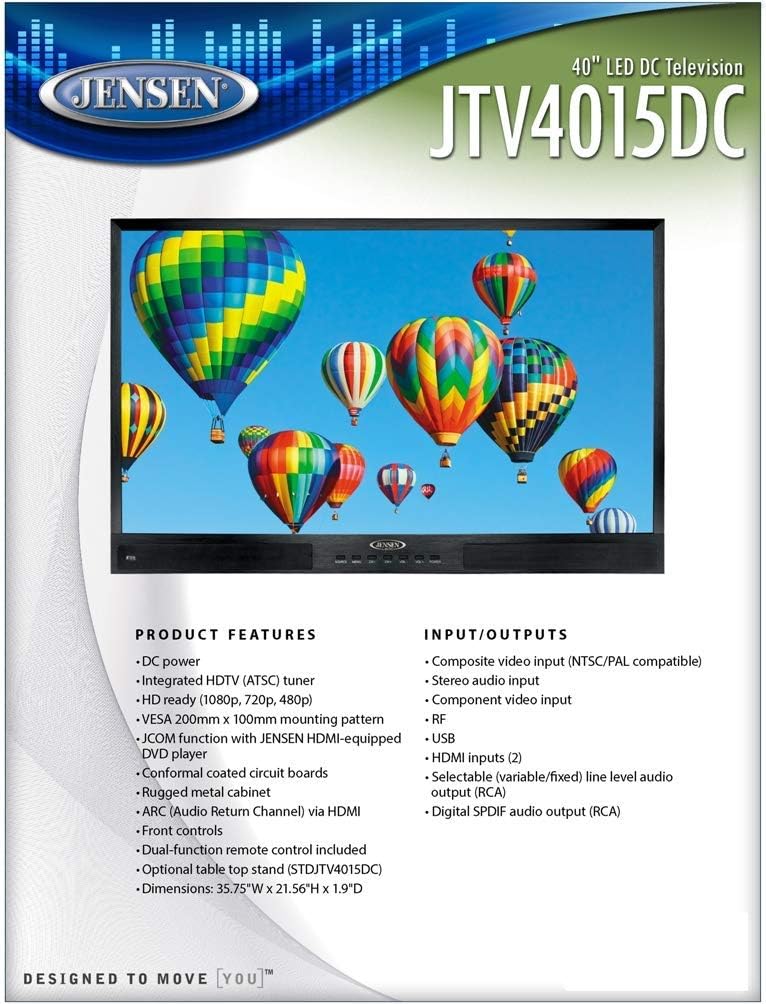
Image: Diagram illustrating the various input and output ports available on the Jensen JTV4015DC television, including HDMI, USB, RF, and composite video inputs.
4. Operating Instructions
4.1 Basic Operation
The television can be operated using the front panel controls or the included dual-function wireless remote control. The remote control is designed to operate both the TV and compatible DVD players.
4.2 Input Selection
Use the 'Source' or 'Input' button on the remote or front panel to cycle through available input sources (HDMI 1, HDMI 2, Composite, RF, USB).
4.3 Integrated HDTV Tuner
The television features an integrated HDTV (ATSC) tuner. Connect an antenna to the RF input to receive over-the-air digital television broadcasts. Perform a channel scan through the TV's menu to find available channels.
4.4 Audio Features
- ARC (Audio Return Channel) via HDMI: Allows audio to be sent from the TV to a compatible audio receiver or soundbar through a single HDMI cable.
- Selectable Line Level Audio Output (RCA): Provides variable or fixed audio output for connecting to external audio systems.
- Digital SPDIF Audio Output (RCA): For connecting to digital audio receivers.
4.5 JCOM Function
The JCOM function allows for enhanced communication with JENSEN HDMI-equipped DVD players, simplifying control and integration.

Image: The Jensen JTV4015DC television displaying a high-definition image, showcasing its 1920 x 1080 resolution and 16:9 display format.
5. Maintenance
5.1 Cleaning
To clean the screen, gently wipe it with a soft, lint-free cloth. For stubborn marks, dampen the cloth slightly with water or a screen-cleaning solution. Avoid using harsh chemicals or abrasive materials. For the cabinet, use a soft, dry cloth.
5.2 General Care
Ensure the television is placed in a well-ventilated area to prevent overheating. Avoid exposing the unit to extreme temperatures or high humidity. The conformal coated circuit boards provide enhanced durability against environmental factors, but proper care is still recommended.
6. Troubleshooting
If you experience issues with your television, refer to the following common problems and solutions:
- No Power: Ensure the DC power cord is securely connected to both the television and the 12V DC power source. Verify the power source is active.
- No Picture/Sound: Check that the correct input source is selected. Verify all audio/video cables are securely connected to both the television and the external device.
- Poor Picture Quality: For RF input, ensure the antenna is properly connected and positioned. For HDMI/Composite, check cable integrity and source device settings.
- Remote Control Not Working: Check the batteries in the remote control and ensure there are no obstructions between the remote and the television's IR sensor.
For persistent issues, contact customer support as detailed in the Warranty and Support section.
7. Specifications
| Feature | Specification |
|---|---|
| Diagonal Size | 39.5 inches (40 inches standing screen display size) |
| Resolution | 1920 x 1080 (Full HD) |
| Brightness | 200 cd/m2 |
| Contrast Ratio | 5000:1 |
| View Angles | Top 89°, Bottom 89°, Left 89°, Right 89° |
| Display Format | 16:9 |
| Response Time | 6.5ms |
| Video/Display System | NTSC/ATSC/PAL |
| Audio Output | 8W x 2 |
| Power System | DC 12V |
| Power Consumption | 20 mA standby, 5.41A max (79.8 watts on-mode) |
| Operating Temperature Range | -4°F to 149°F (-20°C to 65°C) |
| Storage Temperature Range | -22°F to 158°F (-20°C to 70°C) |
| Maximum Relative Humidity | 85% |
| Overall Dimensions (without stand) | 35.8"W x 21.6"H x 1.9"D |
| Weight (unpackaged) | 22 lbs 8 oz |
| Regulatory Certification(s) | FCC |
8. Warranty and Support
The Jensen JTV4015DC television typically comes with a one-year limited warranty from the manufacturer, ASA Electronics. This warranty covers defects in materials and workmanship under normal use.
For warranty claims, technical support, or service inquiries, please contact ASA Electronics directly. Please note that out-of-warranty repairs or parts may not be available directly from the manufacturer.
It is recommended to retain your proof of purchase for warranty validation.


