1. Introduction
This manual provides essential information for the safe and efficient operation of your LG 49UJ6300 49-Inch 4K Ultra HD Smart LED TV. Please read this manual thoroughly before using the product and retain it for future reference.
The LG 49UJ6300 is a 49-inch 4K Ultra HD Smart LED TV, offering a high-resolution viewing experience and integrated smart TV functionalities. It features a 60 Hz refresh rate, Wi-Fi connectivity, and multiple input options for various devices.

Image: LG 49UJ6300 49-Inch 4K Ultra HD Smart LED TV.
2. Safety Information
Always follow basic safety precautions when using this product to reduce the risk of fire, electric shock, or injury to persons.
- Do not expose the TV to rain or moisture.
- Do not block any ventilation openings.
- Ensure proper grounding for electrical connections.
- Keep the TV away from heat sources and direct sunlight.
- Use only attachments/accessories specified by the manufacturer.
- Unplug the TV during lightning storms or when unused for long periods.
3. What's in the Box
Verify that all components are present:
- LG 49UJ6300 49-Inch 4K Ultra HD Smart LED TV
- Remote Control
- AAA Batteries (2 included for remote)
- Power Cable
- Stand Legs (2)
- Screws for Stand Legs (6)
- Owner's Manual / Safety and Reference Guide
4. Setup
4.1 Physical Setup
Before proceeding, ensure the TV is placed on a stable, flat surface or securely mounted to a wall.
Attaching the Stand:
- Carefully place the TV screen-down on a soft, clean surface to prevent scratches.
- Align the stand legs with the corresponding slots on the bottom of the TV. The legs and TV slots are often letter-coded (e.g., A and B) to indicate correct placement.
- Insert the pull-piece of the stand leg into the designated hole and the tab into the square slot.
- Secure each stand leg with three screws using a screwdriver.
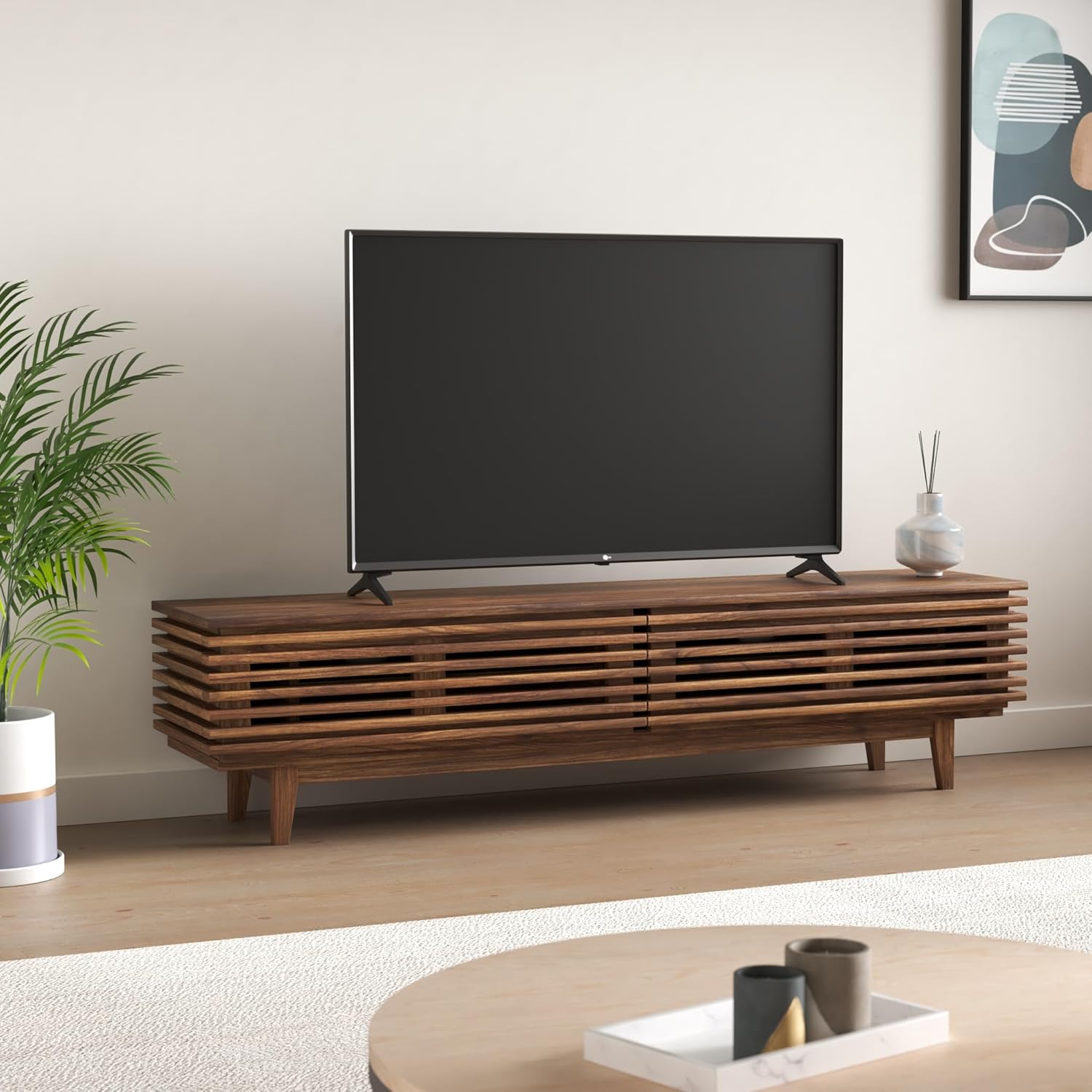
Image: LG 49UJ6300 TV securely placed on its stand.
Note: The stand legs require a wide entertainment stand. For the 49-inch model, the distance between the outer edges of the legs is approximately 43.7 inches. Ensure your furniture can accommodate this width.

Image: Product dimensions for planning placement.
Wall Mounting:
If wall-mounting, ensure you use a compatible VESA wall mount (not included) and follow the mount manufacturer's instructions. Leave adequate space for cable connections.
4.2 Connecting Peripherals
Connect your external devices to the appropriate ports on the back or side of the TV.
- HDMI Ports: The TV features multiple HDMI inputs for connecting devices like Blu-ray players, gaming consoles, and set-top boxes.
- USB Ports: Connect USB storage devices for media playback.
- Ethernet Port: For a stable wired internet connection.
- Optical Audio Output: For connecting to external audio systems.
- RCA Jacks: For older devices requiring composite video and stereo audio connections.
Power Connection: Plug the power cable into the TV's power port (typically on the lower left rear) and then into a wall outlet.
4.3 Initial Power On & Network Setup
- Press the power button on the remote control or the TV.
- The LG WebOS Smart TV system will guide you through a setup wizard.
- Select your preferred language and country.
- Wi-Fi Network: Scan for available Wi-Fi networks and enter your password to connect to the internet. A stable internet connection is crucial for smart TV features.
- Channel Tuning: If using an antenna or cable box, the wizard will prompt you to scan for available channels.
4.4 Input Labeling
To easily identify your connected devices, you can label the HDMI inputs:
- Access the TV's settings menu.
- Navigate to the "Inputs" section.
- Select the HDMI input you wish to label (e.g., HDMI2).
- Choose "Edit Icon" and select an appropriate icon or custom name (e.g., "Blu-ray Player", "Gaming Console").
5. Operating Your TV
5.1 Remote Control
The included remote control provides full functionality for navigating your TV. It features dedicated buttons for popular streaming services and standard controls for channel, volume, and menu navigation.
- Power Button: Turns the TV on/off.
- Number Buttons: For direct channel selection.
- Volume Up/Down: Adjusts audio level.
- Channel Up/Down: Changes TV channels.
- Navigation Pad (Up/Down/Left/Right/OK): For menu navigation and selection.
- Quick Access Buttons: Dedicated buttons for services like Netflix, Amazon Prime Video, etc.
Insert the two AAA batteries into the remote control, ensuring correct polarity.
5.2 Picture Settings
For optimal viewing experience, adjust the picture settings:
- Picture Mode: Access the Picture menu in settings. We recommend "Expert (Dark Room)" or "Expert (Bright Room)" for the most accurate picture quality out of the box, depending on your viewing environment.
- Energy Saving: It is recommended to turn off or minimize the "Energy Saving" mode (Eco mode) as it significantly restricts the TV's brightness and can affect picture quality.
- TruMotion: This feature is designed to smooth out motion but can sometimes create an unnatural "soap opera effect." For most content, it is recommended to turn "TruMotion" off. If you prefer some motion smoothing, select "User" and adjust the "De-Judder" and "De-Blur" settings to your preference.
5.3 Smart TV Features (WebOS)
Your LG 49UJ6300 runs on the intuitive WebOS platform, providing access to a wide range of apps and content.
- App Launcher: The bottom ribbon provides quick access to installed apps, inputs, and settings.
- LG Content Store: Download and install additional streaming services and applications.
- Screen Share: Wirelessly mirror content from compatible devices to your TV.
6. Maintenance
To ensure the longevity and performance of your TV:
- Cleaning the Screen: Gently wipe the screen with a soft, lint-free cloth. For stubborn marks, lightly dampen the cloth with water or a specialized screen cleaner. Do not spray cleaner directly onto the screen.
- Cleaning the Cabinet: Use a soft, dry cloth to wipe the TV cabinet.
- Ventilation: Ensure the ventilation openings are not blocked to prevent overheating.
- Power Cord: Regularly check the power cord for any damage.
7. Troubleshooting
If you encounter issues, try the following common solutions:
- No Power: Ensure the power cord is securely plugged into both the TV and the wall outlet. Test the outlet with another device.
- No Picture/Sound: Check all cable connections (HDMI, antenna, etc.). Ensure the correct input source is selected on the TV.
- Poor Picture Quality: Adjust picture settings (brightness, contrast, sharpness). Ensure the input source is providing a high-quality signal. Turn off "TruMotion" if motion artifacts are present.
- No Wi-Fi Connection: Check your router and modem. Restart both the TV and your network equipment. Re-enter your Wi-Fi password in the TV settings.
- Remote Control Not Working: Replace the batteries. Ensure there are no obstructions between the remote and the TV's IR sensor.
For persistent issues, consult the full owner's manual or contact LG customer support.
8. Specifications
| Feature | Detail |
|---|---|
| Brand | LG |
| Model Number | 49UJ6300 |
| Screen Size | 49 Inches |
| Display Technology | LED |
| Resolution | 4K Ultra HD |
| Refresh Rate | 60 Hz |
| Product Dimensions | 9.3"D x 43.7"W x 27.8"H |
| Item Weight | 25.1 Pounds |
| Aspect Ratio | 16:9 |
| Connectivity Technology | Wi-Fi |
| Included Components | Stand, TV |
| Batteries Required | 2 AA batteries (included) |
| Special Feature | Flat Screen |
| Wattage | 20 watts |
9. Warranty and Support
For warranty information and customer support, please refer to the documentation included with your product or visit the official LG Electronics website. Keep your purchase receipt as proof of purchase for warranty claims.
Online Resources: For additional support, FAQs, and software updates, visit the LG support website.