
Yorkville PS18S
Yorkville PS18S 18-inch Powered Subwoofer Instruction Manual
Model: PS18S
Introduction
The Yorkville PS18S is a 1200-watt active 18-inch powered subwoofer designed to provide robust low-frequency support. It is engineered for versatility, making it suitable for various venues and PA applications. The PS18S can be easily integrated into mobile live sound setups or permanent installations, offering quick and effective low-end enhancement.
Key Features:
- 1200 Watts (Program) / 2400 Watts (Peak) of powerful low-frequency output.
- Durable plywood construction with a protective paint finish.
- Equipped with integrated fly points for flexible mounting options.
Important Safety Instructions
Please read and understand all safety instructions before operating this product. Retain these instructions for future reference.
- Power Source: Connect the subwoofer only to a power supply of the type described in this manual or marked on the unit. Ensure the power cord is routed to prevent walking on or pinching.
- Ventilation: Do not block any ventilation openings. Install in accordance with the manufacturer's instructions. Maintain adequate space around the unit for proper airflow.
- Water and Moisture: Do not use this apparatus near water or expose it to dripping or splashing. Do not place objects filled with liquids on the apparatus.
- Heat: Do not install near any heat sources such as radiators, heat registers, stoves, or other apparatus (including amplifiers) that produce heat.
- Cleaning: Clean only with a dry cloth.
- Servicing: Do not attempt to service this product yourself. Refer all servicing to qualified service personnel. Servicing is required when the apparatus has been damaged in any way, such as power-supply cord or plug is damaged, liquid has been spilled or objects have fallen into the apparatus, the apparatus has been exposed to rain or moisture, does not operate normally, or has been dropped.
- Mounting: Use only with the cart, stand, tripod, bracket, or table specified by the manufacturer, or sold with the apparatus. When a cart is used, use caution when moving the cart/apparatus combination to avoid injury from tip-over.
Package Contents
Ensure all items are present upon unpacking:
- Yorkville PS18S 18-inch Powered Subwoofer
- Integrated pole mount adapter
- All metal handles (pre-installed)
- Power Cord
- This Instruction Manual
Setup and Connections
Physical Placement:
The PS18S subwoofer is designed for floor standing placement or can be flown using its integrated fly points. For optimal bass response, consider placing the subwoofer in a corner or against a wall. Ensure stable placement to prevent tipping.
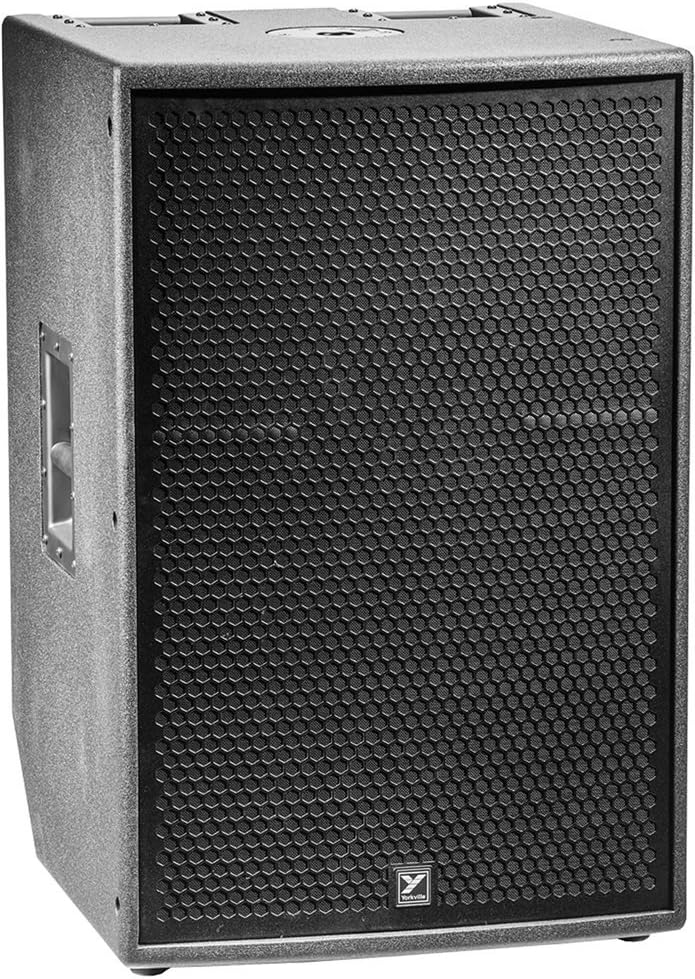
Figure 1: Front view of the Yorkville PS18S Powered Subwoofer, showcasing its robust grille and compact design.
Connecting Audio Sources:
The rear panel of the PS18S offers versatile input and output options for seamless integration into your audio system.

Figure 2: Detailed view of the rear control panel, including XLR and 1/4-inch combo inputs, outputs, and digital controls.
- Inputs: The PS18S features combo XLR/1/4-inch inputs. Connect your audio source (e.g., mixer, PA system) to these inputs using appropriate cables.
- Outputs: XLR outputs are provided for linking to additional subwoofers or full-range loudspeakers. These outputs can be configured as "through" connections or with a built-in crossover.
- Power: Connect the supplied power cord to the AC inlet on the rear panel and then to a suitable power outlet.
Operating Your PS18S Subwoofer
Powering On/Off:
Locate the power switch on the rear panel. Flip the switch to the 'ON' position to power on the subwoofer. Ensure all connections are secure before powering on.
Adjusting Volume:
Use the 'Level' control knob on the rear panel to adjust the output volume of the subwoofer. Start with a low volume and gradually increase it to your desired level.
Crossover and DSP Settings:
The PS18S features a built-in digital signal processor (DSP) with a crossover. This allows for precise tuning of the subwoofer's frequency response and seamless integration with other loudspeakers, particularly other Yorkville ELX series speakers. Refer to the on-screen menu (if applicable) or the detailed DSP section of the full manual for advanced settings. You can also manually adjust settings as needed.
Indicator Lights:
- Power: Indicates the unit is receiving power.
- Signal: Illuminates when an audio signal is detected.
- Clip: Illuminates when the input signal is too high, indicating potential distortion. Reduce the input level to prevent clipping.
Technical Specifications
| Feature | Detail |
|---|---|
| Model Name | PS18S |
| Speaker Type | Powered Subwoofer |
| Subwoofer Diameter | 18 Inches |
| Speaker Maximum Output Power | 1200 Watts (Program) / 2400 Watts (Peak) |
| Material | Wood (Plywood) |
| Product Dimensions | 20.9"D x 32.5"W x 22"H |
| Item Weight | 106 Pounds |
| Connectivity Technology | XLR (Wired) |
| Audio Output Mode | Stereo |
| Control Method | Touch (Digital DSP) |
| Mounting Type | Floor Standing, Fly Points |
| Included Components | Integrated pole mount adapter, all metal handles |
| Manufacturer | Yorkville |
| UPC | 840402035817 |

Figure 3: Dimensional drawing of the Yorkville PS18S, showing its height, width, and depth.
Care and Maintenance
- Cleaning: Regularly wipe the exterior of the subwoofer with a soft, dry cloth. Avoid using abrasive cleaners, solvents, or waxes, as these can damage the finish.
- Ventilation: Ensure that the ventilation grilles on the rear panel remain clear of dust and debris to prevent overheating.
- Storage: When not in use for extended periods, store the subwoofer in a cool, dry place, away from direct sunlight and extreme temperatures.
- Handling: Always use the integrated metal handles when moving the subwoofer to ensure safe transport and prevent damage.
Troubleshooting Guide
If you encounter issues with your PS18S subwoofer, refer to the following common troubleshooting steps:
- No Power:
- Check if the power cord is securely connected to both the subwoofer and a working power outlet.
- Verify that the power switch on the rear panel is in the 'ON' position.
- Test the power outlet with another device to ensure it is functional.
- No Sound:
- Ensure the audio input cables are securely connected to both the source and the subwoofer's input jacks.
- Check the 'Level' control knob on the subwoofer; ensure it is not set to minimum.
- Verify that the audio source (e.g., mixer) is sending a signal and its output level is appropriate.
- If using the crossover, ensure it is configured correctly and not filtering out all frequencies.
- Distorted Sound / Clipping:
- If the 'Clip' indicator light is illuminated, the input signal is too strong. Reduce the output level from your audio source or the 'Level' control on the subwoofer.
- Ensure all cables are in good condition and properly connected. Faulty cables can cause distortion.
- Overheating:
- Check that the subwoofer's ventilation openings are not obstructed.
- Ensure the subwoofer is operating within its specified temperature range and not in direct sunlight or an enclosed space.
If these steps do not resolve the issue, please contact Yorkville customer support or a qualified service technician.
Warranty and Customer Support
The Yorkville PS18S Powered Subwoofer comes with a Limited Warranty. Please refer to the warranty card included with your product or visit the official Yorkville website for detailed terms and conditions.
For technical assistance, service inquiries, or further information, please contact the manufacturer:
Manufacturer: Yorkville
For the most up-to-date contact information and support resources, please visit www.yorkville.com.
Related documentsPS18S


Ask a question about this manual
Ask about setup, troubleshooting, compatibility, parts, safety, or missing instructions. Manuals+ will review the question and use this page’s manual context to help answer it.