Introduction
This manual provides essential information for the setup, operation, and maintenance of your Bruder Case IH Optum 300 CVX Tractor. Designed at a 1:16 scale, this model replicates the powerful and agile Optum series tractors, known for their performance and efficiency. Please read these instructions carefully to ensure proper use and longevity of the product.
The Bruder Case IH Optum 300 CVX Tractor features a fully glazed cab with easy-to-open doors, a folding bonnet for engine access, an oscillating axle for excellent handling, and a steering wheel extension for enhanced control. It is compatible with various Bruder agricultural trailers and equipment.

Image: The Bruder Case IH Optum 300 CVX Tractor, showcasing its detailed design and robust construction.
Safety Information
- Age Recommendation: This product is not appropriate for children under the age of 3 due to small parts that may pose a choking hazard.
- Supervision: Adult supervision is recommended during play, especially for younger children.
- Moving Parts: Be aware of moving parts such as wheels and steering mechanisms to prevent pinching.
- Cleaning: Use a damp cloth for cleaning. Do not immerse the product in water.
Setup
The Bruder Case IH Optum 300 CVX Tractor comes largely pre-assembled. Follow these steps for initial preparation:
- Inspect Packaging: Carefully remove the tractor from its packaging. Check for any visible damage during transit.
- Open Cab Doors: The cab doors can be opened to access the interior. Gently pull the door handles to open.
- Access Engine: The bonnet can be folded open to reveal the detailed engine compartment. Lift the front section of the bonnet.
- Insert Steering Wheel Extension: For easier steering, insert the included steering wheel extension through the roof opening into the steering wheel.
- Detachable Wheels: The wheels are designed to be detachable. To remove, gently pull them off the axle. To reattach, align and push firmly until they click into place.

Image: The tractor with its bonnet open, providing access to the engine compartment.
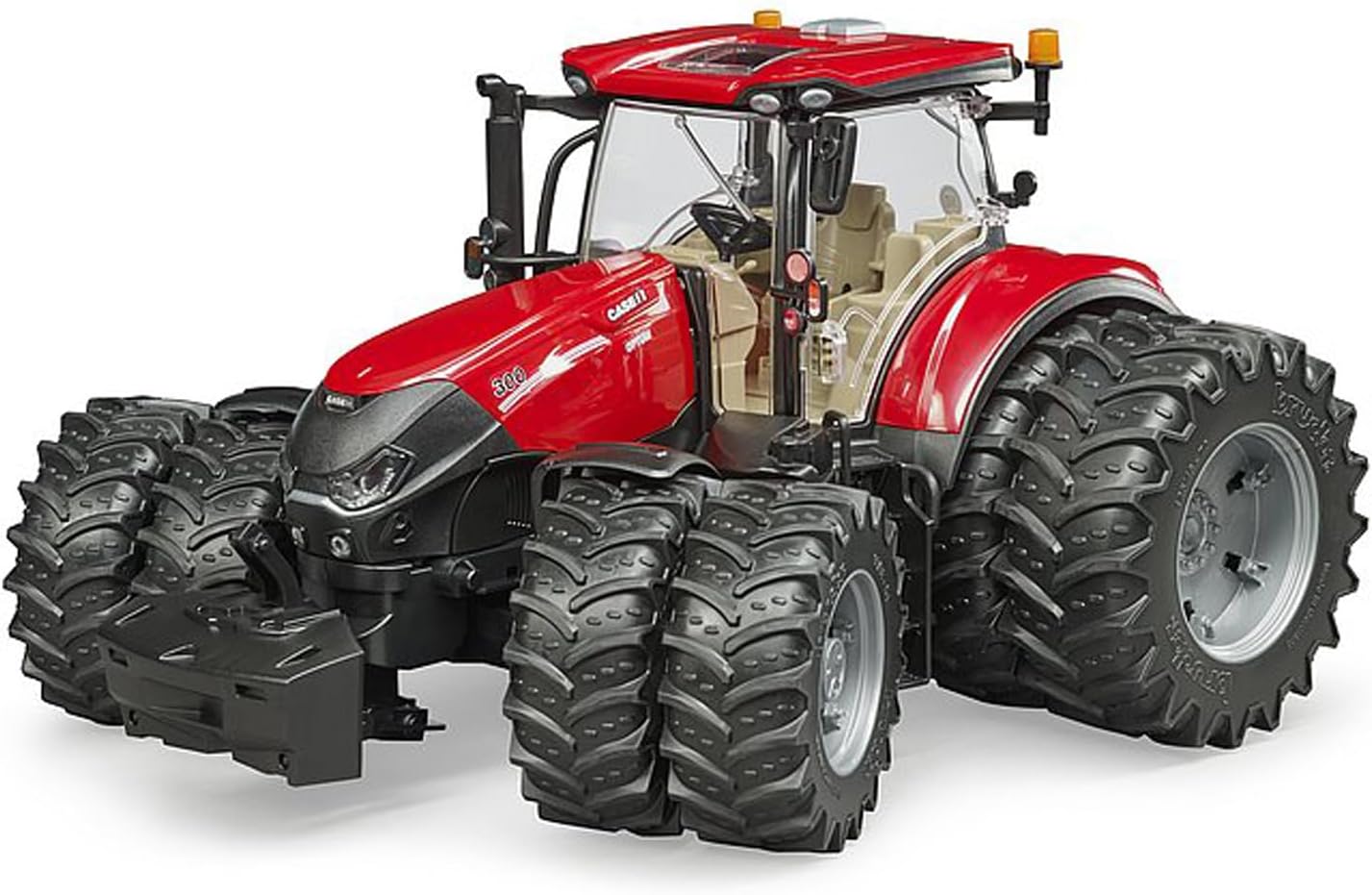
Image: Illustrates the detachable wheels feature, allowing for easy removal and reattachment.
Operating
The Bruder Case IH Optum 300 CVX Tractor is designed for interactive play. Here are key operational features:
- Steering: Use the steering wheel, or the extended steering rod through the roof, to control the front wheels and direct the tractor.
- Oscillating Axle: The installed oscillating axle allows the tractor to navigate uneven terrain, providing realistic movement and stability.
- Rear Coupling: The height-adjustable rear coupling is compatible with all Bruder Professional series trailers and agricultural equipment. To attach, align the trailer hitch with the coupling and secure it.
- Optional Accessories: This model can be enhanced with a slip-on front loader (item no. 03333) and twin tires (item no. 03317), sold separately. It is also compatible with the optional light and sound module (item no. 02802).

Image: The tractor demonstrating its oscillating axle by navigating over a rock, highlighting its terrain adaptability.

Image: The tractor connected to a trailer carrying hay bales and a front-mounted implement, showcasing its compatibility with other Bruder accessories.
Maintenance
Regular care will help maintain the condition and functionality of your tractor:
- Cleaning: Wipe the tractor with a soft, damp cloth to remove dust and dirt. Avoid using harsh chemicals or abrasive materials.
- Wheel Care: The detachable wheels can be removed for thorough cleaning if dirt accumulates in the treads or around the axles.
- Storage: Store the tractor in a clean, dry place away from direct sunlight and extreme temperatures to prevent material degradation.
Troubleshooting
If you encounter any issues with your Bruder Case IH Optum 300 CVX Tractor, consider the following:
- Stiff Steering: Ensure the steering wheel extension is properly seated. Check for any obstructions around the front wheels.
- Wheels Not Turning Smoothly: Remove the detachable wheels and check for any debris or hair caught in the axle mechanism. Clean as necessary.
- Attachments Not Connecting: Verify that the rear coupling is correctly aligned and that the attachment is a compatible Bruder Professional series item.
For persistent issues not covered here, please refer to the manufacturer's support resources.
Specifications
| Model Number | 03190 |
| Product Dimensions | 13.58 x 7.09 x 8.07 inches (34.5 x 18 x 20.5 cm) |
| Item Weight | 1.8 pounds (0.82 kg) |
| Scale | 1:16 |
| Manufacturer Recommended Age | 36 months - 12 years |
| Manufacturer | BRUDER |
Warranty and Support
Specific warranty details for this product are not provided in this manual. For information regarding warranty coverage, returns, or technical support, please contact Bruder customer service directly or visit their official website. Keep your purchase receipt as proof of purchase.
You can often find support information on the manufacturer's website: www.bruder.de


