
Product Overview
The LG 55UJ7700 is a 55-inch Class (54.6-inch viewable) UJ7700 Series LED TV. This Smart TV features 4K UHD (2160p) resolution, HDR (High Dynamic Range) support, and local dimming technology for enhanced picture quality. It is designed to deliver a superior viewing experience with vibrant colors and sharp details.
Setup Guide
What's in the Box:
- LG 55UJ7700 55-Inch 4K Ultra HD Smart LED TV
- Stand
- Remote Control (2 AA batteries included)
- Power Cable
- Quick Setup Guide
Physical Setup:
Carefully remove the TV from its packaging. It is recommended to have two people for this process to prevent damage. Place the TV screen-down on a soft, flat surface to attach the stand or wall mount.
Attaching the Stand:
- Identify the left and right stand components (often marked L and R).
- Align each stand component with the corresponding slots on the bottom of the TV.
- Secure the stand components using the provided screws. Ensure they are tightened firmly but do not overtighten.
Note: The stand's footprint for the 55-inch model is approximately 48.7 inches wide. Ensure your entertainment unit or surface is wide enough to accommodate the TV securely.

Image: Rear view of the LG 55UJ7700 TV showing its dimensions (48.7" W x 30.6" H x 9.2" D) and the placement of its two pedestal feet.
Connections:
Connect your external devices such as cable/satellite boxes, Blu-ray players, gaming consoles, and sound systems to the TV using the appropriate ports.
- HDMI: The TV features multiple HDMI ports (4 total) for high-definition audio and video. Use these for most modern devices.
- USB: Two USB 2.0 ports are available for connecting USB storage devices to play media or for software updates.
- Ethernet (LAN): For a stable wired internet connection.
- Optical Digital Audio Out: For connecting to a soundbar or home theater system.
- Antenna/Cable In: For connecting an antenna or cable TV.
After connecting all devices, plug the power cord into the TV and then into a wall outlet.
Operating Instructions
Powering On/Off:
Press the Power button on the remote control or on the TV to turn the unit on or off.
Using the Remote Control:
The included remote control allows you to navigate the TV's features. It includes standard buttons for volume, channel, input selection, and smart TV functions. The LG Magic Motion Remote (included with this model) allows for point-and-click navigation and voice search, enhancing user interaction with the WebOS Smart TV system.
Smart TV Features (WebOS):
The LG 55UJ7700 runs on LG's WebOS platform, providing access to various streaming services and apps. Supported internet services include Amazon Instant Video and Netflix. Navigate the intuitive interface using the Magic Motion Remote to access your favorite content.
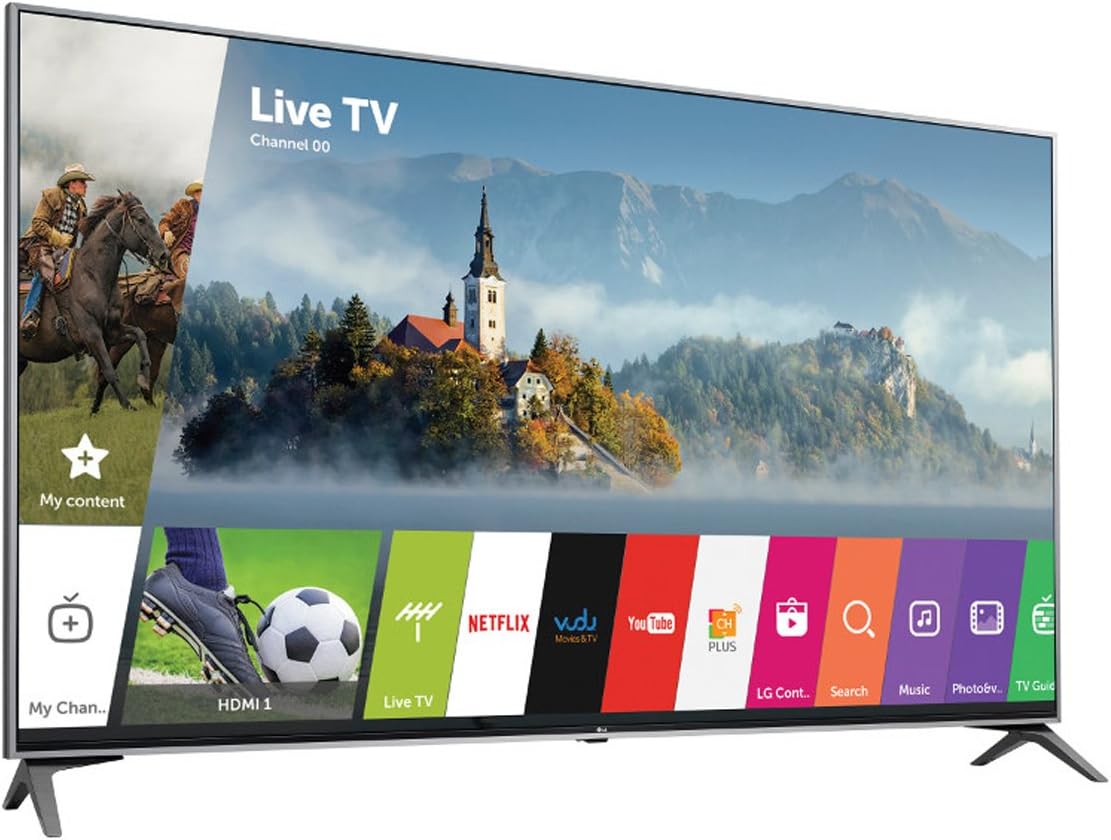
Image: Front view of the LG 55UJ7700 TV showcasing its Smart TV interface with various app icons like Netflix, YouTube, and Amazon.
Picture Modes:
The TV offers several picture modes to optimize viewing for different content and environments. For the most accurate picture quality, select 'Expert (Bright Room)' or 'Expert (Dark Room)' modes. If a brighter picture is desired, ensure 'Energy Saver' mode is set to minimum or off. For gaming, utilize the 'Game' picture mode for reduced input lag.
Technical Specifications
| Feature | Specification |
|---|---|
| Screen Size | 55 Inches (54.6" viewable) |
| Display Technology | 4K UHD LED |
| Resolution | 4K (3840 x 2160) |
| Refresh Rate | 60 Hz |
| Special Feature | Flat, HDR, Local Dimming |
| Product Dimensions (D x W x H) | 9.2"D x 48.7"W x 30.6"H |
| Item Weight | 34.2 Pounds |
| HDMI Ports | 4 |
| USB Ports | 2 (USB 2.0) |
| Audio Input | HDMI, Optical, USB |
| Supported Internet Services | Amazon Instant Video, Netflix |
| Mounting Type | Table Mount, Wall Mount |
| VESA Mount Standard | 300 x 300 mm |
| Color | Black |
| Power Consumption | 20 watts |
| Line Voltage | 110 VAC 60 Hz |
Maintenance
Cleaning the Screen:
To clean the screen, first turn off the TV and unplug it from the power outlet. Gently wipe the screen with a soft, dry, lint-free cloth. For stubborn marks, lightly dampen the cloth with water or a specialized screen cleaner (ensure it's safe for LED screens) and wipe carefully. Avoid using harsh chemicals, abrasive materials, or spraying liquid directly onto the screen.
General Care:
- Keep the TV in a well-ventilated area to prevent overheating.
- Avoid placing the TV in direct sunlight or near heat sources.
- Protect the TV from dust by regularly wiping the exterior with a soft, dry cloth.
- Do not block the ventilation openings on the back of the TV.
Troubleshooting
No Power:
- Ensure the power cord is securely plugged into both the TV and a working wall outlet.
- Check if the wall outlet is functioning by plugging in another device.
- Try pressing the power button on the TV itself, not just the remote.
No Picture/Sound:
- Verify that the correct input source is selected on the TV (e.g., HDMI 1, HDMI 2).
- Check all cable connections between the TV and external devices. Ensure they are firmly seated.
- If using external audio, ensure the sound system is powered on and correctly configured.
Remote Control Not Working:
- Replace the batteries in the remote control (uses 2 AA batteries).
- Ensure there are no obstructions between the remote and the TV's remote sensor.
- If using the Magic Motion Remote, ensure it is properly paired with the TV.
Warranty and Support
For detailed warranty information and customer support, please refer to the warranty card included with your product or visit the official LG Electronics website. Keep your purchase receipt as proof of purchase for any warranty claims.
This refurbished product is tested and certified to look and work like new. The refurbishing process includes functionality testing, basic cleaning, inspection, and repackaging. The product ships with all relevant accessories, and may arrive in a generic box.