
1. Introduction
This manual provides essential information for the proper use and care of your BTS 2016 Live: Japan Edition Blu-ray. This Blu-ray captures the live concert experience of BTS in Japan, featuring a comprehensive tracklist and special behind-the-scenes content. It includes a documentary photo book for an enhanced fan experience.

Image 1.1: Front view of the BTS 2016 Live: Japan Edition Blu-ray case.
2. Setup
- Unpack the Blu-ray: Carefully remove the Blu-ray disc and photo book from its packaging. Inspect the disc for any visible damage or smudges.
- Prepare Your Blu-ray Player: Ensure your Blu-ray player is connected to your television or display device and powered on. Verify that your player is compatible with Blu-ray discs from Region A (Japan). Most Blu-ray players sold in North America are Region A compatible.
- Insert the Disc: Gently hold the Blu-ray disc by its edges and insert it into the disc tray or slot of your Blu-ray player. Ensure the disc is inserted correctly, label side up.
- Select Input: Switch your television or display device to the correct input source (HDMI 1, HDMI 2, etc.) where your Blu-ray player is connected.
- Start Playback: The Blu-ray player should automatically detect the disc and display the main menu. If not, use your player's remote control to select the 'Play' option.
3. Operating Instructions
Navigate the Blu-ray menu using your player's remote control. You can select individual tracks, special features, or play the entire concert.
Concert Tracklist:
- RUN -Japanese Ver.-
- Danger -Japanese Ver.-
- Autumn Leaves
- Tomorrow
- Butterfly
- Love Is Not Over (Full Length Edition)
- House Of Cards (Full Length Edition)
- What am I to you
- BOY IN LUV
- Save ME
- Burning Up (FIRE)
- We are bulletproof PT.2
- BTS Cypher PT.3 : Killer
- IF I RULED THE WORLD
- Silver Spoon
- DOPE
- フンタン少年団
- 進撃の防弾 -Japanese Ver.-
- 2 COOL 4 SKOOL
- NO MORE DREAM
Encore:
- EPILOGUE : Young Forever
- Whalien 52
- MISS RIGHT -Japanese Ver.-
- FOR YOU
- I NEED U (Japanese Ver.)
Special Content:
- -Behind the Stage-
- -Interview- RAP MONSTER / SUGA / JIN / J-HOPE / JIMIN / V / JUNG KOOK
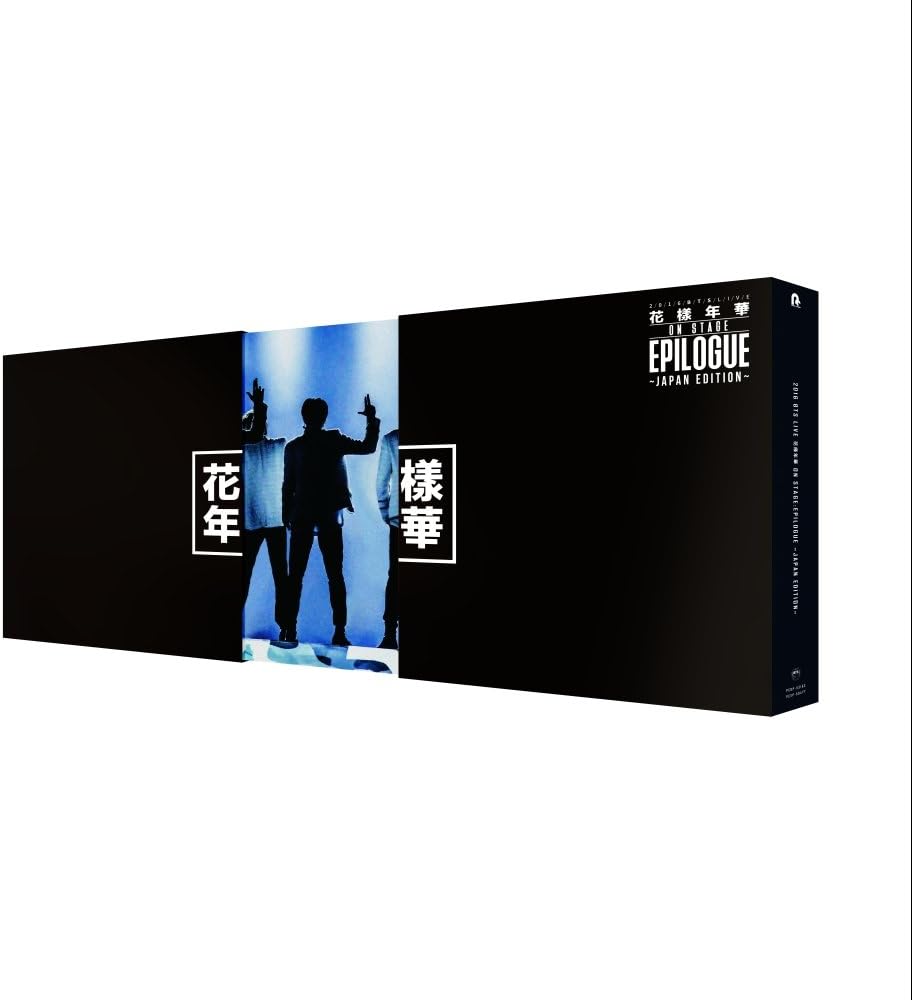
Image 3.1: View of the Blu-ray packaging, potentially showing the disc or photo book.
4. Maintenance
- Disc Handling: Always hold the Blu-ray disc by its edges or by the center hole. Avoid touching the playback surface to prevent fingerprints and scratches.
- Cleaning: If the disc becomes dirty, gently wipe it with a soft, lint-free cloth from the center outwards. Do not use abrasive materials or harsh chemical cleaners.
- Storage: Store the Blu-ray disc in its original case when not in use to protect it from dust, scratches, and direct sunlight. Keep the disc away from extreme temperatures and humidity.
- Photo Book Care: Handle the included photo book with care to prevent creasing or tearing of pages. Store it in a dry place.
5. Troubleshooting
- Disc Not Playing:
- Ensure the disc is clean and free of smudges or scratches.
- Verify that your Blu-ray player is functioning correctly with other discs.
- Check your Blu-ray player's region code compatibility. This Blu-ray is Region A. If your player is from a different region, it may not play.
- Consult your Blu-ray player's instruction manual for specific error codes or playback issues.
- No Audio/Video:
- Check all cable connections between your Blu-ray player and your television/audio system.
- Ensure your television is set to the correct input source.
- Verify that your audio system is powered on and set to the correct input.
6. Specifications
| Product Title | 2016 BTS Live: Japan Edition [Blu-ray] |
| ASIN | B01MZ0FAYA |
| Format | Blu-ray |
| Number of Discs | 1 |
| MPAA Rating | g (General Audiences) |
| Product Dimensions | 2.26 x 26.29 x 14.83 cm |
| Item Weight | 571.53 g |
| Manufacturer Discontinued | No |
7. Warranty and Support
This product is a media item. For information regarding returns or exchanges, please refer to the return policy of the retailer from whom you purchased this Blu-ray. For technical support related to your Blu-ray player or home entertainment system, please consult the respective manufacturer's instruction manual or customer support resources.