
Important Safety Instructions
Read all instructions carefully before using the appliance and keep them for future reference. Failure to follow these instructions may result in electric shock, fire, or injury.
- Do not attempt to operate this oven with the door open as this can result in harmful exposure to microwave energy.
- Do not place any object between the oven front face and the door or allow soil or cleaner residue to accumulate on sealing surfaces.
- Do not operate the oven if it is damaged. It is particularly important that the oven door closes properly and that there is no damage to the: (1) door (bent), (2) hinges and latches (broken or loosened), (3) door seals and sealing surfaces.
- The oven should not be adjusted or repaired by anyone except properly qualified service personnel.
- Ensure the appliance is properly grounded.
- Do not use corrosive chemicals or vapors in this appliance.
- Always use oven mitts when handling hot items from the microwave.
Setup and Installation
Unpacking
Carefully remove the microwave oven and all packaging materials from the carton. Check the oven for any damage, such as dents or a misaligned door. Do not operate the oven if it is damaged. Contact customer service for assistance.
Placement
Place the microwave oven on a flat, stable surface that can support its weight and the heaviest food item likely to be cooked in it. Ensure there is adequate ventilation around the oven. Maintain a minimum clearance of 20 cm (8 inches) above the oven, 10 cm (4 inches) at the rear, and 5 cm (2 inches) on each side for proper airflow.
Electrical Connection
Plug the power cord into a standard grounded electrical outlet. Ensure the voltage matches the rating label on the back of the oven. Do not use extension cords or adapters.
Initial Cleaning
Before first use, wipe the interior and exterior of the oven with a damp cloth. Wash the glass turntable and the grill rack with warm, soapy water, then rinse and dry thoroughly.
This image shows the chrome-plated metal grill rack included with your Moulinex MO 20 MGBL microwave oven. This rack is used for grilling functions to elevate food closer to the heating element.
Operating Instructions
Control Panel Overview
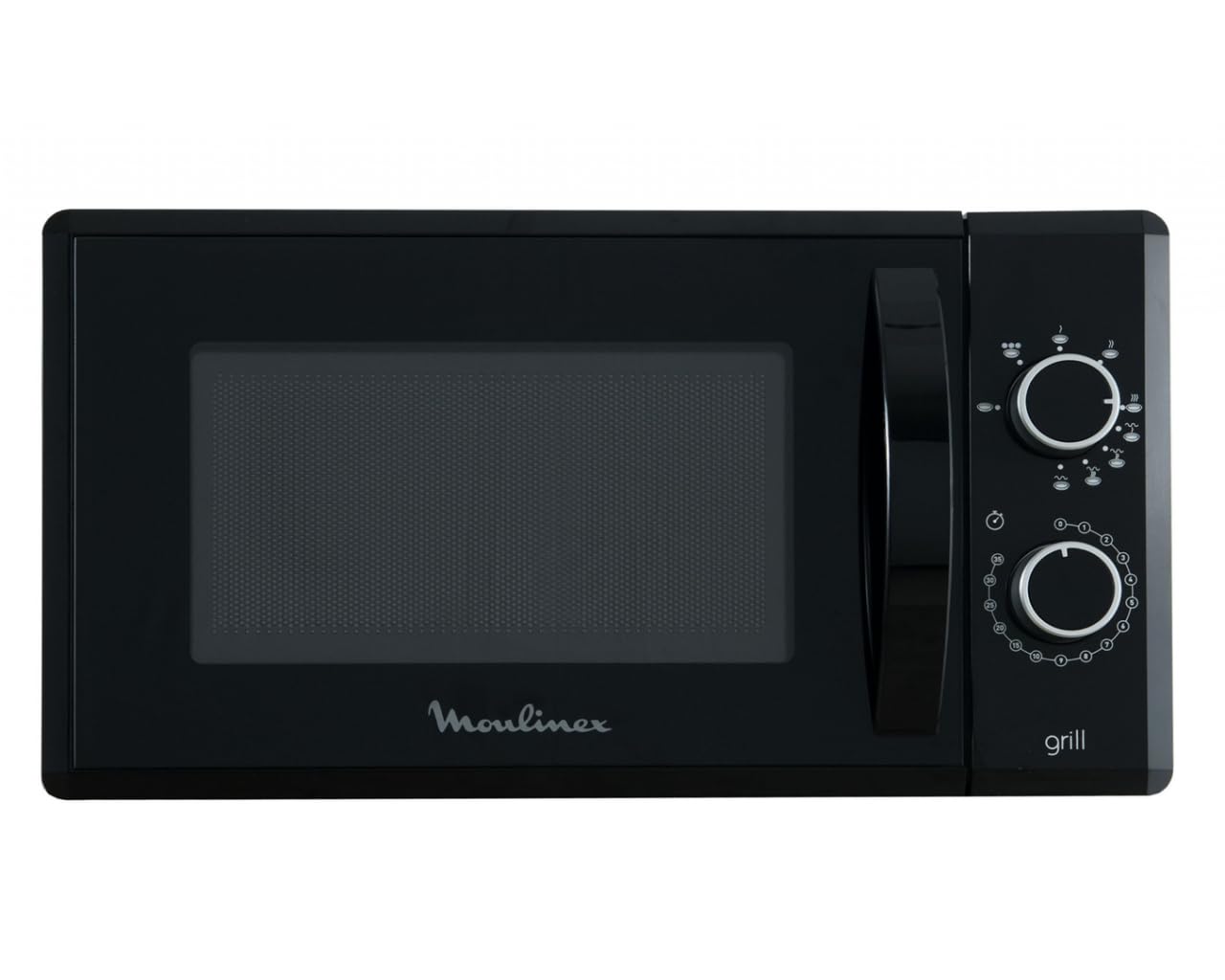
The Moulinex MO 20 MGBL features an intuitive control panel with buttons for various functions:
- Power Level Button: Adjusts microwave power output.
- Time/Weight Dial: Used to set cooking time or defrost weight.
- Grill Button: Activates the grill function.
- Combination Button: Combines microwave and grill cooking.
- Defrost Button: Initiates defrosting by weight or time.
- Start/Pause Button: Begins or temporarily stops cooking.
- Stop/Cancel Button: Stops cooking and clears settings.
Basic Microwave Cooking
- Place food in a microwave-safe container on the glass turntable.
- Close the oven door securely.
- Press the 'Power Level' button repeatedly to select the desired power (e.g., 100% for full power).
- Turn the 'Time/Weight' dial to set the cooking time.
- Press the 'Start/Pause' button to begin cooking.
Grill Function
The grill function is ideal for browning and crisping food. Use the provided metal grill rack.
- Place food on the grill rack, then place the rack on the glass turntable.
- Close the oven door.
- Press the 'Grill' button.
- Turn the 'Time/Weight' dial to set the grilling time.
- Press the 'Start/Pause' button.
Defrosting
The oven offers defrosting by weight or time.
- Defrost by Weight: Place frozen food in the oven. Press the 'Defrost' button, then turn the 'Time/Weight' dial to select the food weight. Press 'Start/Pause'.
- Defrost by Time: Place frozen food in the oven. Press the 'Defrost' button twice, then turn the 'Time/Weight' dial to set the defrosting time. Press 'Start/Pause'.
Care and Maintenance
Cleaning the Oven Interior
To prevent food particles and grease from building up, clean the oven interior regularly. Wipe with a damp cloth and mild detergent after each use. For stubborn stains, place a bowl of water with lemon juice inside and microwave for 5-10 minutes to loosen residue, then wipe clean.
Cleaning the Oven Exterior
Wipe the exterior surfaces with a soft, damp cloth. Do not use abrasive cleaners or solvents, as they may damage the finish.
Cleaning the Turntable and Grill Rack
The glass turntable and metal grill rack can be washed in warm, soapy water or in a dishwasher. Ensure they are completely dry before placing them back in the oven.
Storage
If storing the oven for an extended period, ensure it is clean and dry. Store in a cool, dry place, away from direct sunlight and moisture.
Troubleshooting Guide
| Problem | Possible Cause | Solution |
|---|---|---|
| Oven does not start | Power cord not plugged in; Door not closed properly; Fuse blown or circuit breaker tripped. | Ensure plug is firmly in outlet; Close door securely; Check household fuse or reset circuit breaker. |
| Food not heating | Door not closed properly; Cooking time or power level set too low. | Close door securely; Increase cooking time or power level. |
| Sparking inside oven | Metal or foil in oven; Food residue on oven walls. | Remove any metal objects; Clean oven interior thoroughly. |
| Turntable not rotating | Turntable not properly seated; Obstruction under turntable. | Ensure turntable is correctly placed on its support; Remove any obstructions. |
If the problem persists after attempting these solutions, please contact customer support.
Product Specifications
- Brand: Moulinex
- Model: MO 20 MGBL
- Microwave Power: 800 Watts
- Input Interface: Buttons
- ASIN: B01MYMLHSA
Warranty Information
This Moulinex appliance is covered by a standard manufacturer's warranty against defects in materials and workmanship. The warranty period typically begins from the date of purchase. Please retain your proof of purchase for warranty claims. For specific terms and conditions, refer to the warranty card included with your product or visit the official Moulinex website.
Customer Support
For technical assistance, spare parts, or service, please contact Moulinex customer support. You can find contact details on the official Moulinex website or in the documentation provided with your product.
- Website: www.moulinex.com
- Phone: Refer to your regional Moulinex support page.


