
Indesit IFW 4844 H BL
Indesit IFW 4844 H BL Electric Oven User Manual
Model: IFW 4844 H BL
Introduction
This manual provides essential information for the safe and efficient use of your Indesit IFW 4844 H BL electric oven. Please read these instructions carefully before installation and use, and keep them for future reference.
Safety Information
Always follow basic safety precautions when using electrical appliances to reduce the risk of fire, electric shock, and injury.
- Ensure the appliance is properly earthed.
- Do not touch hot surfaces. Use oven mitts or pot holders.
- Supervise children when the oven is in use.
- Do not use abrasive cleaners or sharp metal scrapers to clean the oven door glass.
- Disconnect the appliance from the power supply before performing any maintenance or cleaning.
- Do not store flammable materials in or near the oven.
- Ensure proper ventilation during use.
Product Overview
The Indesit IFW 4844 H BL is a 71-liter electric oven designed for integrated installation. It features a sleek black aesthetic with an integrated display and various cooking functions.
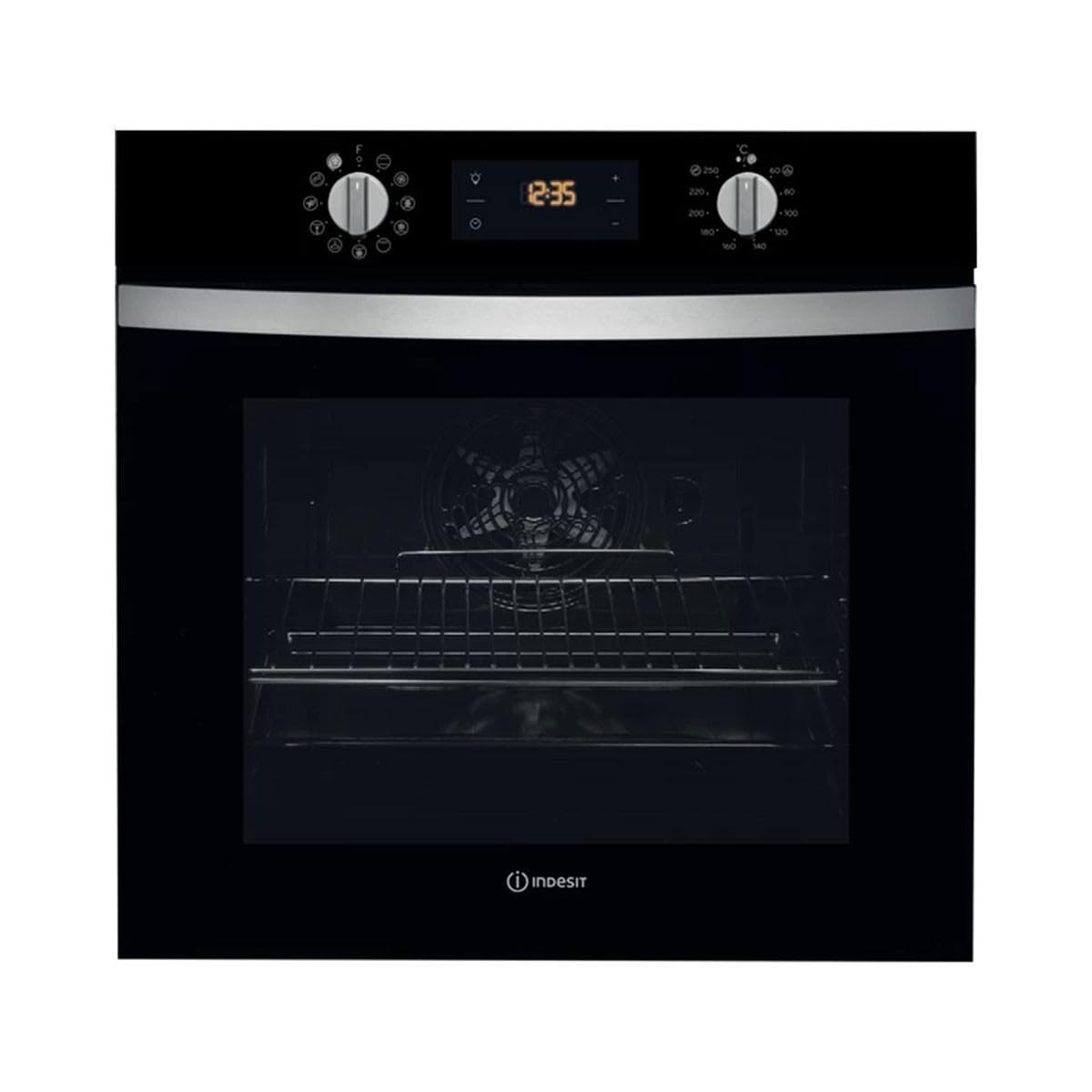
Figure 1: Front view of the Indesit IFW 4844 H BL Electric Oven.
Control Panel
The oven's control panel features two rotary knobs for function and temperature selection, along with a digital display for time and settings.

Figure 2: Detailed view of the oven control panel, showing function selector (left), digital display (center), and temperature selector (right).
- Left Knob: Function Selector (e.g., Convection, Grill).
- Digital Display: Shows current time, cooking duration, and other settings.
- Right Knob: Temperature Selector (up to 250°C).
Setup & Installation
The Indesit IFW 4844 H BL is designed for integrated installation into kitchen cabinetry. Professional installation is recommended to ensure proper fitting and electrical connection.
Installation Dimensions
Refer to the diagram below for precise measurements required for cabinet integration.

Figure 3: Installation diagram with required cabinet dimensions (in mm) for the oven. Note the width of 560-568mm and height of 583-585mm for the oven cavity.
- Appliance Dimensions (H x W x D): 59.5 x 59.5 x 55.1 cm.
- Required Niche Dimensions: Consult the diagram for specific width, height, and depth requirements for a flush fit.
- Ensure adequate ventilation space around the appliance as per local regulations.
- The electrical connection must be performed by a qualified electrician.
Operating Instructions
This section details how to use your oven for various cooking tasks.

Figure 4: Interior view of the oven, highlighting the multiple rack positions and the convection fan.
First Use
- Remove all packaging materials and accessories from the oven cavity.
- Clean the interior with a damp cloth and mild detergent.
- Heat the empty oven at maximum temperature for approximately 30 minutes to burn off any manufacturing residues. Ensure good ventilation during this process.
Setting the Time
- When the oven is first connected, the display will flash.
- Use the '+' and '-' buttons next to the digital display to set the current time.
- Press the clock icon button to confirm the setting.
Selecting a Cooking Function
- Turn the left knob to select the desired cooking function (e.g., Convection, Grill).
- Turn the right knob to set the desired temperature (e.g., 180°C for baking, 220°C for roasting).
- The oven will begin to heat. The indicator light will turn off when the set temperature is reached.
Available Cooking Modes:
- Convection: Ideal for cooking different types of food that require the same temperature on multiple shelves simultaneously.
- Grill: For grilling meat, toast, and browning dishes.
- Refer to the symbols on the left knob for other specific functions.
Maintenance and Cleaning
Regular cleaning and maintenance will ensure the longevity and optimal performance of your oven. Always ensure the oven is cool and disconnected from the power supply before cleaning.
- Interior Cleaning: Clean the oven interior after each use with a damp cloth and mild detergent. For stubborn stains, use a specialized oven cleaner, following the product instructions.
- Exterior Cleaning: Wipe the exterior surfaces with a soft, damp cloth. Avoid abrasive cleaners or solvents.
- Door Glass: Clean the oven door glass with a non-abrasive cleaner. Do not use harsh abrasive cleaners or sharp metal scrapers as they can scratch the surface, which may result in shattering of the glass.
- Accessories: Remove and wash oven racks and trays in warm soapy water or in a dishwasher.
Troubleshooting
If you encounter issues with your oven, refer to the following common problems and solutions before contacting customer service.
| Problem | Possible Cause | Solution |
|---|---|---|
| Oven does not heat up. | No power supply; incorrect settings. | Check if the oven is plugged in and the circuit breaker is on. Ensure a cooking function and temperature are selected. |
| Food is not cooking evenly. | Incorrect temperature or rack position; overloaded oven. | Adjust temperature or rack position. Avoid overcrowding the oven. Preheat the oven fully. |
| Smoke or odor during first use. | Residues from manufacturing. | This is normal. Ensure good ventilation and run the oven empty at high temperature for 30 minutes. |
| Digital display not working. | Power interruption. | Check power supply. If power was interrupted, reset the time. |
Specifications
Key technical specifications for the Indesit IFW 4844 H BL electric oven.
- Brand: Indesit
- Model Number: IFW 4844 H BL
- Type: Electric Oven
- Installation Type: Integrated
- Capacity: 71 Liters
- Dimensions (H x W x D): 59.5 x 59.5 x 55.1 cm
- Weight: 1 Grams (Note: This weight seems incorrect, likely a data entry error. Actual weight for an oven would be significantly higher.)
- Power: 2200 Watts
- Energy Efficiency Class: A+ (A+++ to D scale)
- Cooking Modes: Convection, Grill
- Maximum Temperature: 250°C
- Material: Metal (with glass aesthetic)
- Color: Black
- Special Features: Easy to clean, Integrated display
Warranty & Support
For warranty information, technical support, or to order spare parts, please contact Indesit customer service or visit their official website. Keep your purchase receipt and model number (IFW 4844 H BL) handy for all inquiries.
Availability of spare parts: Information unavailable. Please contact the manufacturer for details.
Related documentsIFW 4844 H BL


Ask a question about this manual
Ask about setup, troubleshooting, compatibility, parts, safety, or missing instructions. Manuals+ will review the question and use this page’s manual context to help answer it.