Introduction
This manual provides detailed instructions for the installation, operation, and maintenance of your Mars Gaming MPII850 850W ATX PC Power Supply. Please read this manual carefully before installation and use to ensure proper functionality and safety.
Safety Instructions
- Always disconnect the power supply from the main power outlet before installation or maintenance.
- Do not open the power supply unit. High voltages are present inside, which can cause electric shock.
- Ensure proper grounding of your computer system.
- Install the power supply in a well-ventilated area to prevent overheating.
- Avoid exposing the unit to moisture or extreme temperatures.
- Use only the cables provided with the power supply.
Package Contents
Verify that all items are present in the package:
- Mars Gaming MPII850 850W ATX Power Supply Unit
- Modular Cable Set (PCI-E, SATA, PATA, FDD)
- AC Power Cord
- Mounting Screws
- User Manual (this document)
Setup and Installation
Follow these steps to install your power supply unit:
1. Prepare Your System
- Turn off your computer and disconnect the power cord from the wall outlet.
- Open your computer case.
- If replacing an existing power supply, disconnect all cables from the old PSU and remove it from the case.
2. Install the Power Supply
- Carefully place the Mars Gaming MPII850 into the power supply bay of your computer case.
- Secure the power supply to the case using the provided mounting screws.

Image: Mars Gaming MPII850 Power Supply unit, showcasing its modular cable ports and fan grill. This view helps identify where to connect the modular cables.
3. Connect Cables
The MPII850 features a semi-modular cabling system. The main motherboard and CPU power cables are fixed, while other peripheral cables are modular.
- 20+4 Pin Main Power Connector: Connect this fixed cable to your motherboard's main power socket.
- 4+4 Pin 12V CPU Power Connector: Connect this fixed cable to your motherboard's CPU power socket.
- 6+2 Pin PCI-E Connectors (x2): For graphics cards. Connect these modular cables to your graphics card(s) as required.
- SATA Connectors (x6): For SATA hard drives, SSDs, and optical drives. Connect these modular cables to your storage devices.
- PATA Connectors (x4): For older IDE devices or case fans. Connect these modular cables as needed.
- FDD Connector (x1): For floppy disk drives or other legacy peripherals. Connect this modular cable if necessary.

Image: Mars Gaming MPII850 Power Supply unit, showing the fixed main power cables and the modular ports for additional components like graphics cards and storage drives.
Ensure all connections are secure. Utilize cable management features in your case to keep cables tidy and improve airflow.
4. Final Steps
- Close your computer case.
- Connect the AC power cord to the power supply and then to a wall outlet.
- Flip the power switch on the back of the PSU to the "ON" position.
Operating Instructions
The Mars Gaming MPII850 is designed for reliable and efficient operation. Once installed, it will provide stable power to your PC components.
- Power On/Off: Use the power button on your computer case to turn the system on or off. The PSU's rear switch should remain in the "ON" position during normal operation.
- Fan Operation: The 12cm fan features intelligent speed control, adjusting its rotation based on temperature to maintain optimal cooling and minimize noise.
- Efficiency: With an efficiency rating of up to 85% and Active Power Factor Correction (PFC), the MPII850 ensures stable power delivery and energy savings.
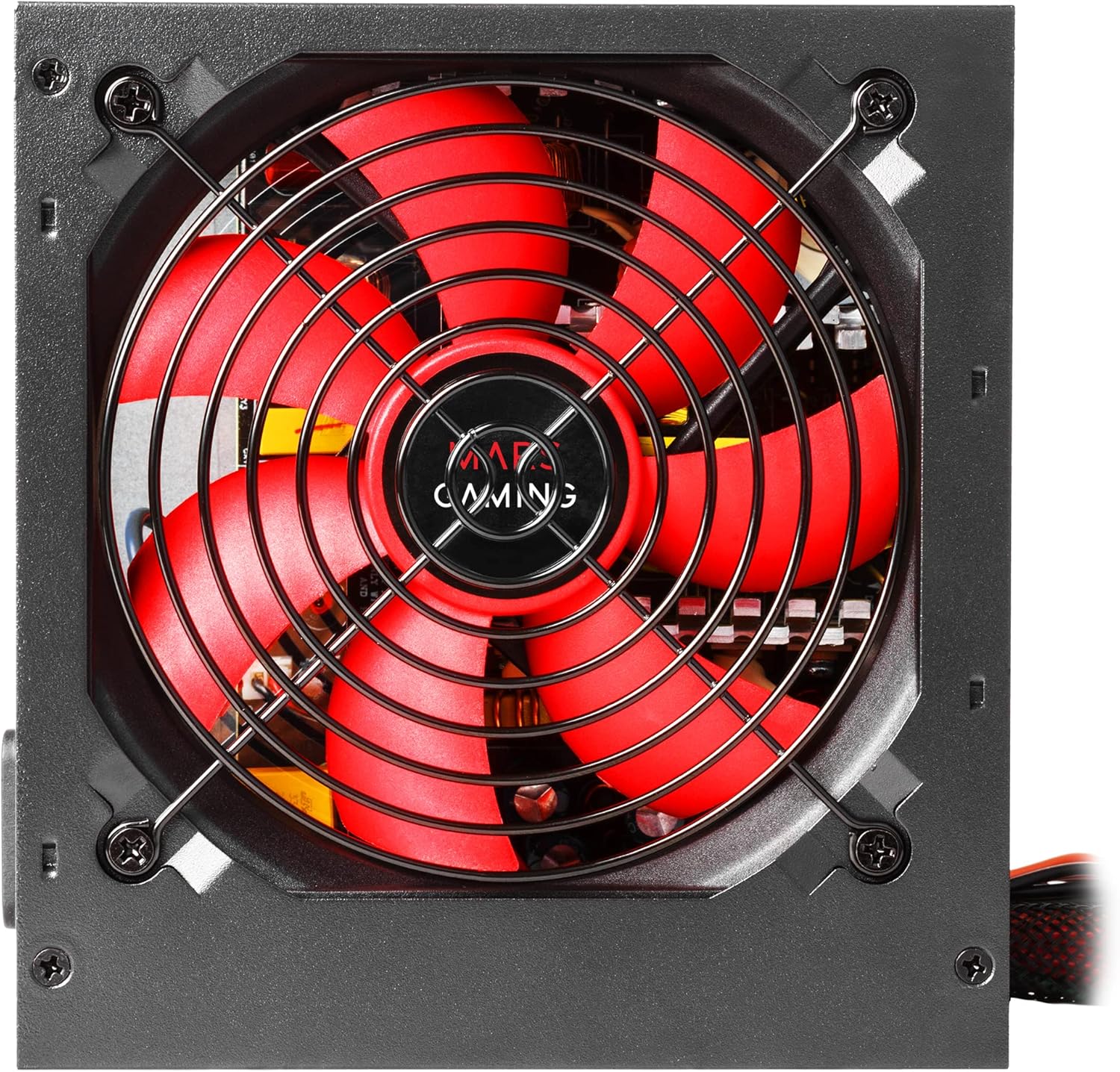
Image: A detailed view of the 12cm fan on the Mars Gaming MPII850 power supply, highlighting its red blades and protective grill, designed for quiet and efficient cooling.
Maintenance
To ensure the longevity and optimal performance of your power supply, follow these simple maintenance guidelines:
- Dust Cleaning: Periodically clean the fan and ventilation grilles of the power supply to prevent dust buildup, which can hinder airflow and lead to overheating. Use compressed air or a soft brush. Ensure the PSU is powered off and unplugged before cleaning.
- Cable Management: Regularly check that all cables are securely connected and not obstructing airflow within the PC case.
- Environment: Keep your computer in a clean, dry, and well-ventilated environment.
Troubleshooting
If you encounter issues with your Mars Gaming MPII850 power supply, refer to the following common problems and solutions:
| Problem | Possible Cause | Solution |
|---|---|---|
| Computer does not power on. |
|
|
| System reboots unexpectedly. |
|
|
| Loud fan noise. |
|
|
If the problem persists after trying these solutions, please contact Mars Gaming customer support.
Specifications
| Feature | Detail |
|---|---|
| Model Number | MPII850 |
| Brand | Mars Gaming |
| Form Factor | ATX |
| Output Power | 850 Watts |
| Efficiency | Up to 85% |
| PFC | Active PFC |
| Cooling Method | Air (12cm intelligent speed control fan) |
| Noise Level | Approximately 14 dB (at low load) |
| Main Power Connector | 1x 20+4 Pin |
| CPU Power Connector | 1x 12V 4+4 Pin |
| PCI-E Connectors | 2x 6+2 Pin |
| SATA Connectors | 6x |
| PATA Connectors | 4x |
| FDD Connector | 1x |
| Compatible Devices | Personal Computer |
| Dimensions (L x W x H) | 188 x 90 x 275 mm (approximate, based on product data) |
| Weight | 1.3 Kilograms |
Warranty and Support
Mars Gaming products are designed for durability and performance. For warranty information and technical support, please refer to the official Mars Gaming website or contact your local retailer.
Online Support: www.marsgaming.eu
Please have your product model number (MPII850) and purchase details ready when contacting support.


