
Introduction
This manual provides comprehensive instructions for the safe and effective use of the Proster RZMT-10 MD Digital Wood Moisture Meter. This device is designed to measure the moisture content of wood, paper, and cardboard using electrical resistance. Please read this manual thoroughly before operation to ensure accurate measurements and to prevent damage to the device or injury.
Safety Information
Warning: The electrode pins are sharp. Exercise caution when handling this instrument. Do not point the probe pins towards humans or animals to avoid injury. Keep the device out of reach of children.
Product Overview
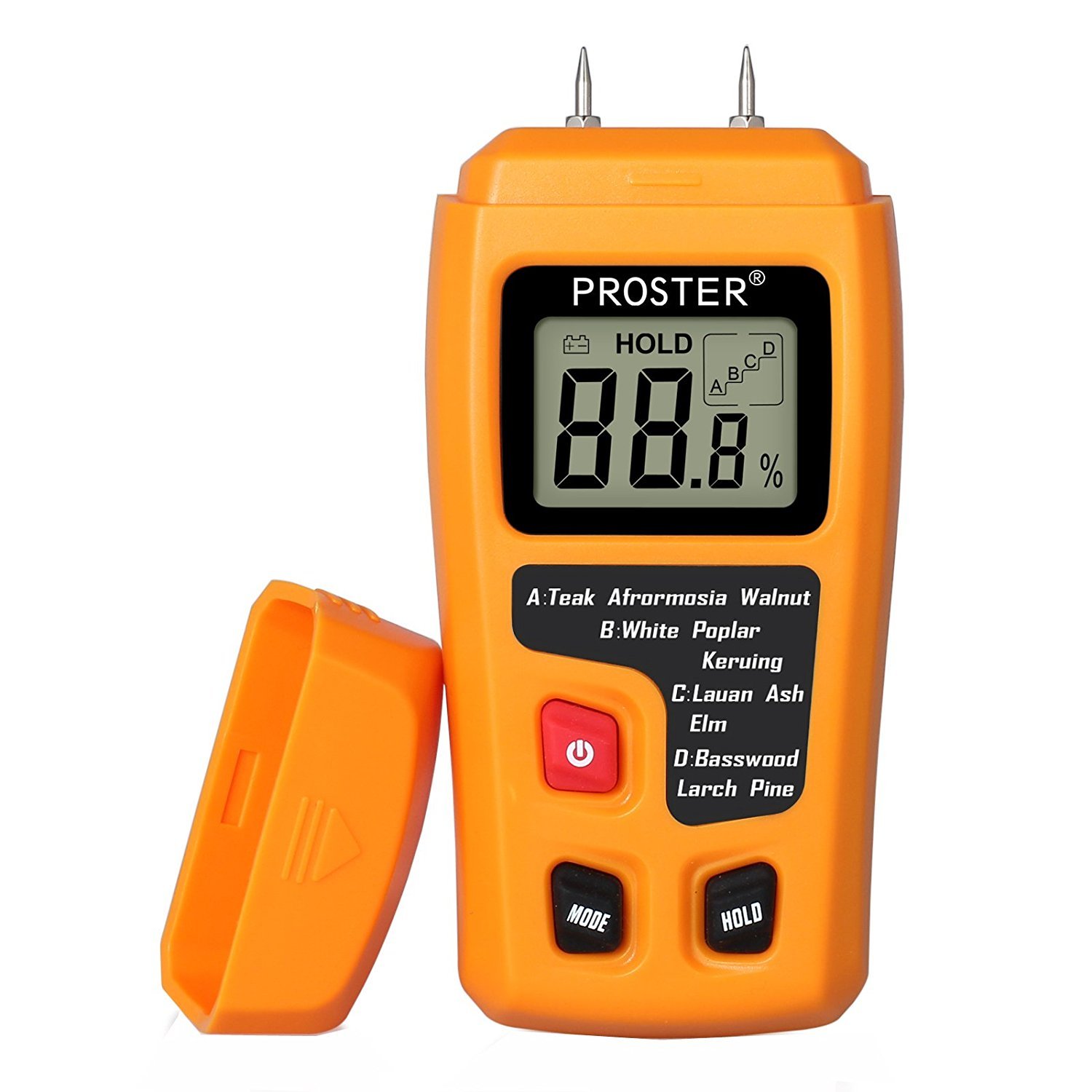
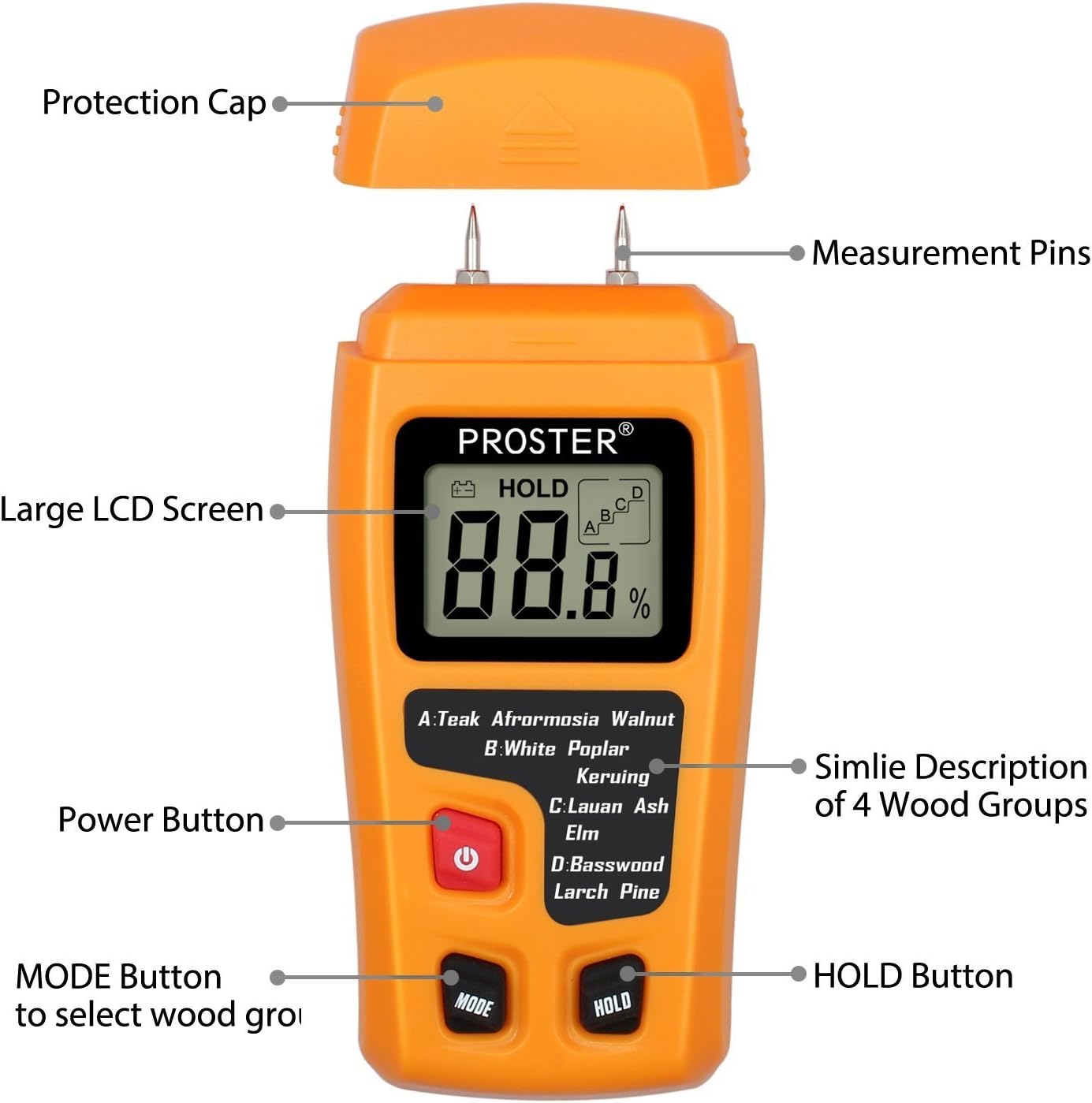
The Proster RZMT-10 MD Digital Wood Moisture Meter is a handheld device featuring an HD LCD for clear readings. It includes integrated electrode pins for measurement and a protective cap for safety.
Key Features:
- Displays wood moisture content on an LCD screen.
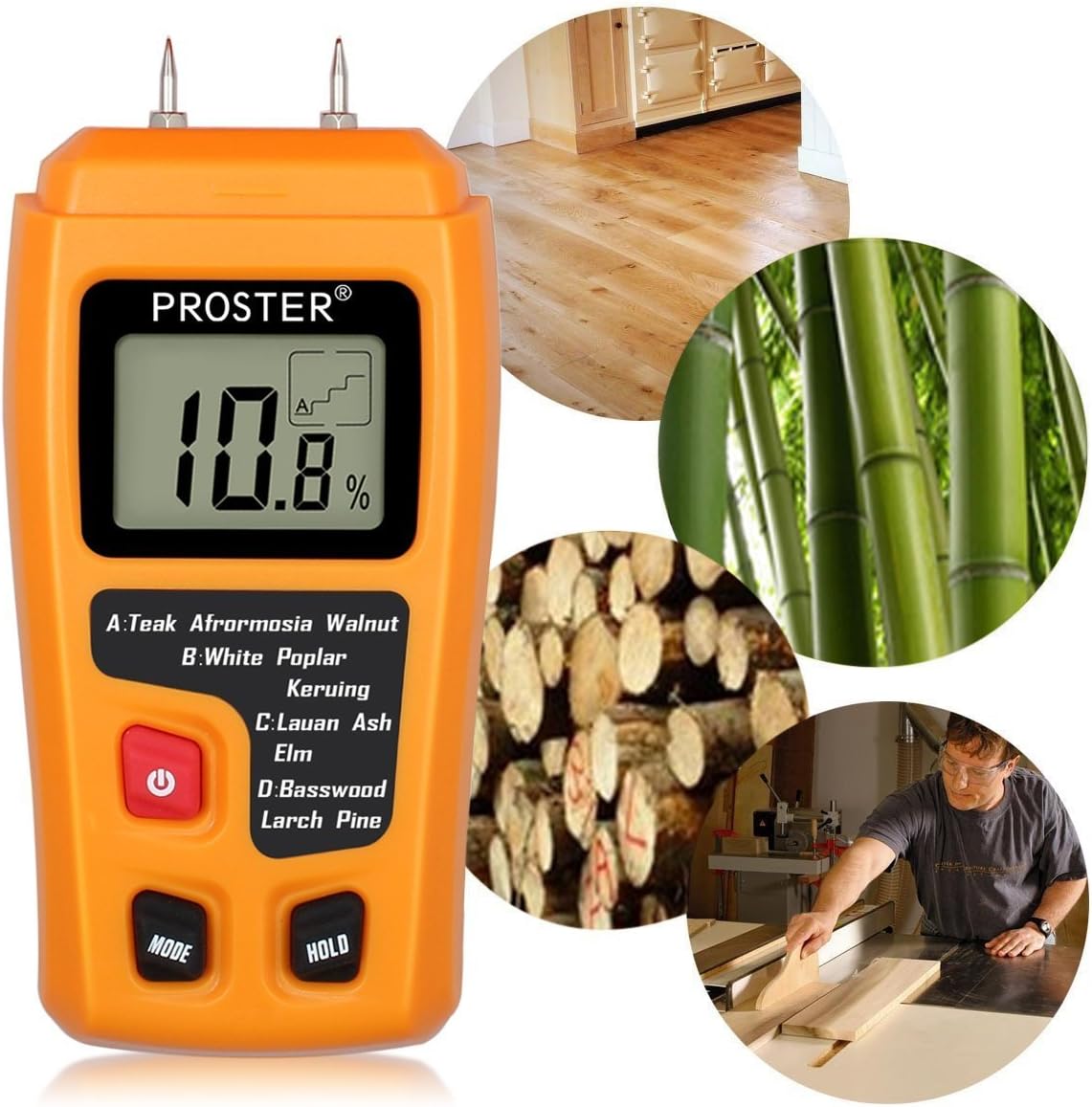
- Suitable for wood, paper, and cardboard.
- Measurement principle: Electrical resistance.
- Memory for 4 wood groups with calibrations for approximately 50 species.
- Impact-proof housing for durability.
- Automatic power-off function to conserve battery.
- Data hold function for stable readings.
- Built-in battery check and low battery indicator.
- Comes with a protective cap.
Component Identification:
Setup
Battery Installation:
- Locate the battery compartment on the back of the device.
- Open the battery compartment cover.
- Insert one 9V battery, ensuring correct polarity (+/-).
- Close the battery compartment cover securely.
- The device is now ready for use.
Note: A 9V battery is included with the product.
Operating Instructions
Follow these steps to accurately measure moisture content:
- Step 1: Remove Protection Cap and Power On
Carefully remove the protective cap from the measurement pins. Press the "POWER" button to turn on the device. - Step 2: Select Wood Group
Press the "MODE" button to cycle through the available wood groups (A, B, C, D) until the appropriate group for your material is selected. Refer to the "Wood Group Selection" section for details. - Step 3: Take Measurement
Gently push the measurement pins into the material (wood, paper, cardboard) to be tested. Ensure the pins penetrate sufficiently for a stable contact. The moisture reading will be displayed on the LCD screen. - Step 4: Hold Reading (Optional)
Once the reading stabilizes, press the "HOLD" button to freeze the displayed value. This allows you to record the measurement after removing the pins from the material. Press "HOLD" again to release the reading. - Step 5: Power Off
Press the "POWER" button to turn off the device. The meter also features an automatic power-off function after approximately 15 minutes of inactivity to conserve battery life.

Wood Group Selection
The meter has four pre-programmed wood groups (A, B, C, D) to provide accurate readings for approximately 50 different wood species. Select the group that best matches the material you are testing.
| Group | Wood Species |
|---|---|
| A | Teak, Walnut, Afromosia, Rubber tree |
| B | Keruing, White poplar, Beech, Cedar, Tola |
| C | Lauan, Ash, Elm, Fir, Maple, Padauk, Tola |
| D | Basswood, Larch, Pine, Birch |
Maintenance
Cleaning:
- Wipe the meter's housing with a soft, dry cloth.
- Do not use abrasive cleaners or solvents.
- Ensure the measurement pins are clean and free of debris for accurate readings.
Storage:
- Always replace the protective cap over the measurement pins when not in use to prevent damage and injury.
- Store the device in a cool, dry place, away from direct sunlight and extreme temperatures.
- If storing for an extended period, remove the 9V battery to prevent leakage.
Troubleshooting
Common Issues and Solutions:
- No Display / Device Not Turning On:
- Check if the 9V battery is correctly installed with proper polarity.
- Replace the 9V battery if it is depleted.
- Inaccurate Readings:
- Ensure the measurement pins are clean and fully inserted into the material.
- Verify that the correct wood group (A, B, C, D) is selected for the material being tested.
- Ensure the material surface is free of moisture or contaminants that could affect readings.
- The device is designed for wood, paper, and cardboard. Using it on other materials may yield inaccurate results.
- "LOW BATTERY" Indicator:
- Replace the 9V battery immediately to ensure continued accurate operation.
Specifications
| Feature | Detail |
|---|---|
| Measurement Principle | Electrical resistance |
| Measurement Range | 0% ~ 99.9% wood |
| Resolution | 0.1% |
| Accuracy | ±0.5% |
| Electrode Length | 10mm (0.4") |
| Electrode Pins | Integrated |
| Auto Power Off | After approx. 15 minutes of inactivity |
| Meter Housing Material | ABS Plastic |
| Operating Temperature | 0℃ ~ 40℃ (32°F ~ 104°F) |
| Operating Humidity | 85% Relative Humidity Maximum |
| Dimensions (L x W x H) | 145 x 67 x 32mm (5.71 x 2.64 x 1.26 inches) |
| Weight | 140 g |
| Color | Orange |
| Power Supply | 1 x 9V battery (included) |


Warranty Information
Specific warranty details for the Proster RZMT-10 MD Digital Wood Moisture Meter are typically provided with the product packaging or on the manufacturer's official website. Please refer to these sources for the most accurate and up-to-date warranty terms and conditions. Generally, warranties cover defects in materials and workmanship under normal use. Keep your purchase receipt as proof of purchase.
Support
For technical assistance, troubleshooting beyond this manual, or inquiries regarding your Proster RZMT-10 MD Digital Wood Moisture Meter, please contact Proster customer support. Contact information can usually be found on the product packaging, the official Proster website, or through the retailer where the product was purchased.
