
1. Introduction
The Tunturi Functional Fitness Interval Timer is designed to assist you in various fitness activities, including CrossFit, Tabata, and general interval training. This device functions as both an interval timer and a stopwatch, offering customizable settings for your workout routines. Please read this manual thoroughly to ensure proper use and to maximize the benefits of your timer.
2. Safety Information
Observe the following safety guidelines to prevent damage to the device or personal injury:
- Keep the device away from water and excessive moisture.
- Do not expose the device to extreme temperatures or direct sunlight for prolonged periods.
- Use only the specified battery type (1x AAA 1.5V).
- Ensure correct battery polarity when inserting.
- Remove batteries if the device will not be used for an extended period.
- Do not attempt to open or repair the device yourself. Contact customer support for assistance.
- Dispose of batteries and the device according to local regulations.
3. Package Contents
Verify that all items are present in the package:
- Tunturi Functional Fitness Interval Timer (Model 14TUSCF036)
- User Manual (this document)
- 1x AAA 1.5V Battery (may be pre-installed or included separately)
4. Product Overview
Familiarize yourself with the components of your interval timer.
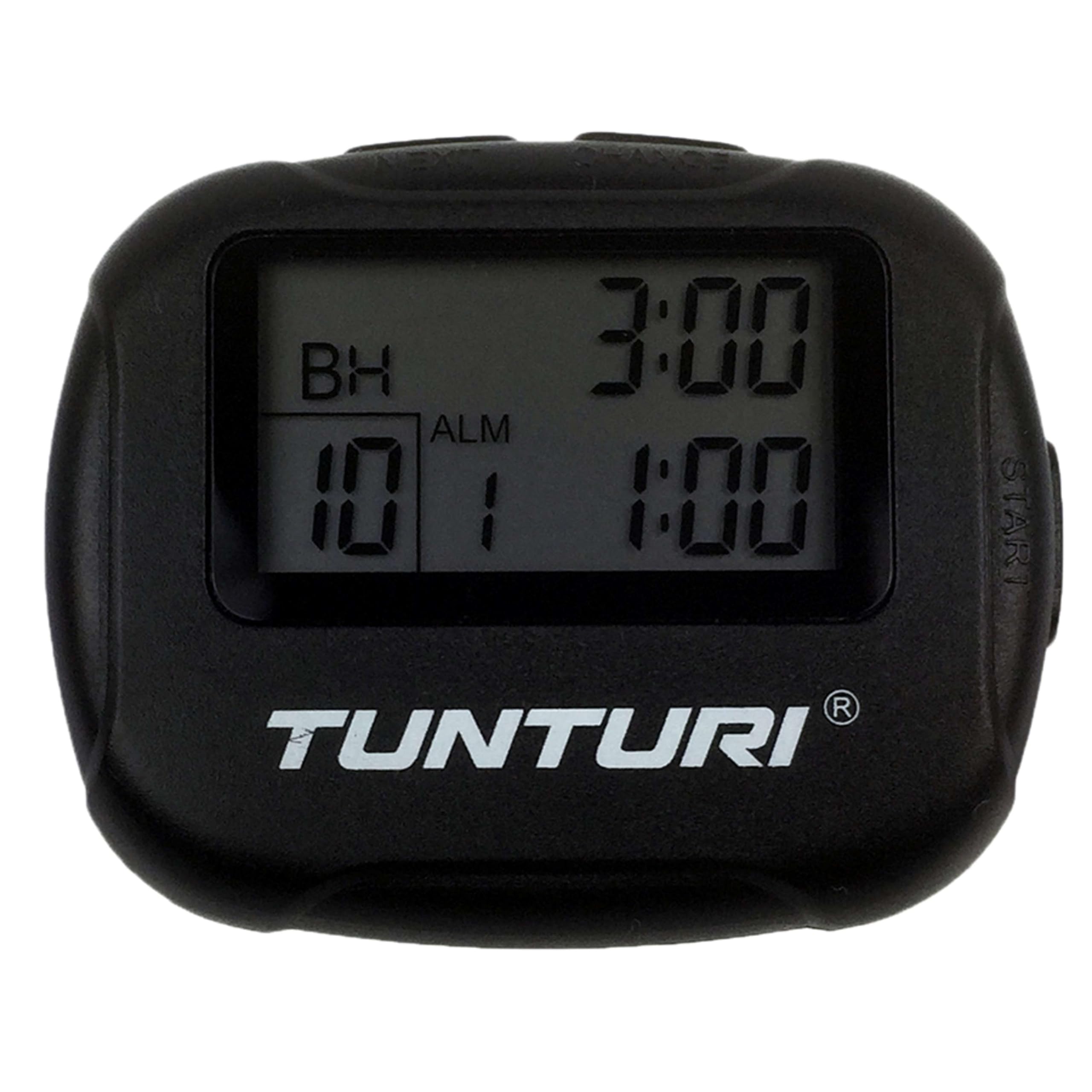
Figure 4.1: Front view of the Tunturi Interval Timer, displaying the screen and primary control buttons.
The timer features a clear digital display and intuitive buttons for navigation and setting adjustments. It includes a sturdy clip for attachment to clothing or equipment.

Figure 4.2: Side view of the timer, showing the robust clip for secure attachment.
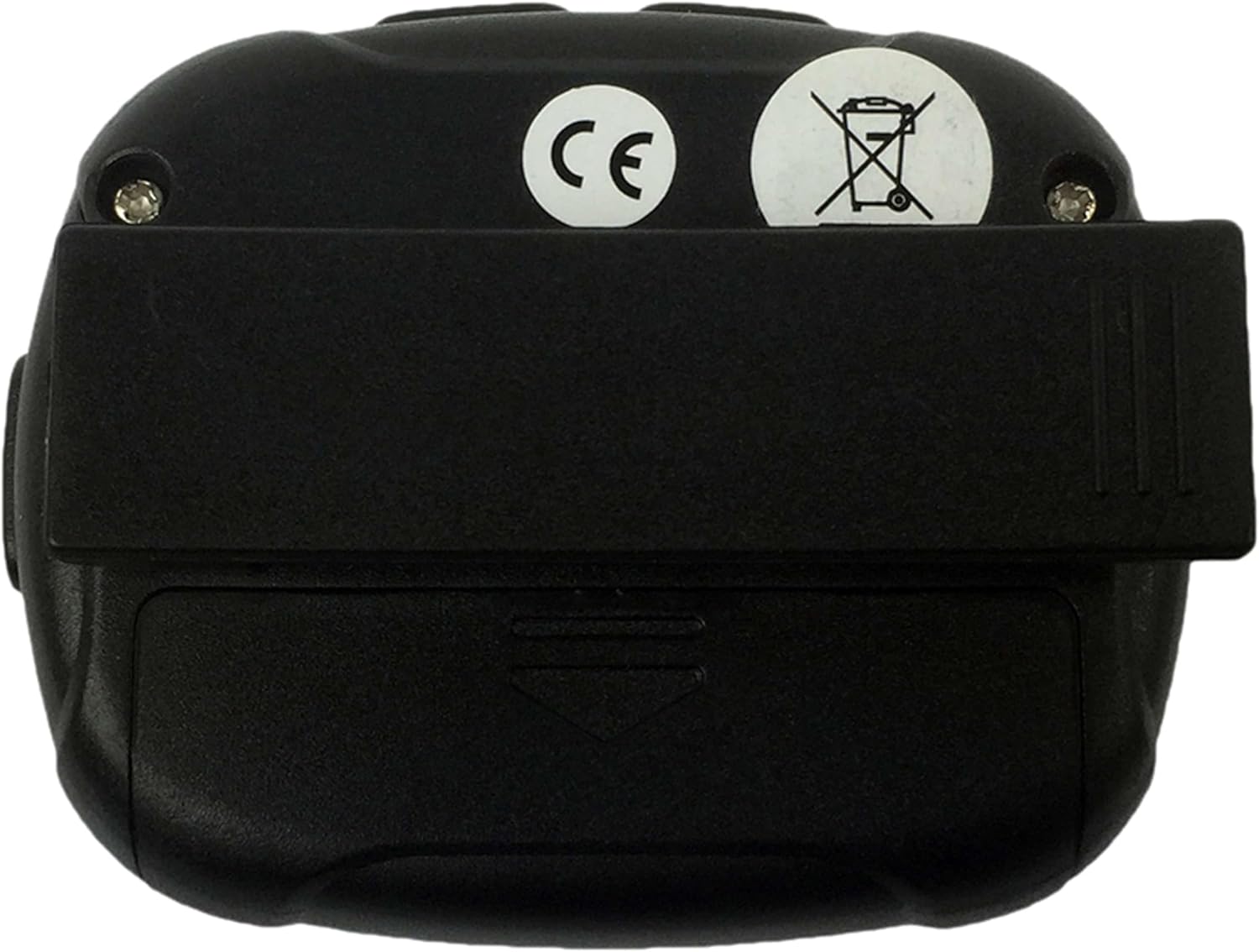
Figure 4.3: Rear view of the timer, illustrating the battery compartment cover and the clip's pivot point.
Button Functions:
- MODE: Switches between Interval Timer mode and Stopwatch mode. Also used to confirm settings.
- START/STOP: Initiates or pauses the timer/stopwatch.
- UP (▲): Increases values during setting adjustments.
- DOWN (▼): Decreases values during setting adjustments.
5. Setup
5.1 Battery Installation
- Locate the battery compartment on the back of the timer (refer to Figure 4.3).
- Use a small screwdriver or coin to gently open the battery cover.
- Insert one AAA 1.5V battery, ensuring the correct polarity (+/-) as indicated inside the compartment.
- Replace the battery cover and secure it firmly.
- The timer should power on automatically or can be turned on using the MODE button.
6. Operating Instructions
6.1 Power On/Off
- To power on, press any button. The timer will typically display the last used mode or a default setting.
- The timer will automatically enter a low-power sleep mode after a period of inactivity to conserve battery. Press any button to wake it up.
6.2 Setting Interval Timer Mode
- Press the MODE button repeatedly until "TIMER" or a similar indicator for interval mode is displayed.
- Press and hold the MODE button to enter setting mode. The first adjustable parameter (e.g., Workout Time) will flash.
- Use the UP (▲) and DOWN (▼) buttons to adjust the desired workout duration (up to 99 minutes 59 seconds).
- Press MODE to confirm and move to the next setting (e.g., Rest Time).
- Adjust the rest duration using UP (▲) and DOWN (▼).
- Press MODE to confirm and move to the number of repetitions (2-99).
- Adjust the number of repetitions using UP (▲) and DOWN (▼).
- Press MODE to confirm all settings and exit setting mode.
- Press START/STOP to begin the interval sequence. The timer will count down the workout time, then the rest time, and repeat for the set number of repetitions.
- During an interval, press START/STOP to pause, and press again to resume.
- To reset the timer, press and hold START/STOP while paused.
6.3 Using Stopwatch Mode
- Press the MODE button repeatedly until "STOPWATCH" or a similar indicator is displayed. The display should show 00:00:00.
- Press START/STOP to begin timing. The stopwatch will count up.
- Press START/STOP again to pause the stopwatch.
- To resume, press START/STOP.
- To reset the stopwatch to zero, press and hold START/STOP while it is paused.
6.4 Alarm and Vibration
The timer provides an audible alarm or vibration to signal the end of an interval or a completed request. Specific settings for alarm/vibration may be available in the setup menu, typically toggled using the UP/DOWN buttons when the alarm icon is flashing during setup.
7. Maintenance
7.1 Cleaning
- Wipe the timer with a soft, dry cloth.
- For stubborn dirt, use a slightly damp cloth and mild soap, then dry thoroughly.
- Do not use abrasive cleaners, solvents, or harsh chemicals.
7.2 Storage
- Store the timer in a cool, dry place away from direct sunlight.
- If storing for an extended period, remove the battery to prevent leakage.
8. Troubleshooting
| Problem | Possible Cause | Solution |
|---|---|---|
| Timer does not turn on. | Dead or incorrectly inserted battery. | Check battery polarity. Replace battery with a fresh AAA 1.5V battery. |
| Display is dim or flickering. | Low battery power. | Replace battery with a fresh AAA 1.5V battery. |
| Buttons are unresponsive. | Device frozen or battery issue. | Remove and reinsert the battery. If problem persists, replace battery. |
| Interval settings do not save. | Settings not confirmed correctly. | Ensure you press the MODE button to confirm each setting and exit the setting mode. |
9. Specifications
- Brand: Tunturi
- Model: 14TUSCF036
- Color: Black
- Material: Rubber
- Power Source: 1x AAA 1.5V Battery
- Max Interval Time: 99 minutes 59 seconds
- Repetitions: 2-99
- Intervals: 1-2 (Workout/Rest)
- GTIN (Global Trade Item Number): 08717842025994
- ASIN: B01MXM3GW7
10. Warranty
Tunturi products are manufactured to high-quality standards. This product comes with a standard manufacturer's warranty against defects in materials and workmanship. Please refer to the warranty card included with your purchase or visit the official Tunturi website for detailed warranty terms and conditions specific to your region.
11. Support
For technical assistance, troubleshooting beyond this manual, or warranty claims, please contact Tunturi customer support. Contact information can typically be found on the official Tunturi website or on your product packaging.
Website: www.tunturi.com
Please have your model number (14TUSCF036) and purchase date ready when contacting support.


