
1. Introduction
This manual provides instructions for the proper installation and use of your Amazon Basics Speaker Connector Banana Plugs. These connectors are designed to simplify speaker wire connections, offering a secure and corrosion-resistant interface for your audio system.
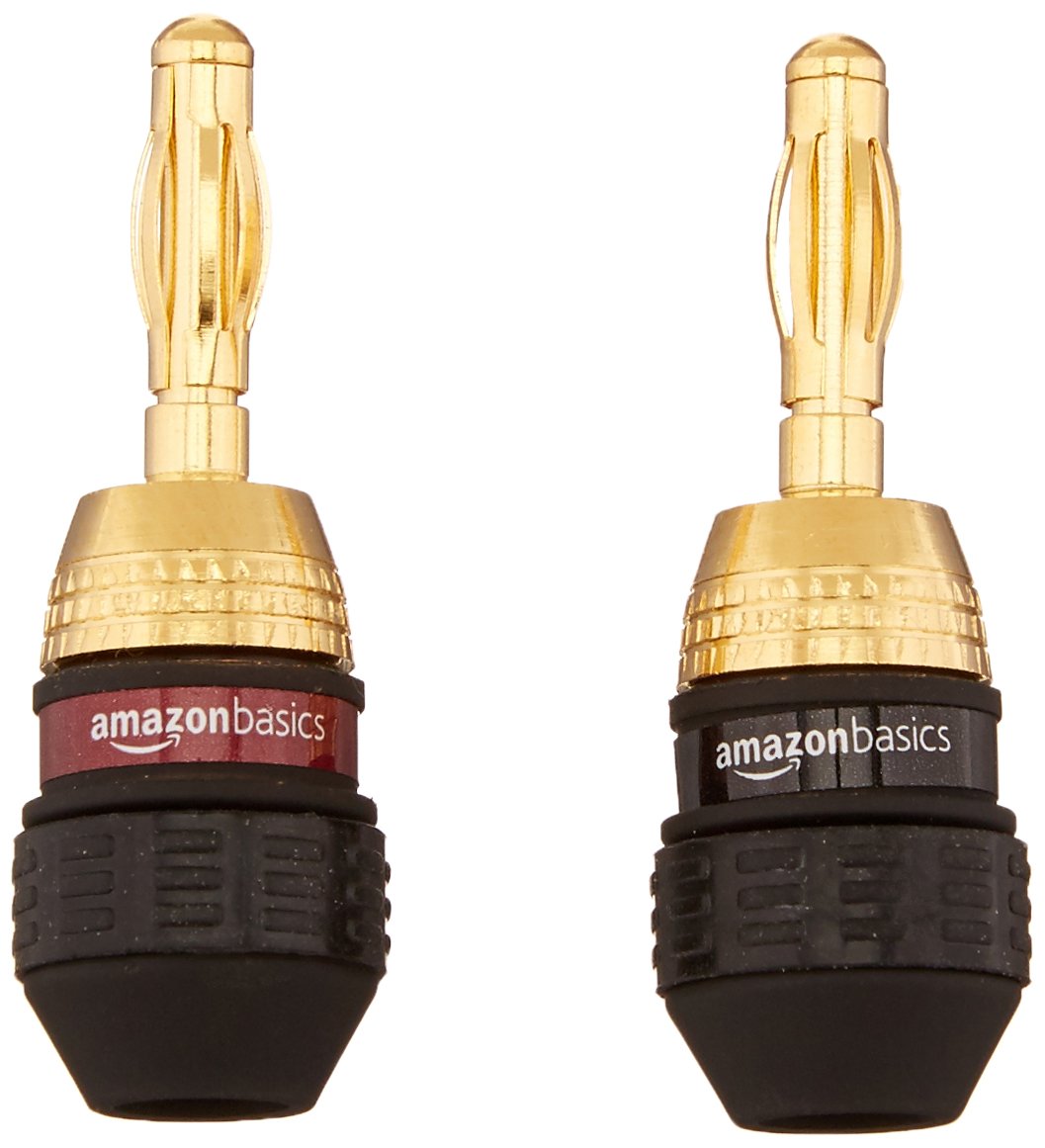
Image 1: Amazon Basics Speaker Connector Banana Plugs
2. Product Overview
The Amazon Basics Speaker Connector Banana Plugs offer a reliable solution for connecting speaker wires to audio equipment. Key features include:
- Quantity: 12 pairs (24 plugs total) for comprehensive speaker setups.
- Easy Installation: Features self-crimping teeth for straightforward wire attachment.
- High-Quality Audio: Durable 24k gold plating provides corrosion protection and ensures optimal signal transfer.
- Versatile Connection: Female connection on the base of each plug allows for connecting multiple speakers from a single output.
- Wire Compatibility: Accepts 12 to 18 AWG speaker wires.
- Identification: Includes black and red rings for clear color coding of positive and negative terminals.
3. Setup and Installation
Follow these steps to properly install your speaker wires into the banana plugs:
- Prepare the Speaker Wire: Carefully strip approximately 1/2 inch (1.27 cm) of insulation from the end of your speaker wire. Twist the exposed copper strands tightly together to prevent fraying.
- Disassemble the Banana Plug: Unscrew the black or red base from the gold-plated tip of the banana plug.
- Insert the Wire: Feed the stripped end of the speaker wire through the hole in the side of the black or red base. Ensure the copper strands are fully exposed and extend past the internal self-crimping teeth.
- Secure the Connection: While holding the wire in place, screw the gold-plated tip back onto the base. The self-crimping teeth inside the base will securely grip the copper strands, creating a firm connection. Tighten until snug, but do not overtighten.
- Verify Polarity: Use the red ring for the positive (+) terminal and the black ring for the negative (-) terminal to maintain correct audio polarity.

Image 2: Disassembled Banana Plug with Self-Crimping Teeth
For a visual guide on the installation process, please refer to the official product video below:
Video 1: Official AmazonBasics Gold Banana Plugs Installation Guide. This video demonstrates the process of attaching speaker wire to the banana plugs and connecting them to a speaker terminal.
4. Operating Instructions
Once the speaker wires are securely attached to the banana plugs, connecting them to your audio equipment is simple:
- Identify Terminals: Locate the corresponding banana plug compatible binding posts on your amplifier, receiver, or speakers. These are typically color-coded red for positive (+) and black for negative (-).
- Insert Plugs: Gently push the banana plugs into the appropriate binding posts. Ensure a firm and complete insertion for optimal contact.
- Check Connection: Lightly tug on the speaker wire to confirm the banana plug is securely seated and does not feel loose.

Image 3: Banana Plugs Connected to Speaker Terminals
5. Maintenance
To ensure long-lasting performance and optimal audio quality from your Amazon Basics Speaker Connector Banana Plugs, consider the following maintenance tips:
- Keep Clean: Periodically inspect the gold-plated tips for dust or debris. Clean with a soft, dry cloth if necessary. Avoid abrasive cleaners.
- Check Connections: Occasionally verify that the speaker wire remains securely fastened within the banana plug and that the plug itself is firmly inserted into the audio component's binding post.
- Avoid Stress: Do not pull on the speaker wires to disconnect the plugs. Always grasp the plug body when connecting or disconnecting.
6. Troubleshooting
If you encounter issues with your banana plugs, consider these common troubleshooting steps:
- Loose Connection: If the banana plug feels loose in the binding post or the wire feels loose within the plug, disconnect and re-secure the connection. Ensure the self-crimping teeth are properly engaging the wire strands and the plug is fully inserted into the binding post.
- No Audio or Poor Audio Quality:
- Verify that the red and black rings on the banana plugs match the positive (+) and negative (-) terminals on both your speaker and amplifier/receiver. Incorrect polarity can lead to poor sound.
- Check all connections for tightness and ensure no stray wire strands are touching other terminals, which could cause a short circuit.
- Ensure the speaker wire gauge (12-18 AWG) is appropriate for your setup and that the wire itself is not damaged.
7. Specifications
| Feature | Specification |
|---|---|
| Product Dimensions | 0.54 x 0.54 x 1.61 inches |
| Item Model Number | AMZN0360-12 |
| Brand | Amazon Basics |
| Connector Type | Banana Plug |
| Cable Type Compatibility | Speaker Cable |
| Compatible Devices | Speakers |
| Wire Gauge Acceptance | 12 to 18 AWG |
| Plating | 24k Gold |
8. Warranty and Support
For warranty information and customer support, please refer to the official Amazon Basics website or contact Amazon customer service directly. Keep your purchase receipt for any warranty claims.

