1. Introduction
This manual provides essential instructions for the safe and effective use of your BestCH Global 5V 2A AC/DC Adapter. This power supply is designed to provide reliable power to compatible devices, such as the RCA 7 Mercury RCT6672W23 7-inch Tablet PC. It features a wide input voltage range (100-240VAC) and incorporates multiple protection mechanisms to ensure device safety.
2. Safety Information
- Read all instructions: Before using the adapter, carefully read and understand all instructions provided in this manual.
- Proper Voltage: Ensure the wall outlet voltage is within the adapter's specified input range (100-240VAC).
- Correct Device: Only use this adapter with devices that require 5VDC and a maximum of 2A current, and feature a compatible barrel connector. Using it with incompatible devices may cause damage.
- Avoid Moisture: Do not expose the adapter to water, rain, or excessive humidity. Use indoors only.
- Physical Damage: Do not use the adapter if the cord or plug is damaged. Avoid bending, twisting, or stretching the cable excessively.
- Ventilation: Ensure adequate ventilation around the adapter during use. Do not cover it with cloths or place it in enclosed spaces.
- Children: Keep the adapter out of reach of children.
- Disconnect: Unplug the adapter from the power outlet when not in use or during electrical storms.
3. Setup
Follow these steps to set up your AC/DC adapter:
- Inspect the Adapter: Before connecting, visually inspect the adapter and its cable for any signs of damage. Do not use if damaged.
- Connect to Device: Carefully insert the barrel connector of the adapter cable into the power input port of your RCA 7 Mercury RCT6672W23 Tablet PC. Ensure a snug fit.
- Connect to Power Outlet: Plug the adapter's AC prongs into a standard wall power outlet (100-240VAC).
- Verify Connection: Confirm that your tablet indicates it is receiving power or charging.
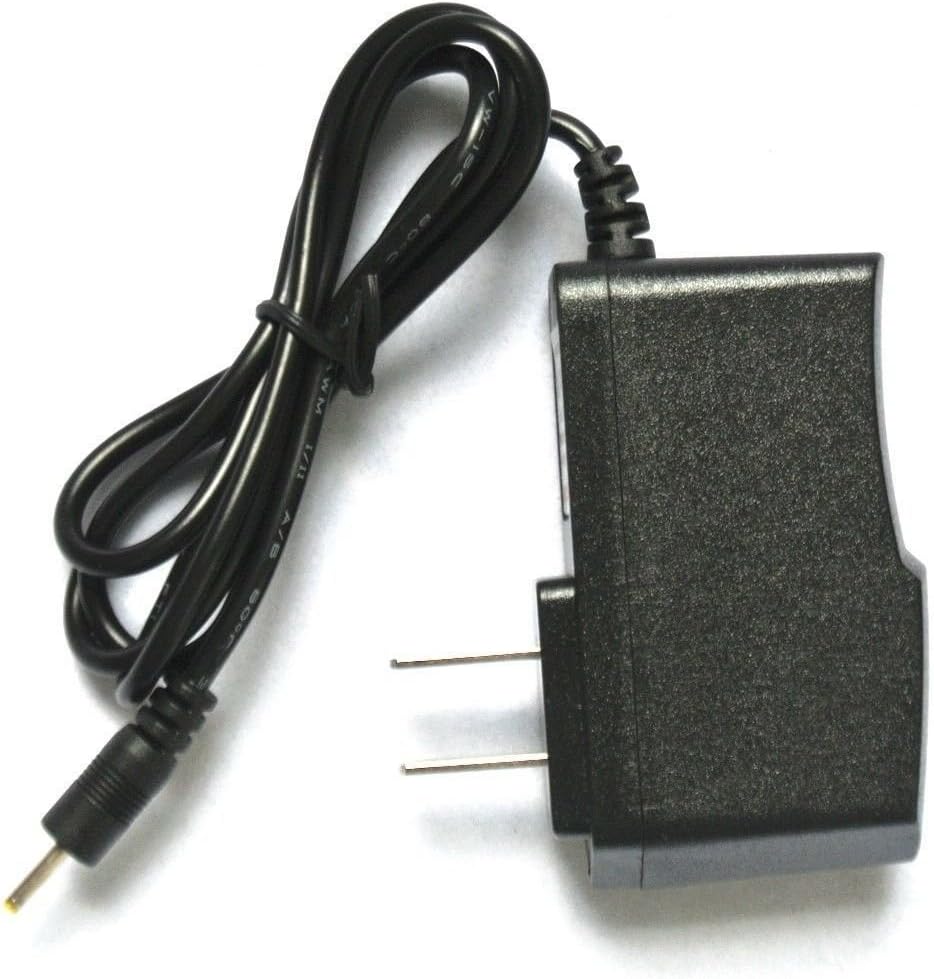
Image: The BestCH 5V 2A AC/DC Adapter, showing the main unit with US-style prongs and the attached cable terminating in a barrel connector. This image illustrates the complete adapter unit.
4. Operating Instructions
Once connected, the adapter will automatically begin supplying power to your tablet. No further user interaction is typically required for basic operation.
- Charging: When connected to a powered outlet and your tablet, the adapter will charge your tablet's battery. The tablet's screen or indicator light will typically show charging status.
- Direct Power: The adapter can also power your tablet directly, allowing you to use the device even if the battery is depleted or removed (if applicable to your tablet model).
- Disconnection: To disconnect, first unplug the adapter from the wall outlet, then gently remove the barrel connector from your tablet.
5. Maintenance
Proper care will extend the life of your adapter:
- Cleaning: Disconnect the adapter from all power sources before cleaning. Use a soft, dry cloth to wipe the exterior. Do not use liquid cleaners or solvents.
- Storage: When not in use, store the adapter in a cool, dry place, away from direct sunlight and extreme temperatures. Avoid tightly winding the cable.
- Cable Care: Do not pull on the cable to unplug the adapter from the wall or the device. Always grasp the plug or connector directly.
6. Troubleshooting
If you encounter issues with your adapter, try the following:
- No Power/Charging:
- Ensure the adapter is securely plugged into a working wall outlet. Test the outlet with another device.
- Verify the barrel connector is fully inserted into your tablet's power port.
- Check the adapter cable and connector for any visible damage. If damaged, discontinue use.
- Adapter Feels Warm: It is normal for the adapter to feel slightly warm during operation. If it becomes excessively hot to the touch or emits a burning smell, immediately unplug it and discontinue use.
- Slow Charging: Ensure your tablet's power settings are not limiting charging speed. If the issue persists, the tablet's battery or charging circuit may be at fault, not the adapter.
If troubleshooting steps do not resolve the issue, contact customer support or consult a qualified technician.
7. Specifications
| Input Voltage | 100-240VAC, 50/60Hz |
| Output Voltage | 5VDC |
| Output Current | 2A (2000mA) |
| Connector Type | Barrel Connector |
| Protection Features | OVP (Over Voltage Output Protection), OCP (Over Current Output Protection), SCP (Short Circuit Output Protection) |
| Compatible Devices | RCA 7 Mercury RCT6672W23 7 Inch Tablet PC and other devices requiring 5VDC 2A with a compatible barrel connector. |

Image: Another view of the BestCH 5V 2A AC/DC Adapter, highlighting the compact design and the barrel connector at the end of the cable.
8. Warranty and Support
For warranty information and customer support, please refer to the product packaging or contact the retailer/manufacturer directly. Keep your purchase receipt as proof of purchase for any warranty claims.