Introduction
Thank you for choosing the KitSound Bounce Wireless Earphones. This manual provides essential information for the safe and effective use of your new earphones. Please read it thoroughly before use and retain it for future reference.
Safety Information
- Do not expose the earphones to extreme temperatures, humidity, or liquids.
- Avoid dropping or subjecting the earphones to strong impacts.
- Do not attempt to disassemble or modify the earphones. This will void the warranty.
- Listen at moderate volume levels to prevent hearing damage. Prolonged exposure to loud sounds can cause irreversible hearing loss.
- Keep out of reach of children.
- Dispose of the product responsibly according to local regulations.
Package Contents
Please check the box for the following items:
- KitSound Bounce Wireless Earphones
- S/M/L silicone tips for a comfortable fit
- Micro USB charge cable
- User manual (this document)
Product Overview

The KitSound Bounce Wireless Earphones, featuring the in-line control module and microphone.
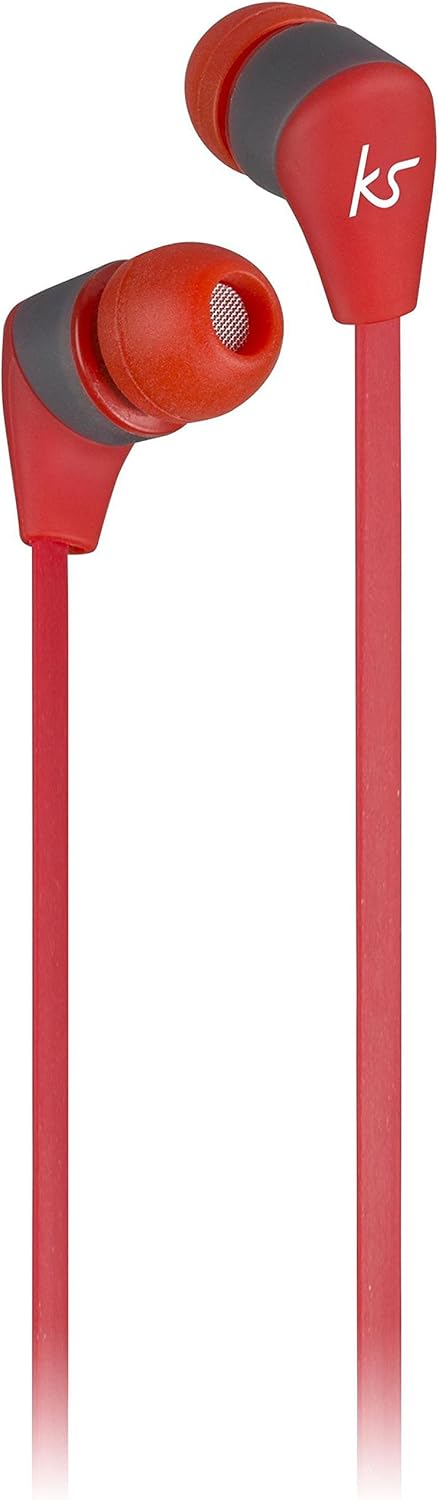
Detail of the in-line control module, which includes volume up/down, multi-function button, and microphone.
The KitSound Bounce earphones feature a lightweight design with an in-line control module. This module houses the volume controls, a multi-function button for playback and call handling, and a built-in microphone for hands-free calls.
Setup
1. Charging the Earphones
Before first use, fully charge your KitSound Bounce earphones. Locate the Micro USB charging port on the control module. Connect the supplied Micro USB cable to the port and the other end to a USB power source (e.g., computer USB port, USB wall adapter). The LED indicator will show charging status (typically red while charging, turning off or blue when fully charged). A full charge provides up to 4 hours of playtime.
2. Pairing with a Bluetooth Device
- Ensure the earphones are turned off.
- Press and hold the multi-function button on the control module until the LED indicator flashes red and blue alternately. This indicates pairing mode.
- On your Bluetooth-enabled device (smartphone, tablet, etc.), go to the Bluetooth settings and enable Bluetooth.
- Search for available devices. You should see "KS Bounce" or similar in the list.
- Select "KS Bounce" to connect. Once successfully paired, the LED indicator on the earphones will flash blue slowly or turn off, and you will hear an audible confirmation.
- If prompted for a password, enter "0000".
The earphones will automatically attempt to reconnect to the last paired device when powered on.
Operating Instructions
Power On/Off
- Power On: Press and hold the multi-function button for approximately 3 seconds until the LED indicator flashes blue and you hear a power-on tone.
- Power Off: Press and hold the multi-function button for approximately 3 seconds until the LED indicator flashes red and you hear a power-off tone.
Music Playback
- Play/Pause: Press the multi-function button once.
- Next Track: Press and hold the 'Volume Up' (+) button.
- Previous Track: Press and hold the 'Volume Down' (-) button.
Call Handling
- Answer/End Call: Press the multi-function button once.
- Reject Call: Press and hold the multi-function button for approximately 2 seconds.
- Redial Last Number: Double-press the multi-function button.
Volume Control
- Increase Volume: Press the 'Volume Up' (+) button.
- Decrease Volume: Press the 'Volume Down' (-) button.
Maintenance
- Clean the earphones with a soft, dry cloth. Do not use abrasive cleaners or solvents.
- Ensure the charging port is free of dust and debris.
- Store the earphones in a cool, dry place when not in use.
- If the silicone ear tips become dirty, they can be removed and gently washed with mild soap and water, then thoroughly dried before reattaching.
Troubleshooting
| Problem | Possible Solution |
|---|---|
| Earphones do not power on. | Ensure the earphones are fully charged. Connect to a power source and allow time to charge. |
| Cannot pair with device. | Ensure earphones are in pairing mode (flashing red/blue). Turn off and on Bluetooth on your device. Move earphones closer to the device. Forget previous pairings on your device and try again. |
| No sound or low volume. | Check volume levels on both the earphones and your connected device. Ensure earphones are properly paired. Try playing different audio. |
| Sound quality is poor. | Ensure there are no obstructions between the earphones and your device. Move away from sources of interference (e.g., Wi-Fi routers, other Bluetooth devices). Check the audio source quality. |
| Call quality is poor. | Ensure the microphone is not covered. Check network signal strength on your phone. |
Specifications
| Feature | Detail |
|---|---|
| Model Name | Bounce |
| Item Model Number | KSBOURD |
| Connectivity Technology | Bluetooth |
| Wireless Communication Technology | Bluetooth |
| Ear Placement | In Ear |
| Form Factor | In Ear |
| Noise Control | Active Noise Cancellation |
| Headphone Jack | USB (for charging) |
| Batteries | 1 Lithium Ion battery required |
| Product Dimensions | 2.8 x 2.5 x 6.5 cm; 15 g |
| Manufacturer | KitSound |
| Country of Origin | China |
| First Available Date | 8 Feb. 2017 |
Warranty and Support
KitSound products are designed and manufactured to the highest standards. For information regarding warranty coverage, technical support, or service, please refer to the warranty card included with your product or visit the official KitSound website. Please retain your proof of purchase for warranty claims.


