Introduction
This manual provides comprehensive instructions for the setup, operation, and maintenance of your Vestel RC4870 Universal Remote Control. This remote is designed for use with various television brands, including Digihome, Bush, Telefunken, Celcus, JVC, and Dual/TV, offering a convenient way to manage your entertainment system.
Product Overview
The Vestel RC4870 is an infrared remote control featuring a standard layout for intuitive navigation and control of your television. It requires two AAA alkaline batteries for operation.
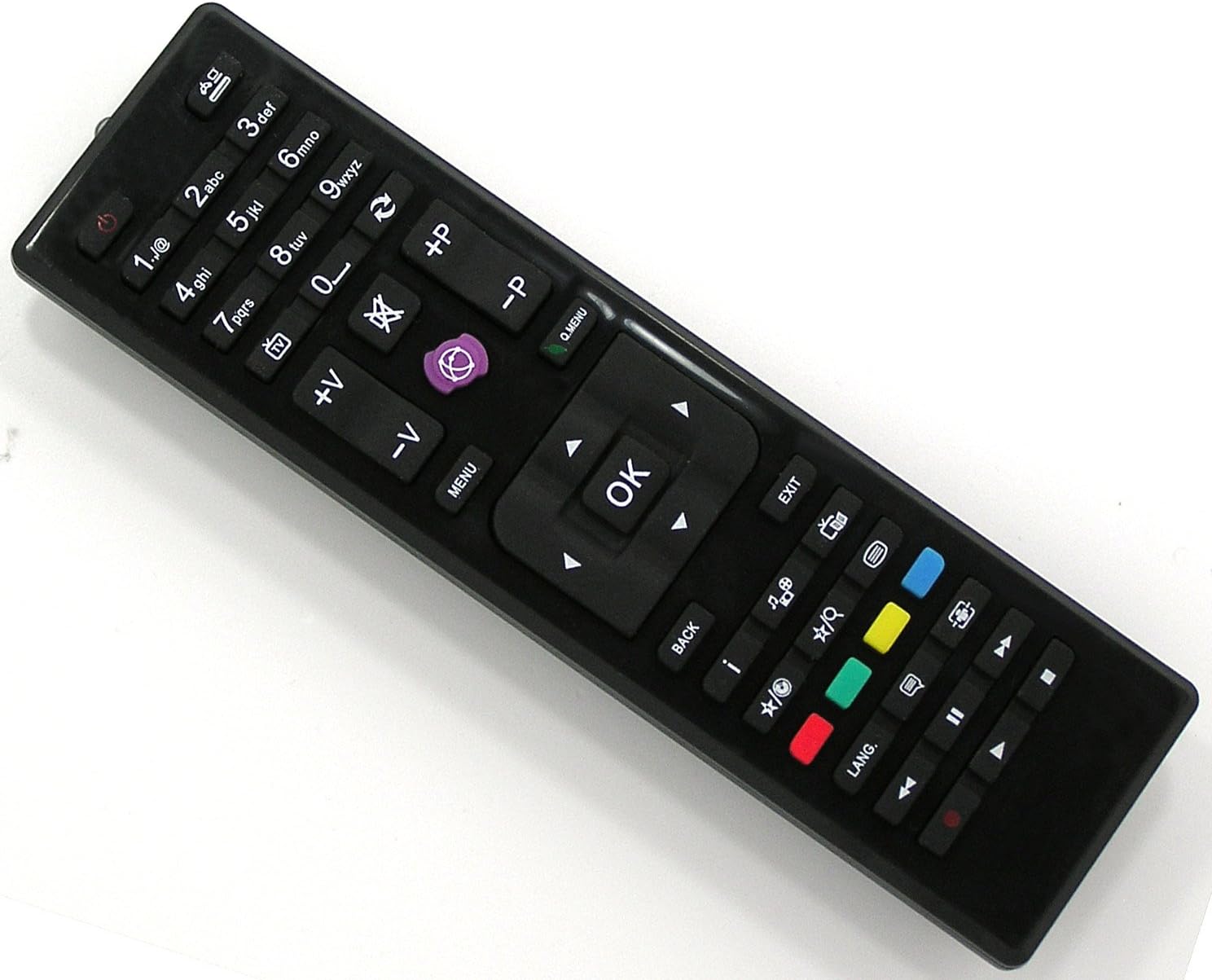
Image: The Vestel RC4870 Universal Remote Control, a black remote with various buttons for TV operation.
Setup
1. Battery Installation
- Locate the battery compartment cover on the back of the remote control.
- Slide the cover downwards or press the latch to open it.
- Insert two AAA alkaline batteries, ensuring the positive (+) and negative (-) terminals align correctly with the markings inside the compartment.
- Replace the battery compartment cover, pushing it until it clicks securely into place.
2. Initial Use
The Vestel RC4870 is a pre-programmed universal remote control. For most compatible Vestel, Digihome, Bush, Telefunken, Celcus, JVC, and Dual/TV models, no additional setup or code entry is required. Simply point the remote at your television and begin operation.
Operating Instructions
Familiarize yourself with the buttons and their functions:
| Button/Section | Function |
|---|---|
| Power (● with line) | Turns the television on or off. |
| 0-9 Number Buttons | Directly select TV channels. |
| 1./@ | Used for special characters or specific functions depending on TV model. |
| +P / -P (Channel Up/Down) | Changes the television channel up or down sequentially. |
| +V / -V (Volume Up/Down) | Adjusts the audio volume level. |
| Mute (crossed-out speaker) | Mutes or unmutes the television audio. |
| Source/Input (rectangle with arrow) | Cycles through available input sources (e.g., HDMI 1, AV, USB). |
| MENU | Opens the main menu of the television. |
| Q.MENU (Quick Menu) | Accesses a quick menu for common settings. |
| Navigation Arrows (Up, Down, Left, Right) | Navigates through menus and options. |
| OK | Confirms selections in menus. |
| EXIT | Exits the current menu or function. |
| BACK | Returns to the previous screen or menu. |
| i (Info) | Displays information about the current program or input. |
| Colored Buttons (Red, Green, Yellow, Blue) | Functions vary by TV model and context, often used for teletext, smart TV features, or specific application shortcuts. |
| Playback Controls (Play/Pause, Stop, Rewind, Fast Forward, Previous, Next) | Controls media playback from connected devices or internal media players. |
| LANG. (Language) | Changes audio language or subtitle options. |
| TV/Radio Toggle (TV icon / Radio icon) | Switches between TV and Radio modes. |
| EPG (Grid icon) | Accesses the Electronic Program Guide. |
| Subtitle (Rectangle with dots) | Toggles subtitles on or off. |
| Text/Teletext (Square with lines) | Accesses teletext services. |
Maintenance
Cleaning the Remote Control
- Use a soft, dry cloth to wipe the surface of the remote control.
- For stubborn dirt, slightly dampen the cloth with water or a mild, non-abrasive cleaner.
- Do not use harsh chemicals, solvents, or abrasive cleaning pads, as these can damage the remote's finish or internal components.
Battery Replacement
Replace batteries when the remote's response becomes sluggish or stops working. Always replace both batteries at the same time with new AAA alkaline batteries. Do not mix old and new batteries or different types of batteries.
Troubleshooting
- Remote not responding:
- Check if the batteries are inserted correctly with the correct polarity.
- Replace old batteries with new ones.
- Ensure there are no obstructions between the remote control and the TV's infrared sensor.
- Make sure you are within the effective operating range (up to 10 meters).
- Some buttons not working:
- This could indicate a specific button malfunction or a compatibility issue with a particular TV function. Verify if other buttons work.
- Clean the remote control, especially around the non-working buttons, to remove any debris.
- Remote works intermittently:
- Weak batteries are a common cause; replace them.
- Ensure consistent line of sight to the TV's IR receiver.
Specifications
- Brand: Vestel
- Model: RC4870
- Connectivity Technology: Infrared
- Compatible Devices: Television (Digihome, Bush, Telefunken, Celcus, JVC, Dual/TV)
- Maximum Supported Devices: 1
- Controller Type: Button Control
- Maximum Range: 10 Meters
- Battery Type: AAA Alkaline (2 required)
- UPC: 718347444233
Warranty and Support
Information regarding specific warranty terms and customer support for this product is not provided in the available data. Please refer to the product packaging or contact your retailer for details on warranty coverage and technical assistance.


