
1. Introduction
Thank you for choosing the SYSKA SH0360 Rotary Shaver. This manual provides essential information for the safe and effective use, maintenance, and care of your new shaver. Please read these instructions thoroughly before first use and keep them for future reference.
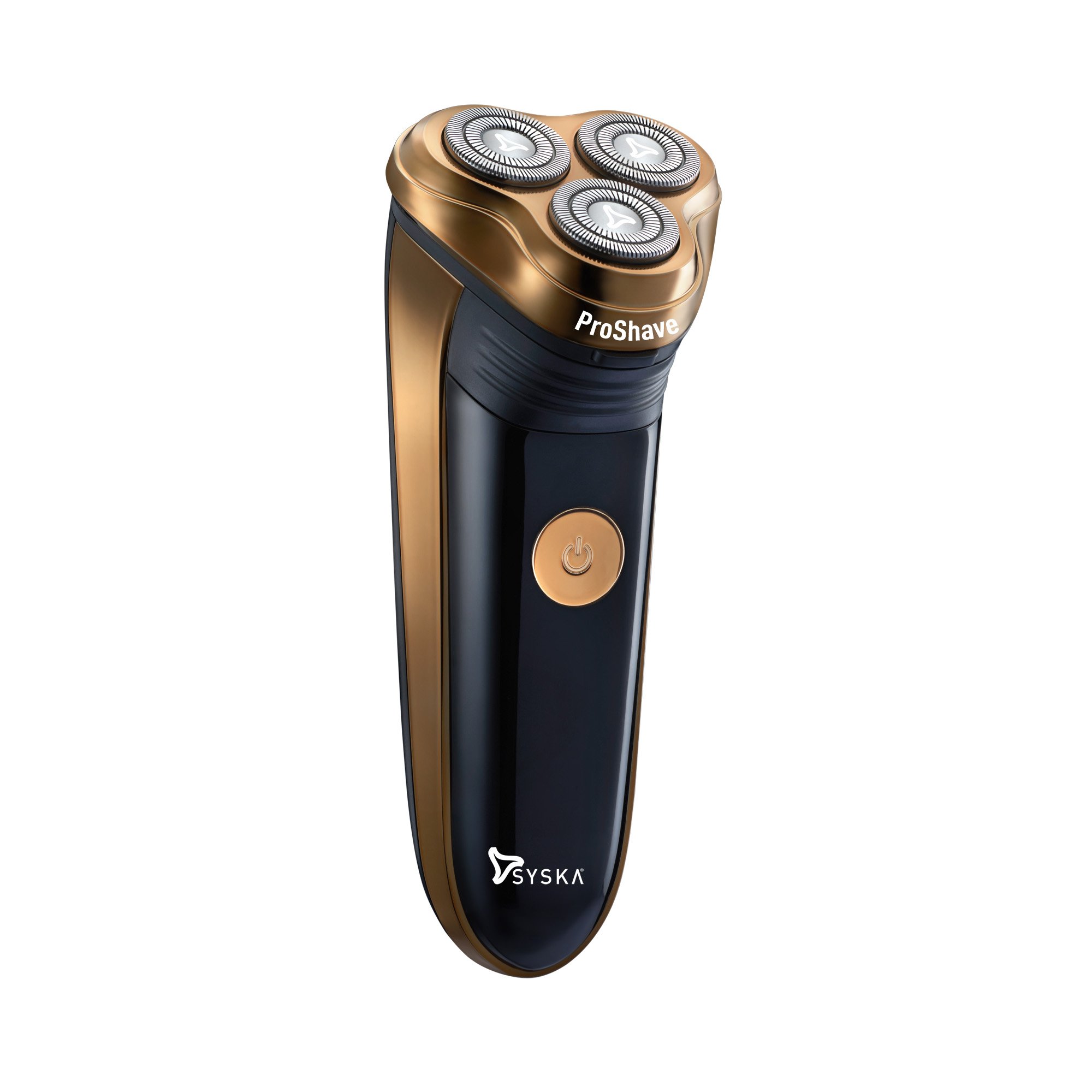
Image 1.1: The SYSKA SH0360 Rotary Shaver. This image displays the overall design of the shaver, highlighting its ergonomic shape and metallic finish.
2. Safety Instructions
To ensure safe operation, please observe the following precautions:
- This appliance is not intended for use by persons (including children) with reduced physical, sensory or mental capabilities, or lack of experience and knowledge, unless they have been given supervision or instruction concerning use of the appliance by a person responsible for their safety.
- Children should be supervised to ensure that they do not play with the appliance.
- Do not wash the entire shaver unit. The shaver is not designed to be fully submersible in water. Refer to the cleaning section for proper maintenance.
- Only use the provided adaptor for charging.
- Do not use the shaver if it is damaged or if the blades are worn.
- Keep the shaver away from heat sources and direct sunlight.
- Unplug the shaver from the power outlet before cleaning.
3. Package Contents
Verify that all items are present in the package:
- SYSKA SH0360 Rotary Shaver
- Power Adaptor
- Cleaning Brush
- Protection Cap
- User Manual (this document)
- Warranty Card
4. Product Features
The SYSKA SH0360 Rotary Shaver is designed for an efficient and comfortable shaving experience:
- 360° Rotary Shaver: Adapts to facial contours for a smooth shave.
- High Precision Ultra-Thin Shaving Heads: Ensures a close and comfortable shave.
- Double Track Design: Increases the contact area by 50% for faster shaving.
- Cordless Operation: Provides flexibility and convenience during use.
- Rechargeable Battery: Offers up to 60 minutes of working time on a full charge.

Image 4.1: Overview of the SYSKA SH0360 Rotary Shaver's key features, including its 360° rotary system and intelligent charging display.
5. Setup
5.1 Initial Charging
Before using your SYSKA SH0360 Rotary Shaver for the first time, it is essential to fully charge the battery.
- Ensure the shaver is switched off.
- Connect the power adaptor to the shaver's charging port.
- Plug the adaptor into a suitable power outlet.
- Allow the shaver to charge for up to 8 hours for the initial charge. The charging indicator will show the charging status.
- Once fully charged, disconnect the adaptor from the power outlet and the shaver.
A full charge provides approximately 60 minutes of cordless operation.
6. Operating Instructions
6.1 Shaving
For optimal results, ensure your face is clean and dry before shaving.
- Press the power button to turn on the shaver.
- Gently press the shaving heads against your skin.
- Move the shaver in small, circular motions over your face and neck.
- Stretch your skin with your free hand to help the blades capture hairs more effectively.
- After shaving, press the power button again to turn off the shaver.

Image 6.1: A user demonstrating the proper technique for using the SYSKA SH0360 Rotary Shaver on the face.
6.2 Using the Pop-up Trimmer
The shaver includes a pop-up trimmer for precise trimming of sideburns and mustaches.
- Locate the trimmer release button on the back of the shaver.
- Slide the button upwards to engage the pop-up trimmer.
- Turn on the shaver and carefully trim desired areas.
- After use, push the trimmer back down until it clicks into place.

Image 6.2: The SYSKA SH0360 Rotary Shaver with its integrated pop-up trimmer extended, ready for use.
7. Maintenance and Cleaning
Regular cleaning ensures optimal performance and extends the life of your shaver.
7.1 Daily Cleaning
- Turn off the shaver and unplug it from any power source.
- Open the shaving head unit by pressing the release button.
- Use the provided cleaning brush to remove loose hairs from the shaving heads and the hair chamber.
- Important: While the shaving heads can be rinsed under running water, the main body of the shaver is not washable. Do not immerse the entire shaver in water.
- Allow the shaving heads to air dry completely before closing the unit and replacing the protection cap.

Image 7.1: The shaving head unit of the SYSKA SH0360 Rotary Shaver being rinsed under running water for cleaning. Note: Only the head unit should be rinsed, not the entire shaver body.
7.2 Blade Replacement
For continued optimal performance, it is recommended to replace the shaving heads every 12-18 months, depending on usage. Replacement heads can be purchased from authorized SYSKA retailers.
8. Troubleshooting
If you encounter issues with your shaver, refer to the following common problems and solutions:
| Problem | Possible Cause | Solution |
|---|---|---|
| Shaver does not turn on. | Battery is depleted. | Charge the shaver for at least 8 hours. |
| Shaver pulls hair or shaves poorly. | Shaving heads are dirty or worn. | Clean the shaving heads thoroughly. If performance does not improve, replace the shaving heads. |
| Shaver stops during use. | Battery is low. | Recharge the shaver. |
If the problem persists after trying these solutions, please contact SYSKA customer support.
9. Specifications
| Feature | Detail |
|---|---|
| Model Number | SH0360 |
| Power Source | Rechargeable Lithium Ion Battery |
| Charging Time | Up to 8 hours |
| Working Time | Up to 60 minutes |
| Head Type | 360° Rotary |
| Number of Blades | 3 |
| Blade Material | Stainless Steel |
| Item Weight | 155 Grams |
| Product Dimensions (LxWxH) | 14 x 5.5 x 5.5 Centimeters |
| Color | Metallic |
10. Warranty and Support
10.1 Warranty Information
The SYSKA SH0360 Rotary Shaver comes with a 2-year warranty provided by the manufacturer from the date of purchase. Please retain your purchase receipt as proof of purchase for warranty claims. The warranty covers manufacturing defects and malfunctions under normal use conditions. It does not cover damage caused by misuse, accidents, unauthorized repairs, or normal wear and tear.
10.2 Customer Support
For any questions, concerns, or warranty claims, please contact SYSKA customer support. Refer to the contact information provided on your warranty card or visit the official SYSKA website for assistance.