
1. Introduction
The Veridian Healthcare Infrared Forehead Thermometer (Model 09-349) is designed for safe, sanitary, and non-invasive temperature measurement. It provides instant 1-second readouts for body, object, and liquid temperatures, with options for Fahrenheit or Celsius display. Key features include a backlit display, memory recall for the last 10 readings, and a fever alert icon.
2. Important Safety Information
- Read all instructions thoroughly before using the thermometer.
- This thermometer is intended for household use only. Consult a physician for medical advice.
- Do not immerse the thermometer in water or other liquids.
- Keep the device out of reach of children.
- Avoid dropping the thermometer or subjecting it to strong impacts.
- Do not attempt to disassemble or repair the thermometer.
- Ensure the sensor lens is clean before each use for accurate readings.
3. Product Features
- Non-contact, infrared measurement.
- Instant 1-second temperature readout.
- Measures body, object, and liquid temperatures.
- Selectable Fahrenheit (°F) or Celsius (°C) display.
- Digital backlit display for easy reading.
- Memory recall for the last 10 readings.
- Fever alert icon.
- Automatic shut-off to conserve battery life.
- Low-battery indicator.
- Latex-free design, no tip covers required.
4. Package Contents
- Veridian Healthcare Infrared Forehead Thermometer (Model 09-349)
- 2 AA Batteries (pre-installed or included separately)
- Instruction Manual (this document)
5. Setup
5.1 Battery Installation
The thermometer requires 2 AA batteries. If batteries are not pre-installed or need replacement:
- Locate the battery compartment cover on the back of the thermometer.
- Slide the cover open.
- Insert two AA batteries, ensuring correct polarity (+ and -) as indicated inside the compartment.
- Close the battery compartment cover securely.
5.2 Initial Power On
After installing batteries, press the power button (green circle with power symbol) to turn on the thermometer. The display will show a brief self-test before entering standby mode, ready for measurement.
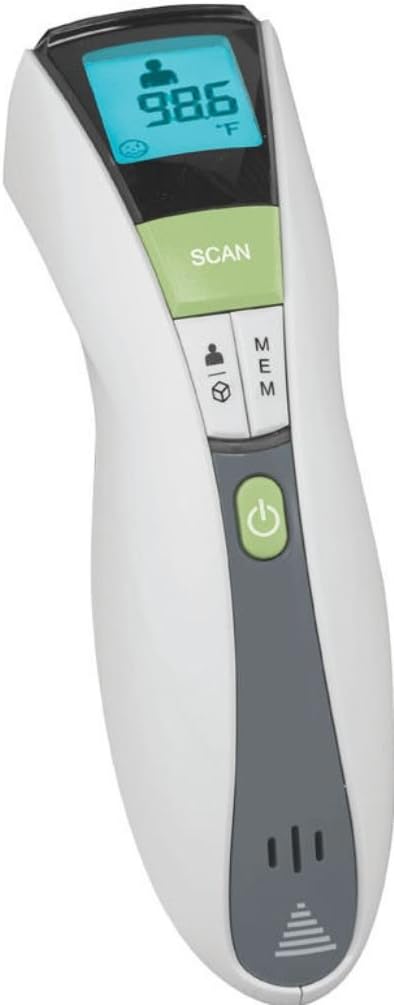
Image: Front view of the Veridian Infrared Forehead Thermometer, highlighting the digital display and control buttons including the green power button and 'SCAN' button.
6. Operating Instructions
6.1 Turning On/Off
- To turn on: Press the power button (green circle with power symbol).
- To turn off: The thermometer will automatically shut off after approximately 30 seconds of inactivity to save battery life.
6.2 Selecting Measurement Mode (Body/Object)
Press the mode button (button with person and object icons) to switch between Body mode (person icon) and Object mode (cube icon). The selected mode will be displayed on the screen.
6.3 Selecting Temperature Unit (°F/°C)
While the thermometer is on, press and hold the mode button for a few seconds to switch between Fahrenheit (°F) and Celsius (°C). The unit will be displayed next to the temperature reading.
6.4 Taking a Body Temperature
- Ensure the thermometer is in Body mode (person icon displayed).
- Hold the thermometer approximately 1-2 inches (2.5-5 cm) from the center of the forehead.
- Press the SCAN button.
- The temperature reading will appear on the display within 1 second.
- If a fever is detected, a fever alert icon will appear.
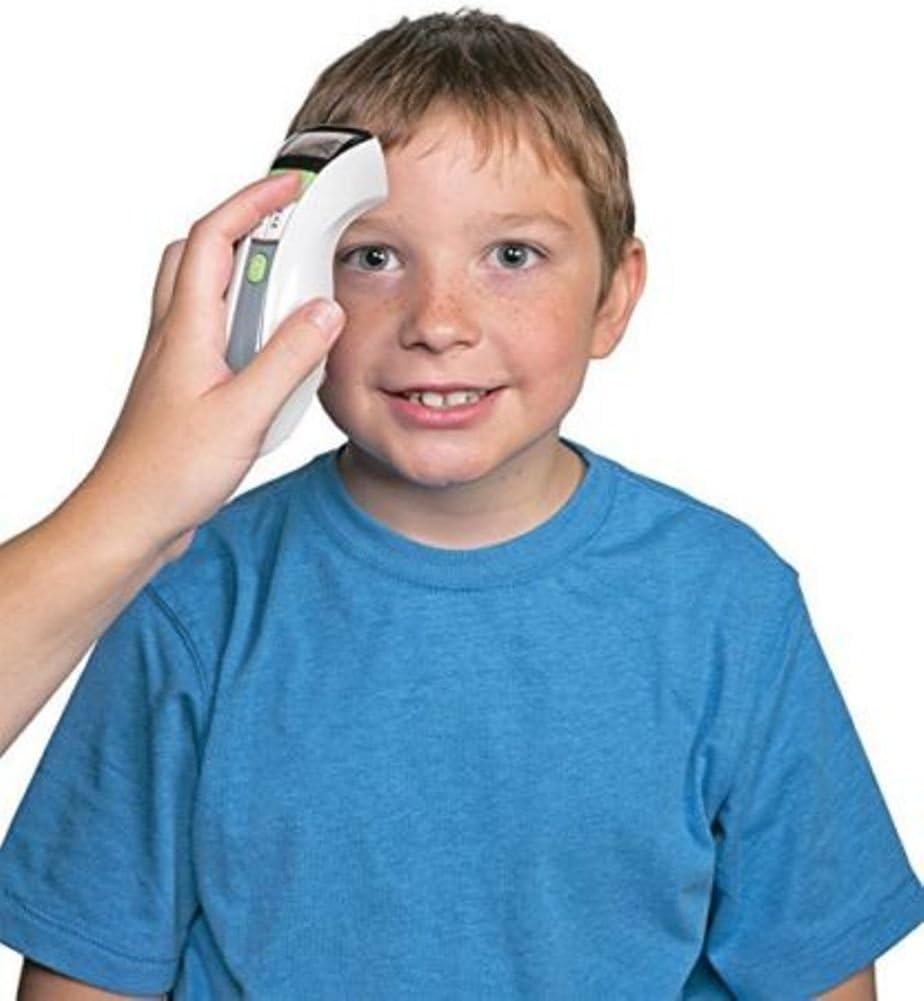
Image: A hand holding the Veridian Infrared Forehead Thermometer to a child's forehead, demonstrating proper usage for body temperature measurement.
6.5 Taking an Object/Liquid Temperature
- Ensure the thermometer is in Object mode (cube icon displayed).
- Hold the thermometer approximately 1-2 inches (2.5-5 cm) from the surface of the object or liquid.
- Press the SCAN button.
- The temperature reading will appear on the display within 1 second.

Image: Close-up top view of the Veridian Infrared Forehead Thermometer, showing the infrared sensor opening, which is used for non-contact temperature measurement.
6.6 Memory Recall
Press the MEM button to view the last 10 temperature readings. Each press will cycle through the stored readings.
7. Maintenance
7.1 Cleaning
- Wipe the thermometer body with a soft, dry cloth.
- For the sensor lens, gently wipe with a cotton swab or soft cloth lightly moistened with alcohol. Allow to dry completely before use.
- Do not use abrasive cleaners or immerse the device in water.
7.2 Storage
- Store the thermometer in a cool, dry place, away from direct sunlight and extreme temperatures.
- Keep it away from dust and dirt.
7.3 Battery Replacement
When the low-battery indicator appears on the display, replace the batteries as described in Section 5.1. Dispose of used batteries according to local regulations.
8. Troubleshooting
| Problem | Possible Cause | Solution |
|---|---|---|
| Inaccurate or inconsistent readings |
|
|
| Display not turning on |
|
|
| Fever alert icon not appearing when expected |
|
|
9. Specifications
- Model Number: 09-349
- Measurement Range (Body): 50°F - 122°F (10°C - 50°C)
- Measurement Range (Object/Liquid): 32°F - 221°F (0°C - 105°C)
- Measurement Time: 1 second
- Display: Digital, Backlit
- Memory: Last 10 readings
- Power Source: 2 x AA batteries (included)
- Automatic Shut-off: Approximately 30 seconds
- Product Dimensions: 5.25 x 3.38 x 1.25 inches
- Weight: 0.35 ounces (without batteries)
- Material: Plastic
- Connectivity Technology: Infrared
- Standard Met: ASTM
- Manufacturer: Veridian Healthcare
10. Warranty and Support
For warranty information or technical support, please refer to the warranty card included with your product or contact Veridian Healthcare directly. Contact details can typically be found on the manufacturer's official website or product packaging.


