
Panasonic H-HSA35100
Contents
Panasonic LUMIX G X VARIO H-HSA35100 F2.8 II ASPH 35-100mm Lens Instruction Manual
Model: H-HSA35100
Introduction
This manual provides essential information for the safe and effective use of your Panasonic LUMIX G X VARIO H-HSA35100 F2.8 II ASPH 35-100mm Mirrorless Micro Four Thirds Mount POWER Optical I.S. Professional Lens. Please read this manual thoroughly before use and keep it for future reference.
1. Setup
1.1 Attaching and Detaching the Lens
To attach the lens, align the red dot on the lens barrel with the red dot on your camera's lens mount. Rotate the lens clockwise until it clicks into place. To detach, press the lens release button on the camera body and rotate the lens counter-clockwise.
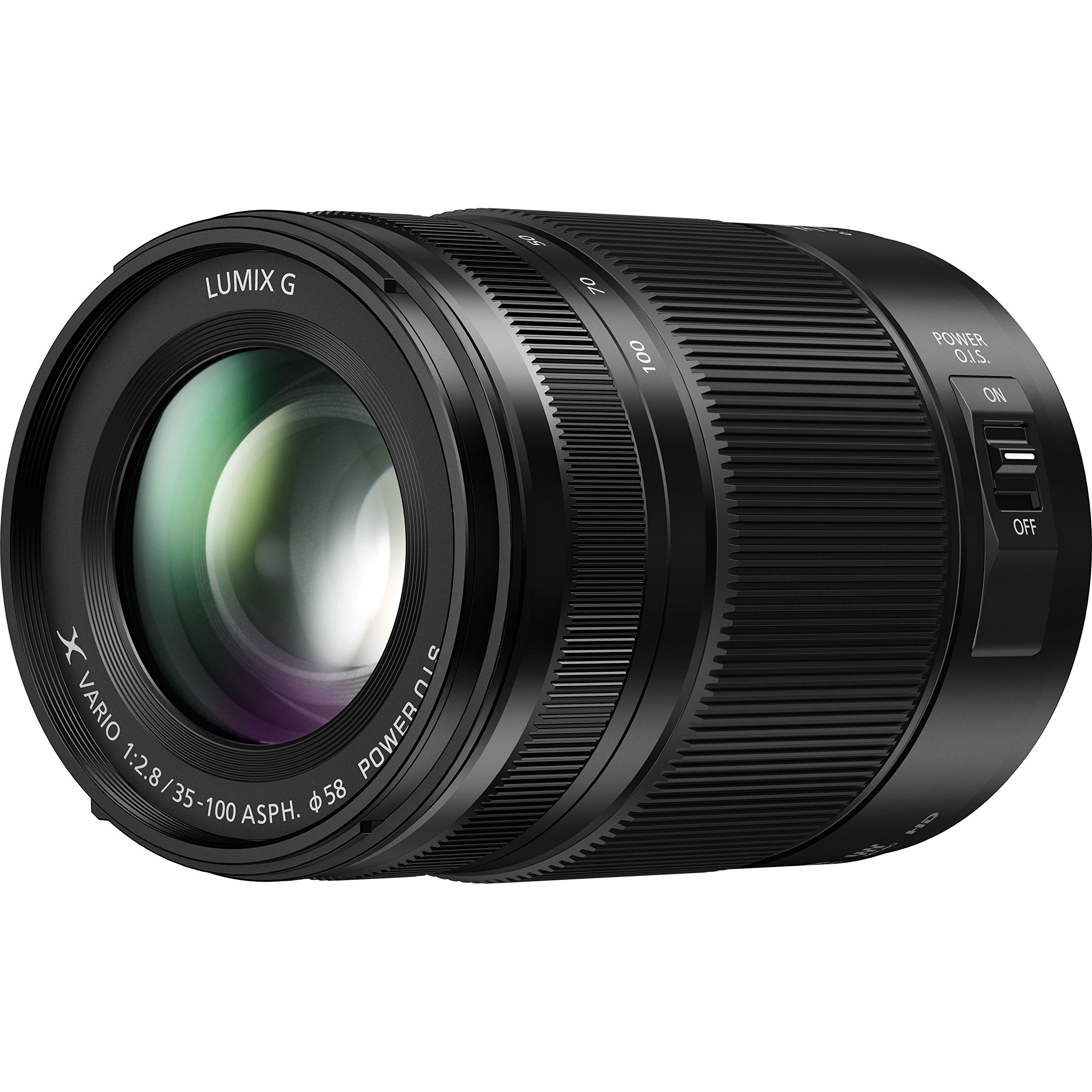
Image: The Panasonic H-HSA35100 F2.8 II ASPH 35-100mm lens, showcasing its compact design and Micro Four Thirds mount. This image illustrates the lens itself, ready for attachment to a compatible camera body.
1.2 Attaching the Lens Hood
The included lens hood helps to block unwanted stray light, reducing flare and ghosting, and provides physical protection for the front element. Align the lens hood with the front of the lens and twist until it locks securely. Ensure it is correctly oriented to avoid vignetting.
For storage, the lens hood can be reversed and attached to the lens.
2. Operating the Lens
2.1 Focus Modes
This lens supports both autofocus (AF) and manual focus (MF). The focus mode can typically be selected via a switch on the camera body or within the camera's menu system. For precise control, especially in challenging lighting conditions or for creative effects, manual focus is recommended.
2.2 Aperture and Zoom
The H-HSA35100 features a constant F2.8 aperture across its entire 35-100mm (70-200mm equivalent on a 35mm camera) zoom range. This fixed aperture allows for consistent low-light performance and shallow depth of field effects, regardless of the focal length selected.
2.3 Optical Image Stabilization (POWER O.I.S.)
The lens incorporates POWER O.I.S. (Optical Image Stabilization) to minimize blur caused by camera shake. When paired with compatible LUMIX G Mirrorless cameras, it supports enhanced Dual I.S. 2.0, providing superior handheld stability for both video and stills. Ensure the O.I.S. switch on the lens is set to 'ON' when using this feature.
Video: A review highlighting the Panasonic H-HSA35100 lens's performance, particularly its suitability for wedding videography due to its focal length and constant aperture. The video demonstrates the lens's capabilities in various shooting scenarios.
Video: A closer look at the Panasonic H-HSA35100 lens, discussing its features and benefits as a medium zoom lens for Panasonic cameras. The reviewer emphasizes its quality and suitability for professional use.
3. Maintenance
3.1 Cleaning the Lens
Use a soft, lint-free cloth to gently wipe dust and smudges from the lens surfaces. For stubborn marks, use a lens cleaning solution specifically designed for optical elements. Avoid touching the glass directly with your fingers.
3.2 Storage
When not in use, store the lens with both front and rear caps attached in a dry, cool place away from direct sunlight and extreme temperatures. Using the included lens storage bag can provide additional protection against dust and minor impacts.
3.3 Weather Sealing
This professional-grade metal body lens features a splash-proof, dustproof, and freeze-proof design. While durable, it is recommended to avoid prolonged exposure to harsh conditions and to clean any moisture or debris promptly after use.
4. Troubleshooting
- Blurry Images: Check focus settings (AF/MF), ensure O.I.S. is enabled if shooting handheld, and verify shutter speed is appropriate for the lighting conditions.
- Lens Not Attaching: Ensure the red alignment marks on the lens and camera body are matched, and rotate until a click is heard. Do not force the lens.
- Autofocus Issues: Confirm the AF/MF switch on the lens (if present) and camera is set to AF. Ensure there is sufficient light and contrast in the scene for the autofocus system to lock on.
5. Specifications
| Feature | Detail |
|---|---|
| Model Number | H-HSA35100 |
| Focal Length | 35-100mm (70-200mm equivalent on 35mm camera) |
| Maximum Aperture | F2.8 (constant) |
| Lens Type | Telephoto |
| Compatible Mountings | Micro Four Thirds |
| Optical Image Stabilization | POWER O.I.S. (Dual I.S. 2.0 compatible) |
| Construction | Durable metal body, splash-proof, dustproof, freeze-proof |
| Product Dimensions | 4.49 x 4.49 x 7.24 inches |
| Item Weight | 1.31 pounds |
6. What's in the Box
- Panasonic H-HSA35100 Lens
- Lens Cap
- Lens Rear Cap
- Lens Hood
- Lens Storage Bag
7. Warranty and Support
For warranty information and technical support, please refer to the official Panasonic website or contact your local Panasonic customer service center. Keep your proof of purchase for warranty claims.
Documents and downloads
Ask a question about this manual
Ask about setup, troubleshooting, compatibility, parts, safety, or missing instructions. Manuals+ will review the question and use this page’s manual context to help answer it.